
How to Turn Off Your Chromebook with Keyboard Without Power Button
Chromebooks have become quite popular in the last few years, especially among students and professionals. Due to being an electronic device, Chromebooks can sometimes encounter issues with shutting down and restarting. In such cases, users may wish to turn off their Chromebook using only the keyboard, without the power button.
Let me tell you, it’s possible. Whether you’re using the Chromebook’s built-in keyboard or an external USB keyboard, you can easily shut down your Chromebook using a shortcut. This method is more helpful when your power button suddenly stops functioning.

Shutting Down a Chromebook Without the Power Button
Just like Mac and Windows laptops or PCs, Chromebooks also support shortcut keys. This means you can sleep, restart, or shut down your Chromebook using shortcut keys. This is a very simple process, and all the steps are outlined below.
To turn off your Chromebook with keyboard without power button:
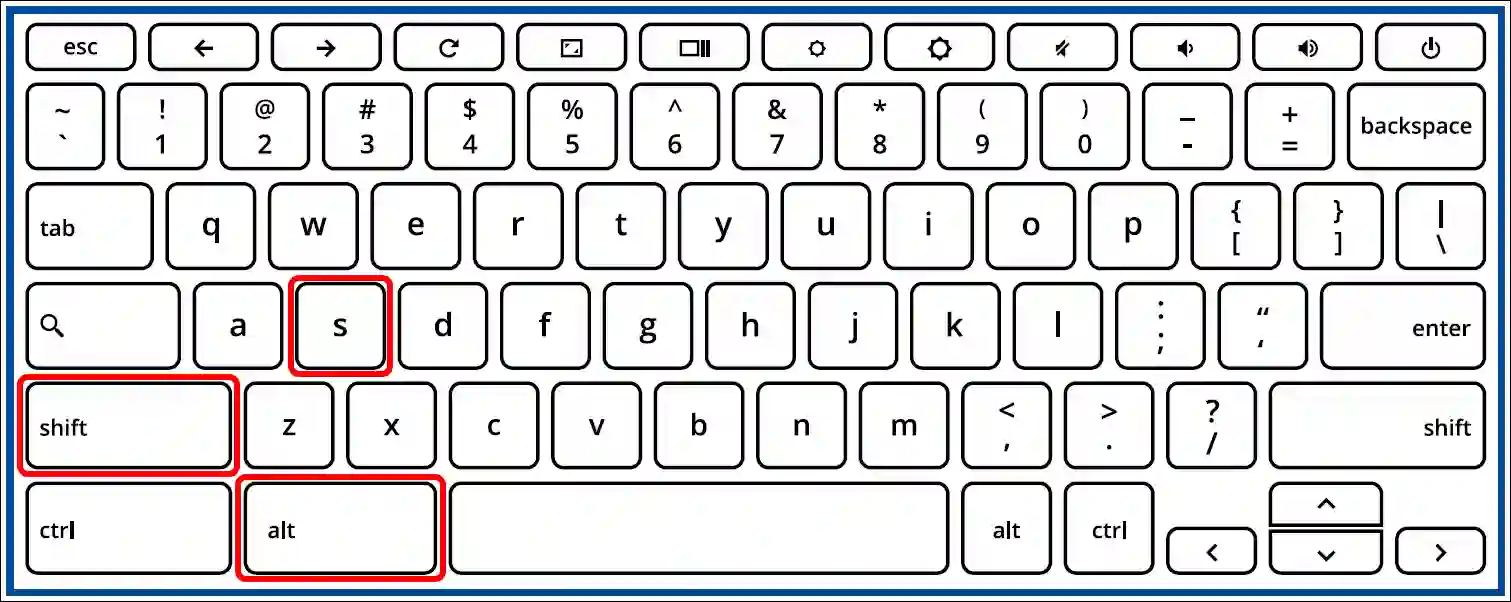
Step 1. Press Alt + Shift + S Simultaneously to Access System Menu.
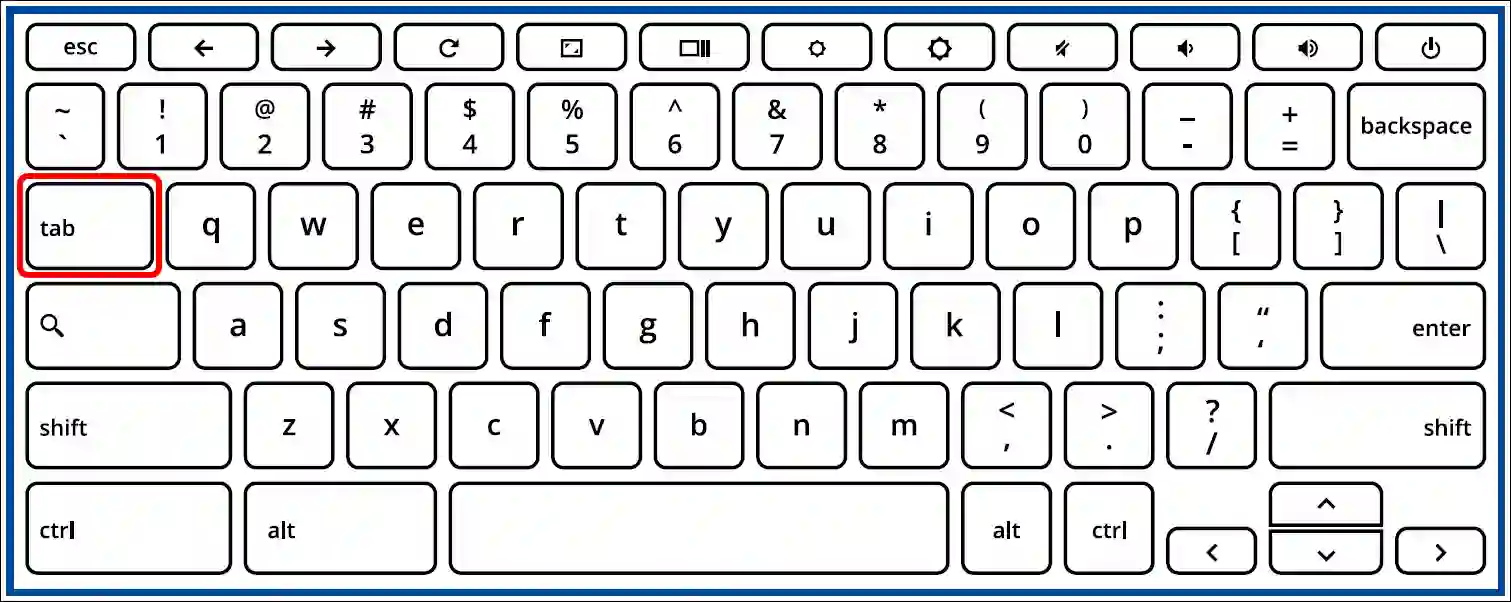
Step 2. Press the Tab Key Repeatedly Until the Power Icon is Highlighted.
Step 3. Press Enter to Open the Power Options.
Step 4. Now, Use the Arrow Keys to Select Shut Down and Press Enter to Confirm.
That’s all! As soon as you complete these steps, your Chromebook will shut down immediately. People often use this method in emergency situations, such as when the Chromebook’s power button is not working properly.
You may also like:
- How to Check What CPU You Have on Chromebook (ChromeOS)
- How to Check Android Version on Your Chromebook
FAQs
Q 1. What does Alt+Shift+S do on Chromebook?
Answer – The Alt+Shift+S shortcut on a Chromebook opens the Accessibility settings menu. This menu lets you manage multiple features, including the on-screen keyboard, dictation, display adjustments, and power options.
Q 2. Is it really possible to shut down a Chromebook using only the keyboard?
Answer – Yes! You can absolutely do this using a keyboard shortcut. To do so, press Alt + Shift + S together. Then, use the Tab key to select the power icon. Next, use the arrow keys to select “Shut down” and press Enter. Your Chromebook will shut down.
I hope this article was helpful to you, and you learned how to turn off your Chromebook with the keyboard without the power button. If you have any other questions about Chromebook, feel free to ask in the comments below. Don’t forget to share this article.




Thanks