[Known Issue] YouTube Mobile App Not Loading Videos on Home Tab
Did you also receive the “Known issue: YouTube mobile app not loading videos on home tab” notification on the YouTube mobile app? If yes, do not worry! In the last few hours, users have been posting about this issue on Reddit and Twitter. Let’s learn about this problem and how to fix it.
What does This Notification Message on YouTube Mean?
![[Known Issue] YouTube Mobile App Not Loading Videos on Home Tab](https://techysnoop.com/wp-content/uploads/2025/12/youtube-mobile-app-not-loading-videos-on-home-tab.webp)
If you see this message in your YouTube Studio app, it means no videos are loading on the home tab of your mobile YouTube app. YouTube has acknowledged this issue and has posted about it on the Google Support Forum.
In the post, Jamie from YouTube said:
“Users,
We’re aware some of you are experiencing an issue with loading videos on the Home tab of the YouTube mobile app.
Our teams are actively investigating this. We’ll update this thread as soon as we have new information. Thanks for your patience!”
Source: Support.google.com/youtube
Even after these fixes, users often continue facing the same issue. In such cases, following the specific methods below can help resolve this problem. These methods will work smoothly only after YouTube resolves this issue from their side.
Fix YouTube Mobile App Not Loading Videos on Home Tab Problem
#1. Update Your YouTube App
Sometimes, an outdated YouTube mobile app can develop unexpected issues that may even prevent videos from loading on the home tab. In this situation, the best and first thing to do is to update your YouTube app immediately to the latest version through the Google Play Store.
It is often observed that the latest version of the YouTube mobile app fixes all previous bugs and glitches. Therefore, this method should be quite helpful for you.
#2. Check Your Internet Connectivity
YouTube is an online platform, so it requires internet access to load videos. If your internet connection is slow or not working at all, the videos on the home tab or search tab will not load in this situation. Make sure you are connected to a stable internet connection.
I recommend checking your internet speed with a speed test app. You could also try toggling your connection: Switch from Wi-Fi to mobile data, or from mobile data to Wi-Fi, to see which is more stable.
#3. Restart Your Phone
Sometimes, such issues can also occur because the YouTube app’s configuration does not match properly with the mobile device. Additionally, a simple phone restart can easily fix these minor problems.
To restart your phone, press and hold the power button. Then, tap the restart or reboot option on the screen. Your device will now switch off and turn back on automatically.
#4. Clear YouTube App’s Cache
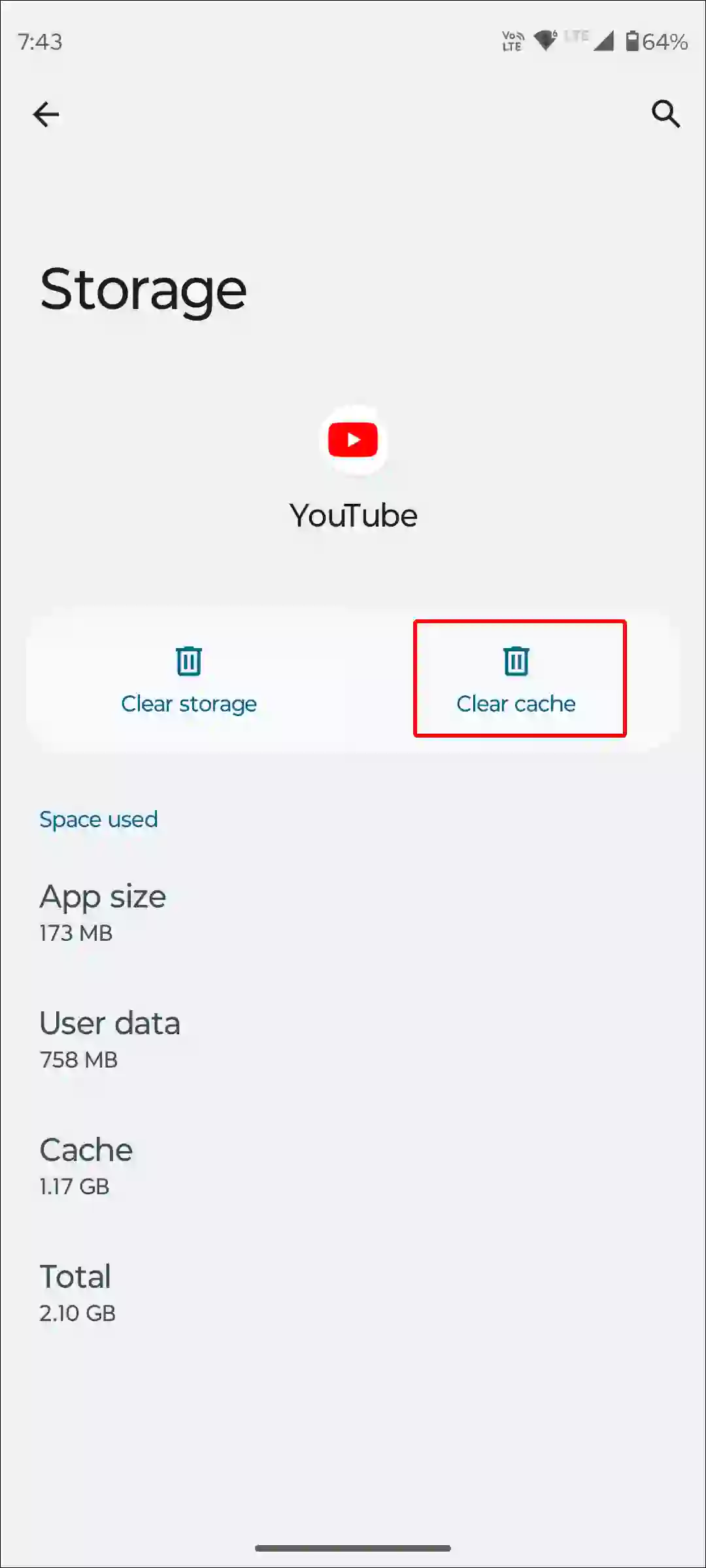
The YouTube app often stores data as cache, which can later become corrupted and prevent the app from functioning properly. However, you can easily fix this problem by clearing the YouTube cache on an Android phone.
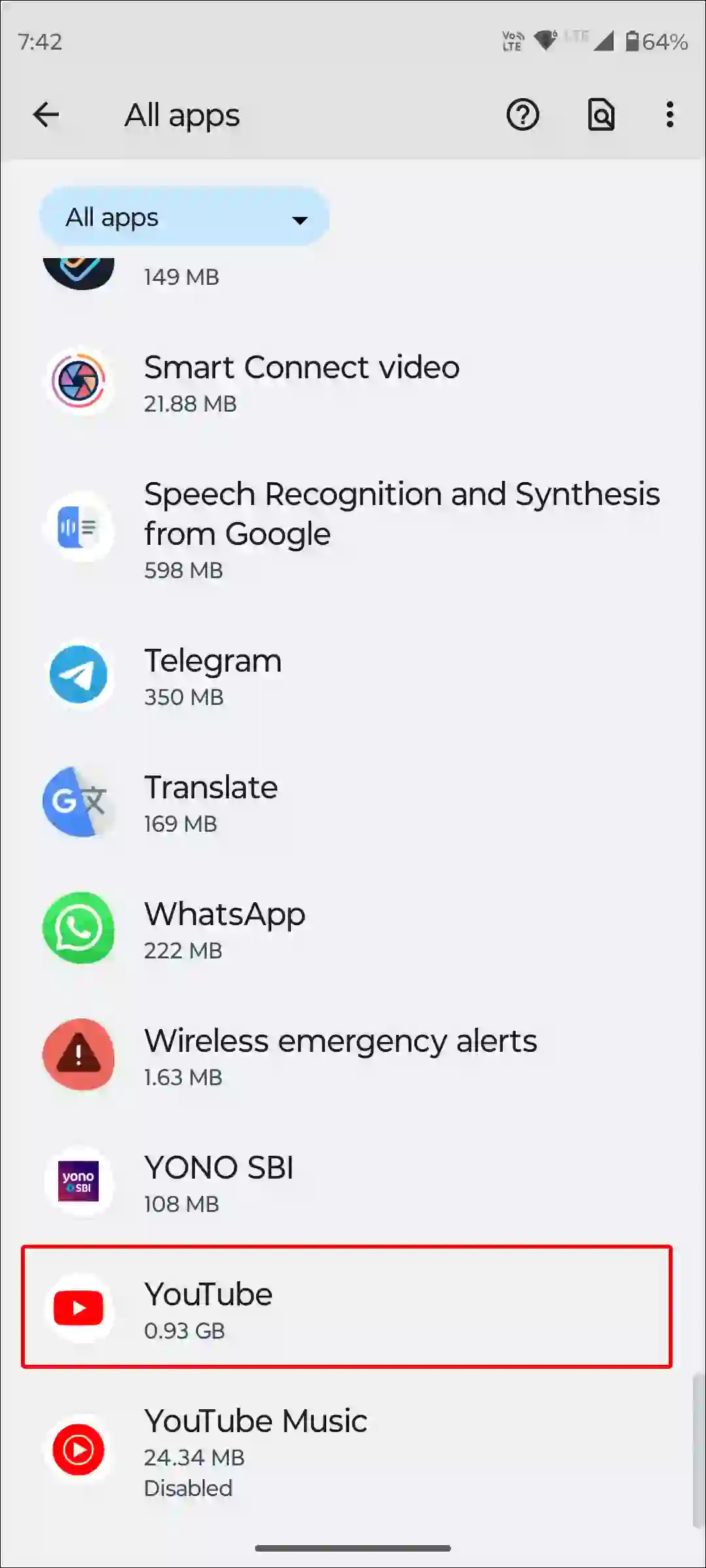
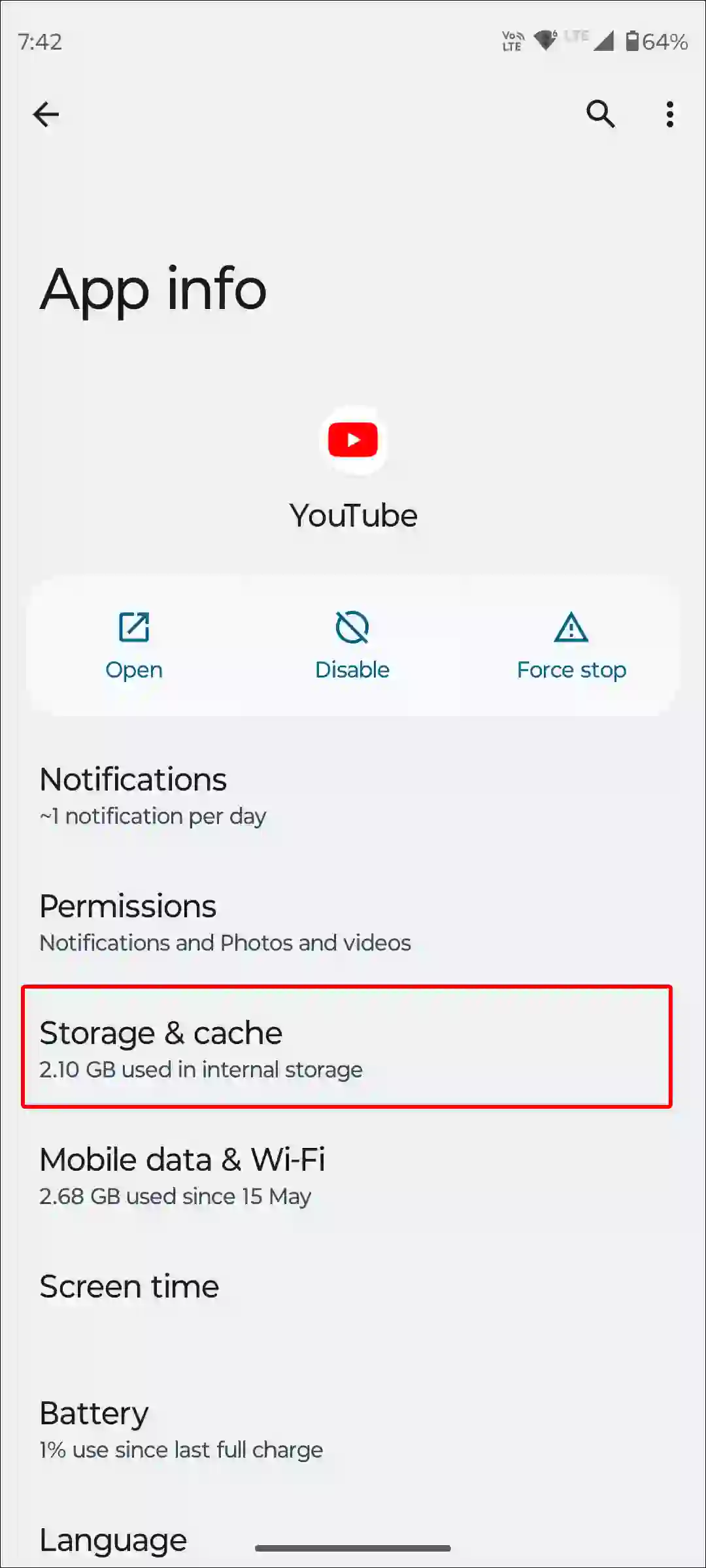
To clear YouTube app cache and data on an Android; go to Settings > Apps > See All Apps > YouTube > Storage & Cache > Clear Cache.
#5. Keep Eyes on YouTube’s Social Profiles
If videos still do not load on the YouTube mobile app home tab after trying all the above methods, it means YouTube has not yet resolved this issue. Keep checking YouTube’s social profiles and forums so you receive the latest updates related to this problem.
I hope you found this article quite helpful and learned how to fix the “YouTube mobile app not loading videos on home tab” problem. If you have any problem or question related to YouTube, feel free to ask by commenting below. Do share this article.