Install and Use Claude AI Extension on Your Chrome Browser
Cloud AI is a popular LLM model developed by Anthropic. Like other AI models, it can analyze, summarize, and create text, as well as perform coding, debugging, and complex reasoning. You can access it through its website in any browser.
Claude AI Extension for Chrome
You can now use Cloud AI as an extension for your Chrome browser. It’s an AI assistant that works directly within your browser, automating tasks and taking action on your behalf.
You can use it to navigate websites, fill out forms, extract data, and run multi-step workflows in natural conversation.
Install and Use Claude AI Extension on Your Chrome Browser
1. Download and Install Claude AI Extension
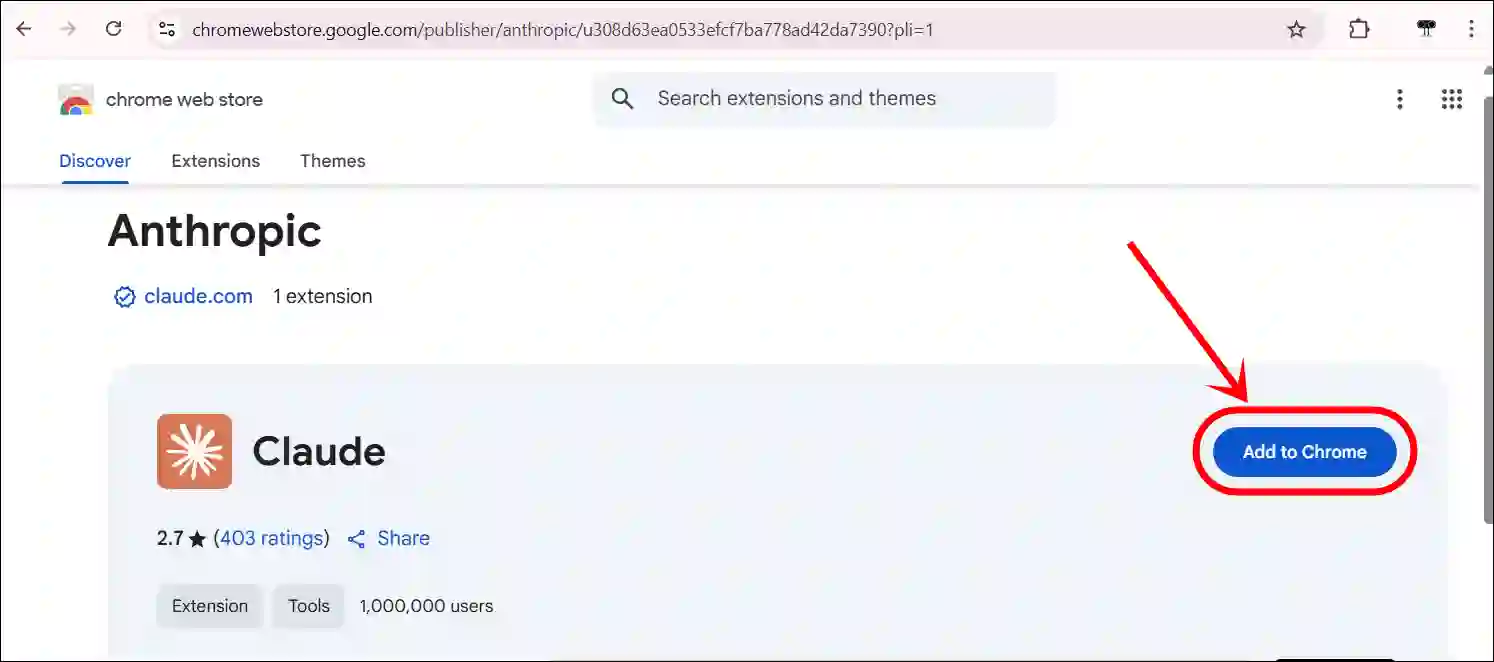
- Go to Claude AI Extension Page on Your Chrome Browser.
- Click on Add to Chrome Button.
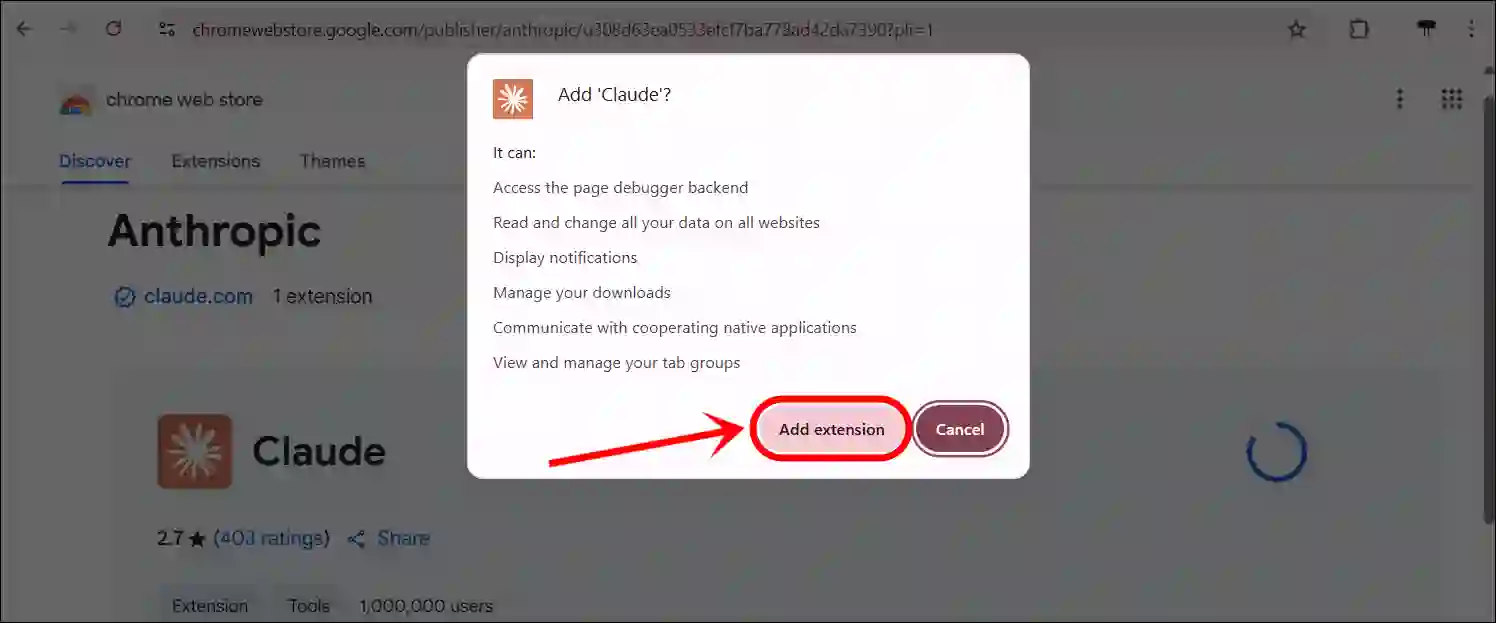
- Click on Add Extension Button to Confirm.
2. Use Claude AI Extension
- Click on Extension Icon at the Top Right Next to Address Bar.
- Next, Pin the Claude Extension.
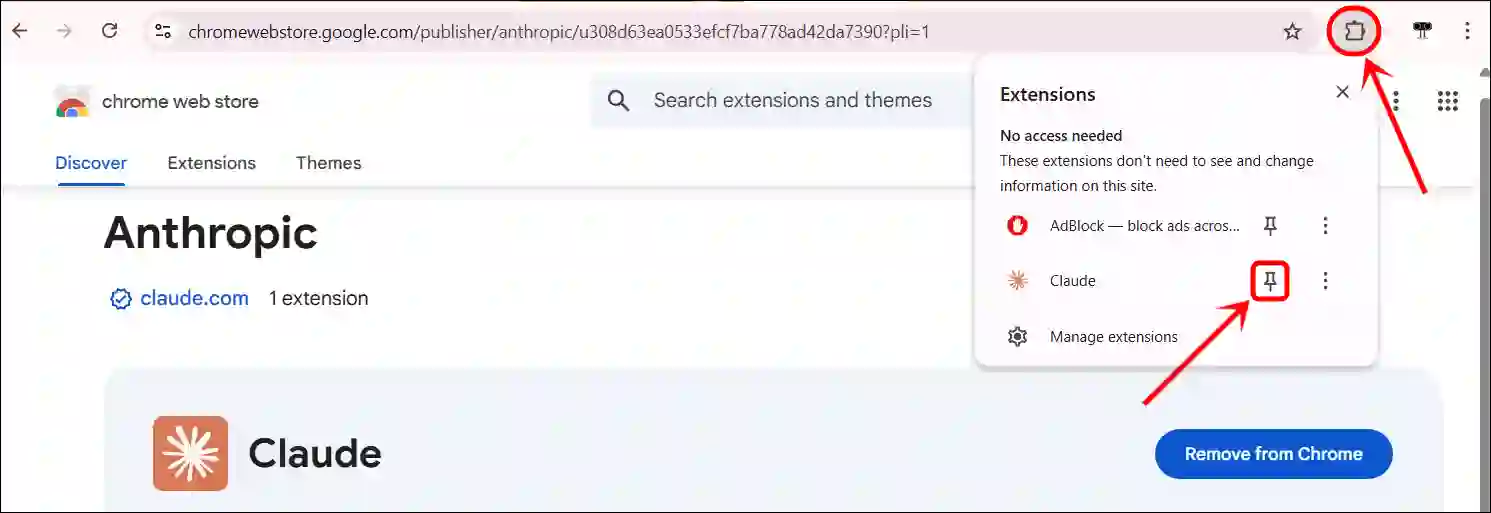
- Now, Click on Claude Extension Icon at the Top.
The Claude Extension will open a pane on the left or right side of your browser, and you must log in with your account.
That’s all! You’re done.
Also read: Best Sound Booster Extensions for Chrome
FAQs
Q 1. Does Claude AI have a Chrome extension?
Answer – Yes! The Cloud AI extension is now available for the Chrome browser. You can easily install it from the Chrome Web Store.
Q 2. Can I disable or uninstall the Cloud AI extension at any time?
Answer – Yes! You can disable or uninstall this extension from your browser at any time. To disable or uninstall it, go to chrome://extensions.
I hope you found this article helpful and learned how to install and use the Claude AI extension on your Chrome browser. If you have any questions related to Claude AI, please ask in the comments below. Feel free to share this article as well.