How to Enable Reshare on WhatsApp Status (Quick Steps)
WhatsApp has added a new feature that allows other users to reshare your status updates to their own status. Since this feature relates to privacy, it is disabled by default. This means you can easily enable it for your status whenever you want.
Enabling this will make your status shareable, and your contacts will be able to share your story on their own status. If someone reshares your status, a “reshared” label tag will appear on their status.

It’s important to note that after enabling this feature, if someone re-shares your status, their viewers will not be able to see your private details, such as your phone number, profile picture, and name. However, this helps in reaching your status to a wider audience.
How to Enable Reshare on WhatsApp Status
The WhatsApp Status resharing option is available on both Android and iOS (iPhone). However, before following the steps mentioned below, make sure your WhatsApp is updated to the latest version. If not, update it from the Google Play Store or Apple App Store.
To turn on the reshare/repost button for your WhatsApp status:
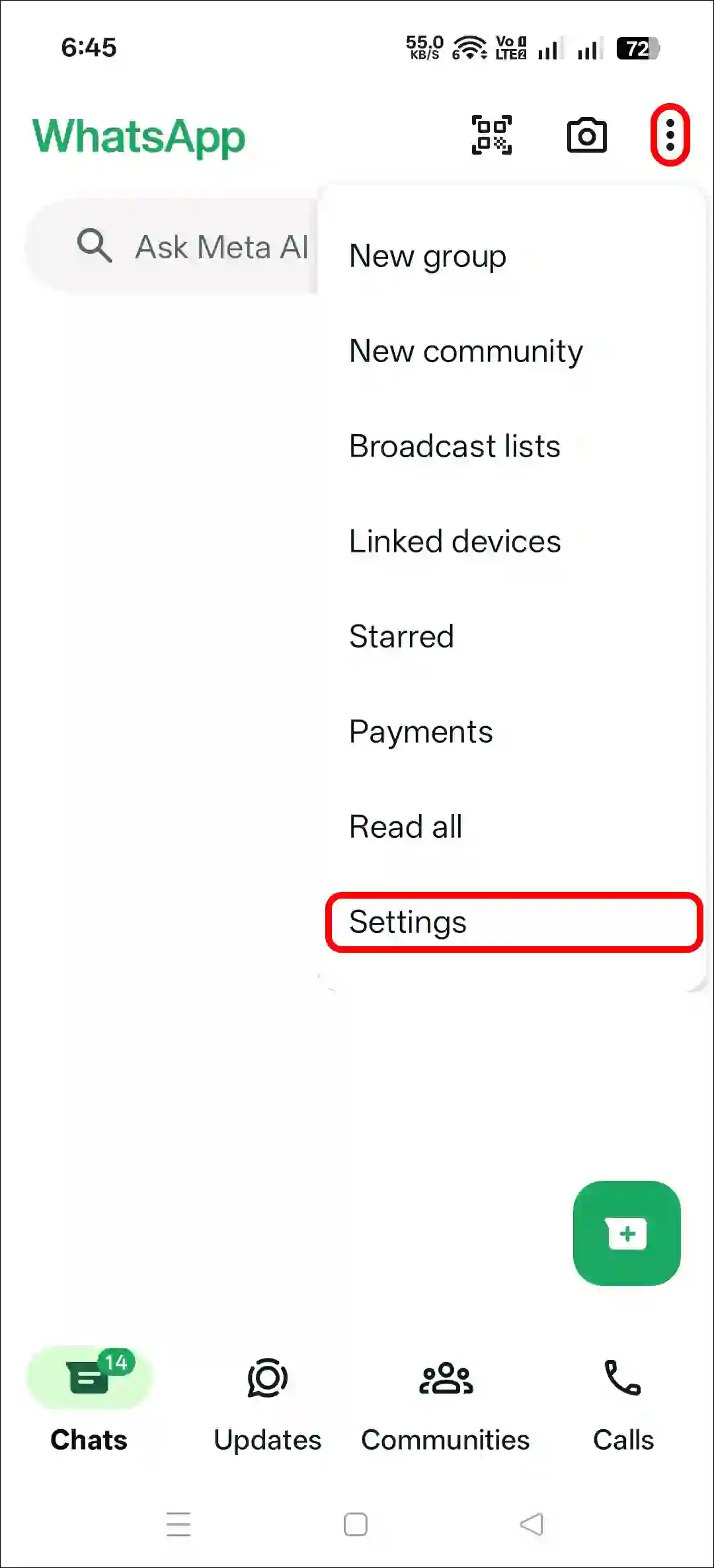
Step 1. Open WhatsApp and Tap on Three Vertical ⁝ Dots at Top Right and Select Settings.
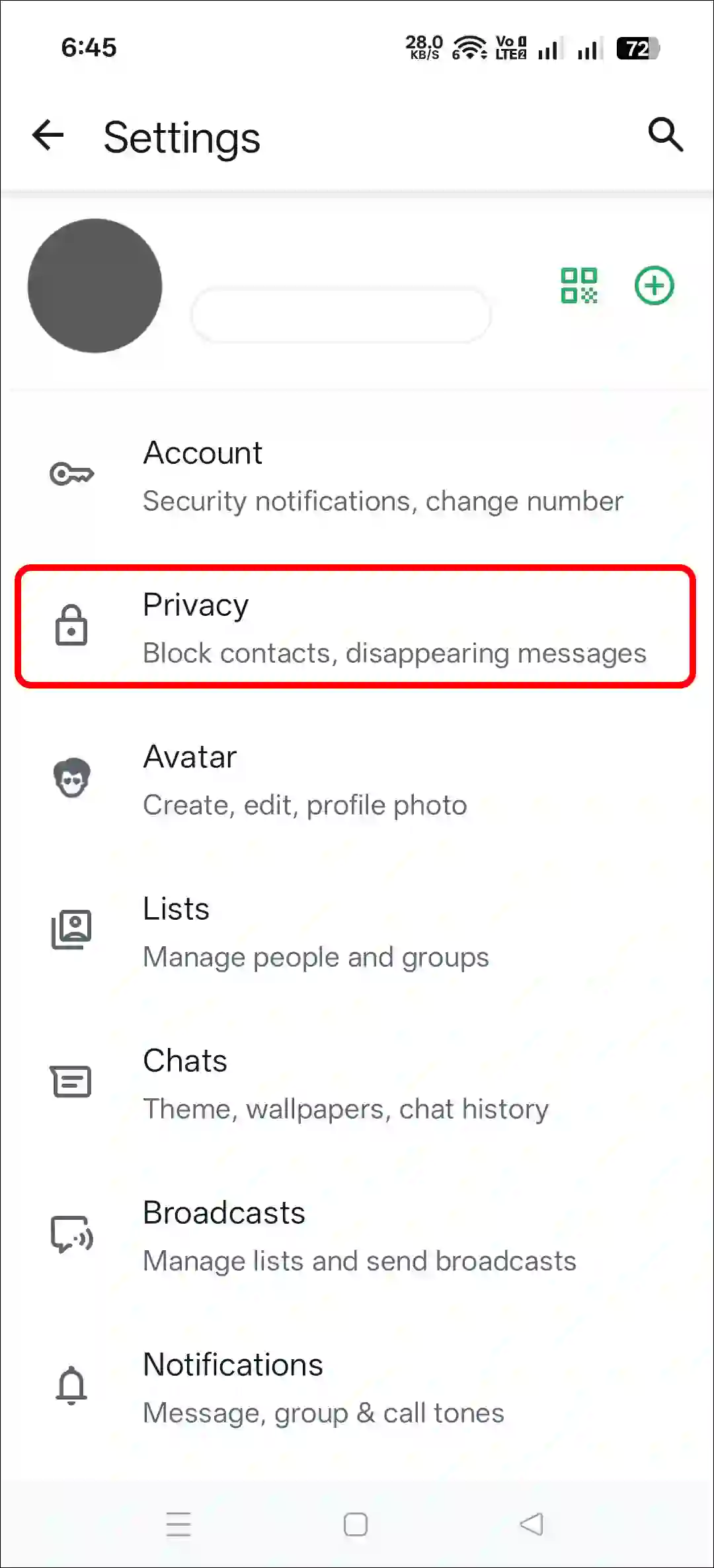
Step 2. Tap on Privacy.
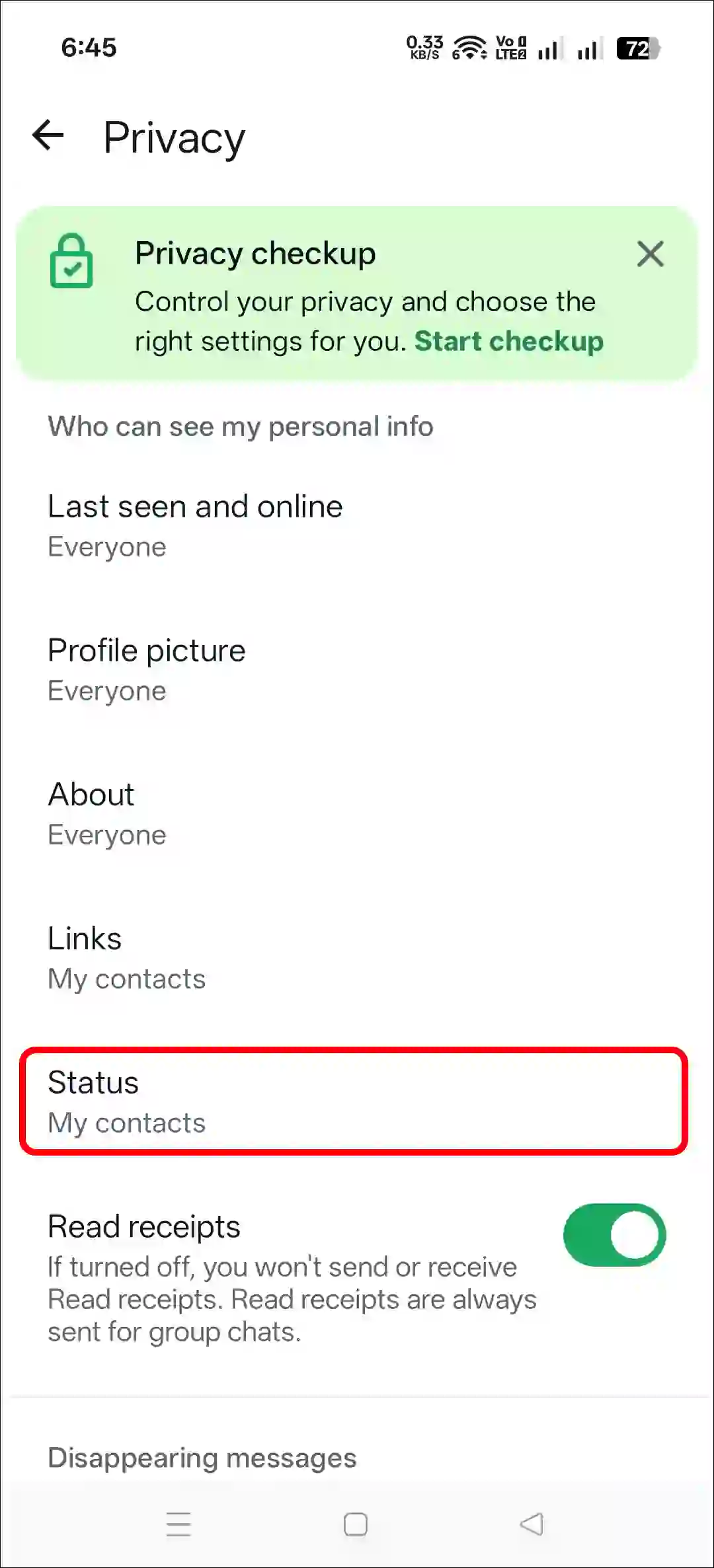
Step 3. Tap on Status.
Step 4. Simply, Turn On the “Allow Sharing” Toggle.
Note: Allow sharing let people who can see your status reshare and forward it.

That’s it! All the users in your contacts will now be able to reshare your status as their own status.
FAQs
Q 1. What is reshare in WhatsApp status?
Answer – WhatsApp’s Status Reshare is a feature that allows users to share another person’s status update on their own status. The original poster receives a notification when their status is reposted.
Q 2. Why is the status reshare option not showing in WhatsApp settings to enable?
Answer – If the Status Reshare option is missing in your WhatsApp settings, this is a common problem. There can be several reasons for this, such as an outdated WhatsApp version or a corrupted cache. To fix this, update your WhatsApp to the latest version and clear the corrupted cache.
Q3. Can I activate status resharing on WhatsApp Business?
Answer – Yes! The Status Reshare option is available in both regular WhatsApp and WhatsApp Business. To activate Status Reshare in WhatsApp Business, go to WhatsApp Settings, tap on Privacy, and then on Status. After that, turn on the “Allow Sharing” toggle.
I hope you found this guide helpful and learned how to enable reshare on WhatsApp status. If you have any other questions about WhatsApp, feel free to ask in the comments below. Don’t forget to share this article.