How to Remove Label from Instagram Chats [Quick Guide]
Have you suddenly started seeing some labels on your chats in your Instagram DM? Don’t worry, you are not alone. If you are also annoyed by this and want to get rid of them, you have come to the right place. In this article, I have mentioned how you can easily remove these labels from your Instagram chat on Android and iPhone.
What is Label in Instagram Chat?
![How to Remove Label from Instagram Chats [Quick Guide]](https://techysnoop.com/wp-content/uploads/2026/03/remove-label-from-instagram-chats.webp)
Labels in Instagram Chat are a management tool that allows you to easily categorize, organize, and filter your chats. Currently, the following labels are available in Instagram Chats: Follow Up, Booked, Lead, Ordered, Paid, and Dispatched.
Business or creator account holders typically use this feature because these custom labels make managing online customers and their orders much easier. However, people who don’t run online businesses sometimes still see these labels in their chats, and this frustrates them.
If you see any of these labels in your chats and want to hide them, you can easily do so. Below, we have shared all the steps one by one, along with pictures.
Also See: Instagram DP Downloader
How to Remove Label from Instagram Chats [Quick Guide]
To remove lead label from instagram chat:
- Open Instagram App on Your Android or iPhone.
- Go to Your DM.
- Tap and Hold the Chat, You Want to Remove Labels.
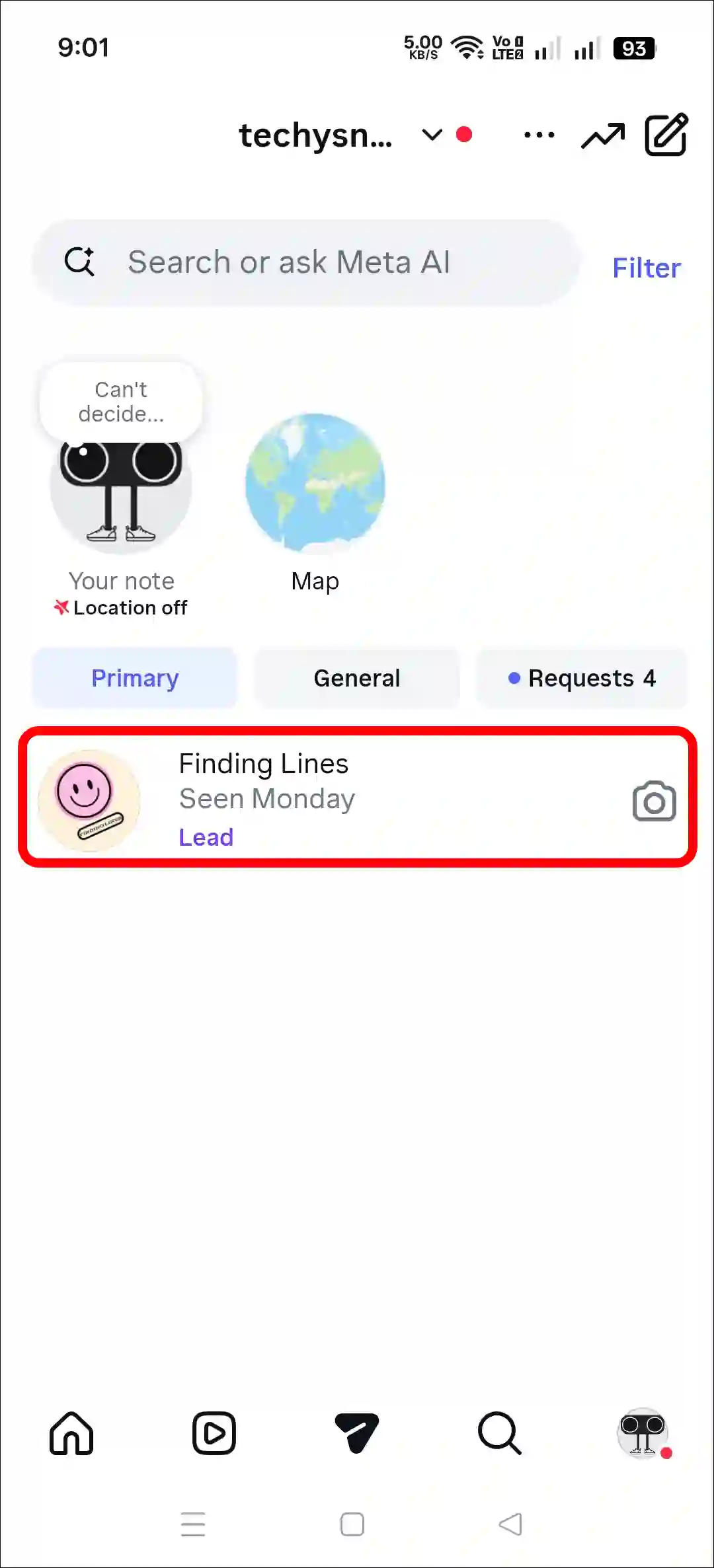
- Tap on Edit Label.
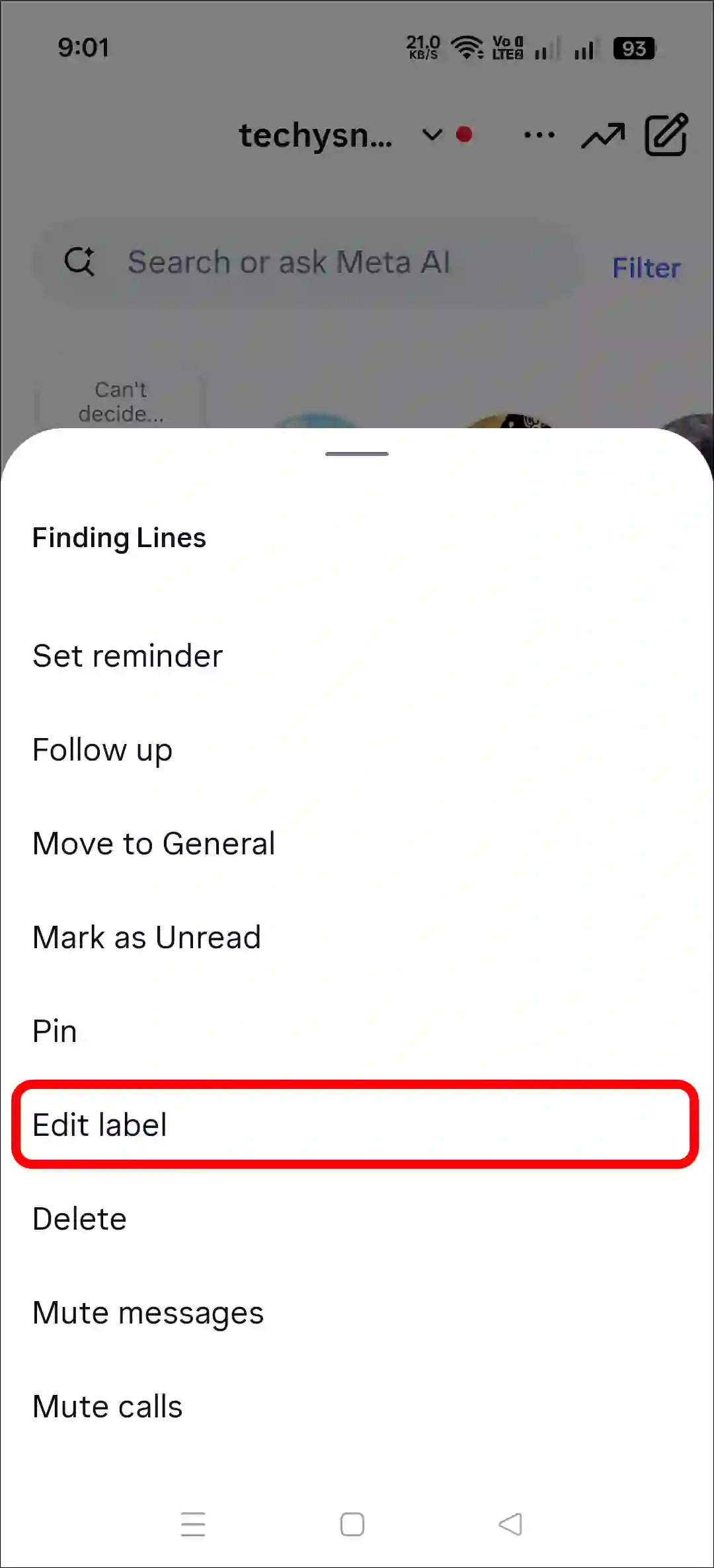
- Tap on Clear at the Top Right.
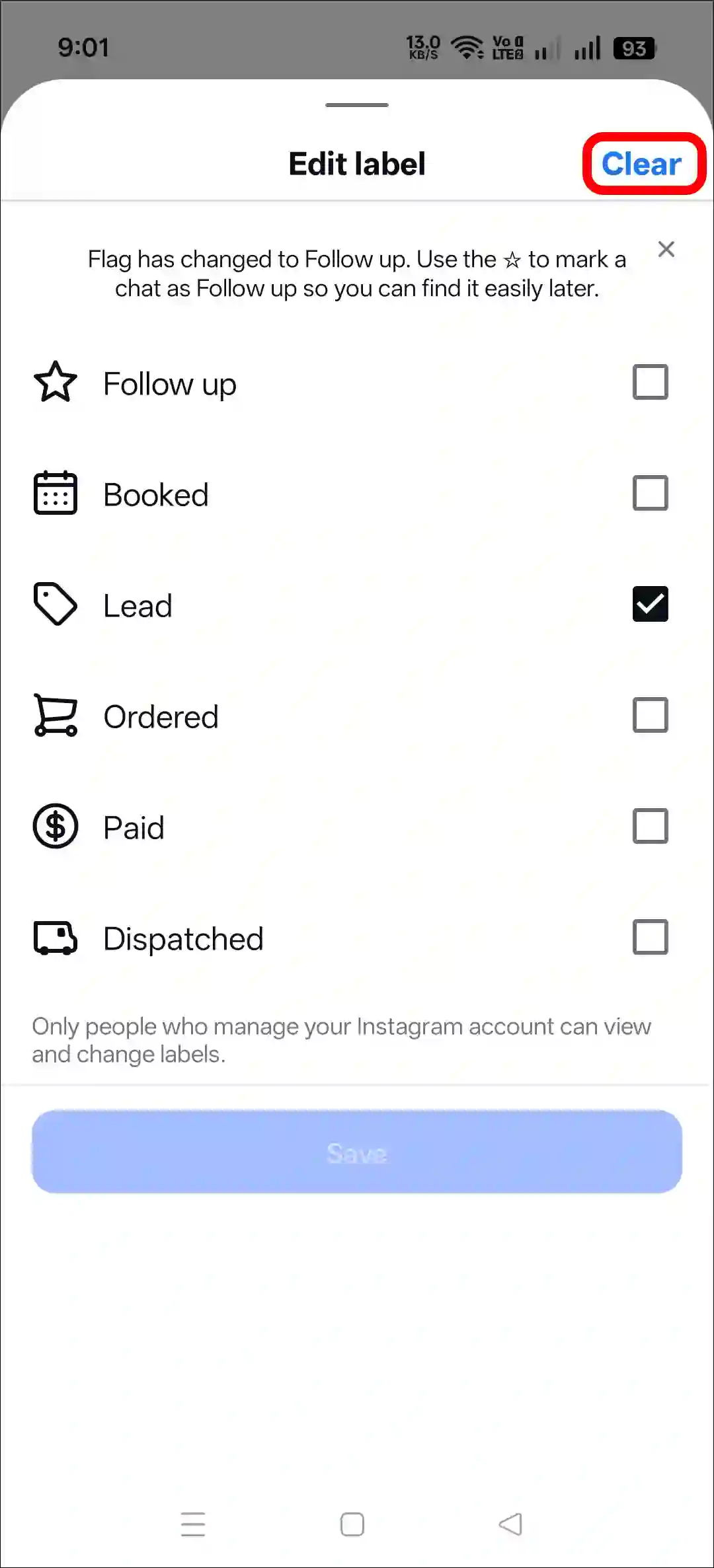
- Tap on Save.
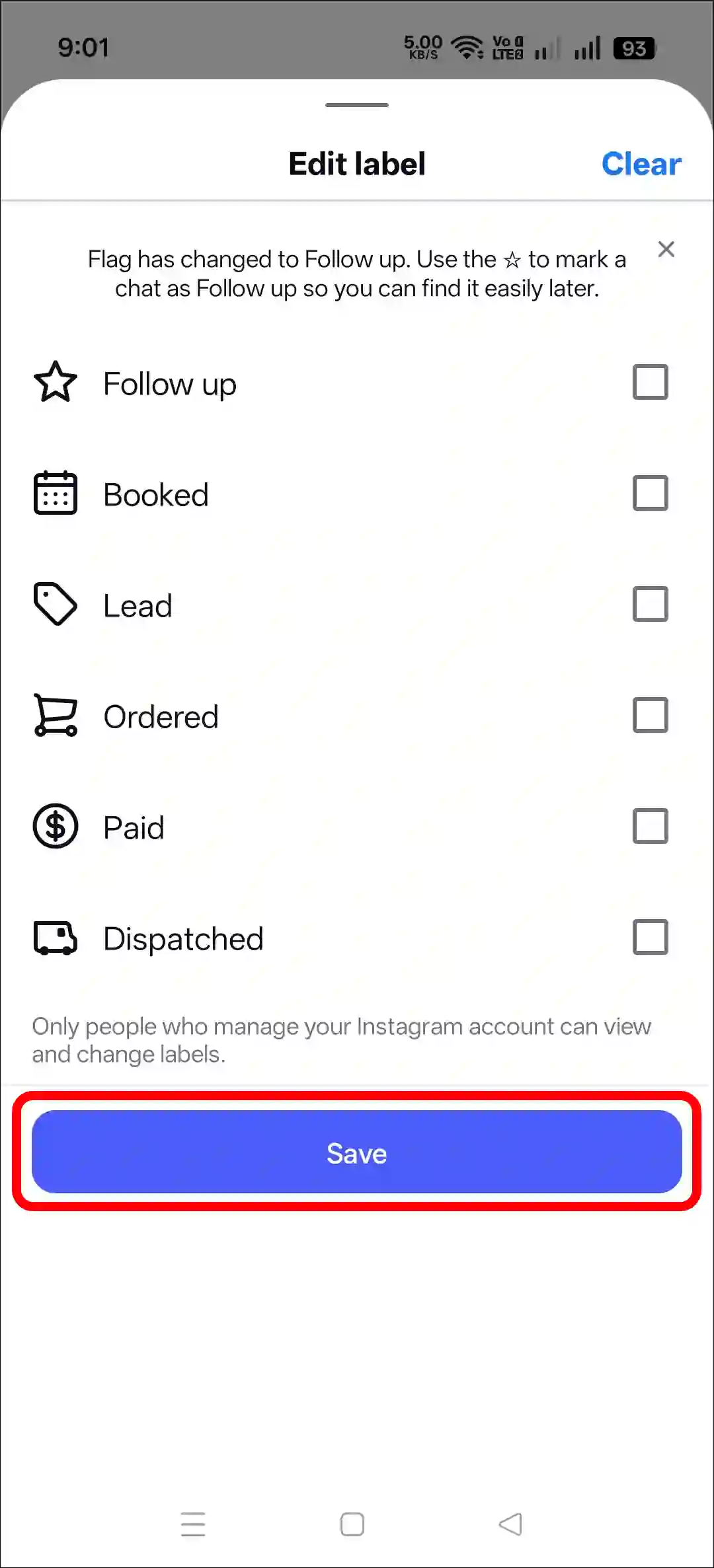
As soon as you do this, not only the ‘Lead’ label but also all other labels will be removed from your chat.
Also read: How to Comment a GIF on an Instagram Post and Reel
I hope you found this article helpful and that you’ve learned how to remove the lead label from Instagram chat. If you have any problems or questions related to Instagram, please let us know in the comments below. Don’t forget to share this article with your friends.