“Sorry, we’re unable to process your request.” Triggered on GCash App
Suddenly, users are encountering the error message “Sorry, we’re unable to process your request.” on the GCash app while making payments. If you are also encountering this same problem, don’t worry; you are not alone. In this article, I have discussed the causes of this problem and some possible fixes below.
What Does This GCash’s Error Mean?
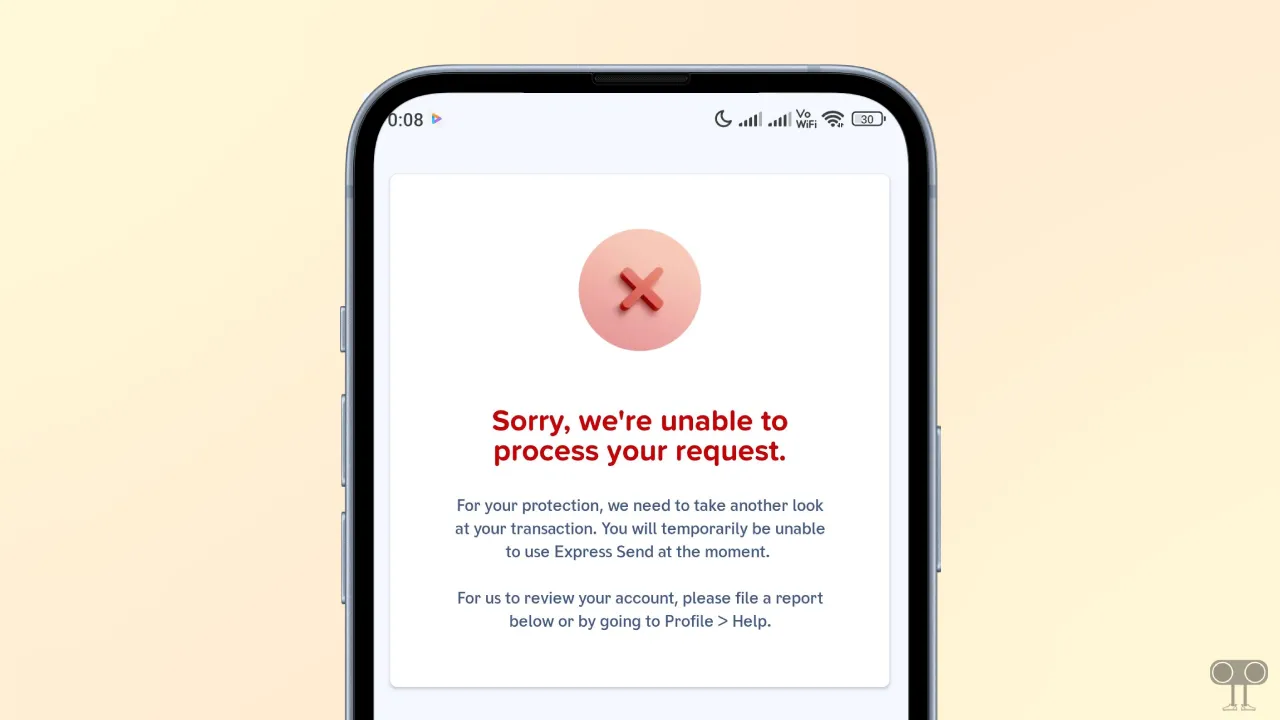
In the GCash app, this error message typically indicates system instability, security vulnerabilities, or network issues. It functions as a security measure whenever the system detects something unusual regarding a transaction or connection within the app.
The complete error message is:
Sorry, we’re unable to process your request.
For your protection, we need to take another look at your transaction. You will temporarily be unable to use Express Send at the moment.
For us to review your account, please file a report below or by going to Profile > Help.
File a report
Back to GCash Home
Fix “Sorry, we’re unable to process your request.” Problem on GCash App
1. Quick Fixes
1. Wait and Retry
You should wait a while and then try again. If this issue is caused by a temporary server overload or a glitch, this step could resolve the problem.
2. Check & Switch Your Network
Sometimes, network connectivity can also be the cause of this issue. In such cases, if you are currently connected to Wi-Fi, switch your network to mobile data. Wi-Fi is often not considered secure for payment-related actions.
3. Enable/Disable Airplane Mode
Swipe down from the top of your phone screen and tap the Airplane icon to enable it. Keep it active for at least 30 seconds, then disable Airplane Mode again. This method will refresh your phone’s network connection.
4. Check GCash Server Status
This issue can often arise due to server instability. You need to visit the official GCash Help Center’s Service Status page, where you can view ongoing system advisories and maintenance updates.
Also read: Disable Accessibility in GCash to Fix “Accessibility Service Detected” Problem
2. App Troubleshooting
1. Clear GCash App Cache
- Open Settings on Your Android Phone.
- Go to Apps > All Apps > GCash.
- Tap on Storage.
- Tap on Clear Cache.
2. Update GCash App
If you updated the GCash app from your device’s theme store instead of the Google Play Store, this issue might occur. For example, all Android phones have the Google Play Store, but many smartphone manufacturers (like Samsung, Vivo, Oppo, etc.) also offer their own app stores.
So if you download or update GCash from these app stores, you will have to face errors like this. In such a situation, either uninstall the GCash app and reinstall it from the Play Store, or simply update the GCash app from the Play Store and use it.
Note: Alternatively, you can file a report by going to Profile > Help.
I hope you found this article helpful and learned how to fix “Sorry, we’re unable to process your request.” in GCash. If you have any questions related to GCash, please ask in the comments below. Feel free to share this article as well.