How to Turn Off Vibration in Grok AI by Disabling Haptics
Do you feel a vibration while using the Grok AI app? Don’t worry! You are not alone at all. This happens because the built-in Haptics mode is activated in the Grok app. Whenever you press a button within the app or Grok responds, you will feel a slight vibration.
In the Grok AI app, Haptics Mode, or Haptic Feedback, is a technology that utilizes vibrations, motion, and tactile sensations to provide you with a sense of touch. If you do not want vibrations in the Grok app, you can very easily disable them directly from within the app itself.
Turn Off Vibration in Grok AI by Disabling Haptics
If you want to use xAI’s Grok app completely silently, please follow the steps provided below. These steps are applicable to both Android and iPhone users.
- Open Grok App on Your Mobile Phone.
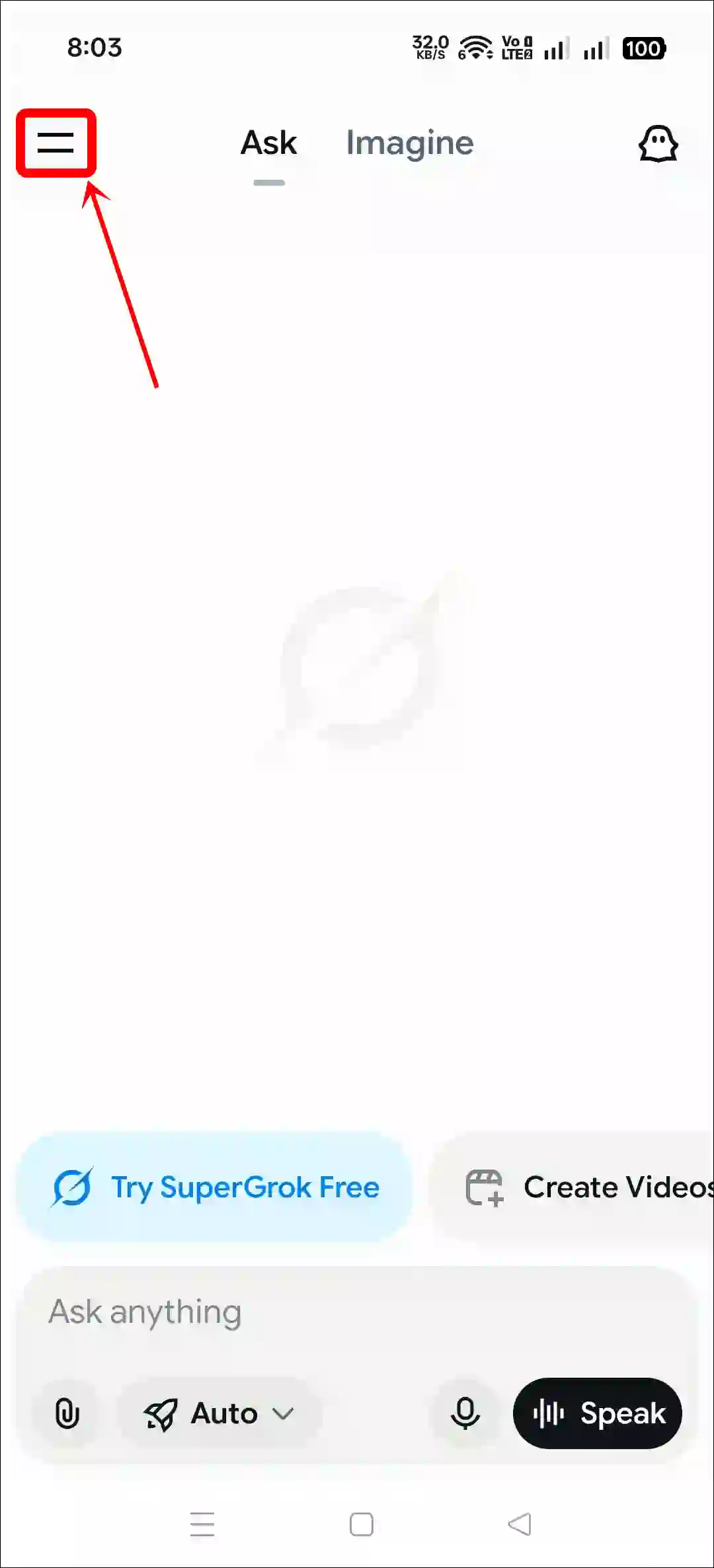
- Tap on Two = Lines at Top Left Corner.
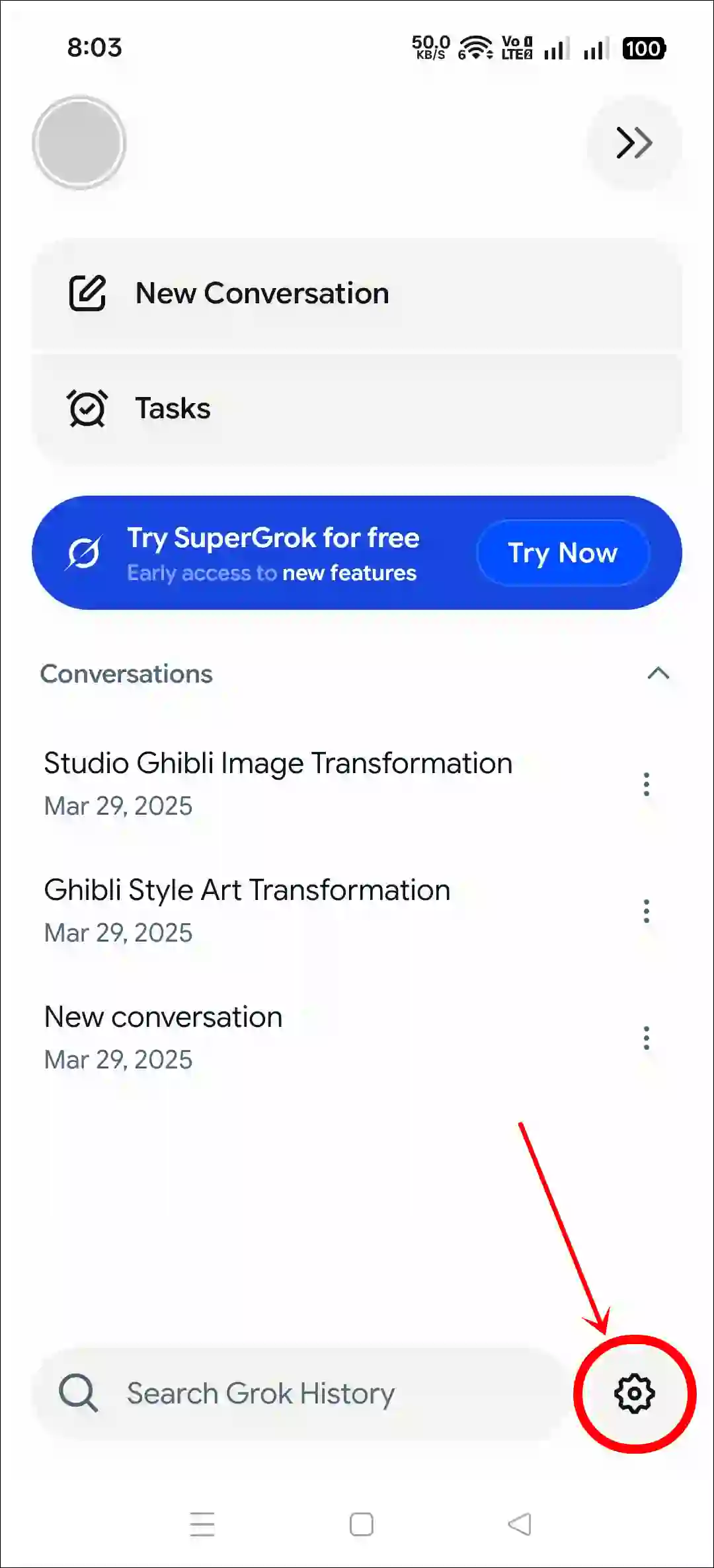
- Tap on Gear ⚙️ Icon at Bottom Right.
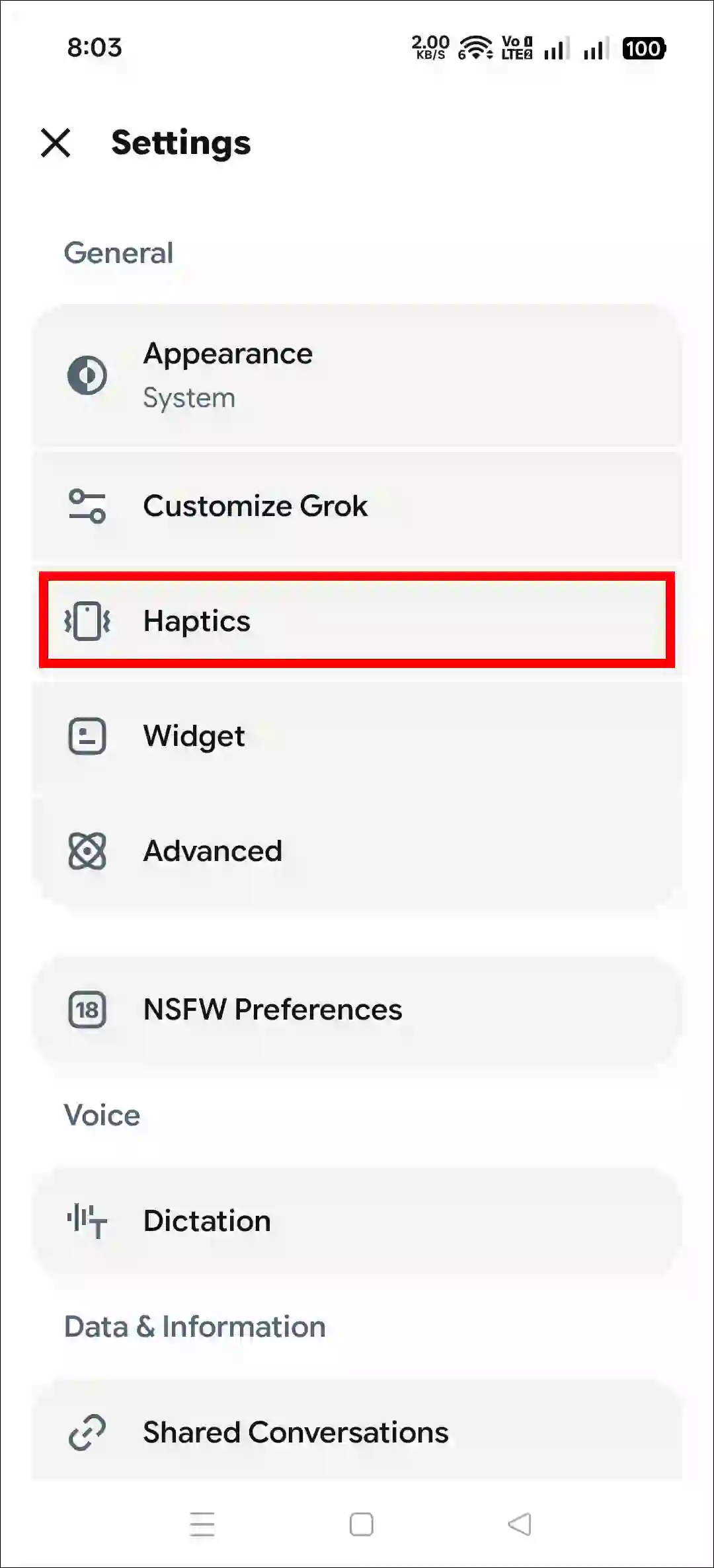
- Tap on Haptics.
- Turn Off the “Haptics” Toggle.
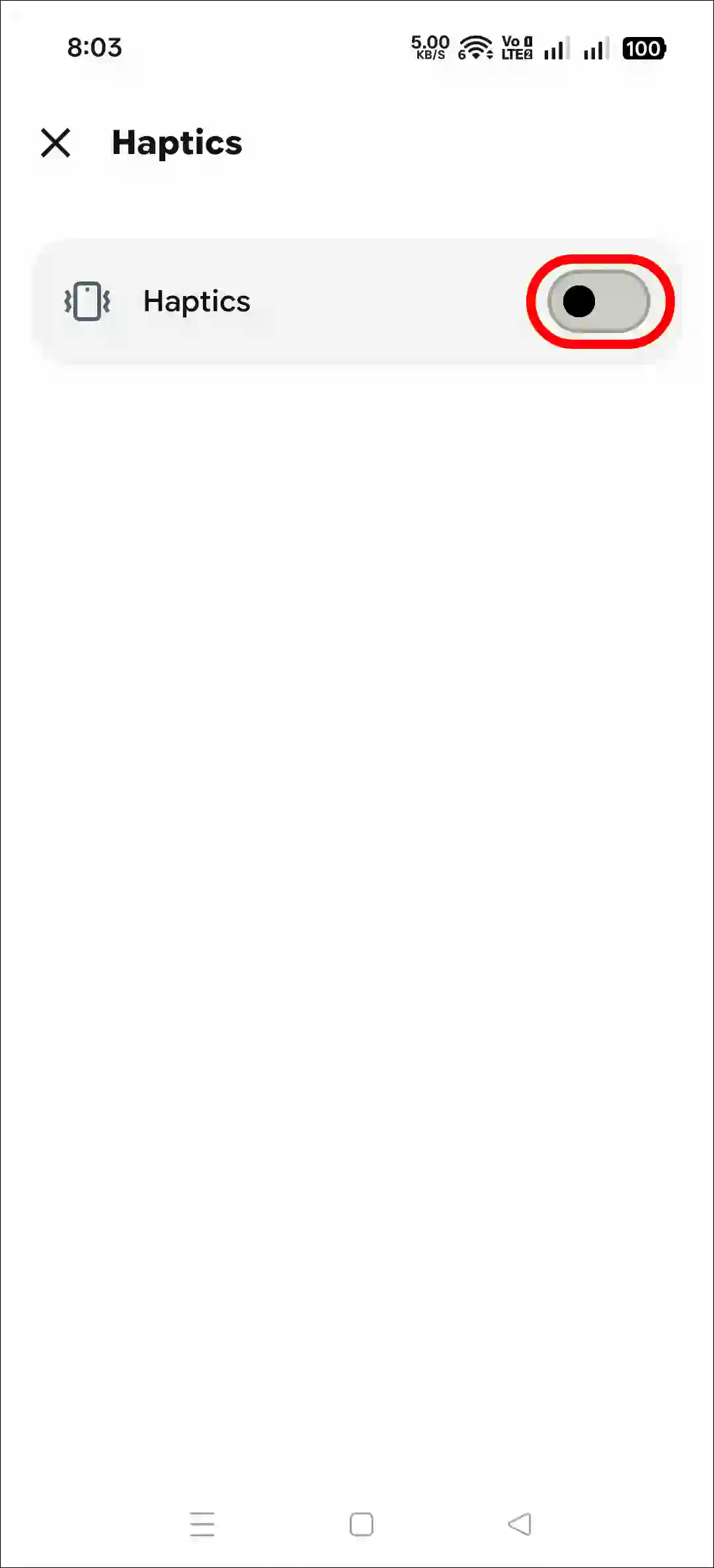
By default, the Grok app performs haptics for two actions: the first is “Button press”, and the second is “Respond”. If you wish to turn off haptics for a specific action, you can do so. For this, you do not need to disable haptics entirely.
Also read:
FAQs
Q 1. Will turning off haptics in Grok AI also affect vibrations from other apps?
Answer – No! Turning off haptics within the Grok app will only disable vibrations for this specific app. This will not have any impact on other apps (such as WhatsApp, Facebook, and Gmail). If you change the phone’s global haptics settings, it may affect all apps.
Q 2. Will turning off vibration save battery on my device?
Answer – Yes! You might save a little bit of battery power, as running the vibration motor consumes extra power.
Q 3. Will turning off haptics affect the app’s functionality?
Answer – No! Turning off haptics will only disable vibrations; it will not affect any other functionality of the app.
I hope you found this article quite helpful and learned how to turn off vibration in the Grok AI app. If you have any questions related to Grok, then tell us by commenting below. Please share this article.