How to Disable Regional Pricing in PLS DONATE on Roblox Mobile and PC
Regional pricing is a Roblox feature that brings both advantages and disadvantages for creators. If you are a developer of a game like PLS DONATE and want complete control over the global pricing of your game passes or donation items, then this article is for you.
Roblox’s system enables regional pricing by default and automatically sells your items at different prices in different countries without asking. However, Roblox allows you to disable regional pricing for your game passes or donation items. All the methods for doing so are listed below.
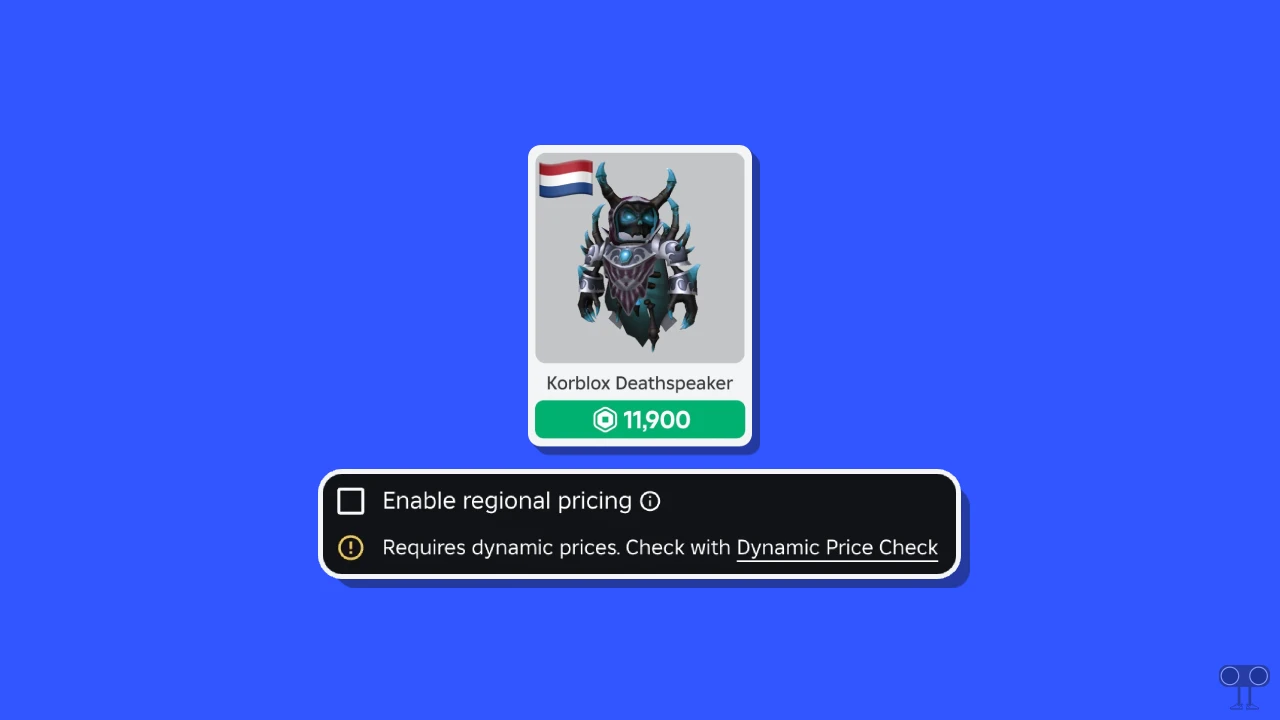
Disabling Regional Pricing in PLS Donate on Roblox Mobile
If you use the Roblox app on your mobile phone (Android or iPhone) and want to turn off the default regional pricing, you can do so. Disabling it allows you to set the pricing your way. This is a simple process, and I have listed all the steps below.
To turn off regional pricing in roblox Mobile:
Step 1. Open Roblox Mobile App.
Step 2. Tap on More at Bottom Right Corner and Select Create.
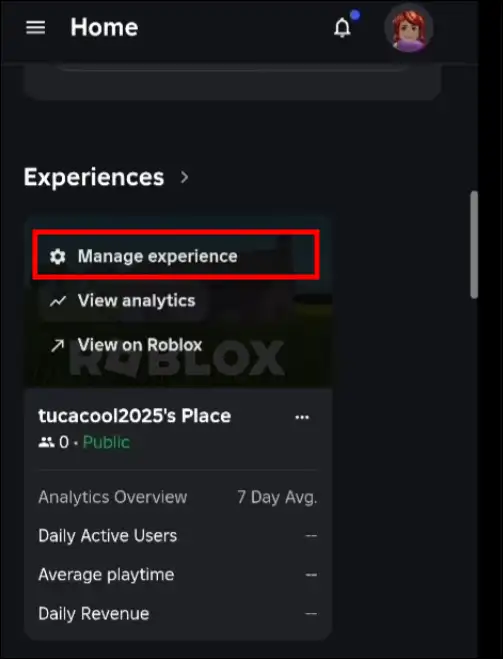
Step 3. Scroll Down and Under the Experiences, Tap on Manage Experiences.
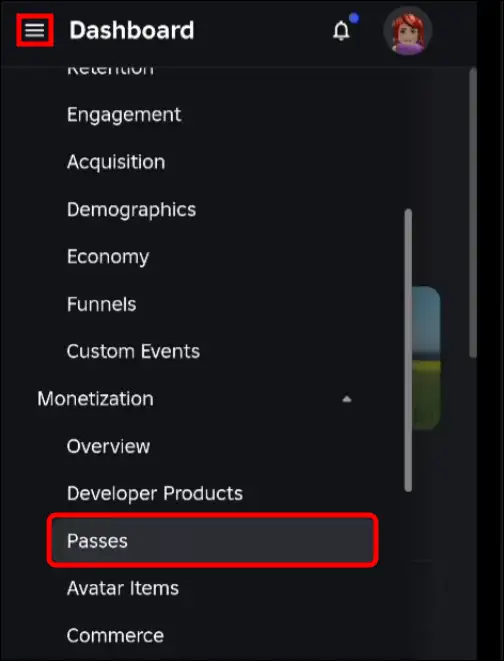
Step 4. Tap on Three ≡ Lines at Top Left Corner and Select Passes.
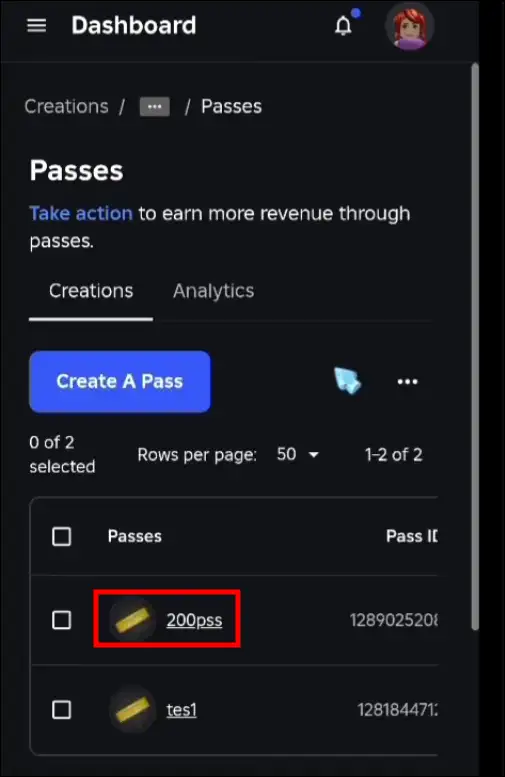
Step 5. Tap a Pass.
Step 6. Tap Again on Three ≡ Lines at Top Left Corner and Select Sales.
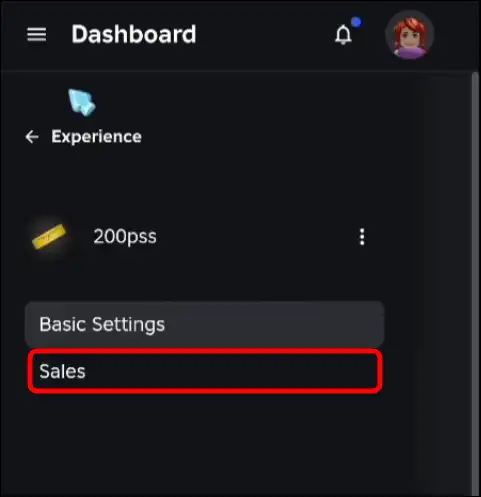
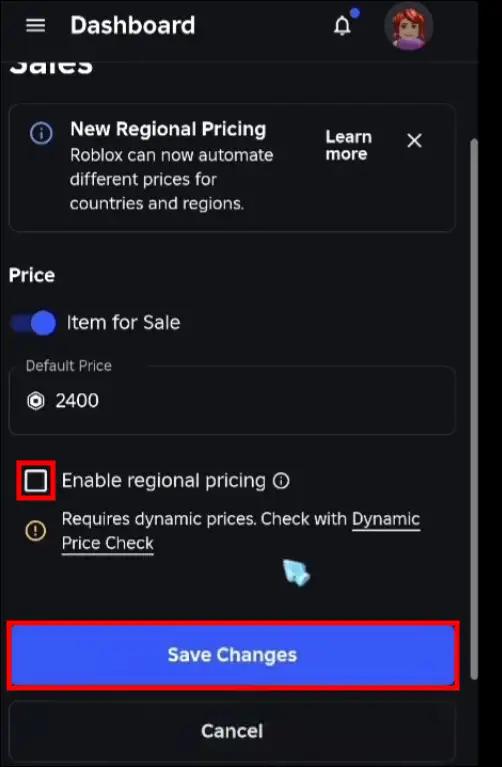
Step 7. Scroll Down and Uncheck the “Enable Regional Pricing” Option and Tap on Save Changes.
Also read: How to See Pending Robux in Roblox
Disabling Regional Pricing in PLS Donate on Roblox PC
If you use Roblox on your Windows computer, laptop, or Mac, you can still disable Roblox’s regional pricing. The process for disabling Roblox’s regional pricing is exactly the same on both mobile and desktop devices.
To turn off regional pricing in Roblox on desktop:
Step 1. Open Any Desktop Browser and Go to Roblox.com and Log into Your Account.
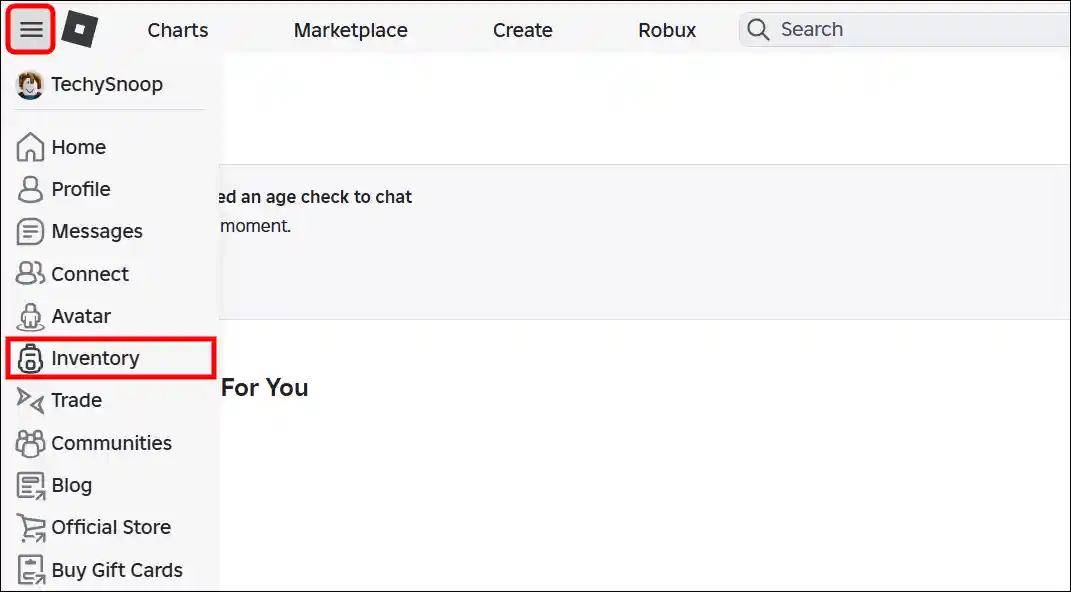
Step 2. Click on Three ≡ Lines at Top Left Corner and Select Inventory.
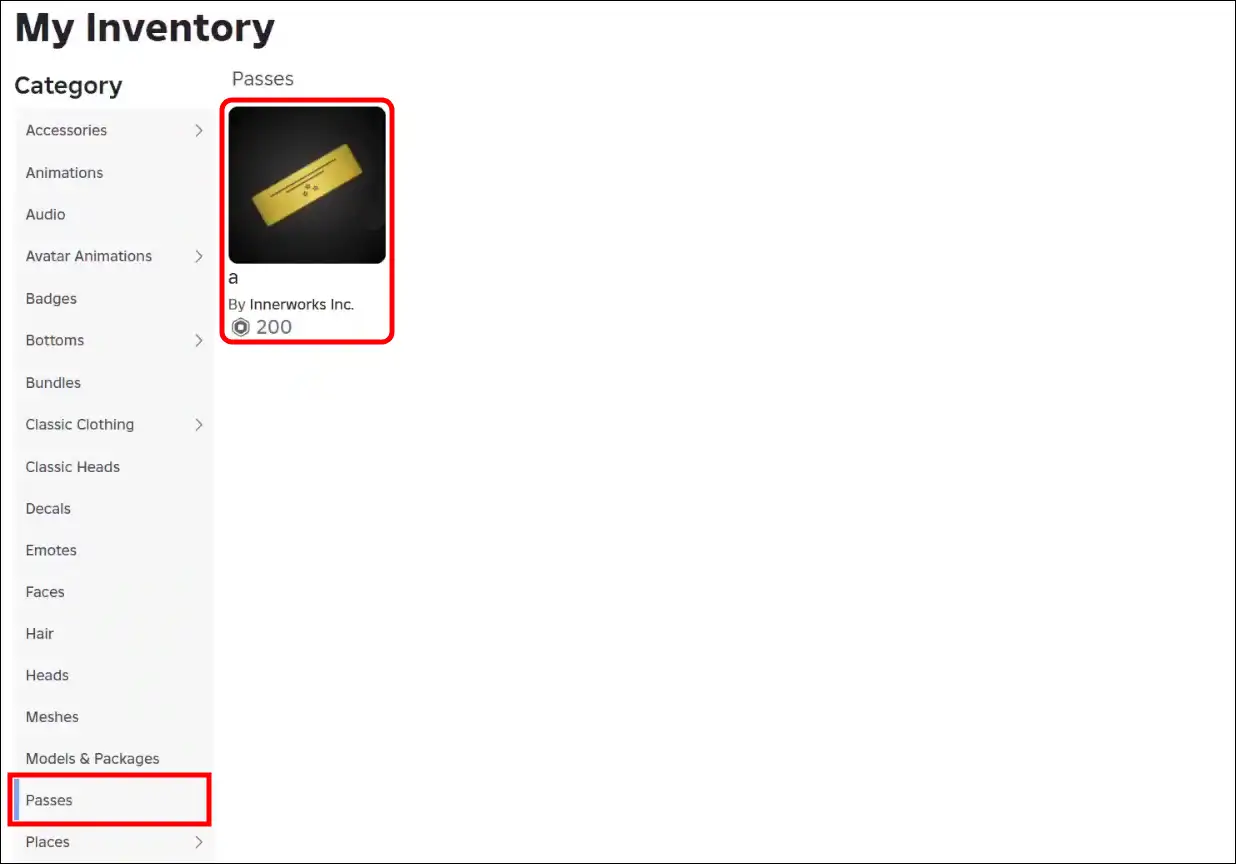
Step 3. Click on Passes and Open a Pass.
Step 4. Click on Three … Dots at Top Right and Select Configure.
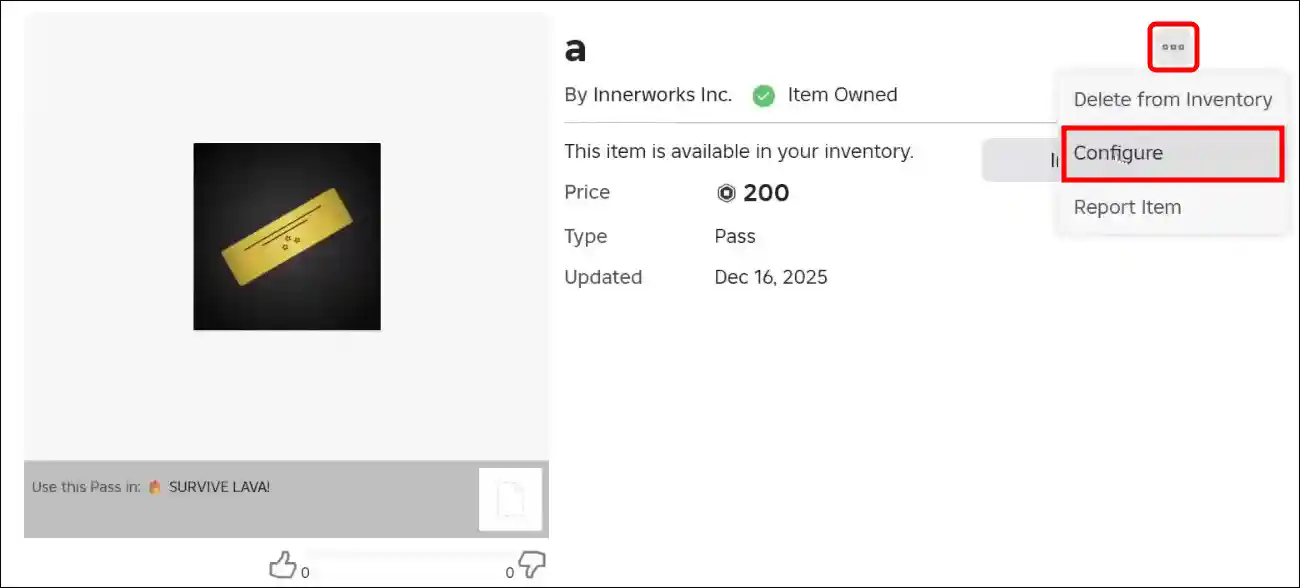
Step 5. Select Sales.
Step 6. Now, Uncheck the “Enable Regional Pricing” Box and Click on Save Changes.
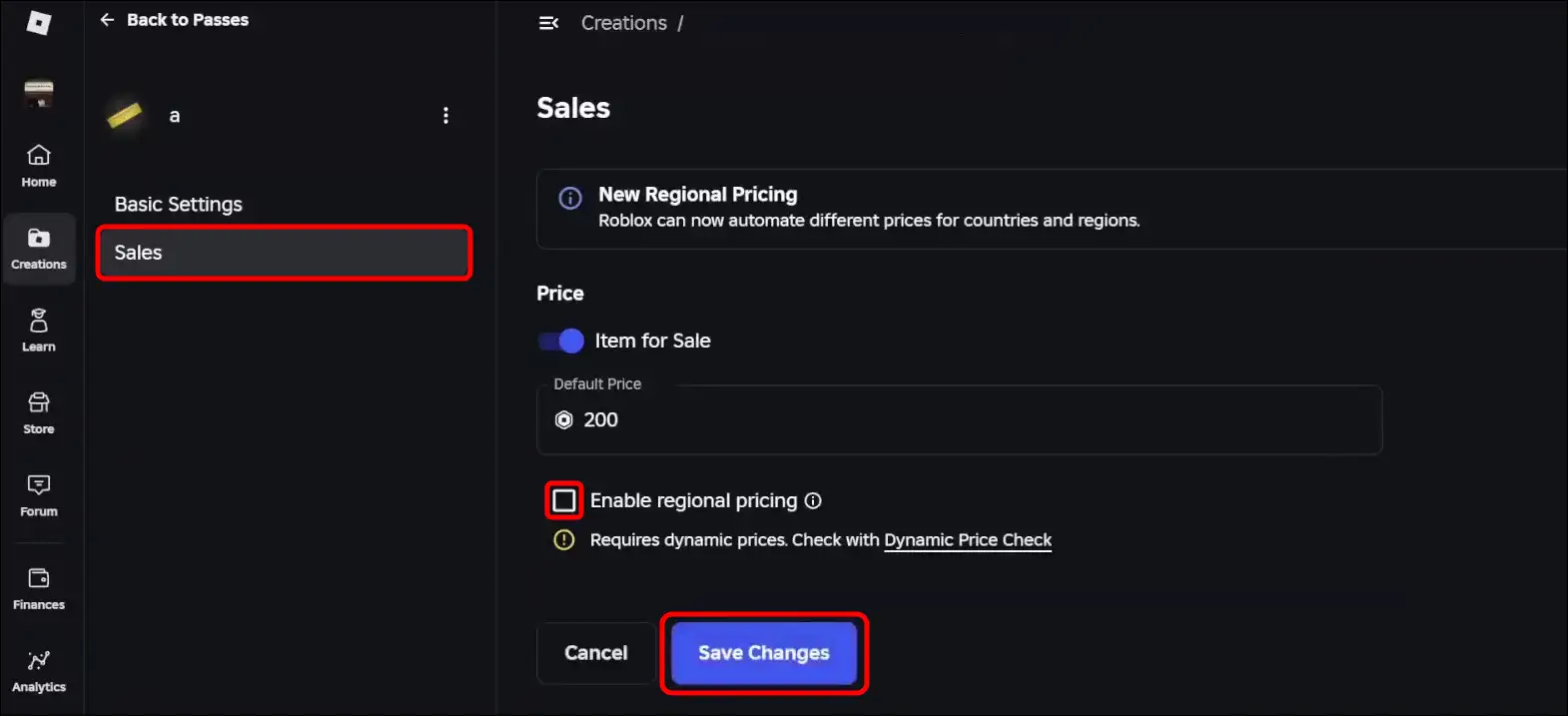
That’s all! You’re done…
Also read: How to Appear Offline in Roblox While Playing on Mobile & PC
FAQs
Q 1. What is regional pricing in PLS DONATE?
Answer – Regional pricing in PLS DONATE is a system that automatically sets the default donation price based on country or region. Its purpose is to make donating more accessible to users in countries with varying economic conditions.
Q 2. Why would I want to disable regional pricing in “Pls Donate”?
Answer – If you are a creator, you may want to turn off regional pricing so that all your viewers, no matter which country they are from, can donate the same amount, such as 1 Robux. This keeps your earnings per donation stable.
Q 3. Will disabling regional pricing violate Roblox’s terms of service?
Answer – No! Disabling regional pricing for your items does not violate Roblox’s Terms of Service. This feature is an optional setting that creators can turn on or off at any time.
I hope you found this guide helpful and learned how to disable regional pricing in PLS DONATE on Roblox mobile and PC. If you have any other questions about Roblox, feel free to ask in the comments below. Don’t forget to share this article.