Stop Google Maps from Playing Videos Automatically on Your Android Phone
Similar to YouTube, Twitter (Now X), and Facebook, the video autoplay feature is now available in the Google Maps app. This feature helps videos play automatically while you browse information about a location. Sometimes this setting gets enabled by default when you update Google Maps.
This is a useful feature that allows you to view a video without opening it, meaning it auto-plays video previews. However, if you’re using mobile internet data while navigating on Google Maps, this feature can quickly drain your data.
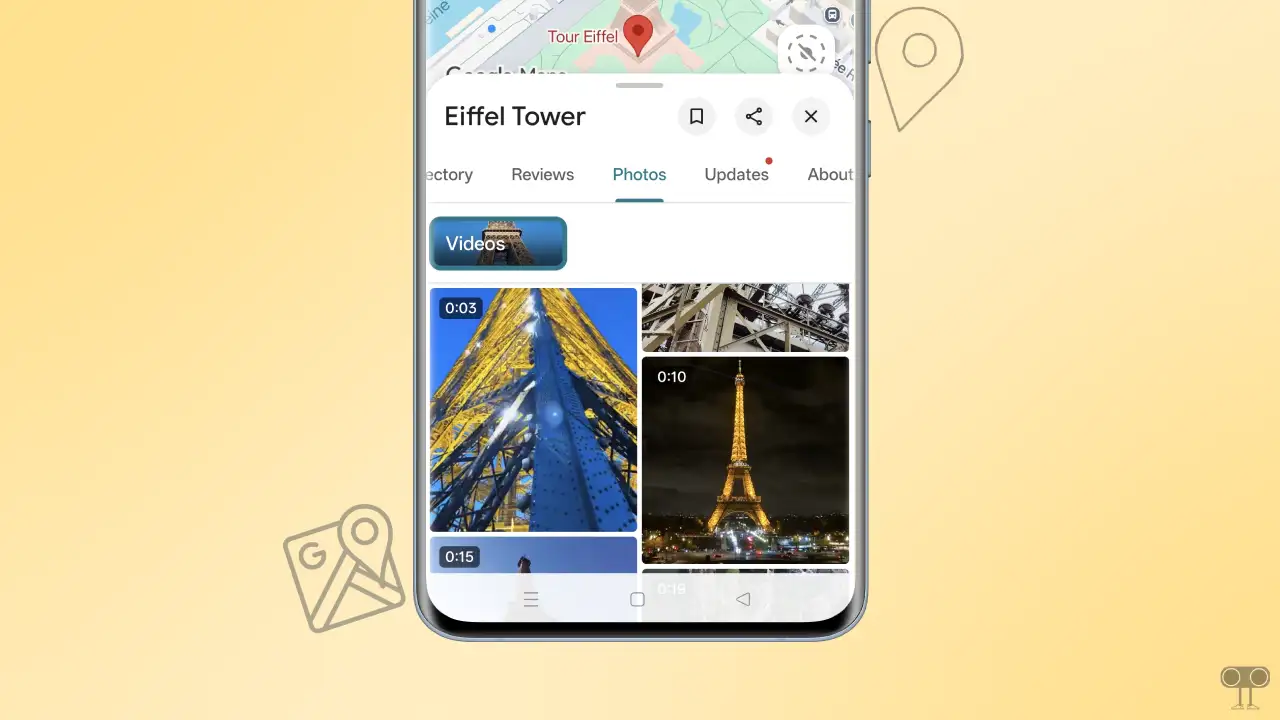
The good thing is that you can enable or disable the video autoplay setting in the Google Maps app as per your convenience. This feature is especially helpful when you’re searching for hotel reviews or exploring specific locations on Maps. If you need to disable this feature for any reason, the steps are outlined below.
How to Stop Google Maps App from Playing Videos Automatically on Android
To turn off autoplay videos on your Google Maps app:
- Update Your Google Maps App from Google Play Store.
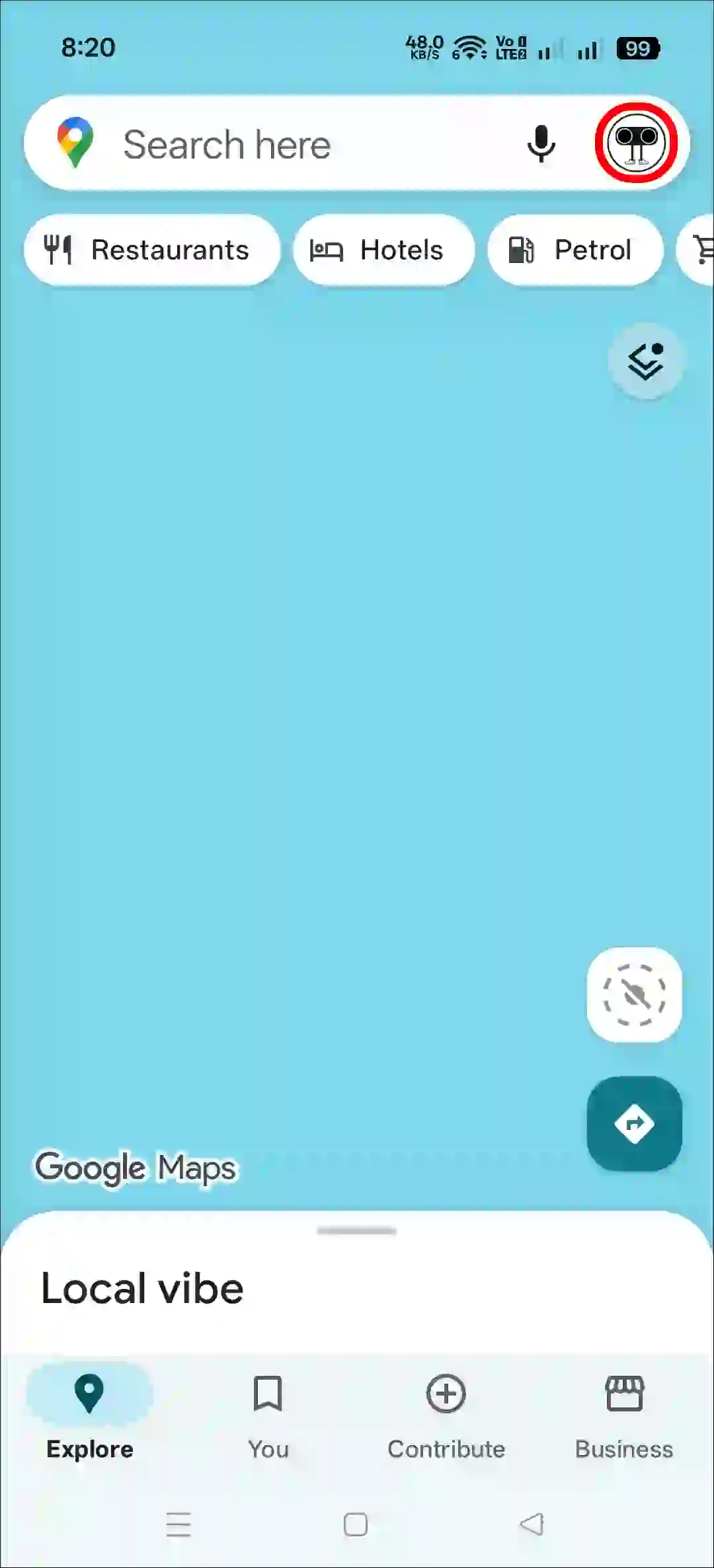
- Open Google Maps App and Tap on Profile Picture at the Top Right Corner.
- Scroll Down and Tap on Settings.
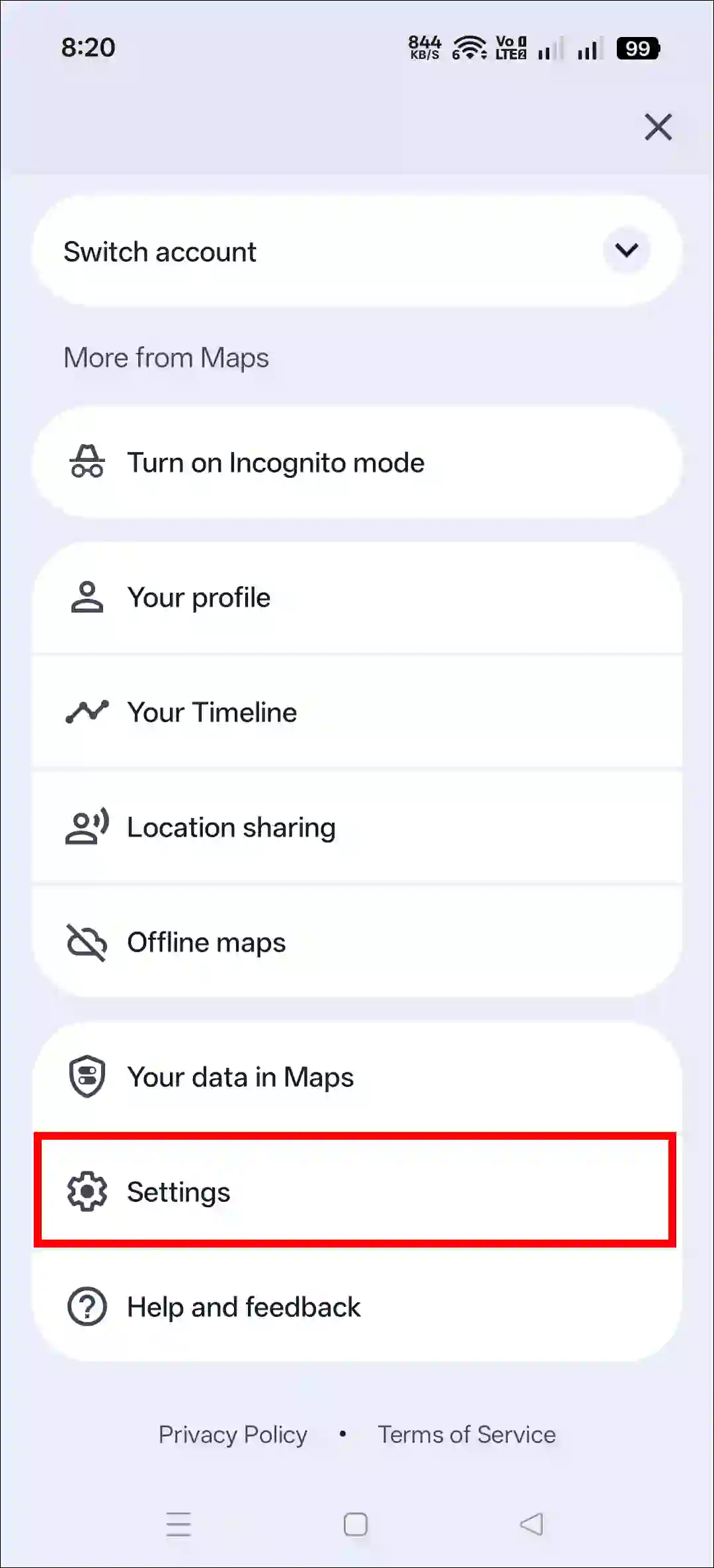
- Tap on Video Settings.
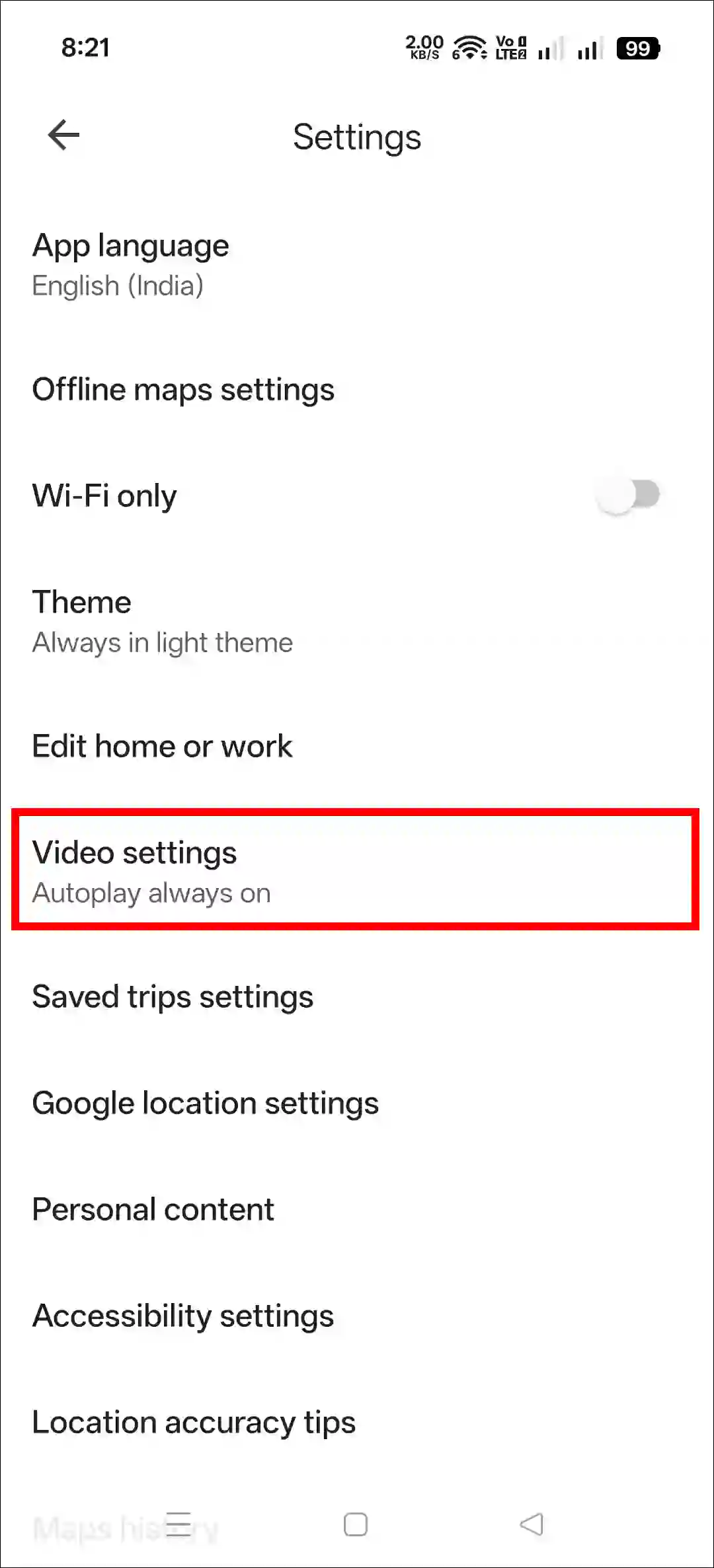
- Now, Select Autoplay Off and Then Save.
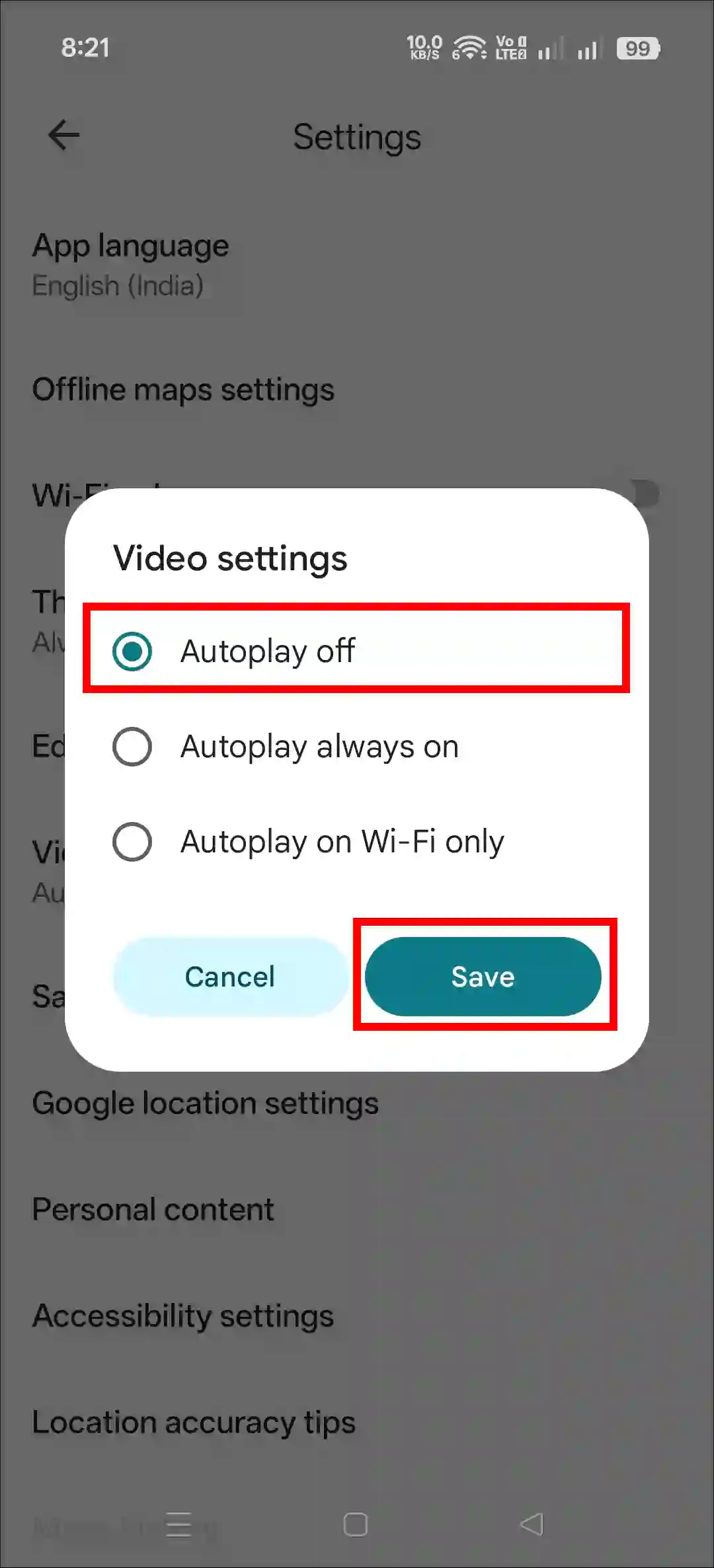
That’s it! Your Google Maps app will no longer autoplay any video previews. However, if you use Wi-Fi instead of mobile data, you can re-enable video autoplay by following these same steps and selecting “Autoplay always on” or “Autoplay on Wi-Fi only”.
Related: How to Disable ‘Black & White’ Power Saving Mode in Google Maps
FAQs
Q 1. What does “Autoplay video” mean on Google Maps?
Answer – “Autoplay video” in the Google Maps app means that video content will automatically play without sound while you browse the app’s interface. This typically applies to short previews of user-submitted videos related to a business or location.
Q 2. Is Google Maps’ autoplay good or bad?
Answer – This depends on how much internet data you have. If you have unlimited internet data, this feature is very good. However, if you have limited data, this feature might be bad for you because it will consume your data quickly.
I hope you found this article helpful and learned how to disable autoplay videos on your Google Maps app. If you have any questions related to Google Maps or Android, please ask in the comments below. Feel free to share this article as well.

![How to Remove Label from Instagram Chats [Quick Guide]](https://techysnoop.com/wp-content/uploads/2026/03/remove-label-from-instagram-chats-768x432.webp)