Pokemon Go is Showing “Error_max_lobbies_reached” Error
Have you ever seen the “Error_max_lobbies_reached” message while playing Pokémon Go? If so, you’re not alone! This error suddenly appears when trying to join a raid battle or raid lobby and is quite frustrating for players. I have explained it in detail below.
What causes the Pokemon GO “Error max lobbies reached” error during Battles?
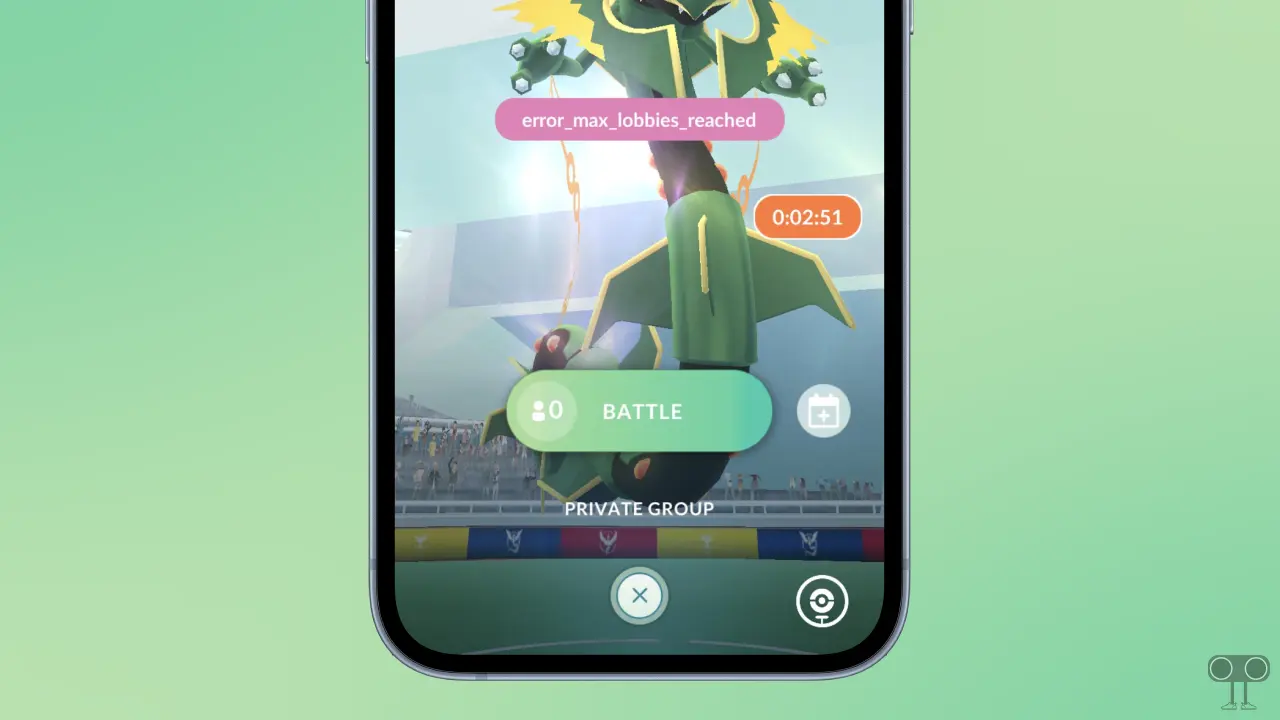
In Pokémon Go, the “Error max lobbies reached” message means there’s a faulty connection between your device and the server. Specifically, the Max Battle you’re trying to join has either ended or the Pokémon in the raid has changed.
This means that you see an old Max Pokémon at this specific location in your game, while the server actually records something else there. As a result, when you try to join this battle, you get an error because it doesn’t exist on the server.
How to fix Pokemon GO Max Battle “Error_max_lobbies_reached” error
1. Restart Your Pokemon GO
The first way to fix this error is to restart the Pokemon GO app. This is an easy and effective method that often fixes temporary issues. To do this, close the Pokémon Go app on your mobile phone (Android or iPhone) and then launch it again.
2. “Refresh game data” in Pokemon GO
If the error persists even after restarting Pokémon Go, you will need to refresh the game data within the Pokémon Go settings. This is a built-in option that is available in the advanced settings of Pokémon Go and is available on both Android and iOS.
Here are the steps to refresh game data in Pokémon Go to fix Error_max_lobbies_reached:
- Open Pokemon GO and Tap on Pokeball Icon at the Bottom-Center.
- To open Settings, Click the Gear Icon.
- Scroll Down and Tap on Advanced Settings.
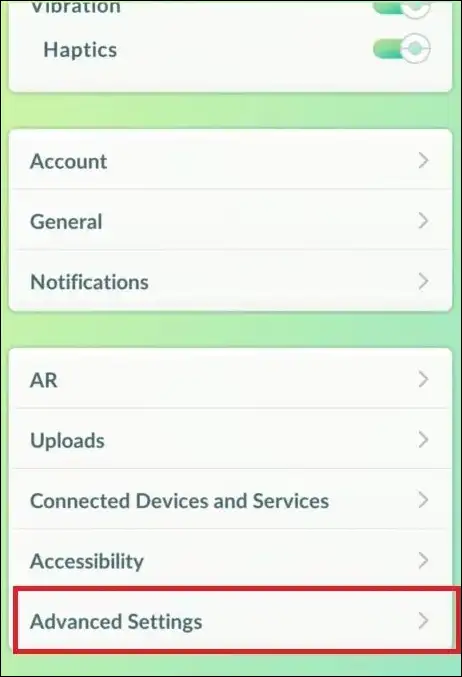
- Select the Refresh Game Data Option.
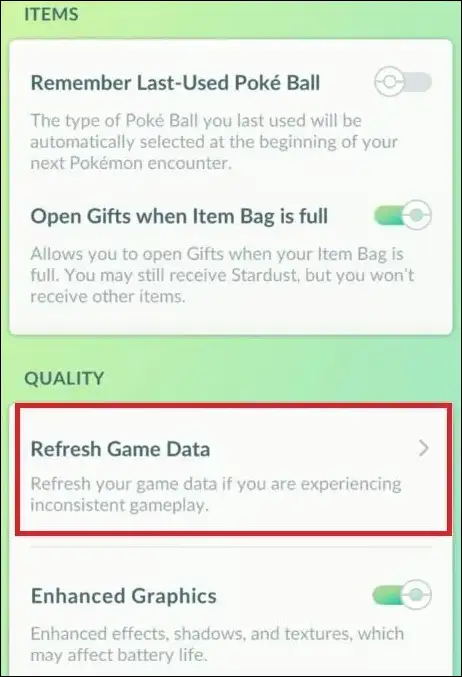
- Tap Yes at the Next Confirmation Window.
3. Clear Cache for Pokemon GO (Android)
If both of the above methods fail, you can easily get rid of this “Error_max_lobbies_reached” by clearing the corrupted cache. This is a quick solution and can be easily performed on Android phones.
To clear Pokémon GO’s cache on your Android phone:
- Open Settings App on Your Phone.
- Navigate to Apps > All Apps/Manage Apps > Pokemon GO.
- Tap on Storage Usage.
- Tap on Clear Cache.
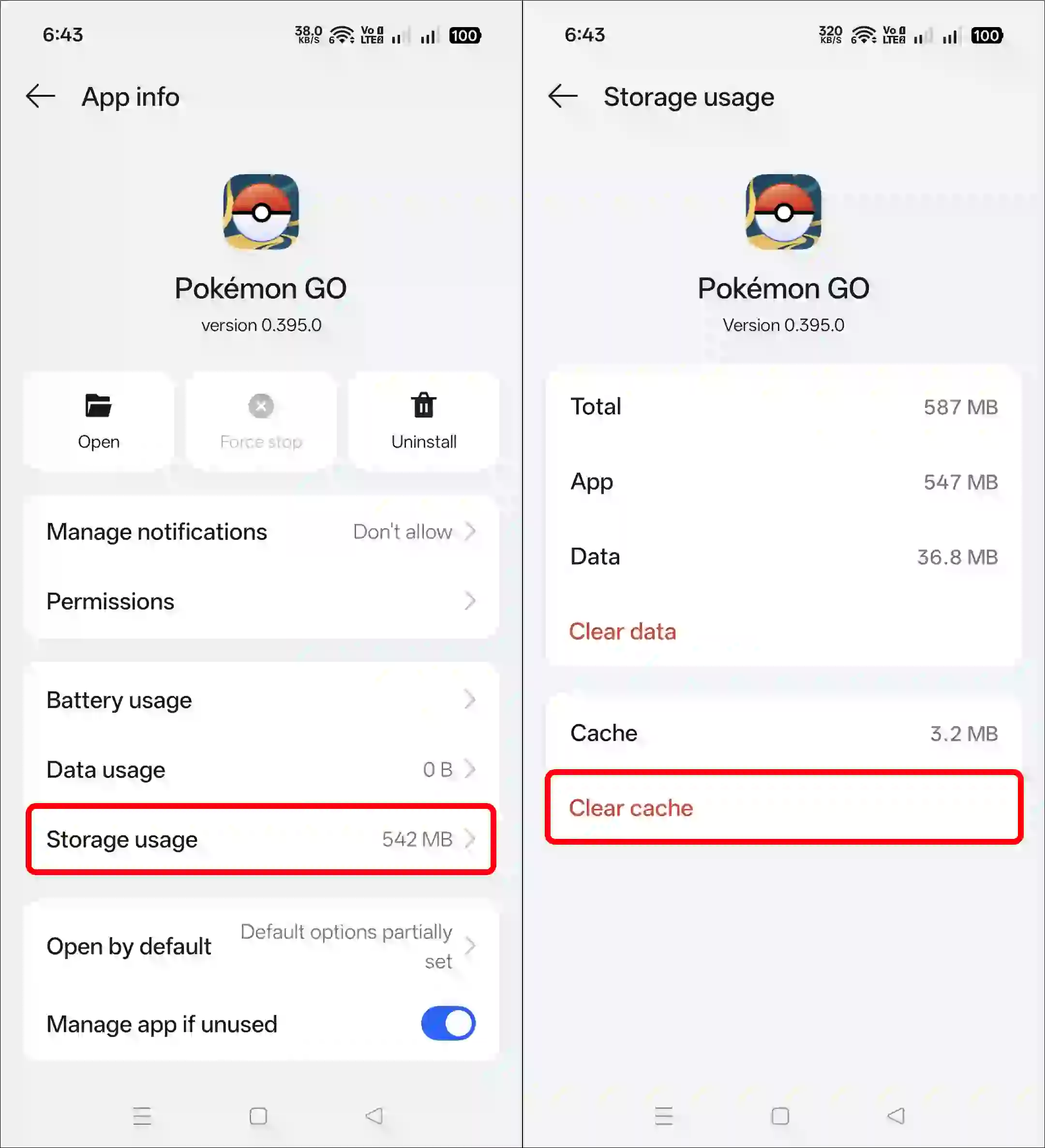
However, the option to clear the cache might be slightly different on your Android phone, as it depends on the specific Android model and version.
Also read: What is ‘Ticketmaster Error Code 0011’ and How to Fix It?
I hope you found this guide helpful and learned about Pokémon GO’s Error_max_lobbies_reached. If you have any other questions about Pokémon GO, feel free to ask in the comments below. Don’t forget to share this article.