How to Check Someone’s Facebook Account Creation Date (Mobile & PC)
In this article, I’ve explained how you can find out the date someone created their Facebook account. While this isn’t necessary for everyone, many users want to know when a particular user joined Facebook or how old their Facebook account is, especially during an investigation or inquiry.
Previously, finding this information was a bit different and difficult, but after the new Facebook update, it has become quite simple. Facebook recently made significant changes to the profile UI, which is why finding a Facebook account’s creation date is now incredibly easy.

Whether you use Facebook on your mobile phone or desktop, the methods given below will greatly help you find the account creation date. Facebook’s new update not only tells you how old an FB account is but also shows you when the last update was made to that account.
Check When a Facebook Account was Created on Mobile Phone
If you use the Facebook app on your Android or iPhone and want to know the exact creation date of your Facebook profile, you’re now just a few steps away. Although people previously used tools like “Facebook profile creation date checker” for this purpose, everything is now available within the app itself.
To check someone’s Facebook account creation date:
- First of All, Update Your Facebook App from Play Store or App Store.
- Open Facebook App on Your Phone.
- Now, Open Someone’s FB Profile.
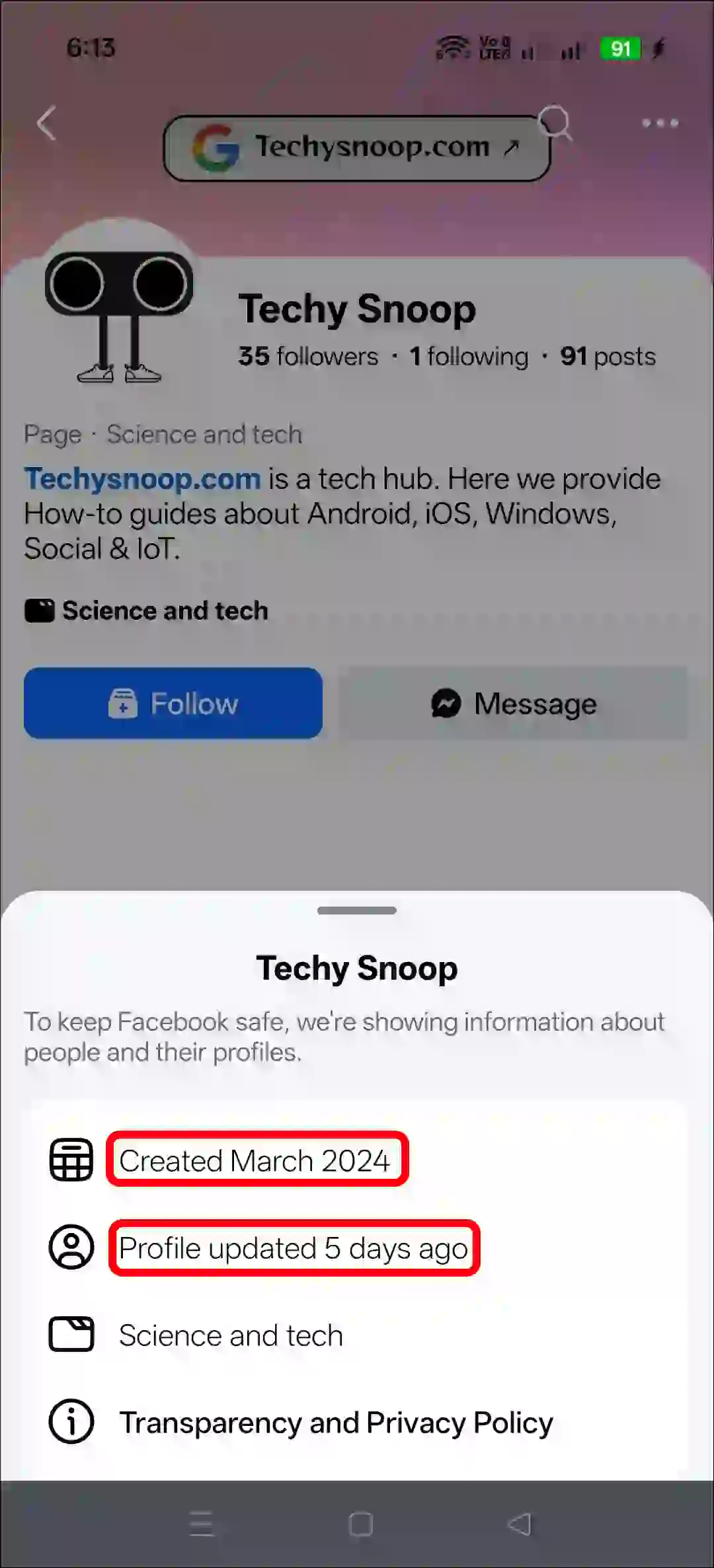
- Tap on Profile Category.

- Here, You Can See the Profile Creation Date as Well as the Profile Update Date.
Also read: How to Turn ON or OFF Professional Mode on Facebook
Find Out When Someone Joined Facebook on PC
Just like the Facebook app, the Facebook website also displays the profile creation date, and the process is exactly the same. You can follow this process on any desktop browser, such as Chrome, Edge, Firefox, Opera, Brave, Safari, etc.
Step 1. Go to Facebook.com and Log into Your Account.
Step 2. Now, Open Someone’s FB Profile.
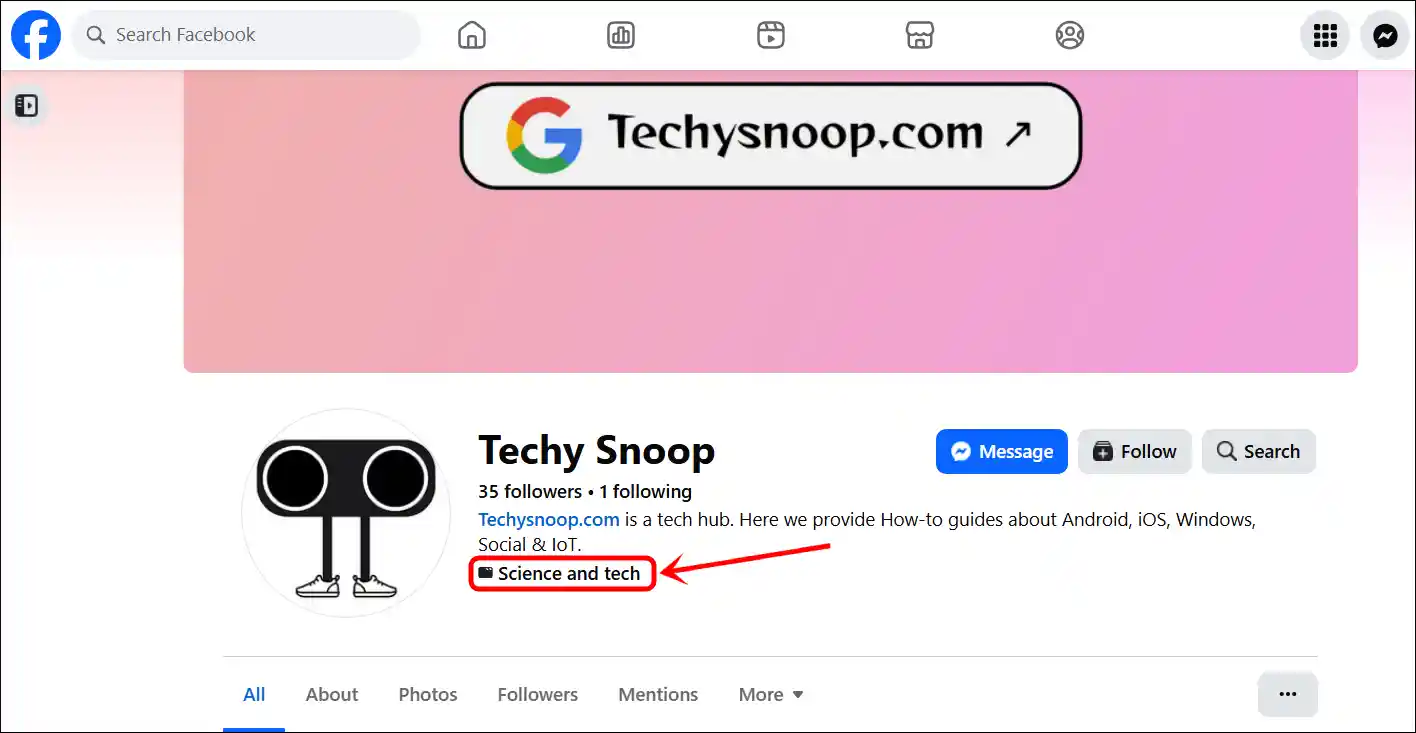
Step 3. Click on Profile Category.
Step 4. Here, You Can See the Profile Creation Date as Well as the Profile Update Date.
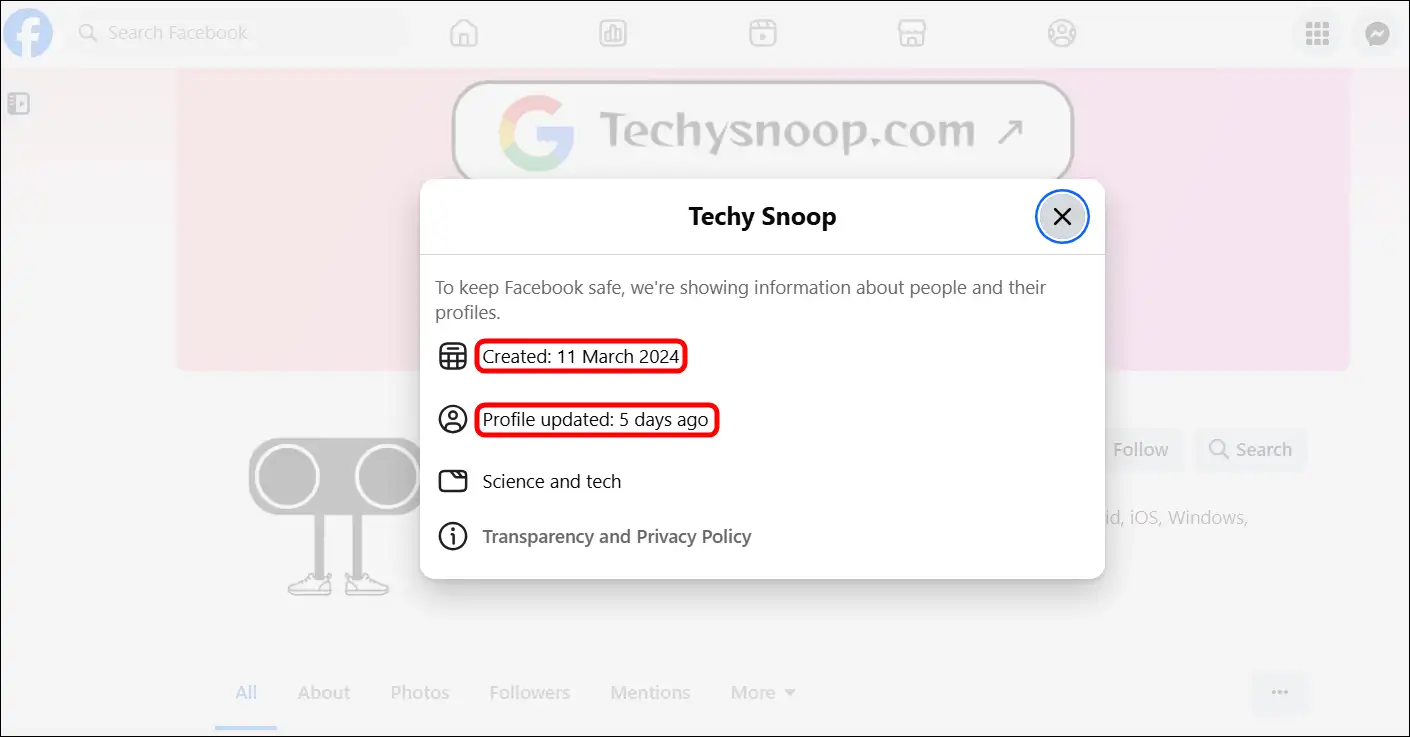
That’s all! By following these exact steps, you can find out the creation date of your own profile, or in other words, when you joined Facebook.
Also read: How to See Non-Followers on Facebook Story on Phone & Desktop
FAQs
Q 1. Why would I need to check when a Facebook account was created?
Answer – Knowing the creation date of a Facebook account can help you determine its authenticity, identify scam accounts (especially on Facebook Marketplace), or assist in verification when trying to recover an old account.
Q 2. Can I see the exact date when a Facebook profile was created?
Answer – No! Facebook doesn’t show you the exact creation date of a profile; it only shows you the month and year.
Q 3. Is checking someone’s FB account creation date a privacy violation?
Answer – No! Facebook allows you to see the creation date of someone’s profile. Simply go to their profile and click on the profile category; you will then see the profile’s creation date.
Q 4. Can the account creation date help in reporting a fake account?
Answer – Yes, absolutely! If an account has been recently created and is engaging in suspicious activity, it could be an indication of a fake or scam account. This type of information can be helpful when reporting it to Facebook.
I hope you found this article helpful and learned how to check when a Facebook account was created. If you have any questions related to Facebook, please ask in the comments below. Feel free to share this article as well.