Convert Your Photo Into Notebook Paper Art Drawing Using Gemini Prompts
In this article, I’ve explained how you can transform your photos into hand-drawn notebook paper art using only Gemini prompts. Gemini is a powerful AI chatbot that can not only answer your questions but also perform many other tasks, such as transforming your imagination into images.
There are many text-to-image generator AI tools available in the market, but people mostly use Gemini, and these tools are often responsible for creating trends on social media. Currently, paper sketch doodle art is going viral on Instagram, and both males and females are participating in this trend.
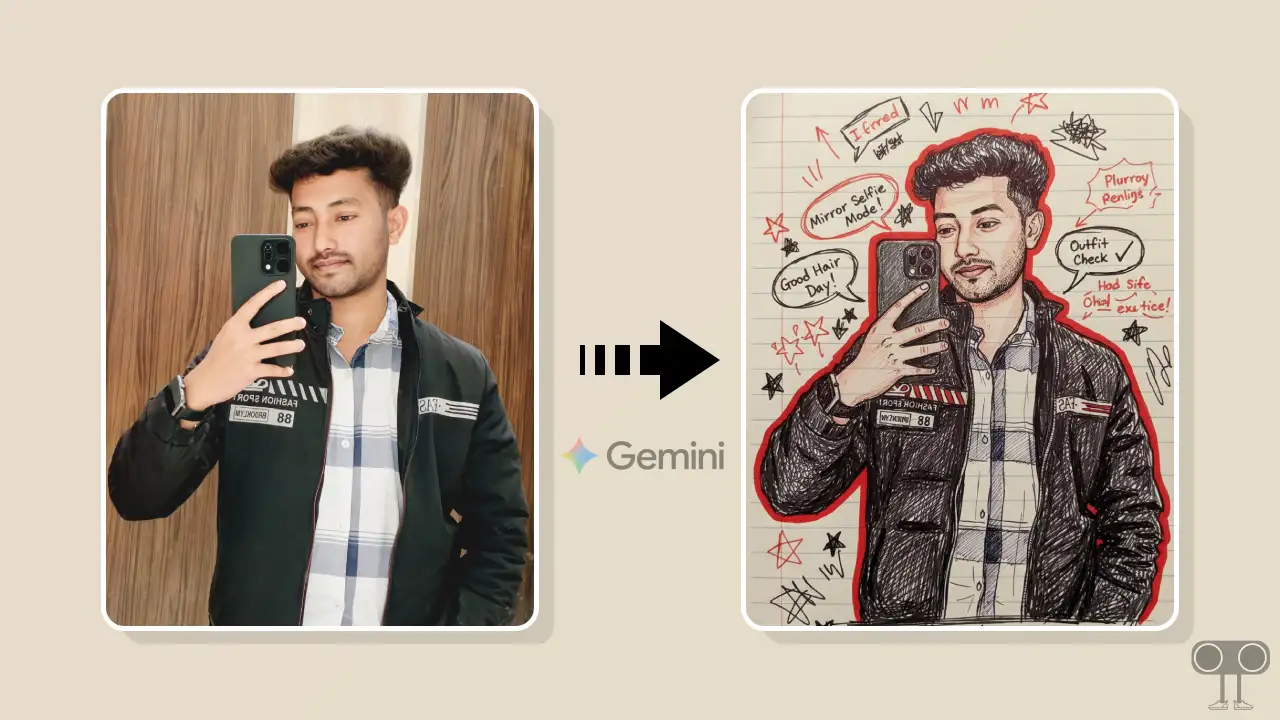
It’s very easy to create this; you’ll just need a supported viral Gemini prompt. However, there’s no need to worry, as I have provided many Gemini prompts related to paper art drawing below, which you can easily copy and paste.
Here’s How to Convert Your Photo Into Notebook Paper Art Drawing Using Gemini Prompts
If you also want to go viral on Instagram with sketching/drawing trends, quickly transform your selfie or portrait picture into paper doodle art using the steps and prompts below and post it on Instagram. This is completely free; you do not need to pay any kind of charge for it.
To add Sketch Effects to your image using Gemini AI:
- Open Gemini AI App on Your Android or iPhone.
- Select Nano Banana Image Mode ad Upload Your Picture from Your Gallery.
- Now, Copy and Paste the Following Prompt and Hit The Arrow Icon.
Generate a hand-drawn portrait illustration in red and black pen on notebook paper, inspired by doodle art and comic annotations. Keep full likeness of the subject, expressive lines, spontaneous gestures, bold outline glow, handwritten notes around, realistic pen stroke texture, 4K resolution.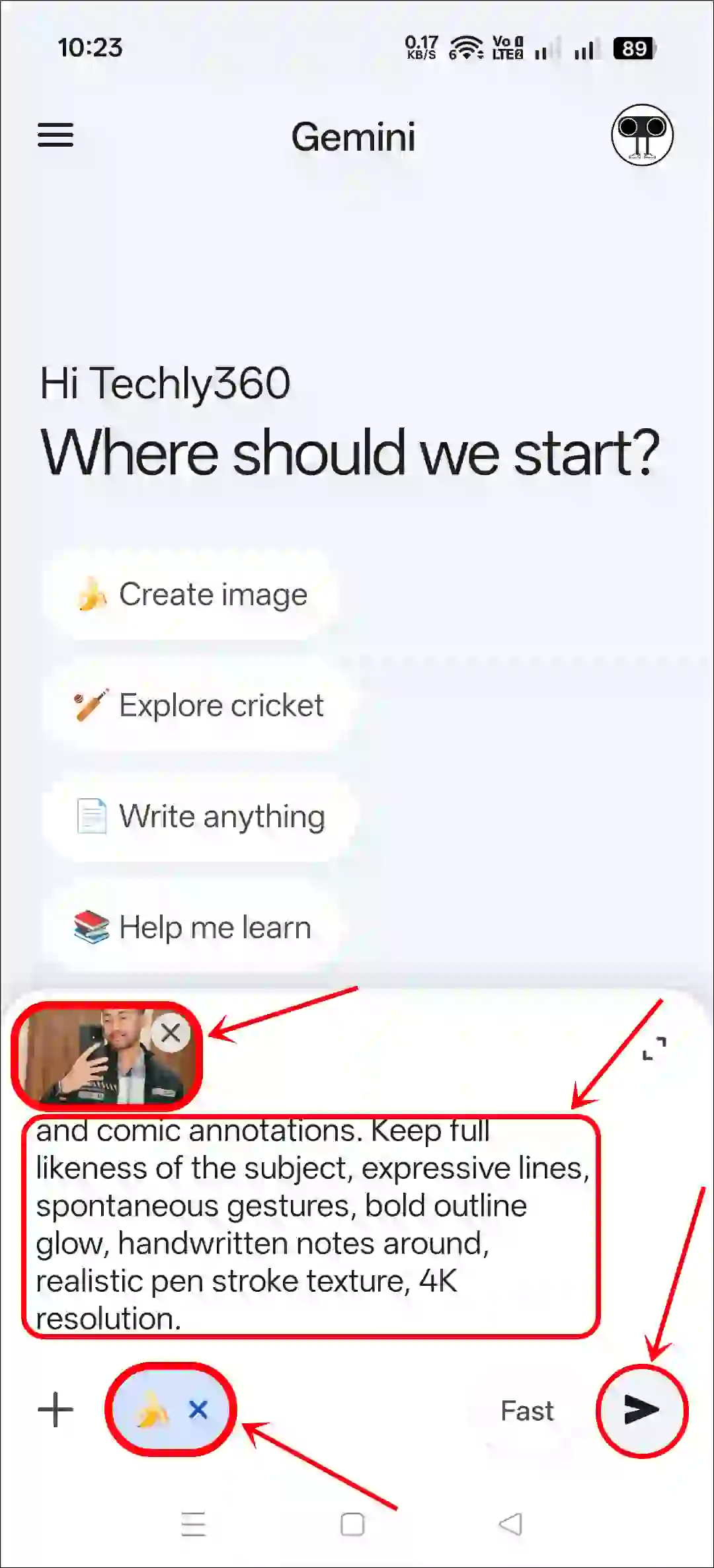
- Wait for a While; It is Processing Your Request.
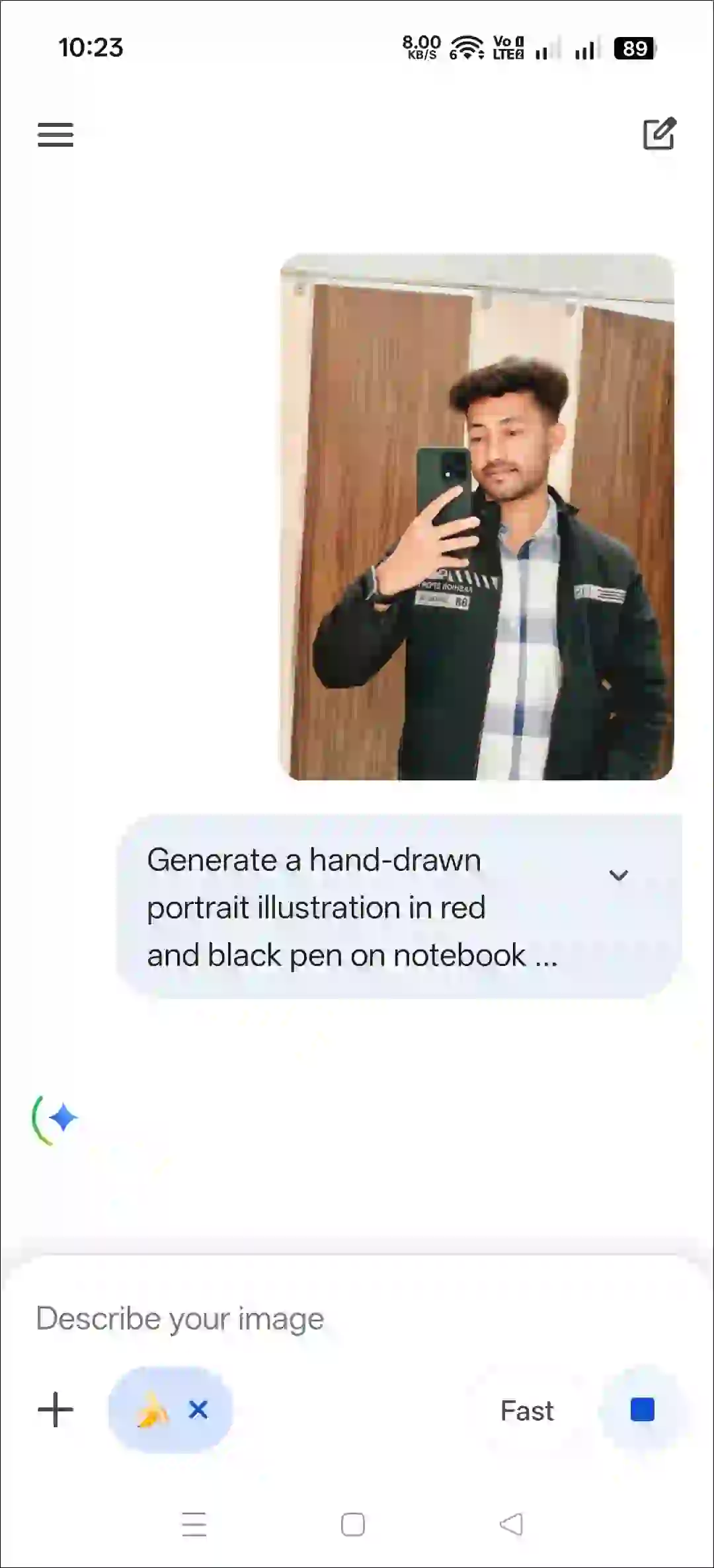
- Now, You Can See Your Notebook Paper Art Drawing.
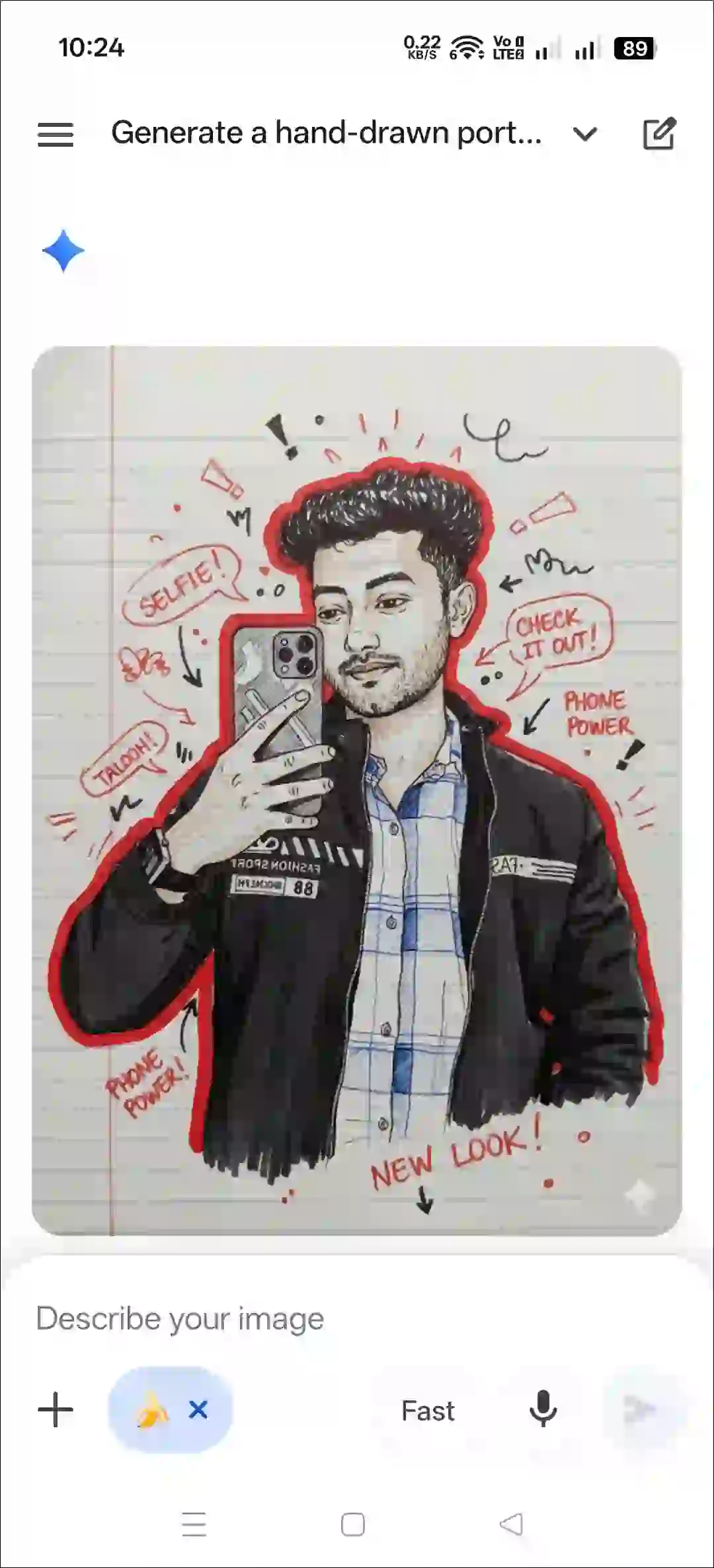
That’s all! The photo you uploaded has now transformed into a trending paper pen sketch doodle. Now you can share it on any social media platform like Instagram, Facebook, Threads, or Twitter (Now X) with viral hashtags.
Also read: How to Change Dress (Cloth) Color in Instagram Story using Restyle AI
More Free Gemini AI Prompts for Notebook Paper Art Drawing
1. Red and Black Sketch Art Prompt
2. Colored-Pencil Portrait Prompt
Turn the reference image into a colored-pencil portrait drawn in a school diary. Preserve the exact likeness of the face, eyes, nose, mouth, hairstyle, and clothing. Use soft colored pencils with visible grain and rough shading. Background should include lightly drawn trees, clouds, a sun with straight rays, and uneven shapes as if sketched by a kid during class. Add imperfect eraser marks, faint smudges, and overlapping lines for realism. Keep blue notebook lines visible and place a vertical red rule on the left. Add a handwritten signature on the side: @TechySnoop.com. Ensure the design looks vertical and notebook-like.
3. Gel-Pen Art Prompt
Convert the reference image into a vibrant gel-pen and marker hybrid illustration on ruled notebook paper. Keep the subject’s facial features and clothing 100% accurate. Use thick marker strokes for shadows and thin gel-pen outlines for edges, producing a glowing comic-style effect. Surround the portrait with doodles like stars, mini speech bubbles, bold arrows, and quirky notes. Add slight ink bleed to mimic real markers on paper. Insert faint blue lines and a red left margin guide. Place the side label @TechySnoop.com in a gel-pen handwritten look. Make the artwork vertical and lively.
I hope you found this article helpful and learned how to convert a photo into a notebook paper art drawing using the Gemini prompt. If you have any questions related to the Gemini prompt, please ask in the comments below. Feel free to share this article as well.