Enable “Shake to Turn on Flashlight” on Your Android Phone
The flashlight on an Android phone is a handy and very useful feature that always comes in handy during a power outage. We can turn the flashlight on or off from the quick panel on Android phones, but you’ll be shocked to know that you can now turn it on or off by simply shaking the phone.
This “Shake to Turn on Flashlight” feature works even when your phone is locked; you don’t need to unlock the phone at all. This feature can be used to use the flash in an emergency.

Some Android phones have this feature built-in and work using the phone’s internal motion sensors and software algorithms. This feature is available on some popular Android phones like Motorola, Oppo, Vivo, and IQoo.
Enable Shake to Turn on Flashlight on Your Android Phone
1. From Phone’s Settings
As I said, this feature comes built into some devices, and you can easily enable it from the phone settings. It is an accessibility feature that you can activate or deactivate on the phone whenever you want. I have provided all the steps below.
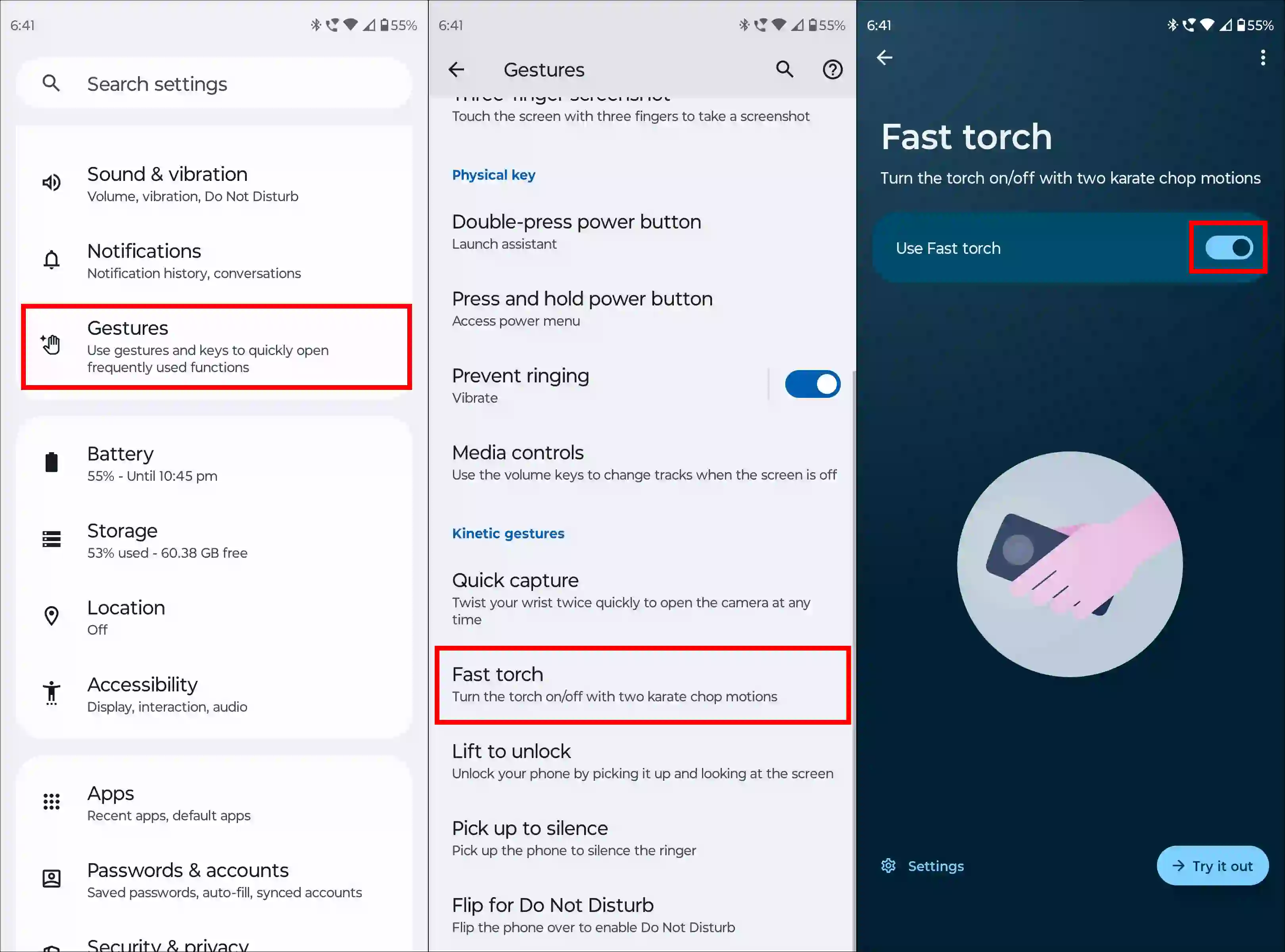
To turn on the shake flashlight on Motorola:
- Open Settings App.
- Tap on Gestures.
- Tap on Fast Torch.
- Now, Enable “Use Fast Torch” Toggle.
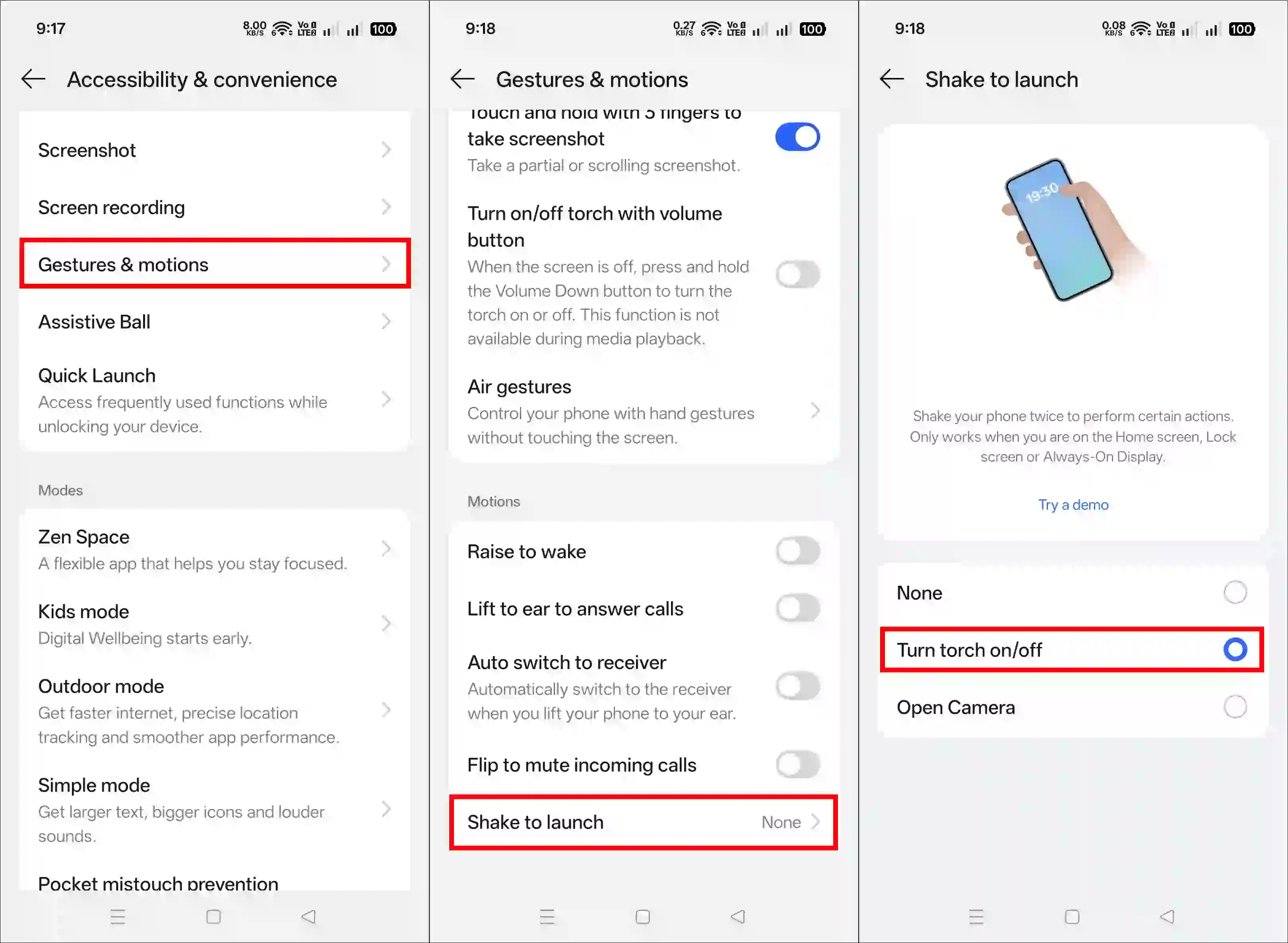
To turn on the shake flashlight on Oppo and Realme:
- Open Settings App.
- Tap on Accessibility & Convenience.
- Tap on Gestures & Motions.
- Tap on Shake to Launch.
- Now, Choose “Turn Torch On/Off” Option.
To turn on the shake flashlight on Vivo:
- Open Settings App.
- Tap on Shortcuts & Accessibility.
- Tap on Smart Motion.
- Simply, Toggle “Shake for Flashlight”.
Also read: How to Turn ON or OFF Flash Notification on Samsung
2. Using an App
If your phone doesn’t have a “Shake to Turn on Flashlight” feature, don’t worry. There are several apps on the Google Play Store that can activate this feature on your phone. Below, I’ve demonstrated a popular app, “Shake Flashlight & Camera,” which is quite useful.
To enable shake to turn on the flashlight on Android using an app:
- Download & Install the “Shake Flashlight & Camera” App on Your Phone
- Open the App on Your Phone.
- Simply, Toggle the “Shake Flashlight” On.
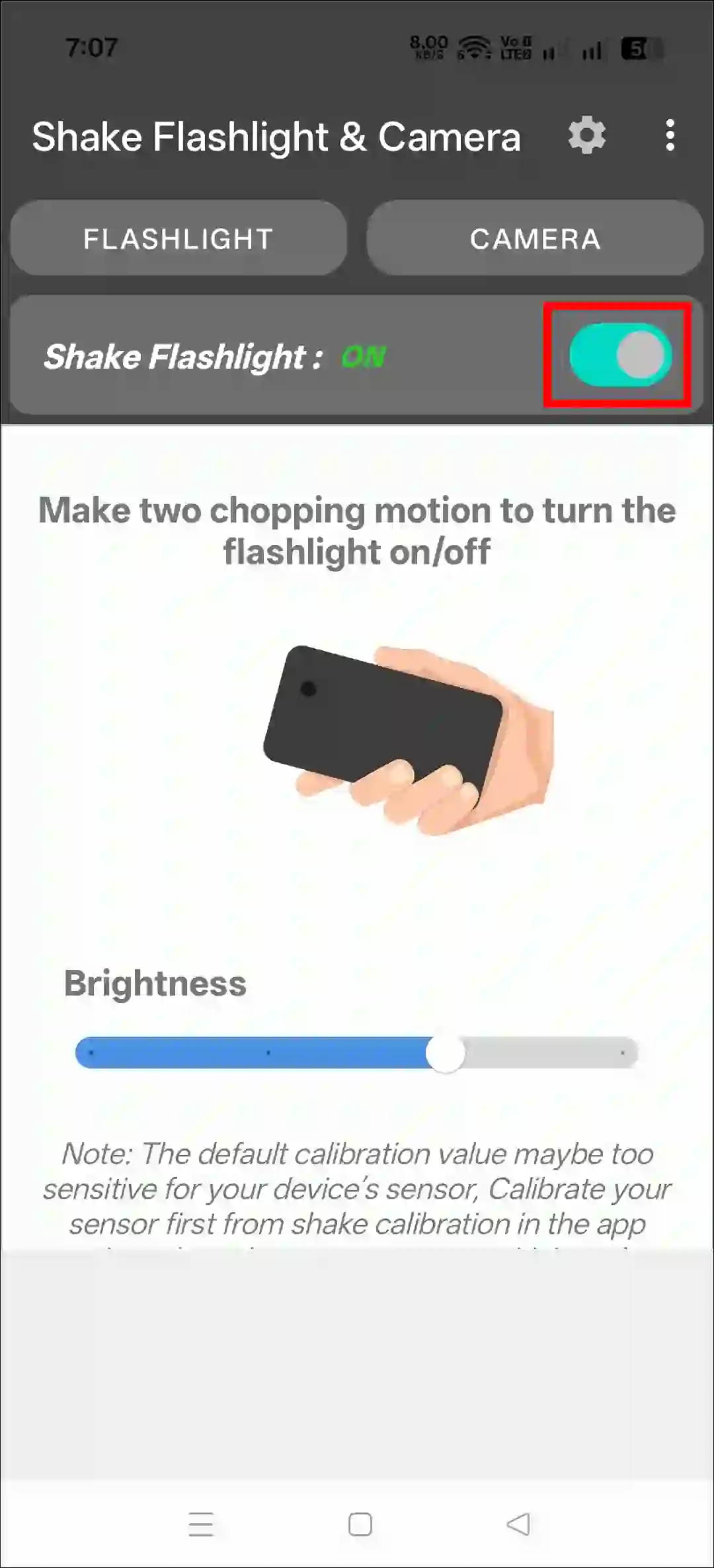
That’s it! Now, whenever you shake your phone, the flashlight will turn on and off. This will improve your flash utility experience and save you time.
Also read: 6 Ways to Fix Flashlight Not Working on Android
I hope you found this article helpful and learned how to turn on shake to turn on the flashlight on Android. If you have any questions related to Android, please ask in the comments below. Feel free to share this article as well.