
Transform Photo with Instagram LoFi Dusk Filter Prompt! Here’s How
Instagram’s LoFi Dusk is going viral on the internet at lightning speed. Users are generating it using Instagram’s Restyle AI feature and sharing it across reels and stories. However, there are many users who do not have the Restyle AI option on their Instagram, and even if they do, they are encountering a “something went wrong” error.
If you want to use the LoFi Dusk filter on your photo and share it on social media, but Restyle AI isn’t working, don’t worry. I’ve shared the “Instagram LoFi Dusk Filter Prompt” below. Use it with Gemini or ChatGPT to give your photos that LoFi dusk aesthetic look.
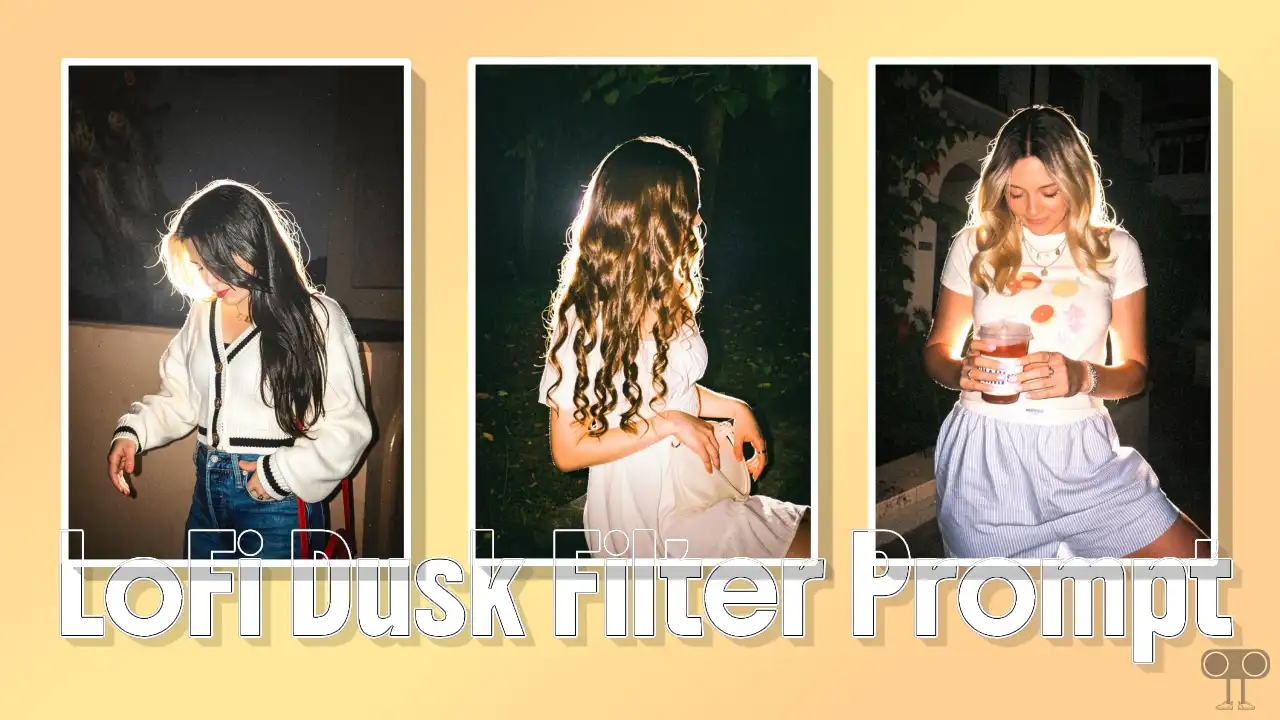
What is Instagram’s Lofi Dusk Filter?
Instagram’s Lofi Dusk is an AI-powered visual effect that turns your ordinary pictures into aesthetic, dark, cinematic portraits. Once you apply this Lofi Dusk filter, it automatically adjusts the background light in your photo. It also adds high contrast, a subtle rim light, a vintage feel with a grainy texture, plus a bit of soft, glowing night flash.
How to Create a Lofi Dusk Effect Photo Using LoFi Dusk Filter Prompt
This method works better for you when you can’t create it using Instagram’s Restyle AI. Whether you use Google Gemini or ChatGPT, both let you apply the LoFi Dusk effect to your photo. I’ve listed all the steps below.
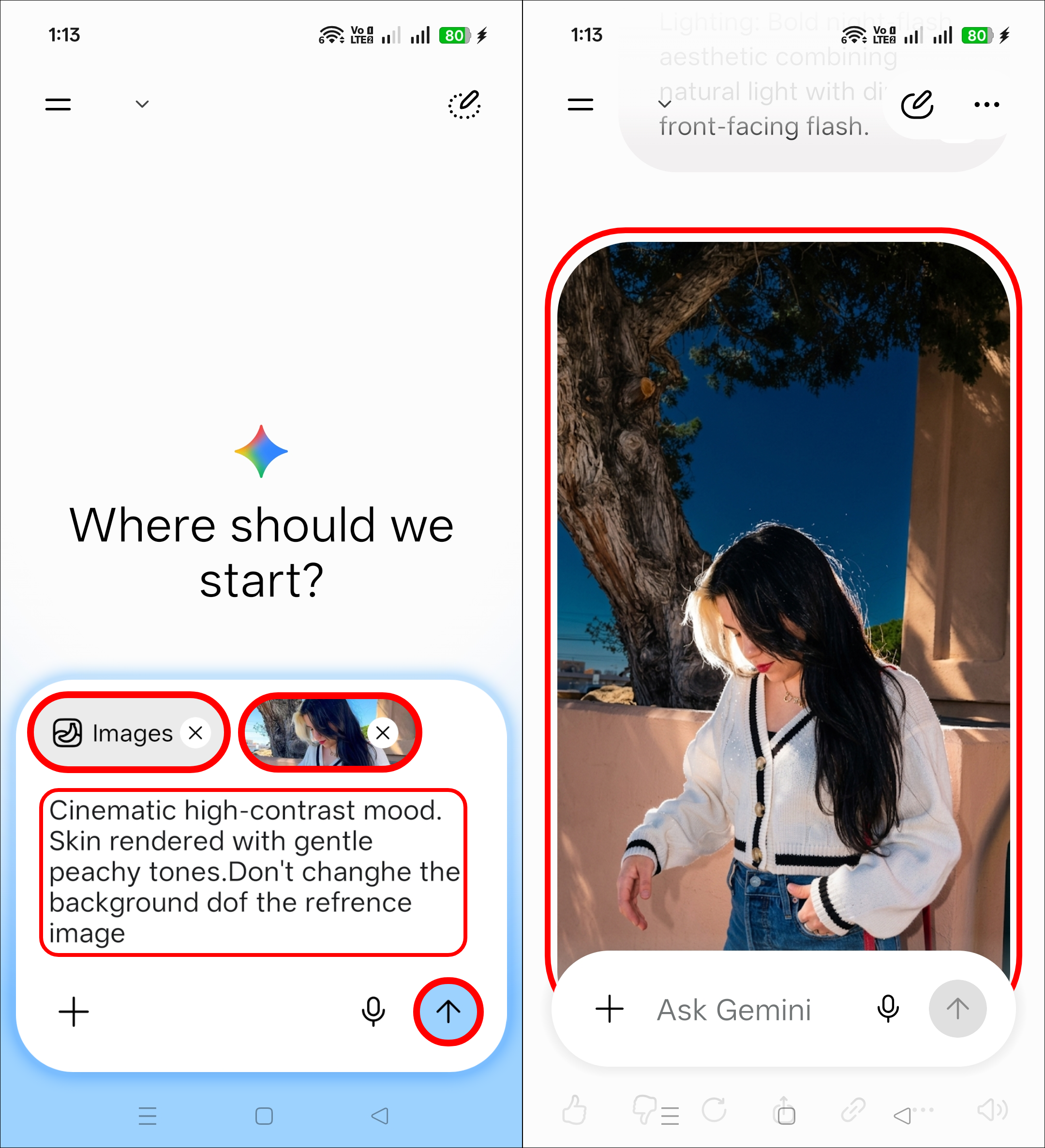
1. On Google Gemini
- Open Google Gemini App or Website (gemini.google.com).
- Select Image Mode and Upload Image and Enter Following Prompt and Hit Arrow.
- Now, You Can See the Result.
- Simply, Save It to Your Gallery.
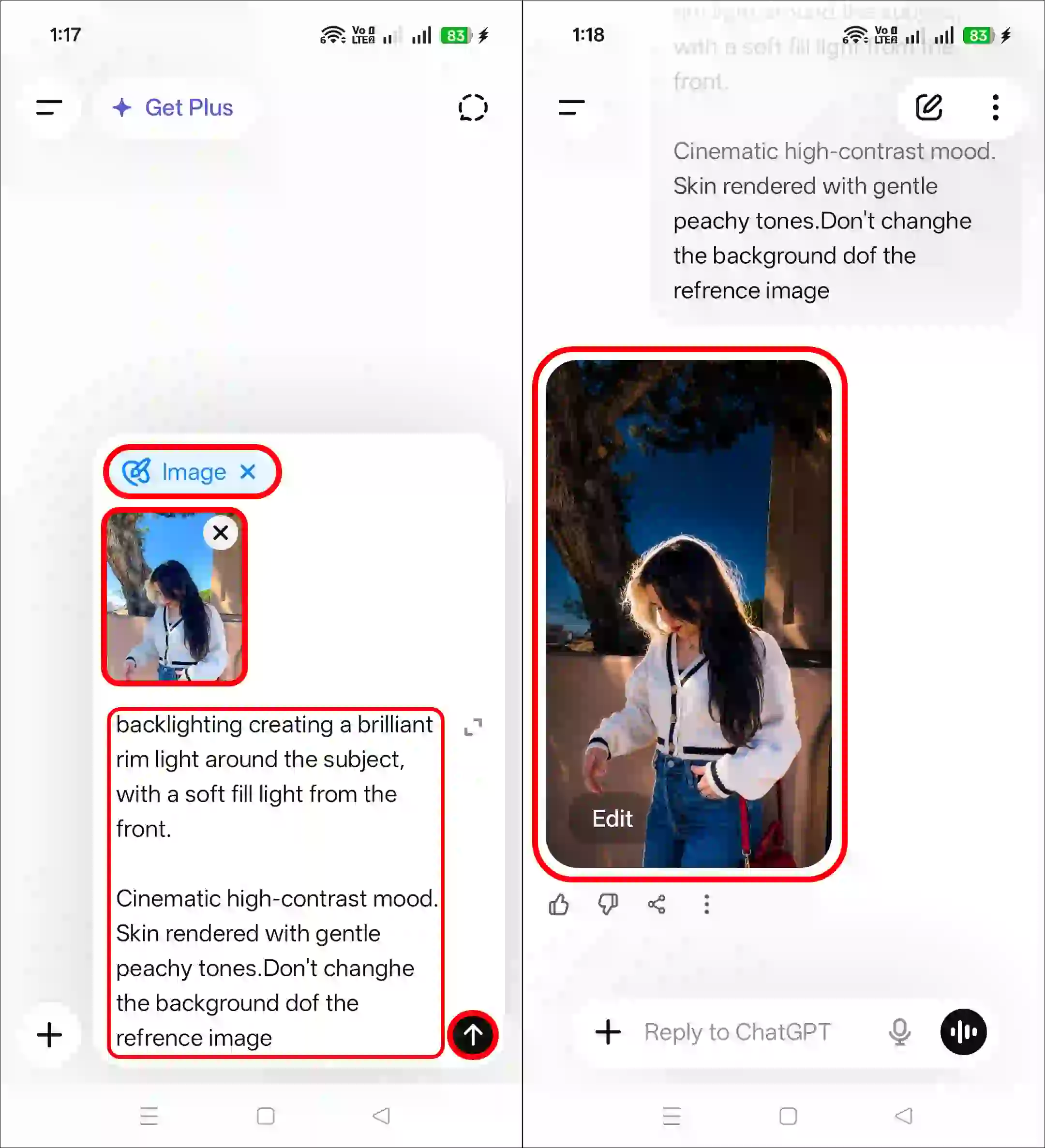
2. On ChatGPT
- Open ChatGPT App or Website (ChatGPT.com).
- Select Create Image Mode and Upload Photo and Enter the Following Prompt and Hit Arrow.
- Now, You Can See the Result.
- Simply, Save It to Your Gallery.
Copy Instagram Lofi Dusk Filter Prompt Aesthetic
Lighting: Bold night-flash aesthetic combining natural light with direct front-facing flash.

Tiny highlights.

Strong

backlighting creating a brilliant rim light around the subject, with a soft fill light from the front.

Cinematic high-contrast mood. Skin rendered with gentle peachy tones.Don't changhe the background dof the refrence image
More AI Prompts:
I hope you liked this post and found the “Lofi Dusk filter prompt”. If you need any other AI photo editing prompts, please let me know by commenting below. Please share this article.




Photo
Mujhe yah wala filter chahie
Meri insta ma bhe lofi dusk filter ajaye
I want restyle in my instagram