Turn On & Off Microsoft Store Suggested Search Results in Windows Search on Windows 11
You might have noticed that whenever you type something into Windows Search, it also displays suggested search results from the Microsoft Store. Such results clutter your search index; however, you can now get rid of them.
With the help of Windows’ built-in search feature, you can search for things directly from your taskbar, whether they are on your device, in the cloud, or on the web. You can also quickly open this search bar using the shortcut Windows + S and then find apps, files, settings, and more—all from one place.

Microsoft has added a hidden experimental feature to the new build version of Windows 11 that allows users to choose whether or not to display suggested search results from the Microsoft Store. Let’s find out how you can turn it on or off.
Enable Microsoft Store Suggested Search Results in Windows Search on Windows 11
- Press Windows + I to Quickly Access the Settings.
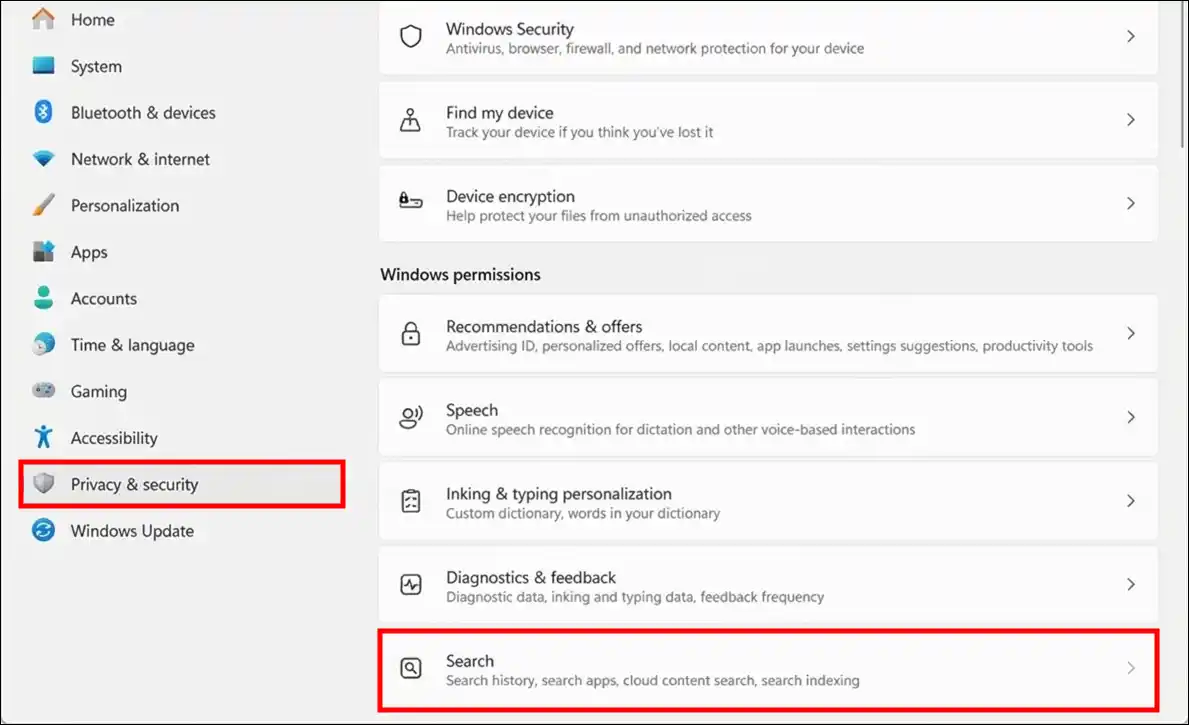
- Click on Privacy & Security > Search.
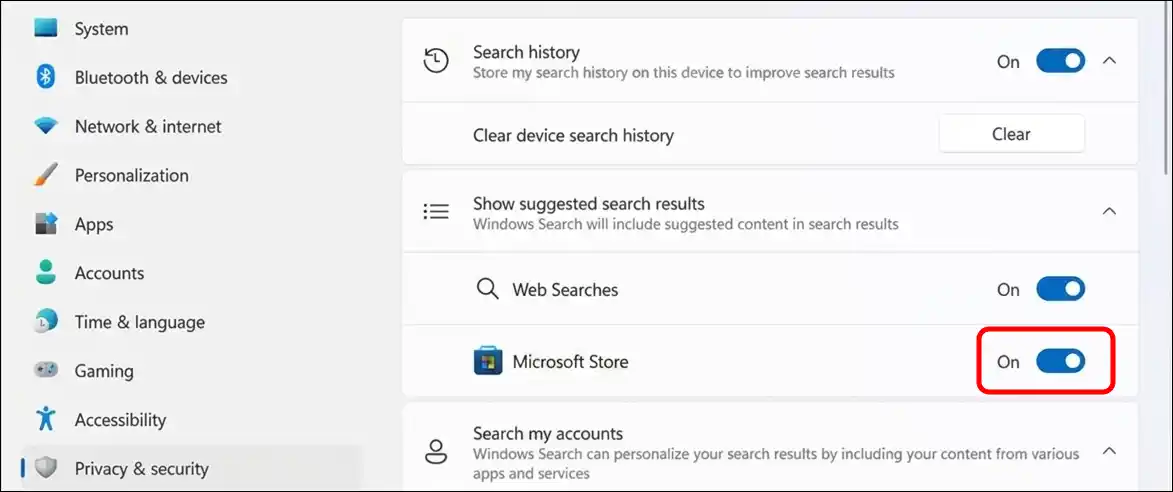
- Expand the ‘Show Suggested Search Results’ and Turn On the Microsoft Store Toggle.
Disable Microsoft Store Suggested Search Results in Windows Search on Windows 11
- Press Windows + I to Quickly Access the Settings.
- Click on Privacy & Security > Search.
- Expand the ‘Show Suggested Search Results’ and Turn Off the Microsoft Store Toggle.
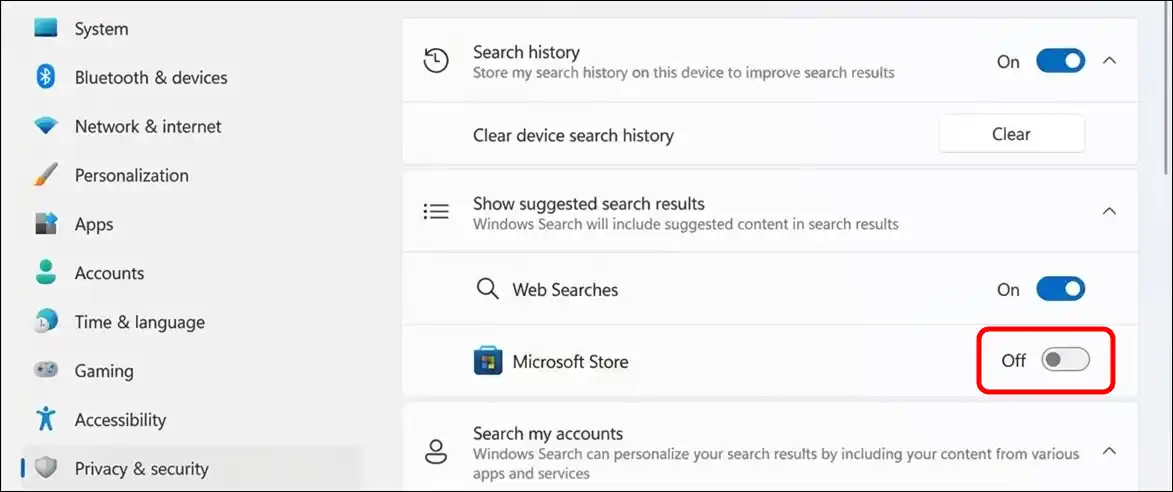
That’s it! You’re all done…
Also read: Enable Group Policy Editor in Windows 11 Home Edition
FAQs
Q 1. What are “Microsoft Store Suggested Search Results” in Windows Search?
Answer – This is a hidden experimental feature in Windows Search. When you type into the search box on the taskbar, it can also show you suggested results from the Microsoft Store along with web searches and app or content recommendations.
Q 2. Will enabling this feature affect my regular search results?
Answer – Yes! When enabled, Windows Search will show suggestions from the Microsoft Store and the Web, in addition to your apps, files, and settings. This gives you more options, but if you prefer only local results, you can turn it off.