How to Turn Off Sensitive Content Warning on Facetime (iOS 26 or Later)
Previously, Apple’s Sensitive Content Warning protection functioned only for Contacts, Messages, AirDrop, and shared photo albums; however, in iOS 26 and later versions, it has been extended to FaceTime video calls as well.
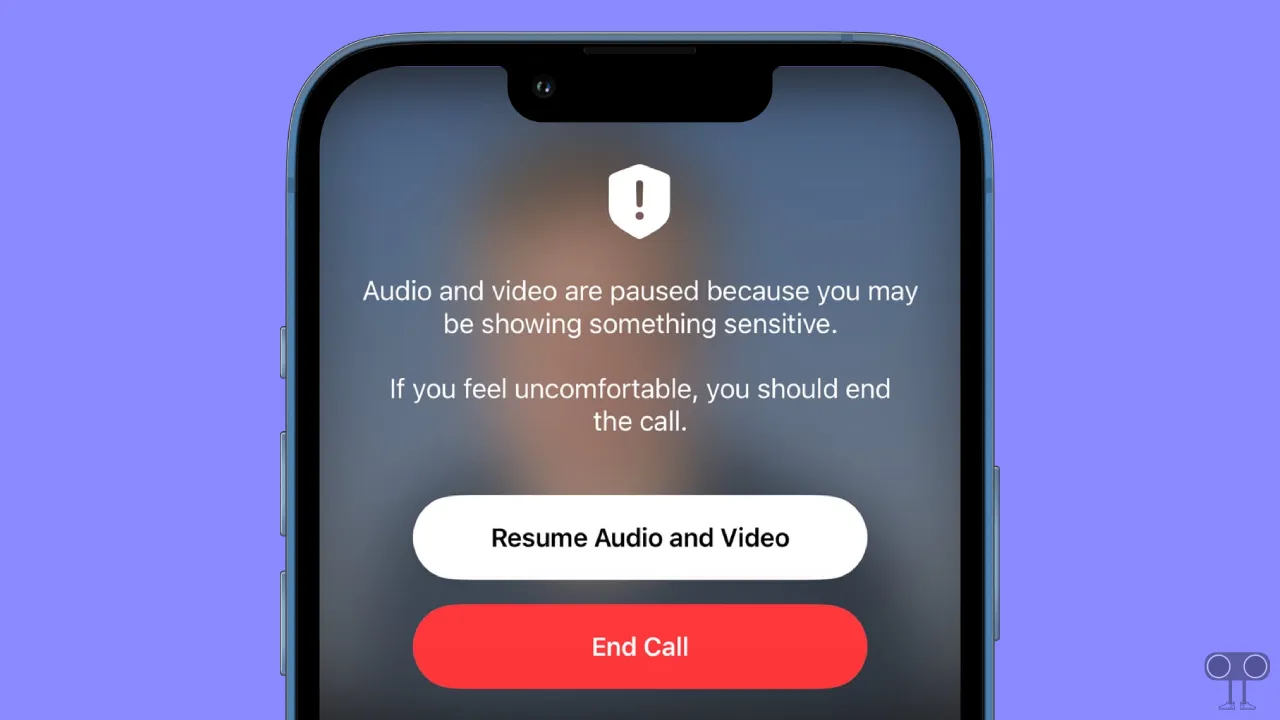
When the Sensitive Content Warning is enabled on your iPhone, the iPhone uses on-device machine learning to detect nudity during live FaceTime calls, and it pauses the video feed before displaying potentially sensitive content.
How to Turn Off Sensitive Content Warning on Facetime (iOS 26 or Later)
If your iPhone has also activated the Sensitive Content Warning protection and you want to turn it off for some reason, that is also possible. To manage the sensitive content warning, iPhone settings offer an option that allows you to enable or disable it for specific apps such as AirDrop, Contacts, FaceTime, Messages, and Shared Albums.
To disable sensitive content warnings on FaceTime:
- Open Settings App on Your iPhone.
- Tap on Privacy & Security.
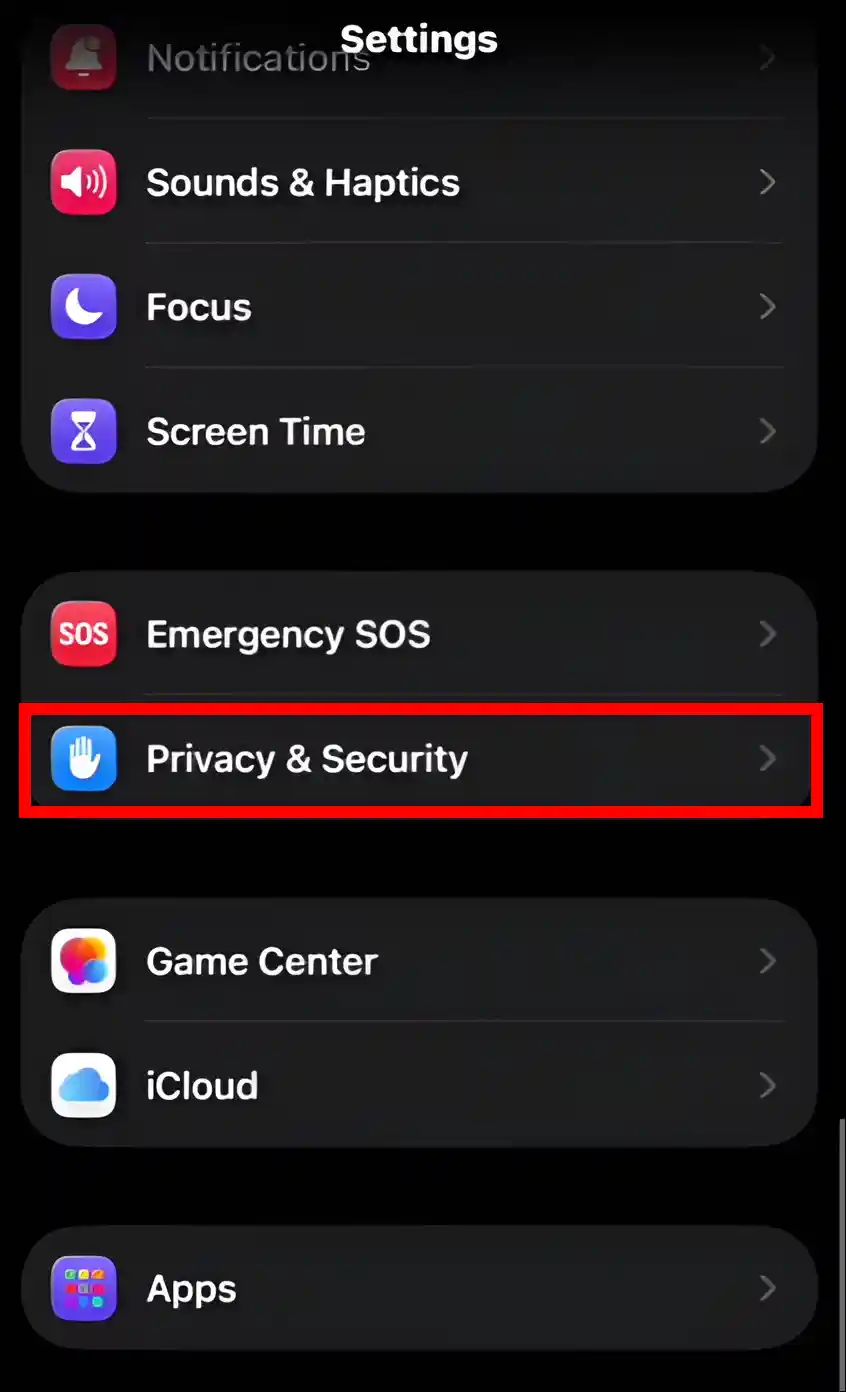
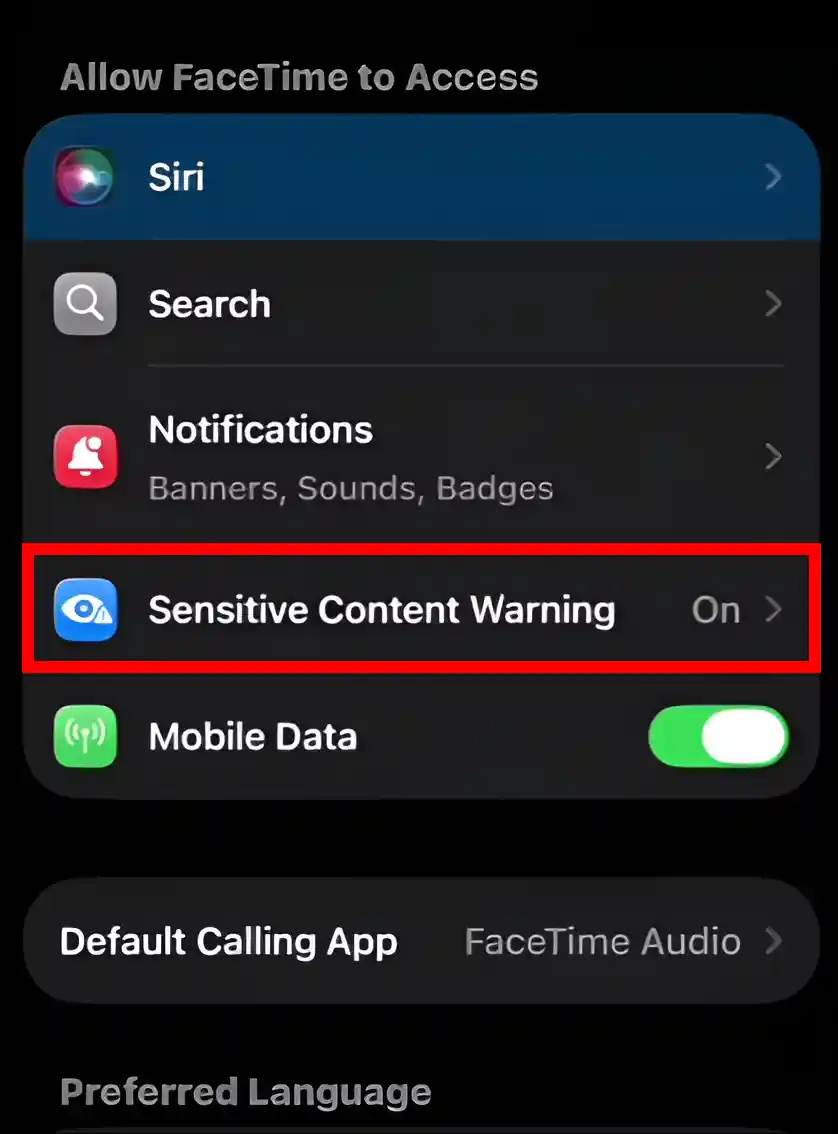
- Scroll Down and Tap on Sensitive Content Warning.
- Now, Toggle Off the FaceTime.
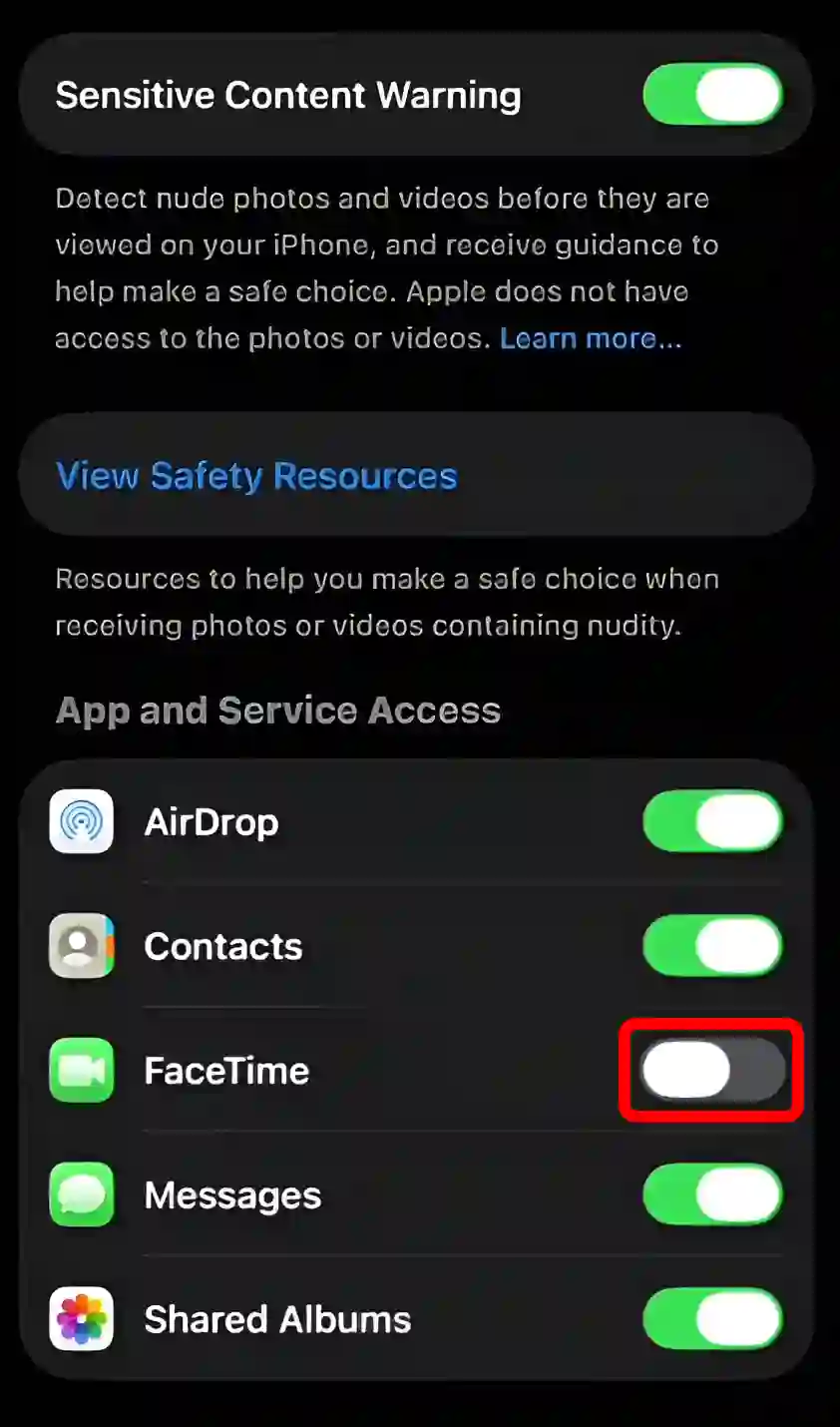
That’s it! However, if you wish to disable sensitive content warning protection for all apps, including FaceTime, that is also possible. Simply follow the steps mentioned below.
- Open Settings App on Your iPhone.
- Tap on Privacy & Security.
- Scroll Down and Tap on Sensitive Content Warning.
- Now, Toggle Off the Sensitive Content Warning at the Top.
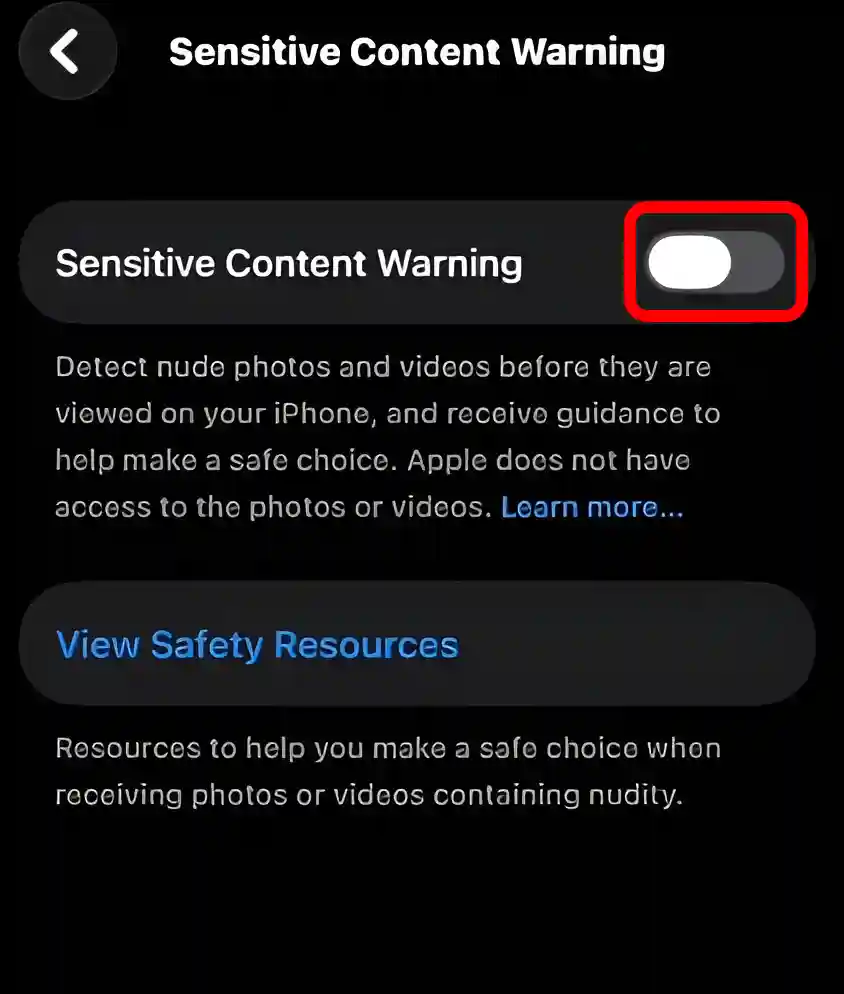
That’s all…
On the iPhone, FaceTime’s Sensitive Content Warning works slightly differently compared to other apps. While other apps blur such content, FaceTime, instead of blurring the image, freezes both the audio and video upon detecting nudity.
You may also like:
- Check and Clear History on Safari in iOS 26 or Later
- Disable or Enable Liquid Glass Effect in iOS 26 on iPhone
FAQs
Q 1. Can I re-enable the sensitive content warning after turning it off?
Answer – Yes! If you had turned off the sensitive content warning for FaceTime but now want to turn it back on, you can easily do so. To do this, go to iPhone Settings, then go to Privacy & Security > Sensitive Content Warning, and turn on the FaceTime toggle.
Q 2. Will turning off the sensitive content warning affect my privacy?
Answer – Yes! If you disable this warning, you may be able to view content that was previously restricted. This could affect your privacy or security, so please decide with caution.
I hope you found this article helpful and that you’ve learned how to turn off sensitive content warnings on FaceTime. If you have any problems or questions related to iPhones, please let us know in the comments below. Don’t forget to share this article with your friends.