
How to Edit Comments in Instagram Posts and Reels
Meta has released a new update for Instagram and rolled out a comment editing feature. This means you can now edit comments you made on posts or Reels. Let’s find out how you can edit comments on Instagram posts and Reels.
Instagram’s Edit Comment Feature
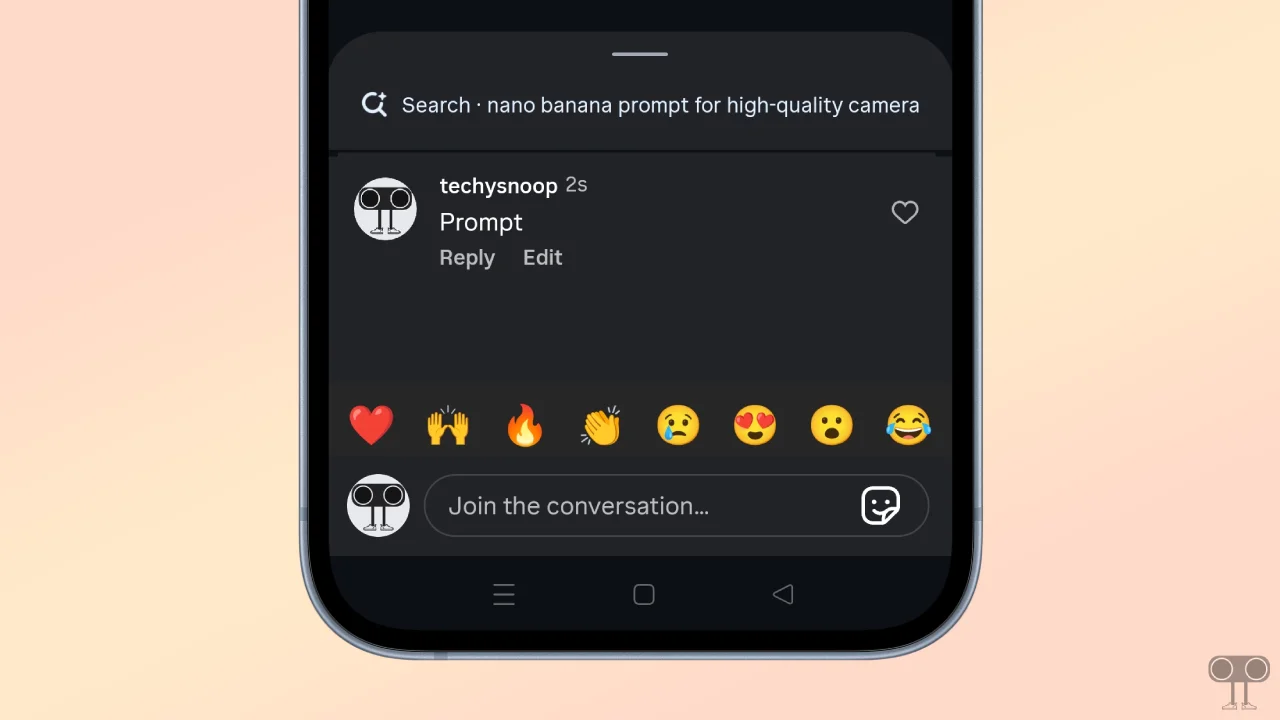
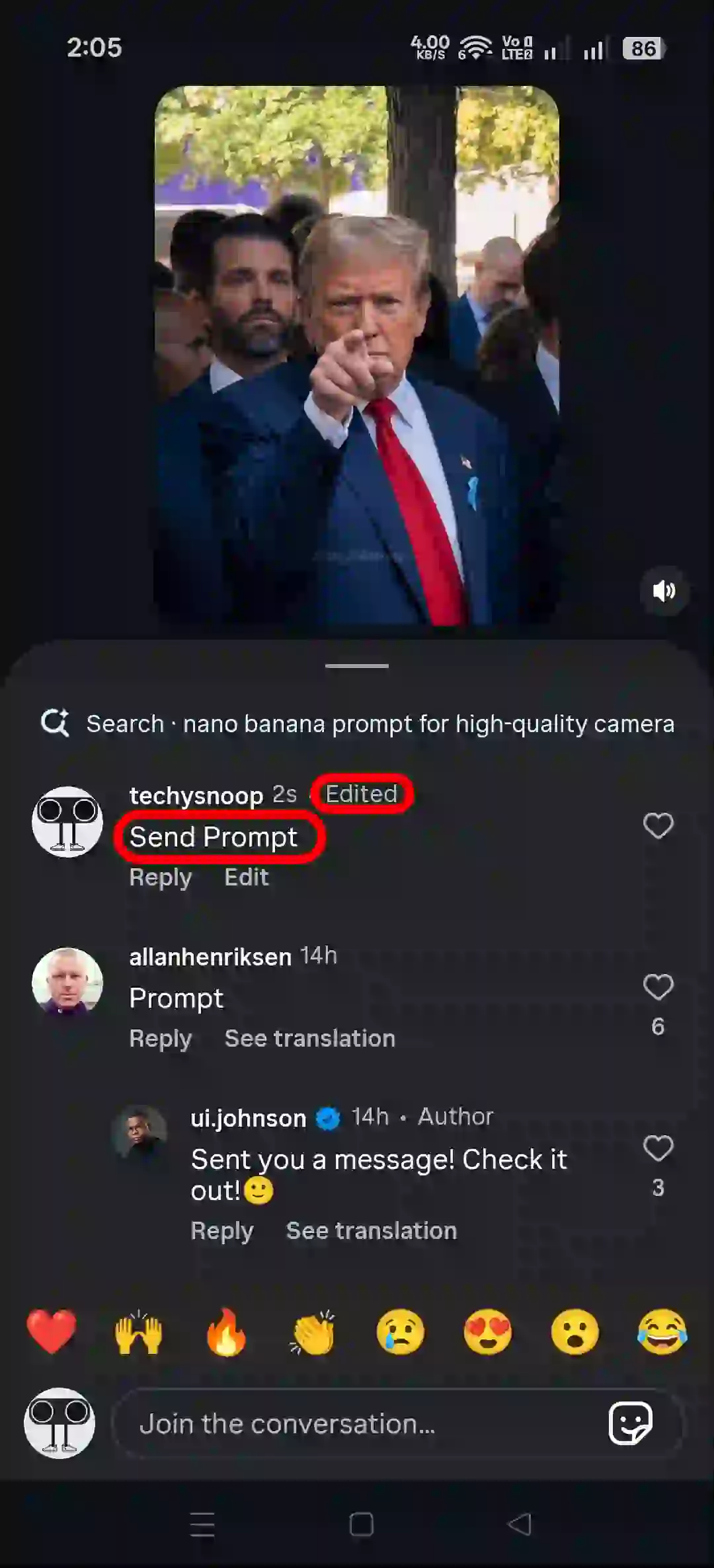
You can now correct typos in comments without deleting them, thanks to this new feature. This feature gives you up to 15 minutes after posting a comment to edit it. With this update, you no longer need to delete your comments at all.
Once you edit your comment, others will be able to see that it has been edited; however, the good thing is that it will not reveal what specific changes were made. Others will only be able to view the post-edited version of the comment. This feature is available to users on both Android and iPhone devices.
One important thing to note: this feature can currently edit only text comments. If you have posted a comment with both text and an image, editing will change only the text, not the image.
How to Edit Comments in Instagram Posts and Reels
If you made a typo while commenting on an IG Reel or post, you can now edit it without deleting it by following the steps mentioned below. Let’s find out how!
To edit a comment you made on Instagram after posting without deleting:
- Open Instagram App and Post a New Comment.
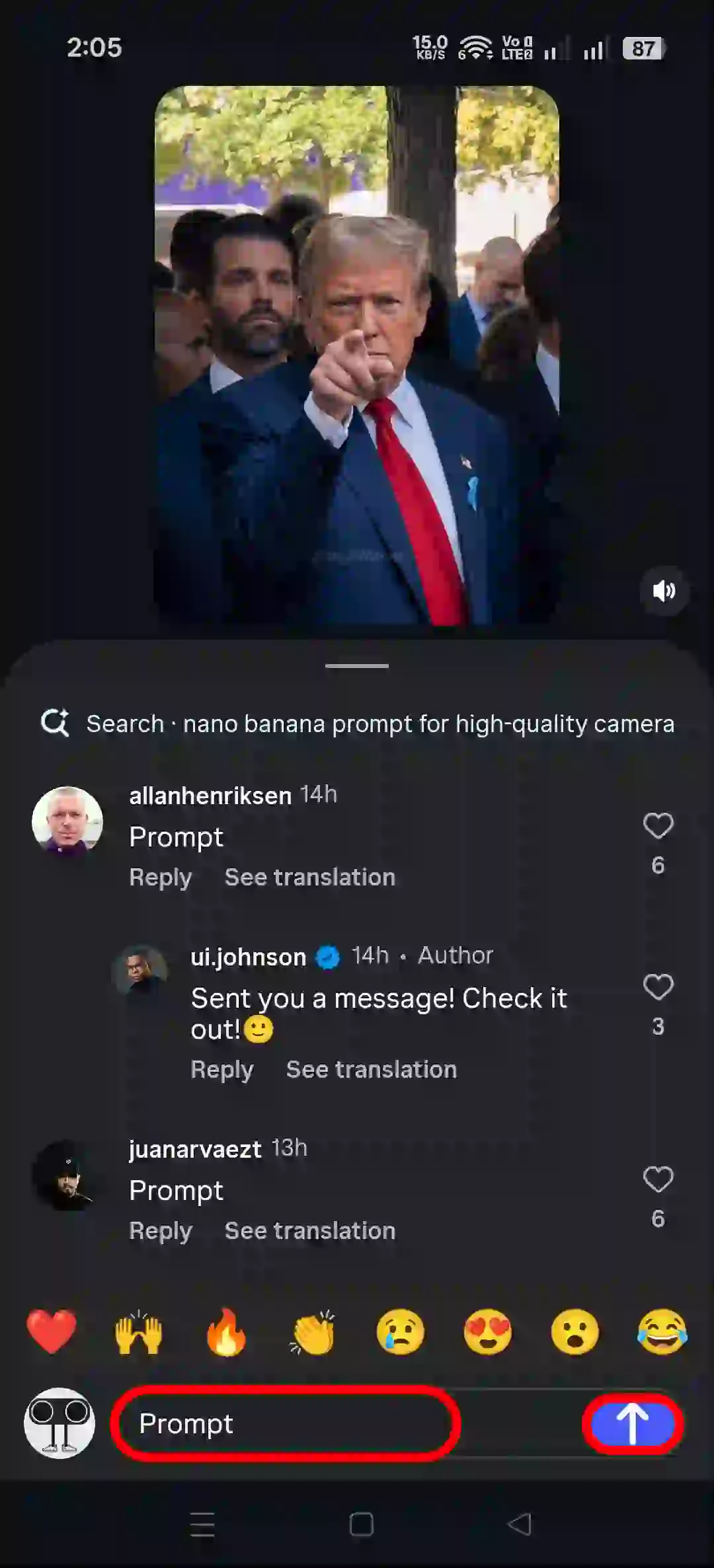
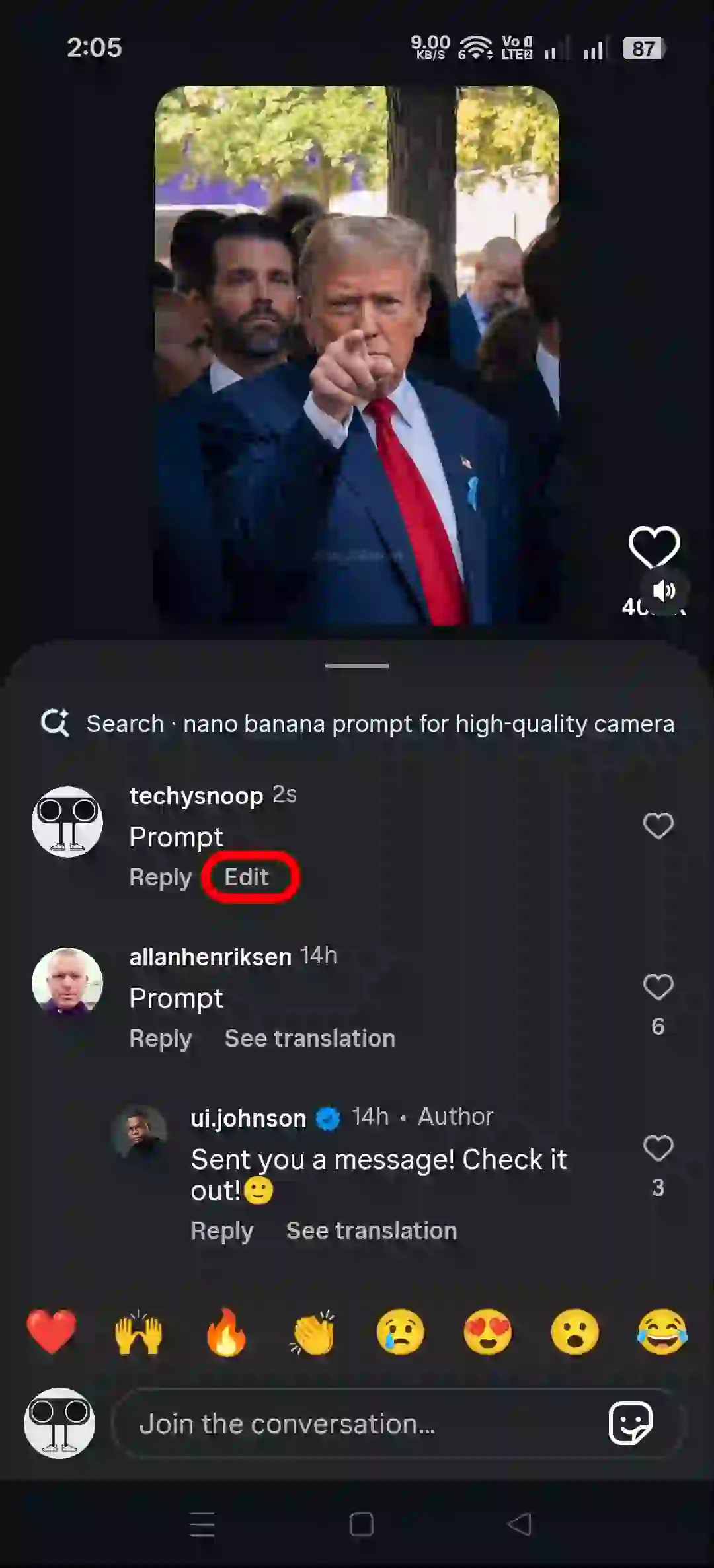
- Tap on Edit Button Under Your Comment.
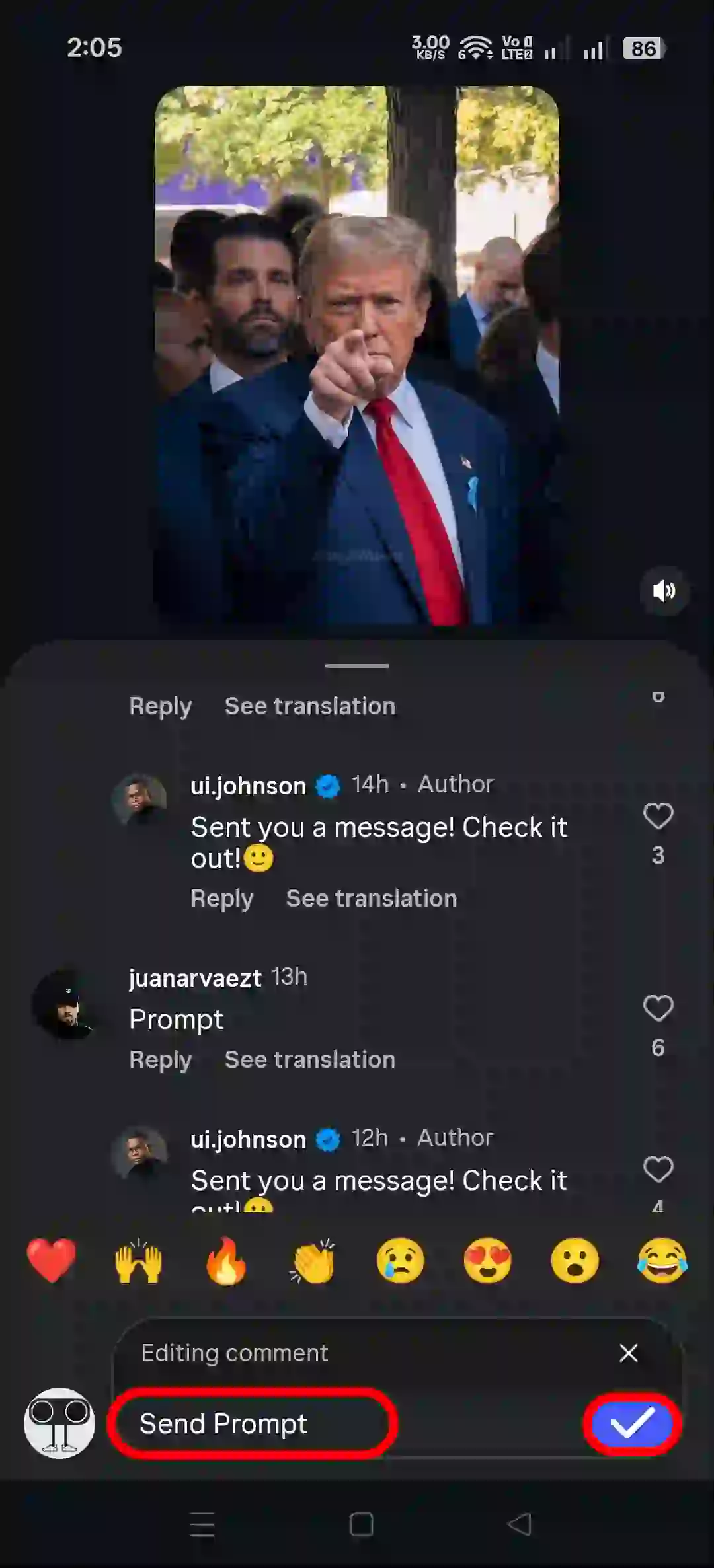
- Now, Correct Your Comment and Tap on Tick Icon.
- Now, You Can See Your Comment has been Edited.
You May Also Like:
- Turn OFF or ON Typing Indicator on Instagram
- Use AI Voice Changer on Instagram Voice Messages in DM
- How to Remove Label from Instagram Chats
Fix Instagram’s Comment Editing Option Not Showing Problem
If the edit comment option is missing in Instagram, then there can be some major reasons, like an outdated Instagram app, corrupt cache, Instagram server issues, app or device glitches, etc.
Fix 1. Update Your Instagram App: Instagram regularly releases new updates. If you are using the outdated Instagram app, you may face problems related to the comment edit. For this, update the Instagram app to the latest version from the Play Store or App Store.
Fix 2. Clear Instagram App Cache: If Instagram’s edit comment option is missing, the cause might be a corrupted cache. For this, you need to clear the corrupted cache of Instagram on your phone.
To clear Instagram’s cache on Android, open Settings > Apps > All Apps > Instagram > Storage & Cache > Clear Cache.
Fix 3. Log Out and Log Back In: If you still don’t see the edit comments option after following the steps above, you need to sign out of your Instagram account and sign in again. This action can sometimes easily resolve feature issues.
I hope you found this article quite helpful and learned how to edit comments in Instagram posts and reels. If you have any questions related to Instagram, then tell us by commenting below. Please share this article.





Thank you.