How to See Pending Robux in Roblox on Mobile and PC
Have you bought Robux or sold something on Roblox, but they’re not showing up in your balance? Don’t worry! You’re not alone. If the Robux aren’t appearing in your balance, it means they’re pending. In most cases, this is a normal part of the process.
In this article, I’ve explained step-by-step how you can check your pending Robux on both mobile phone and PC. This guide will show you the exact way to access the account transaction history page on the Roblox platform, using both the mobile app and a desktop web browser.
How to Check Pending Robux in Roblox on Mobile Phone
If you are a content creator or have made a sale, it’s essential to know how to monitor this pending balance. Whether you use Roblox on your Android phone or iPhone, you can easily check your pending Robux balance.
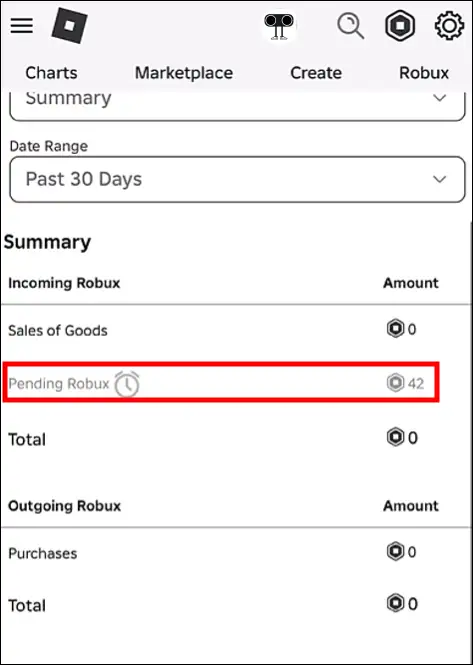
To see your Roblox’s pending robux on Android or iPhone:
Step 1. Open Chrome Browser on Your Mobile Phone.
Step 2. Go to Roblox.com and Log into Your Account.
Step 3. Tap on Continue in Browser Option.
Step 4. Tap on Roblox Icon at the Top Right and Then My Transactions.
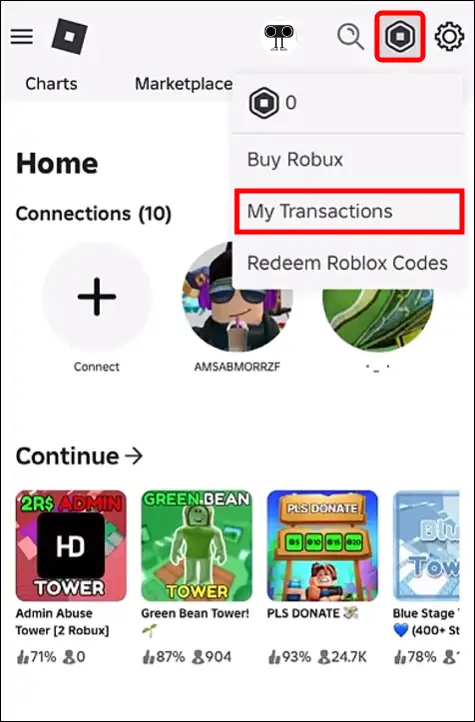
Step 5. Scroll Down and Here You Can See Your Pending Robux.
Also read: How to Disable or Turn Off UI Navigation in Roblox (PC & Mac)
How to See Pending Robux in Roblox on PC
Most users access Roblox on their Windows/Mac PC or laptop, and they can easily find their pending Robux there. All the steps are given below and are quite simple. We will go to the “My Transactions” page on Roblox, where we will find this information.
To see your Roblox’s pending Robux on computer:
Step 1. Open Any Browser (Like Chrome or Safari) on Your PC or Mac.
Step 2. Go to Roblox.com and Log into Your Account.
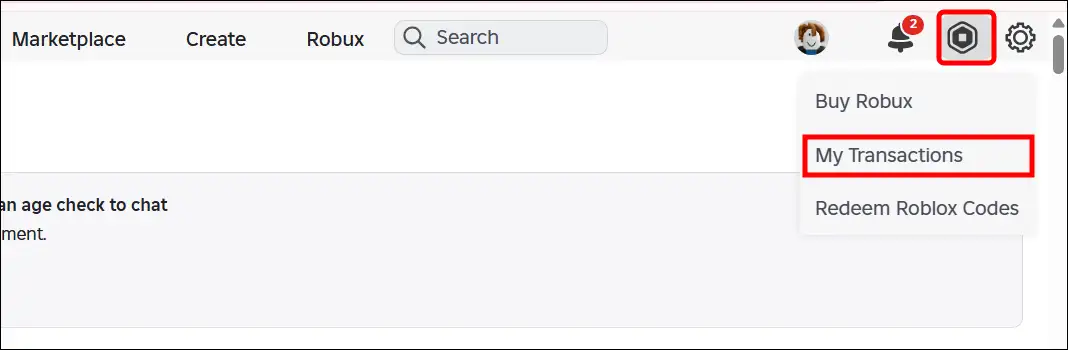
Step 3. Click on Roblox Icon at the Top Right and Then My Transactions.
Step 4. Here, You Can See Your Pending Robux.
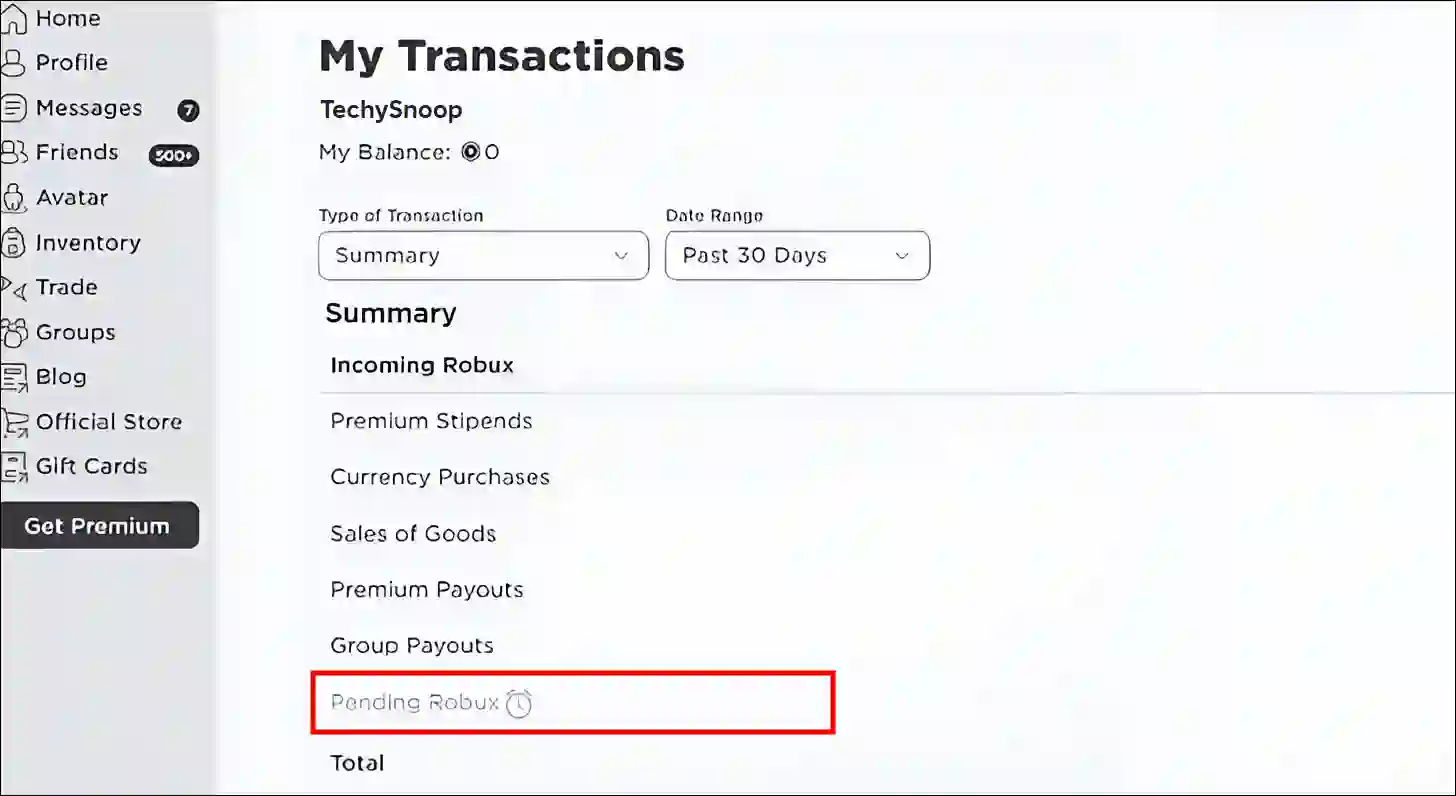
That’s all! So, this is how you can easily check all your pending Robux on PC and mobile.
Also read: How to Check & Unblock the Blocked People on Roblox Mobile and PC
FAQs
Q 1. Why is my pending Robux not coming?
Answer – If you have some pending Robux in your Roblox account and you’re wondering how long it will take to be released, I can tell you that pending Robux usually takes 5 to 7 days to be processed, but in some circumstances, it can take up to 30 days.
Q 2. Why is my pending Robux not showing up?
Answer – If your pending Robux are not showing up in Roblox, a major reason could be that your transaction is under review. Sometimes, if a transaction seems suspicious, Roblox will manually review and verify it, and only then will the pending Robux appear in your account.
I hope this article was helpful to you, and you learned how to see pending Robux in Roblox on mobile and PC. If you have any other questions about Roblox, feel free to ask in the comments below. Don’t forget to share this article.