
Setup and Play IPTV Channels on VLC Media Player Using GitHub’s M3U Playlist (Android and PC)
Millions of Android, PC, and Mac users around the world use the VLC Media Player to watch stored content, and you are likely one of them. But did you know that your VLC Media Player, which you’ve been using so far only to play movies and videos, is actually a powerful IPTV player as well?
Yes! Now you can stream thousands of live TV channels like Bollywood, Hollywood, sports, news, entertainment, and more for free on your device using VLC player and an internet connection. And all this is possible thanks to GitHub’s IPTV m3u playlists.
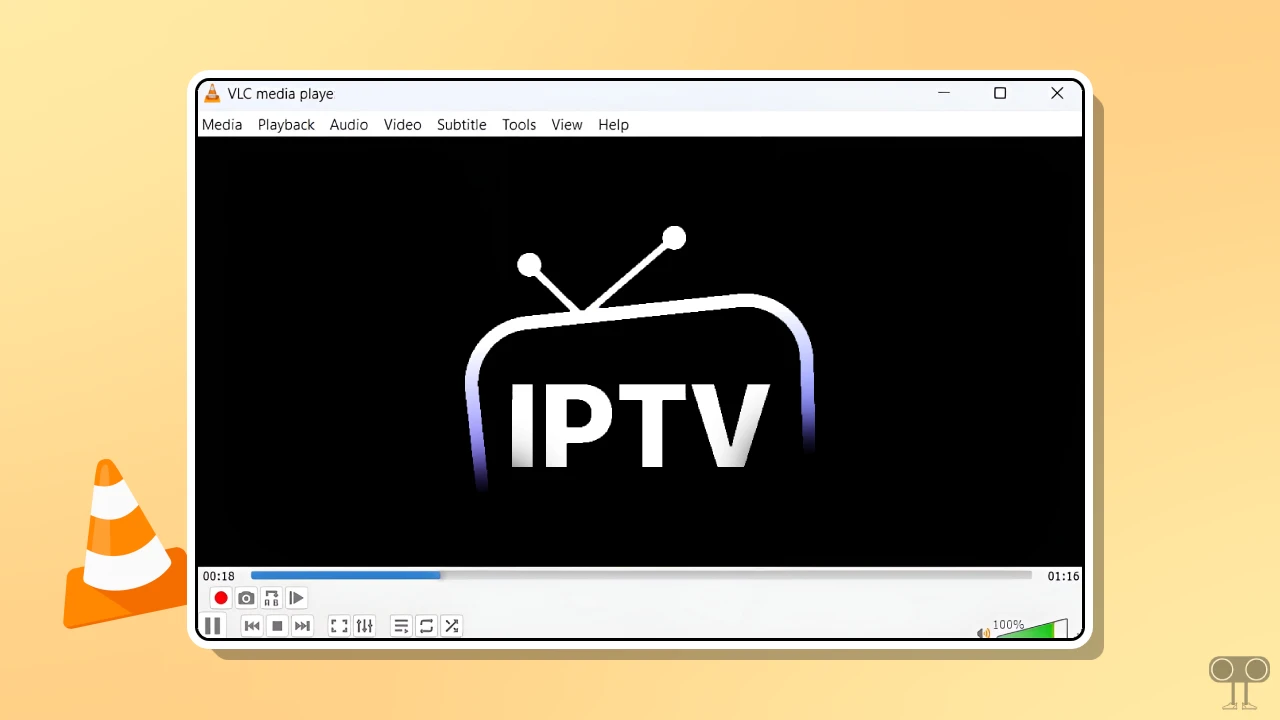
What is GitHub’s IPTV M3U Playlist?
An IPTV M3U playlist on GitHub is a file collection or repository that contains TV channel links (URLs) in the .m3u format. These playlists help stream live TV, movies, web series, and more over the internet.
GitHub itself does not generate these IPTV M3U playlists; rather, several users share such playlists in repositories, which include channels from around the world (sports, news, entertainment, etc.). These playlists require apps like VLC, TiviMate, or IPTV Smarters to play them.
Below, I have explained step-by-step how to add an IPTV M3U playlist in VLC Media Player on Android and computer and watch live channels for free. Please read and follow the steps carefully.
Setup and Play IPTV Channels on VLC Media Player on Android Phone
If you use VLC Player on your Android phone and want to watch IPTV channels for free, this is also possible and easy. The mobile version of VLC also supports IPTV streaming. However, the most essential requirement is a working IPTV M3U playlist link, as these links sometimes expire and then no longer work.
To add an IPTV M3U list in VLC Player on Android:
- Copy This GitHub IPTV M3U Playlist Link.
https://iptv-org.github.io/iptv/index.m3u - Now, Open VLC Player App on Your Phone.
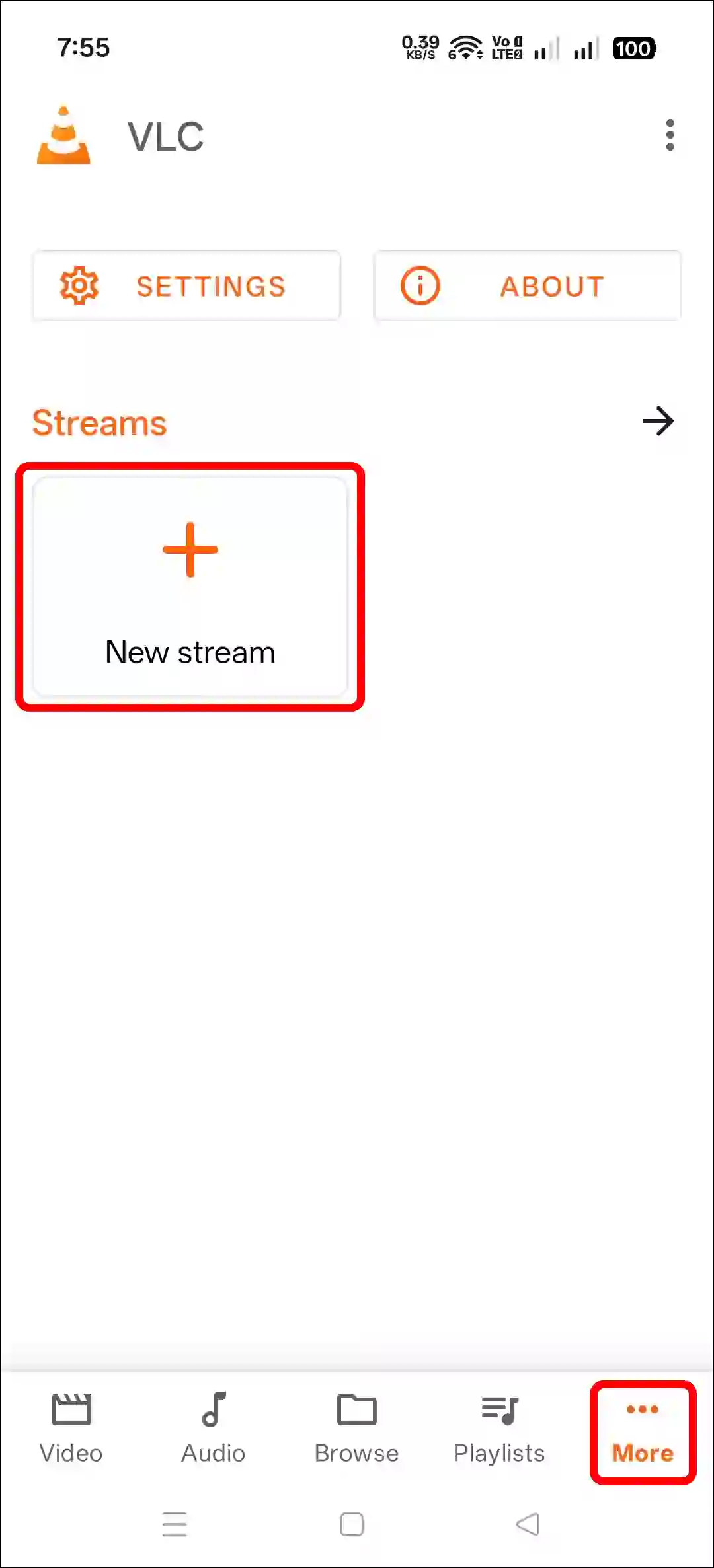
- Go to More ••• Section at Bottom Right Corner and Tap on New Stream.
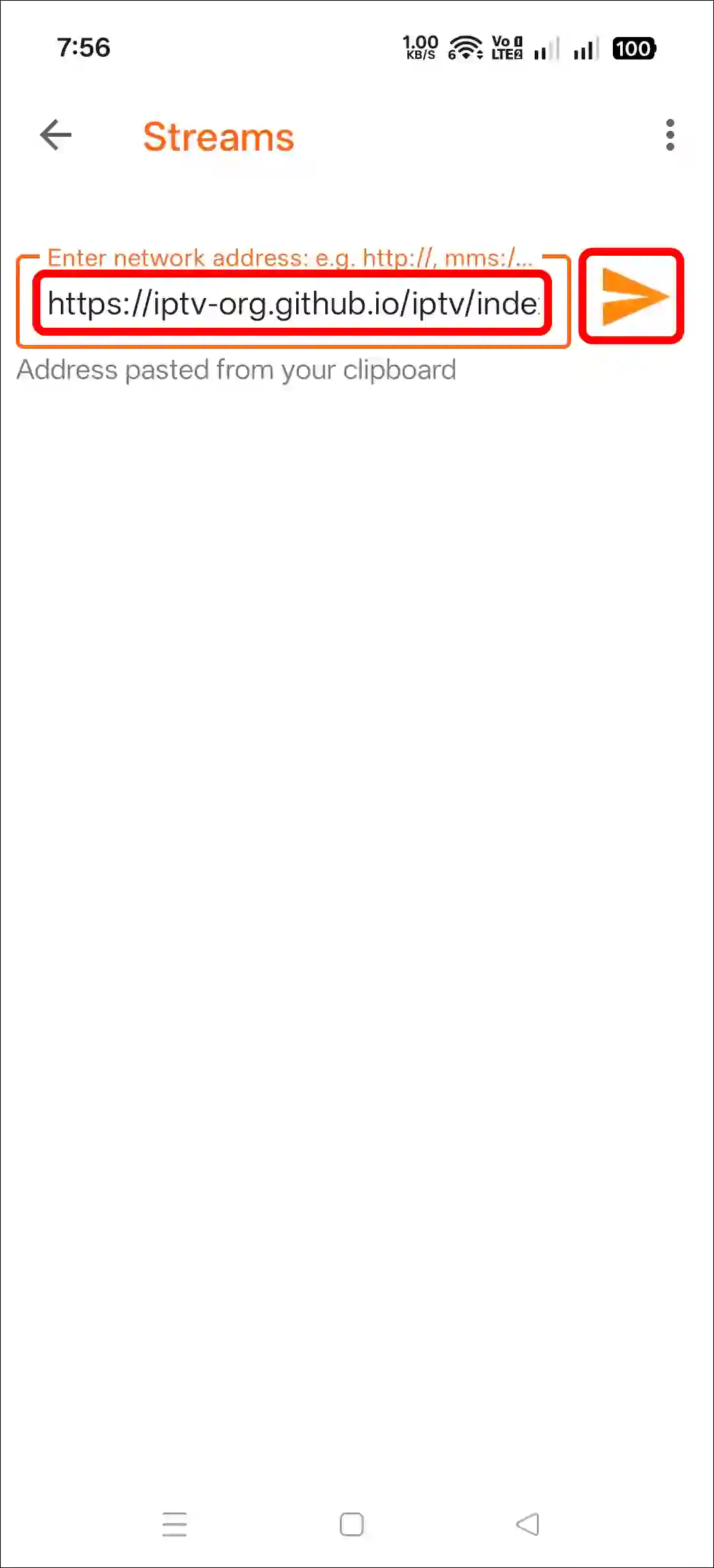
- Paste the Copied GitHub IPTV M3U Playlist Link and Tap on Paper Plane Icon.
- Follow All the Instructions Displayed on Your Screen.
- Tap on Any Channel You Want to Watch.
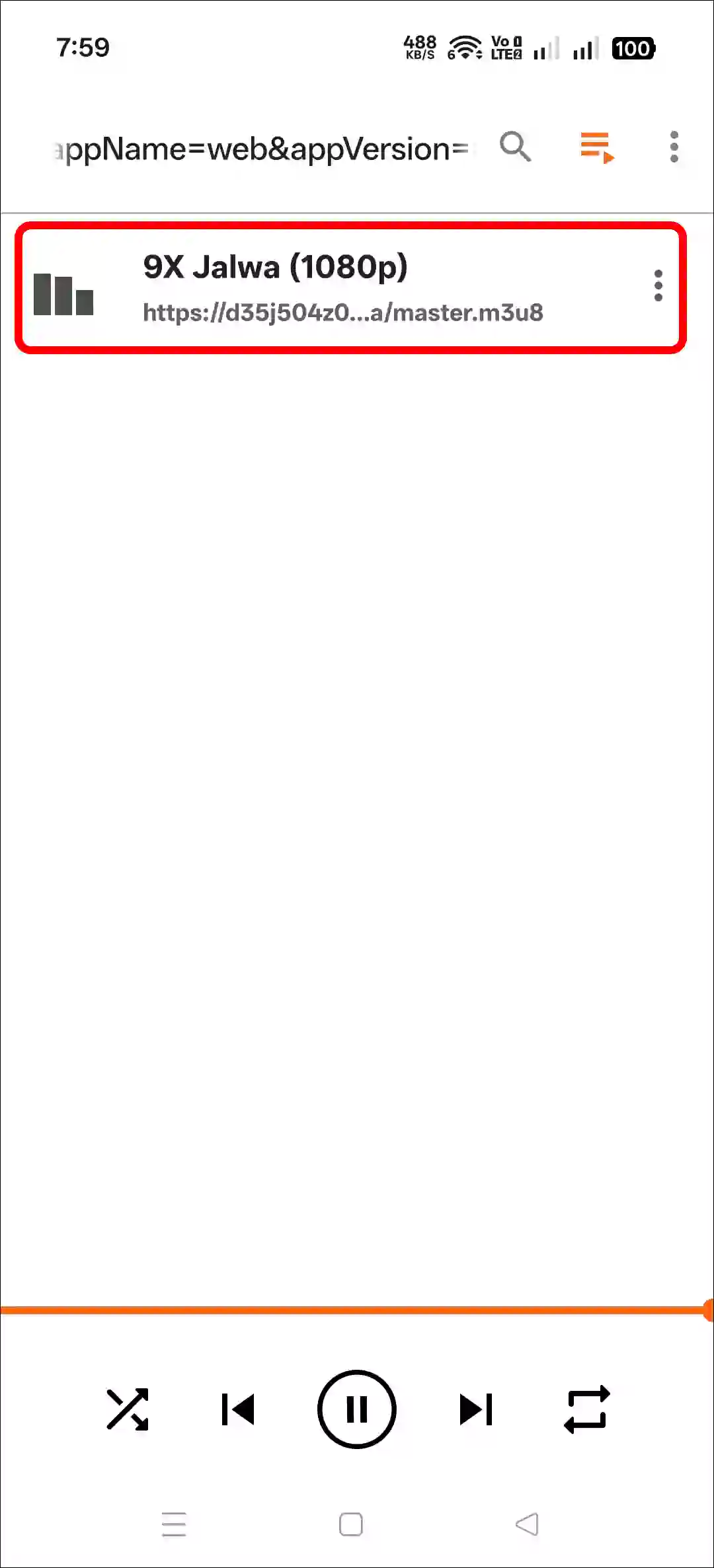
- Now, Your Channel will Start Playing.
Related: Delete Recently Watched Videos History in VLC Media Player
Setup and Play IPTV Channels on VLC Media Player on PC
If you use VLC Player on a Windows computer, laptop, or Mac, you can also stream IPTV easily. Just follow the steps below one by one, and you will be set.
To watch IPTV channels in VLC player on PC:
Step 1. Open VLC Media Player on Your System.
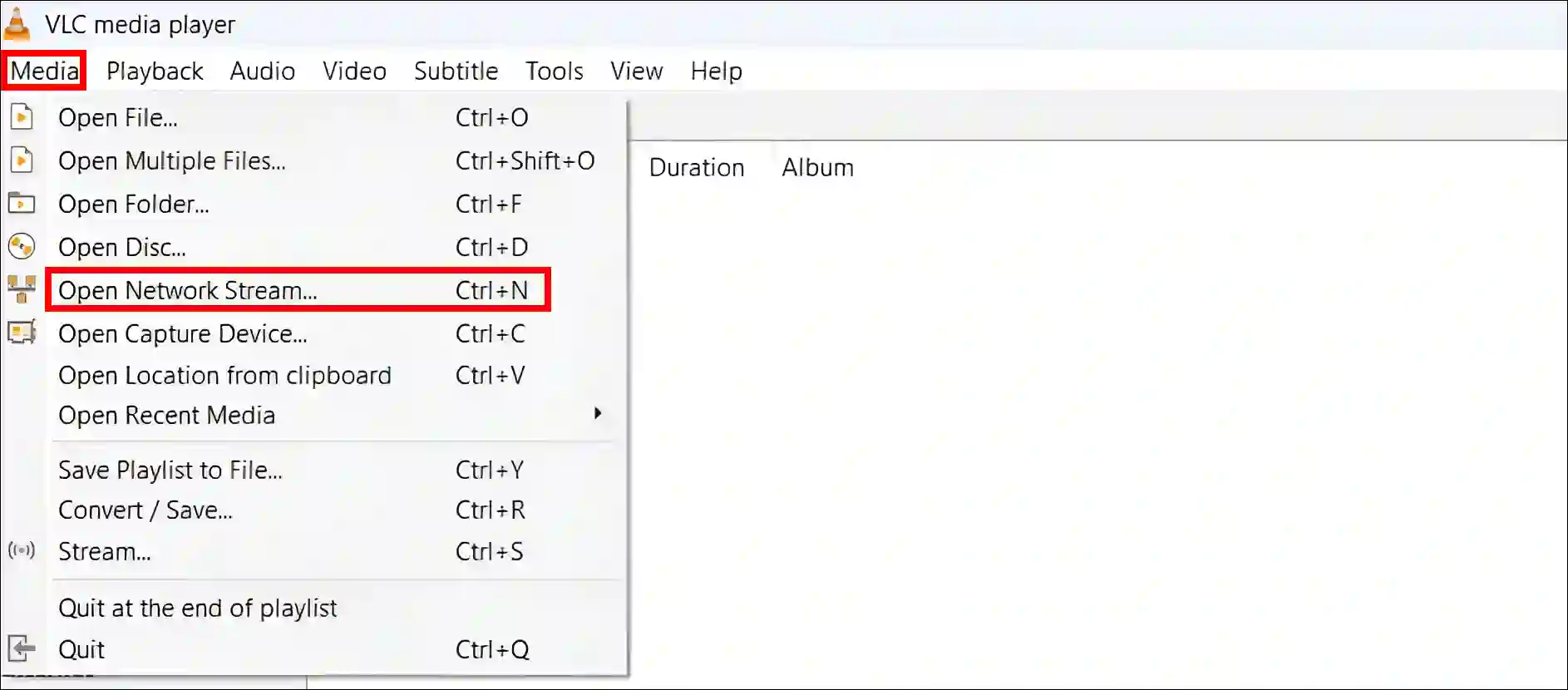
Step 2. Click on Media and Select Open Network Stream.
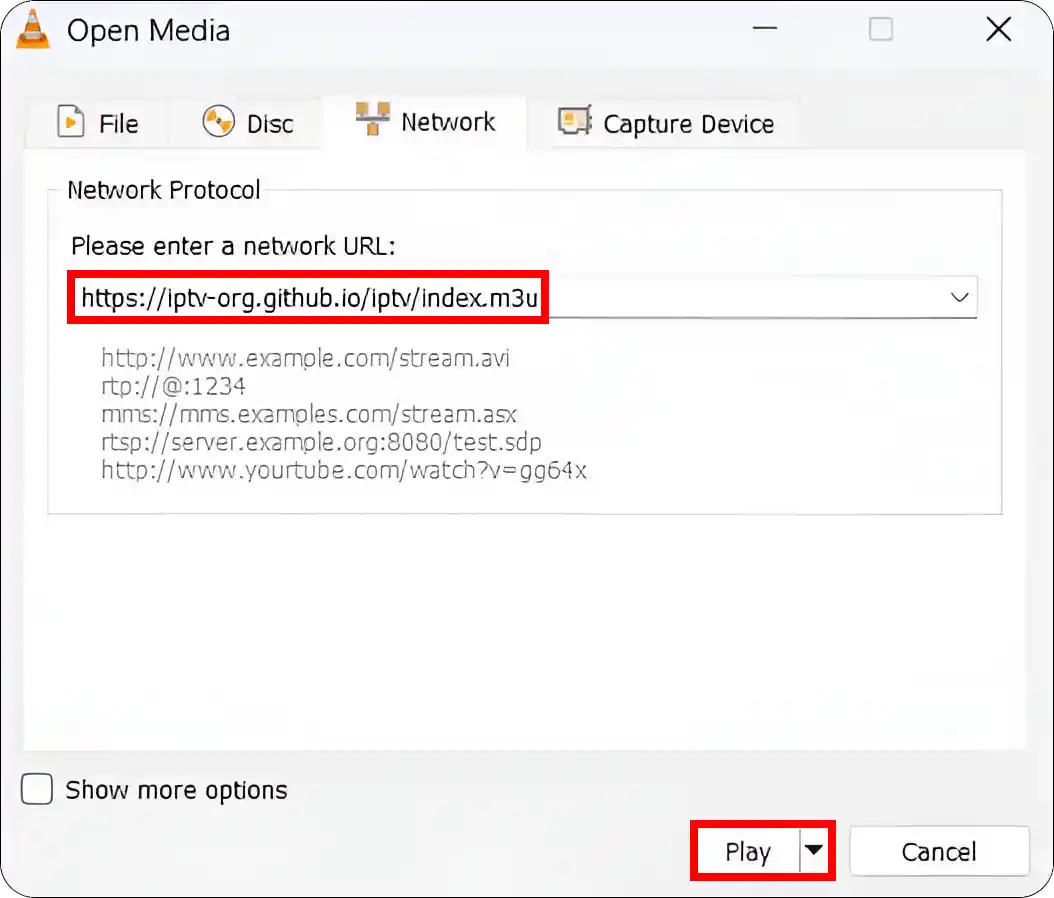
Step 3. Copy the Following IPTV M3U Link and Paste in the Box and Click on Play.
https://iptv-org.github.io/iptv/index.m3u
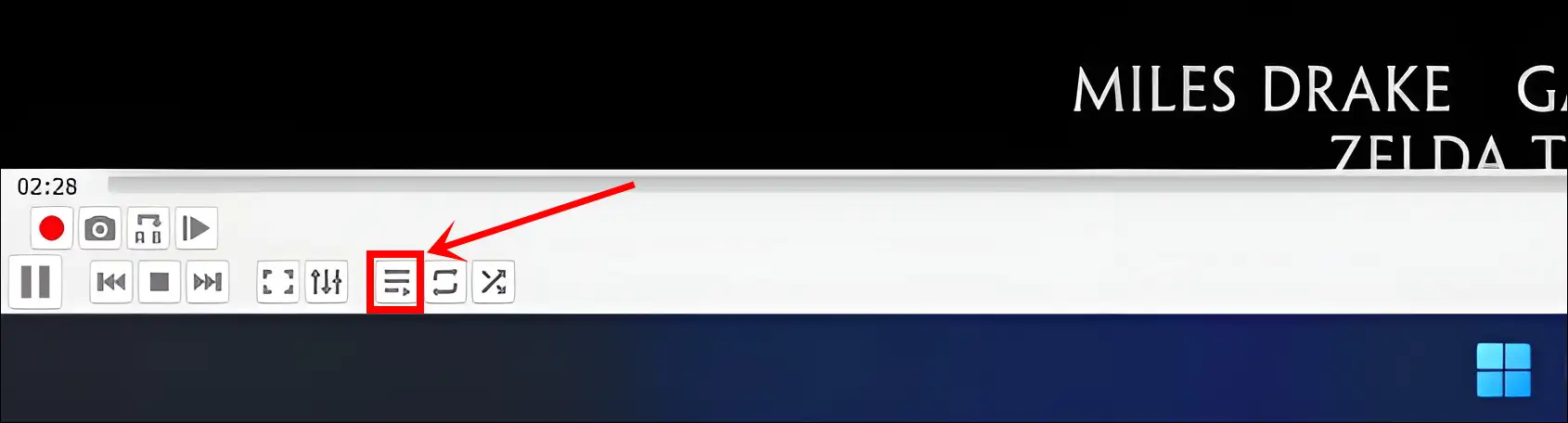
Step 4. Now, Wait a Few Moments, It’ll Automatically Play Channels.
Step 5. Click on Playlist Icon at Bottom Bar Just Before Loop Toggle to See Full Channel List.
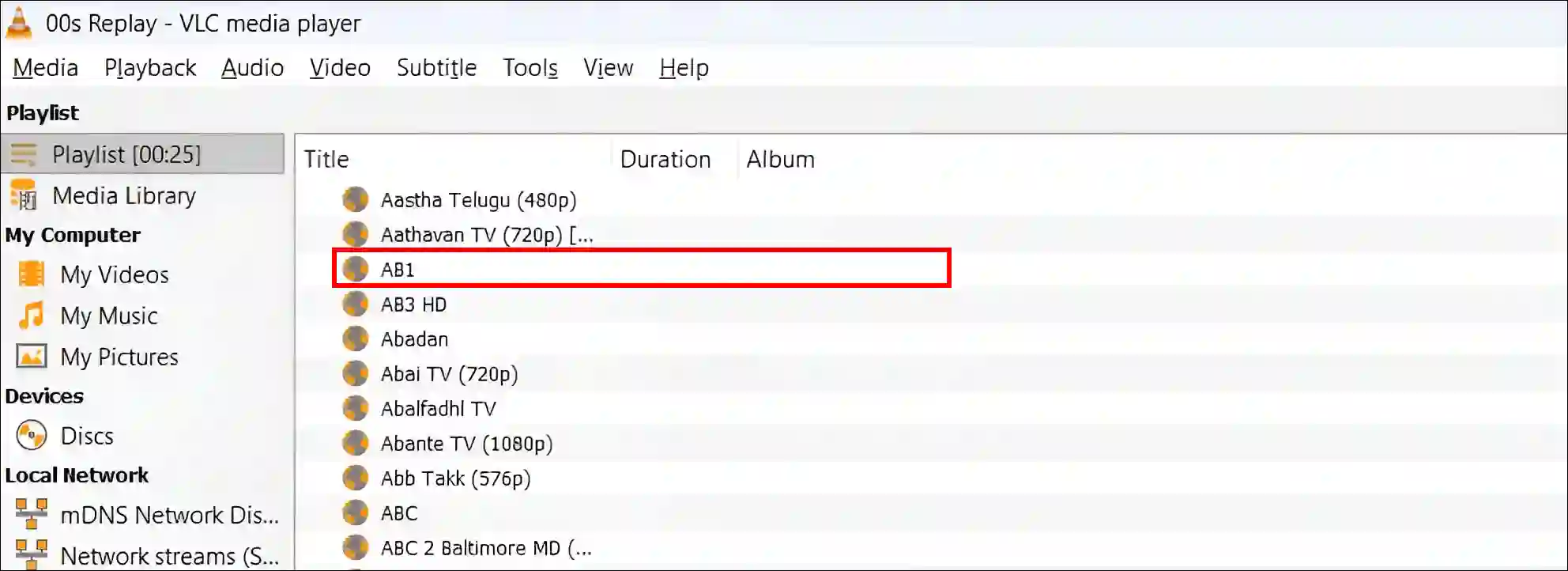
Step 5. Now, Select a Channel You Want to Watch Live.
That’s all! You’re done…
Also read: How to Install & Uninstall VLC Media Player on Chromebook
FAQs
Q 1. Can I watch TV on a VLC media player for free?
Answer – Yes! If you are a VLC player user, you can watch live TV channels for free. All you need is a strong internet connection and an IPTV source, and then you can watch live TV.
Q 2. Can I record live TV while watching IPTV on VLC?
Answer – Yes! If you’re watching IPTV on VLC player, you can record live TV. A red record button will appear in the bottom left corner of the player; simply click on it, and you’re done. If the red record button is not visible, go to the “View” menu and turn on “Advanced Controls.” The red record button will then appear on the player.
Q 3. Can I watch IPTV on VLC without downloading M3U files?
Answer – Yes! Simply copy the M3U URL (link) and paste it into VLC’s “Open Network Stream” option. There’s no need to download the file.
I hope you found this article helpful and learned how to watch IPTV in VLC Player. If you have any questions related to VLC Player, please ask in the comments below. Feel free to share this article as well.




YouTube link download video kare khe