How to Turn On and Use Air Scroll in Oppo Phones
Oppo is a popular smartphone brand and offers its users advanced features like “Air Scroll”, which is part of its air gesture functionality. This feature allows you to control scrolling (up or down) in supported apps like YouTube and Instagram and manage calls (answer or mute) by waving your hand near the camera without touching the screen.
By default, this feature is disabled on Oppo phones, and you’ll need to enable it whenever you want to use it. To use it, your hand should be approximately 20-40 centimeters away from the front camera.
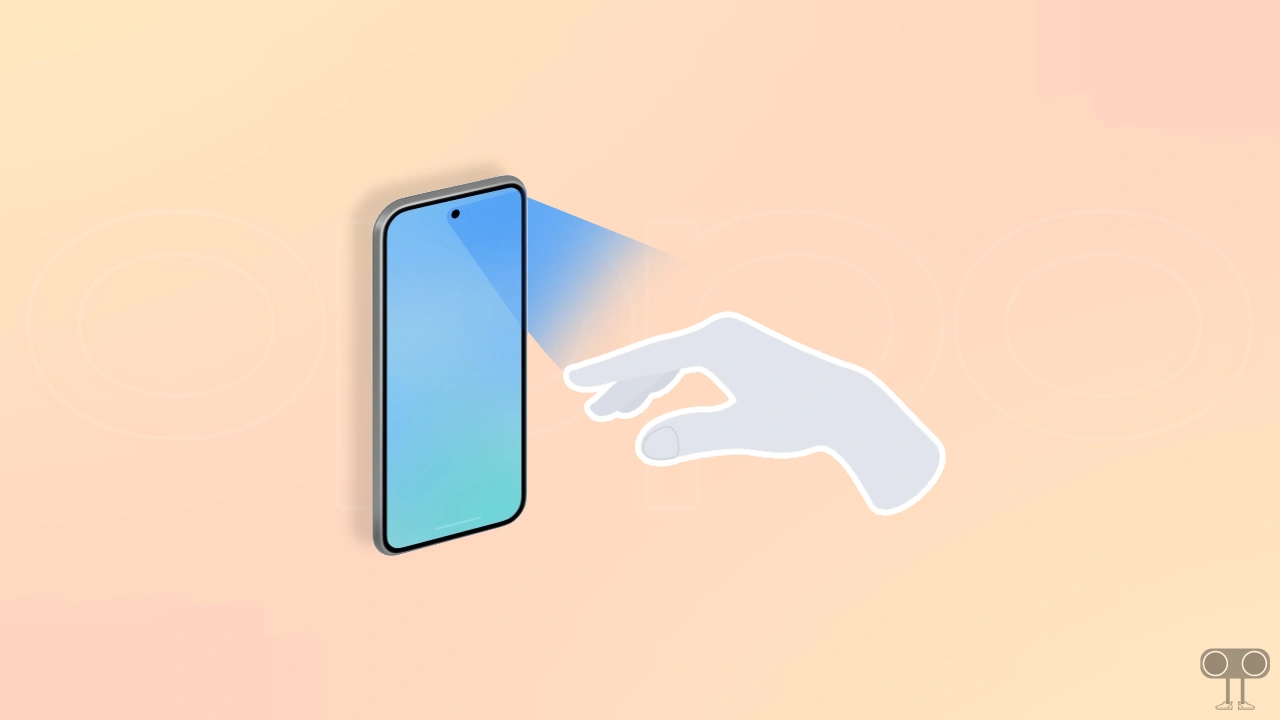
This feature is not available on all Oppo devices. Oppo’s Air Scroll (Air Gesture) feature is available on several recently launched Oppo smartphones, particularly those in the Reno series, the F series, and the flagship Find X series. If you use any of these phones, you can activate this feature by following the steps below.
How to Turn On Air Scroll in Oppo Phones
Note: Below, I have used an Oppo Reno 14 Pro phone to demonstrate these steps, which is currently based on Android 16 and ColorOS 16.
To enable air scroll gestures in your Oppo phone:
- Open Settings App on Your Phone.
- Tap on Accessibility & Convenience.
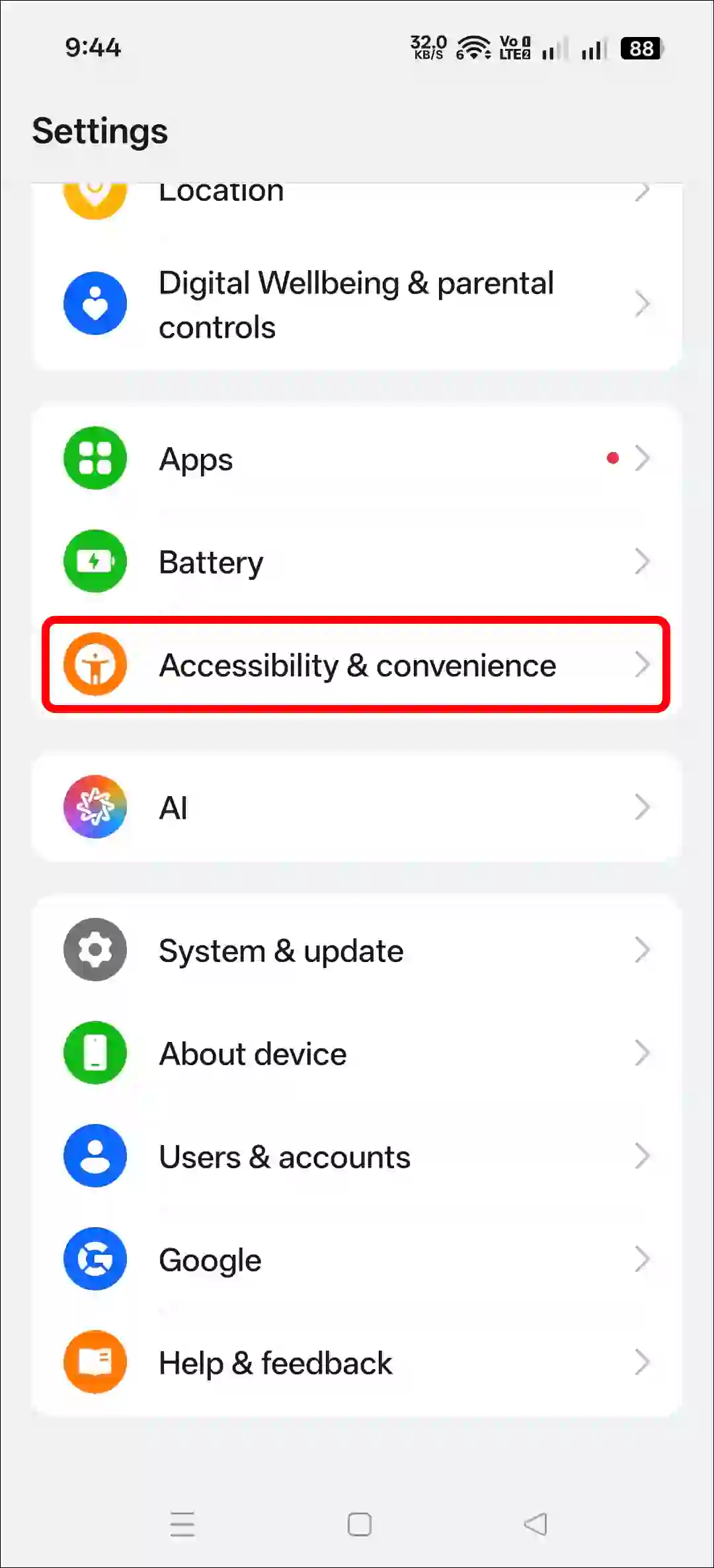
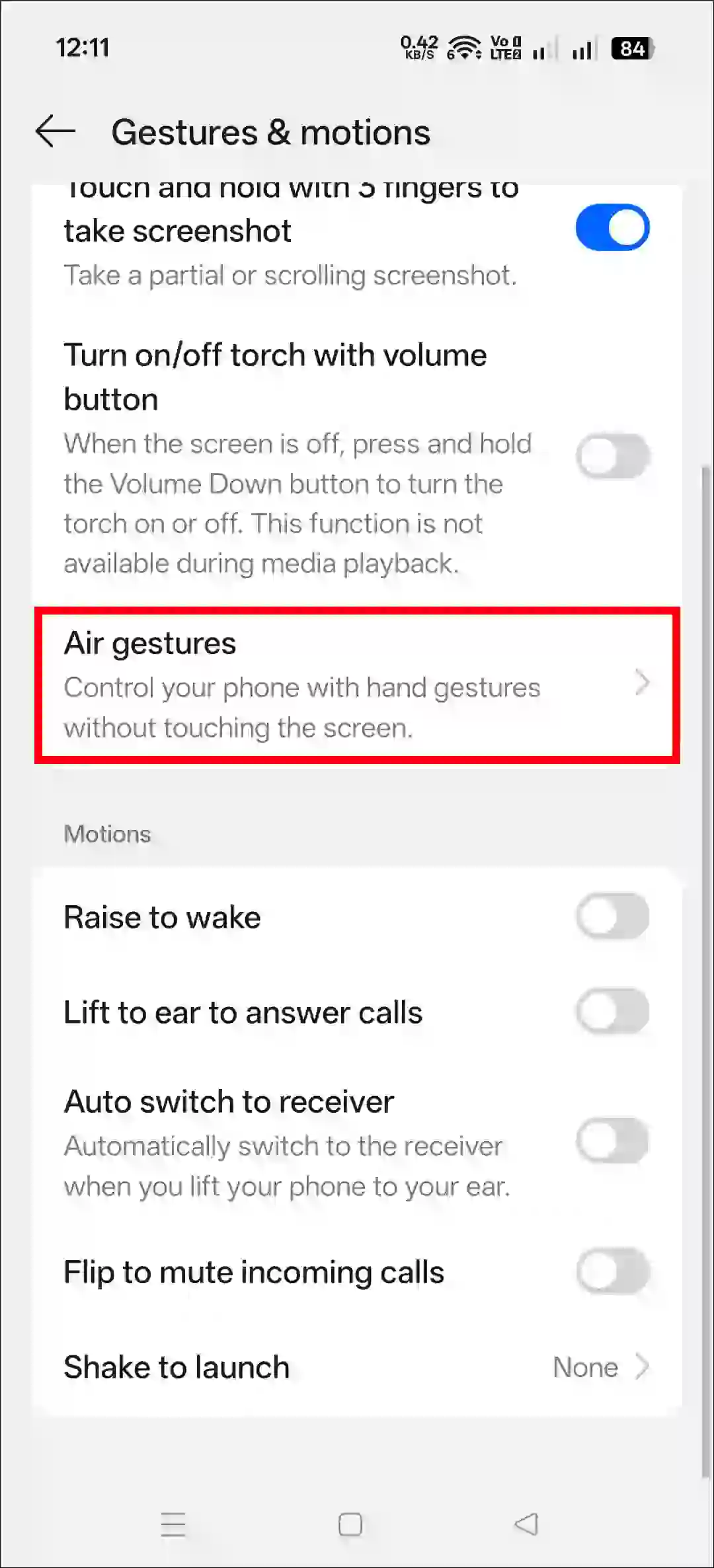
- Tap on Gestures & Motions.
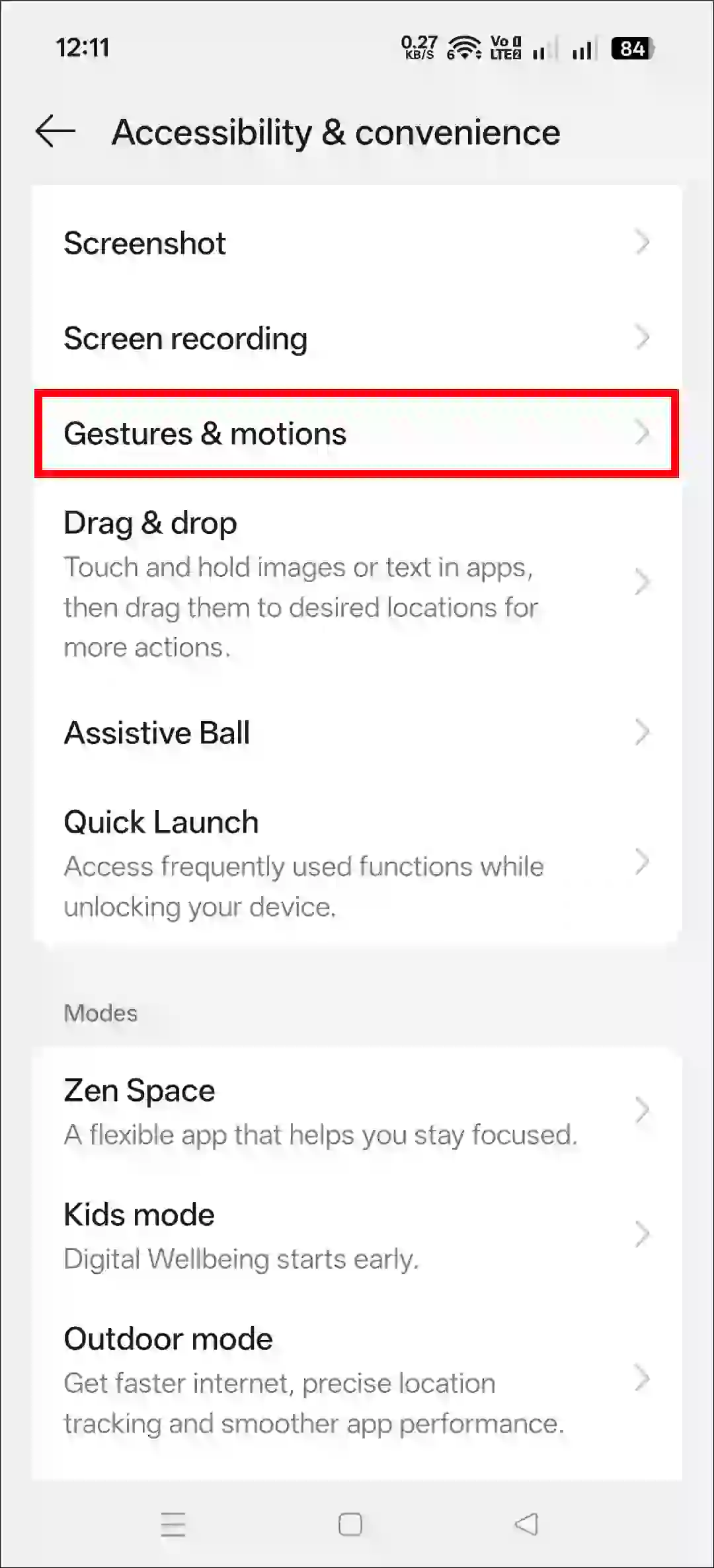
- Tap on Air Gestures.
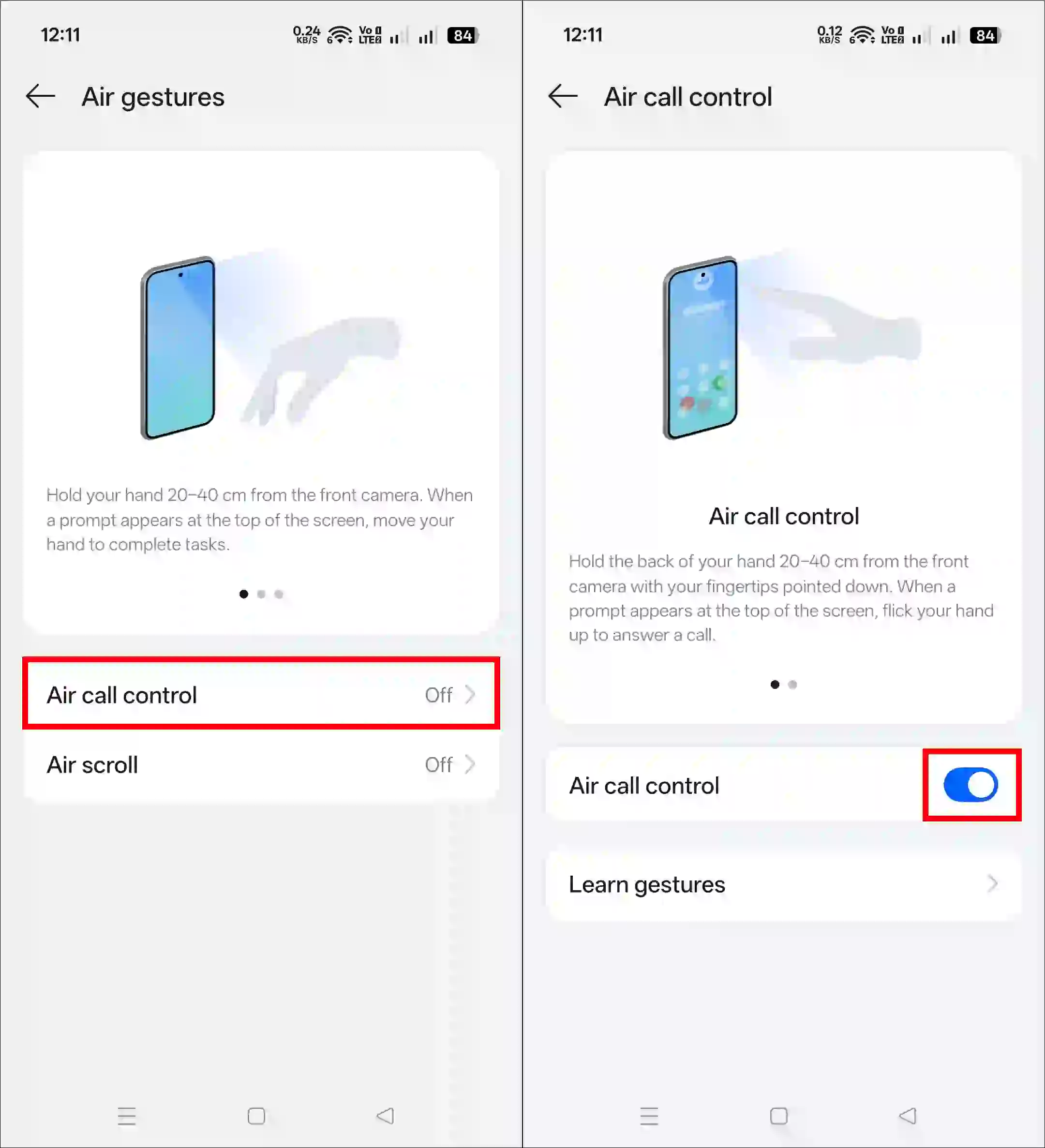
- Tap on Air Call Control and Enable the Toggle.
- Go Back and Tap on Air Scroll and and Enable the Toggle.
The Air Scroll feature currently supports only three apps: Facebook, Instagram, and YouTube.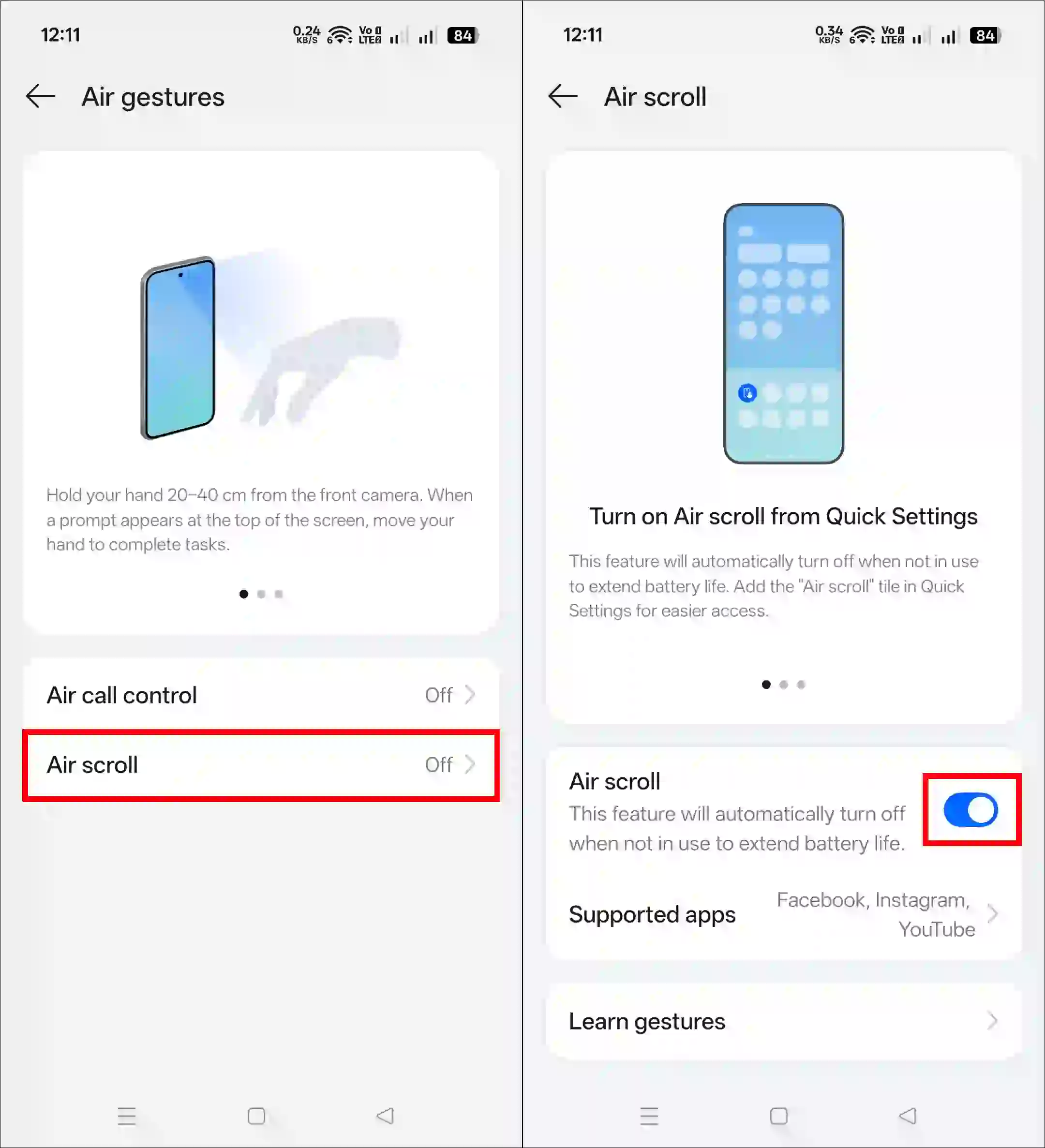
Related: Turn ON or OFF Smart Rapid Charging in Oppo, Realme and OnePlus
How to Use Air Scroll Gestures in Oppo Phones
1. Use Air Scroll
If you have enabled Air Scroll in the settings, open a supported app such as YouTube, Facebook, or Instagram. Now, hold your hand 20-40 cm away from the screen until the hand icon appears, and then flick your hand up or down to scroll.
2. Use Air Call Control
If you have enabled Air Call Control mode, your task becomes even easier. Now, whenever you receive a call on your phone, simply show your palm (open or closed, depending on the model/settings) in front of the camera (20-40 cm away) and wave your hand to answer or mute the call, without needing to touch the screen.
FAQs
Q 1. What is the air gesture on OPPO?
Answer – Oppo’s Air Gesture is an advanced feature that allows you to control your phone without touching the screen. You can answer calls, scroll through apps (such as YouTube, Instagram, and TikTok), and mute/play media using hand gestures.
Q 2. How do I enable air gestures on OPPO?
Answer – Enabling this feature is very easy. Simply go to Settings > Accessibility & Convenience > Gestures & Motions > Air Gestures, and then enable the Air Call Control and Air Scroll toggles.
I hope you found this article helpful and that you’ve learned how to turn on and use air scroll in Oppo phones. If you have any problems or questions related to Android, please let us know in the comments below. Don’t forget to share this article with your friends on social media.