YouTube 2025 Recap Not Showing Up? Here’s How You Can Find It
Google has officially released the YouTube 2025 Recap for everyone, and you can now view your full year’s Recap directly in your YouTube app. But wait! Many users are posting on Reddit and Twitter (Now X) that their YouTube 2025 Recap is not showing up. If you are one of those users, do not worry! This post is for you.
In this post, I share how you can find and watch your YouTube 2025 Recap within the YouTube app. This feature is available not only for YouTube videos but also for YouTube Music. The YouTube Recap is an annual summary that YouTube creates personally for each user.
This shows your YouTube activity for the entire year, such as:
- Your most viewed videos and shorts.
- Your top artist/creator.
- Your favorite categories (such as music, gaming, vlogs)
- Your total watching time.
How to Find YouTube Recap/Wrapped 2025
Whether you’re an Android user or an iPhone (iOS) user, you can easily check your Recap 2025 in the YouTube app. Just follow the steps below one by one.
To get your YouTube Recap 2025:
Step 1. Open YouTube App on Your Mobile Phone.
Step 2. Go to You Tab and Tap on Your 2025 Recap is Here! Banner.
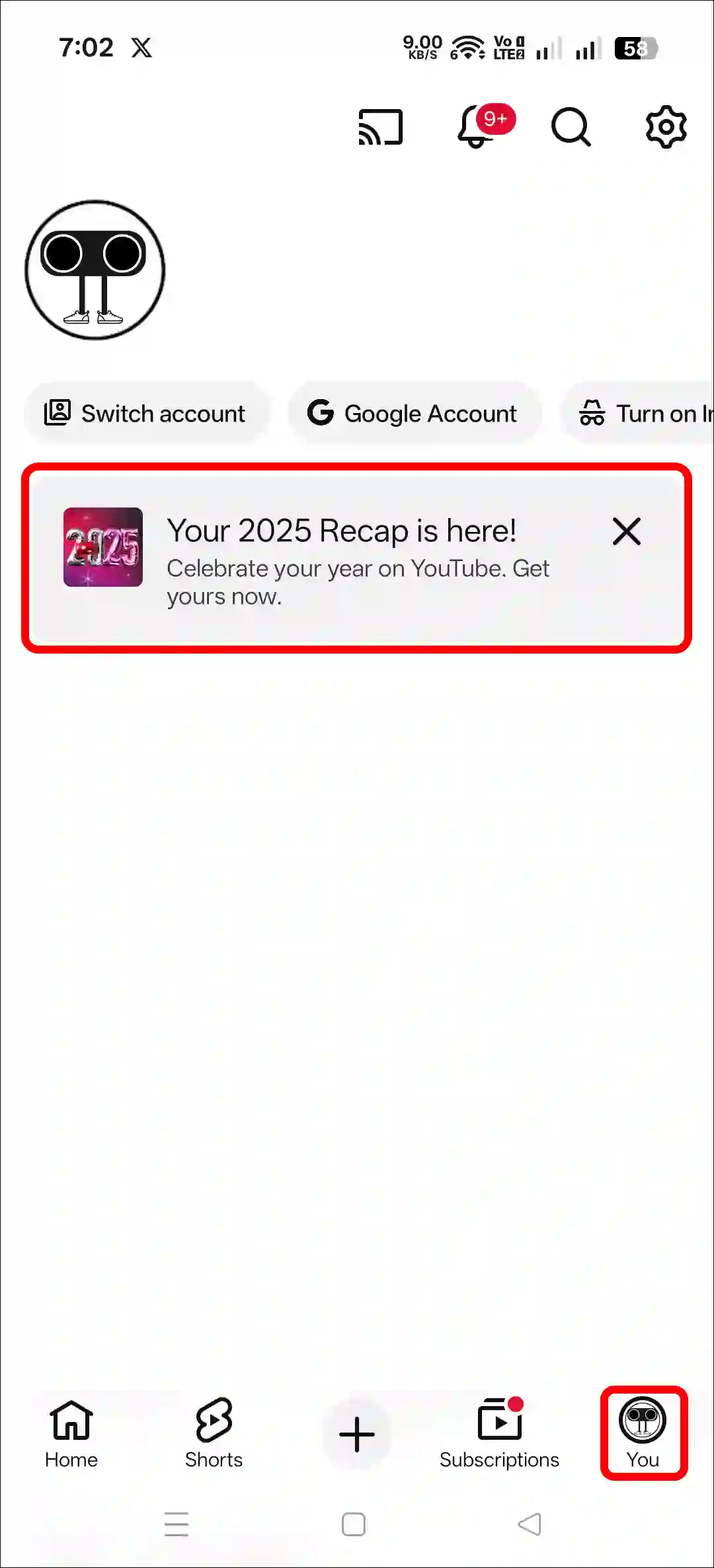
Step 3. Now, You Can See Your All YouTube 2025 Recap.
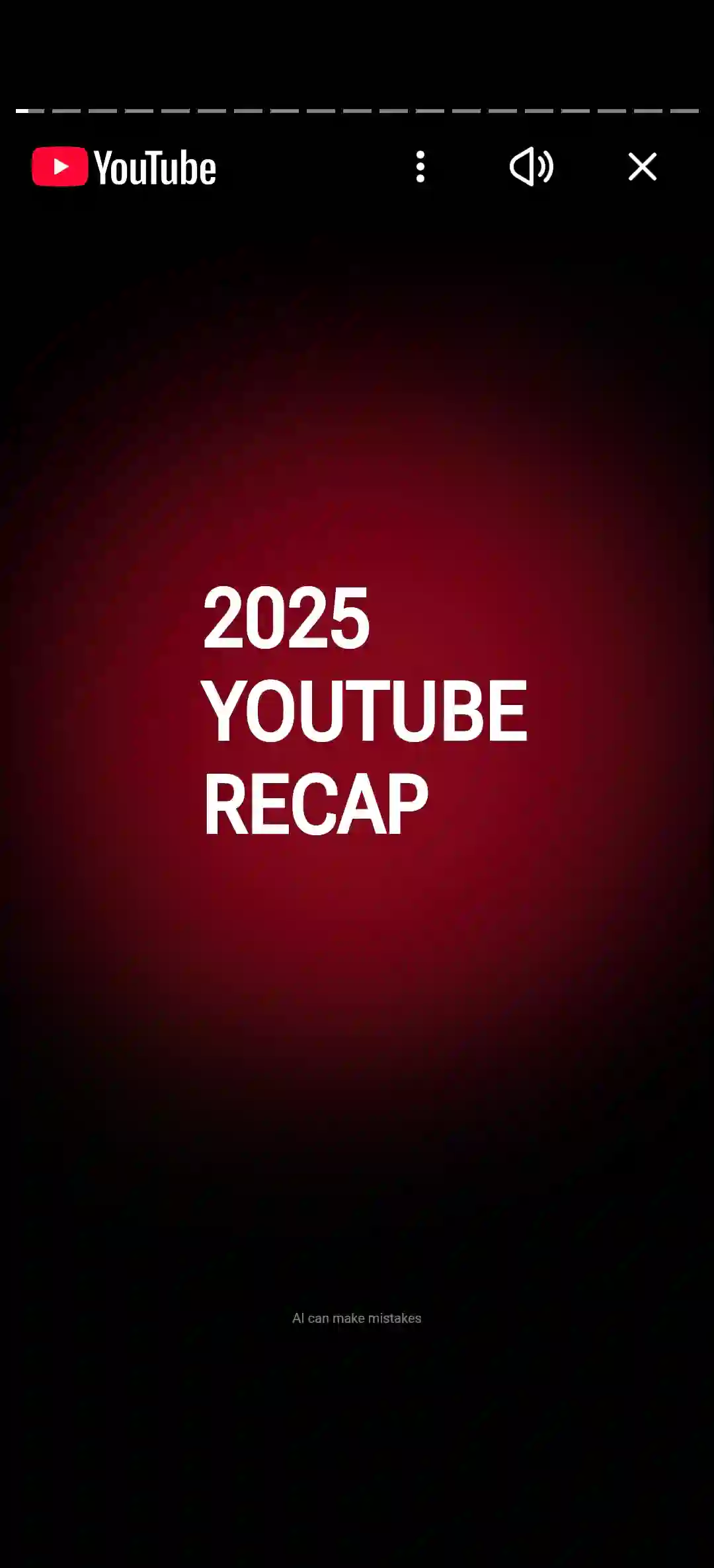
Additionally, you can also access your YouTube 2025 Recap from your desktop browser, such as Chrome, Firefox, Edge, Opera, and others. For this, you must log in with your Gmail account in that browser. Simply enter “youtube.com/recap” in the browser, press Enter, and you can view your recap.
Also read: How to Activate YouTube TV from Android Phone Using Code
Fix YouTube 2025 Recap Not Showing Up Problem
If the 2025 Recap banner is not appearing in your YouTube app, some specific reasons could be an outdated YouTube app, corrupted app data, or your Recap still being prepared. However, you can try a few methods below; they might work for you.
#1. Update Your YouTube App
Many users do not update their YouTube app to the latest version and continue watching videos on the outdated app. Do you know that an outdated YouTube app can also be a reason why the 2025 Recap is not showing? To resolve this, update your YouTube app to the latest version from the Google Play Store or Apple App Store.
#2. Clear YouTube App Cache (Android)
Sometimes, corrupted YouTube app data can also prevent new features from appearing in the application. However, Android phones allow users to clear the corrupted data of any installed app. Please find the steps for this mentioned below.
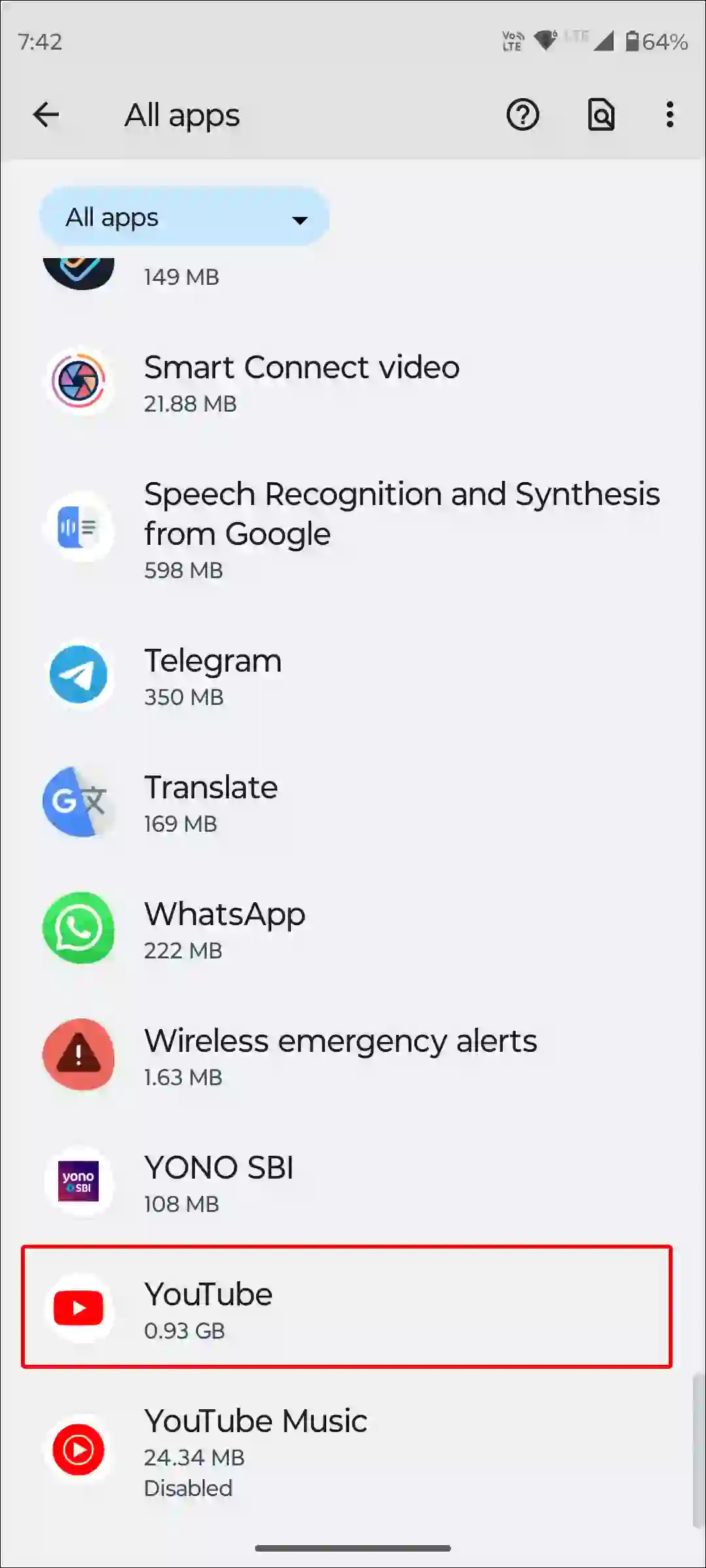
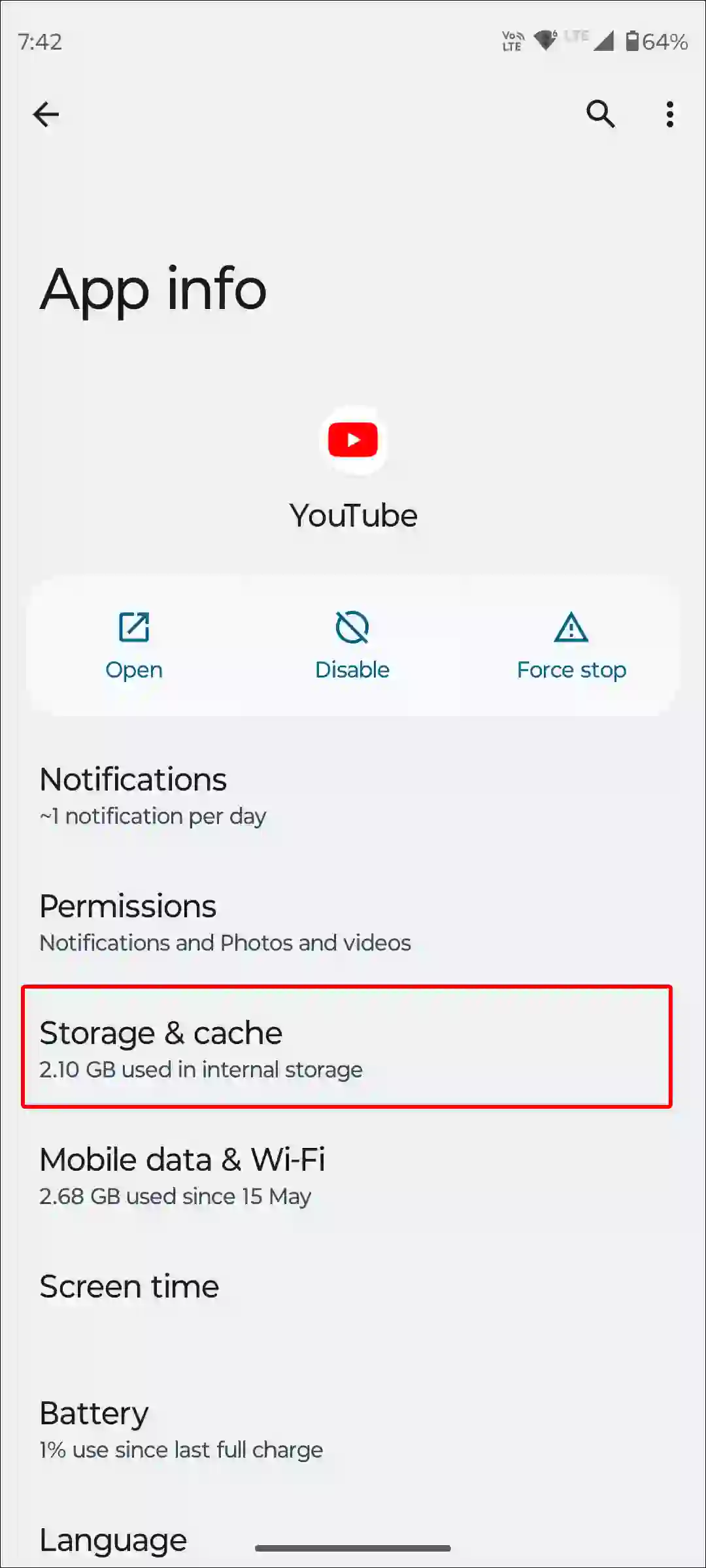
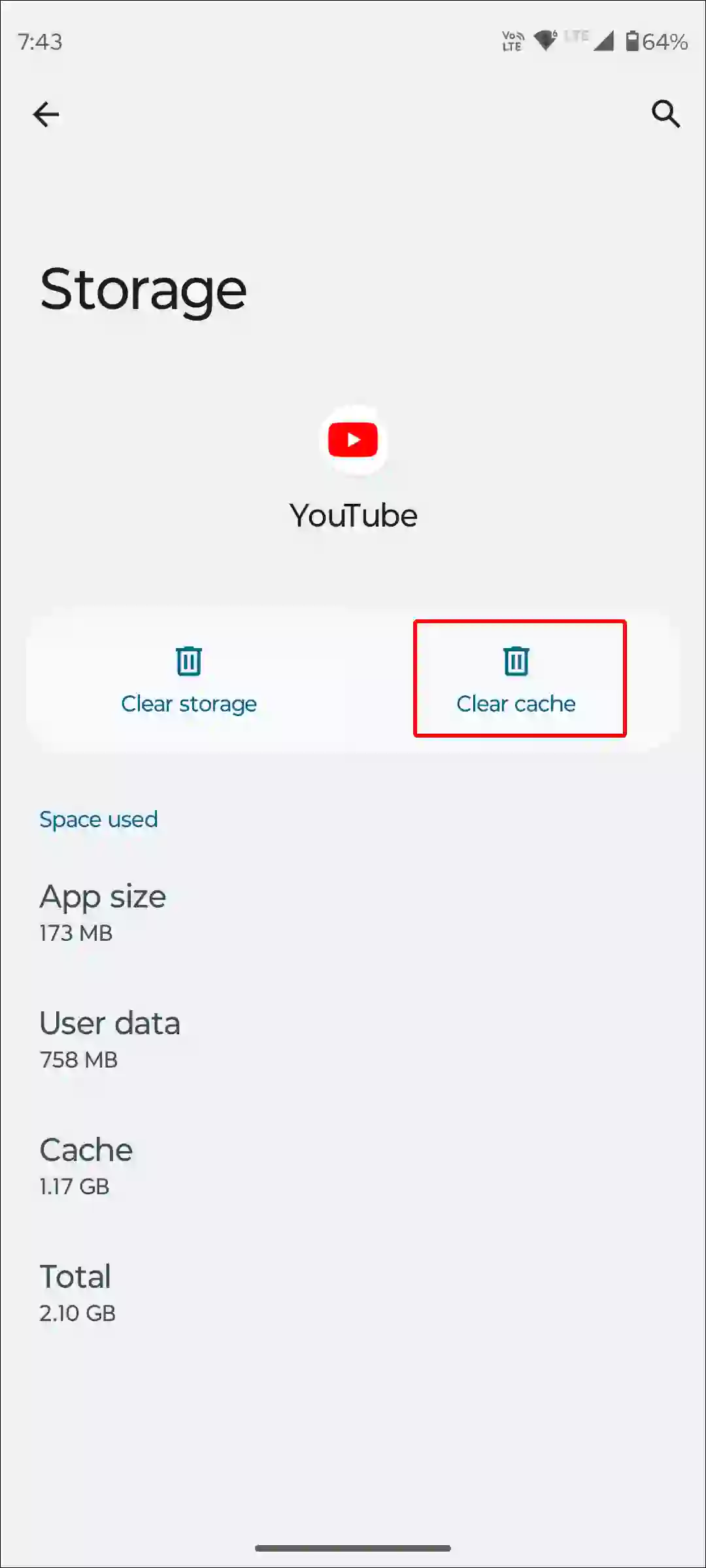
To clear YouTube app cache and data on an Android; go to Settings > Apps > See All Apps > YouTube > Storage & Cache > Clear Cache.
#3. Wait for Your Turn
If your YT 2025 Recap is still not showing after updating and clearing the cache, you should now wait for your turn. YouTube has started rolling out the 2025 Recap, and it may reach users in different regions at different times.
Also read: How to Turn Off Auto Dubbed on YouTube as a Viewer
I hope you found this article quite helpful and learned how to fix YouTube 2025 Recap Not Showing Up. If you have any problem or question related to YouTube, feel free to ask by commenting below. Do share this article.