Perchance AI’s Chat is Showing “Error 521” Message
Perchance AI is a free, open-source, browser-based platform designed for creating AI images, text, and interactive character chats. It is a popular generative AI tool, but for some time now, users have been experiencing an “Error 521” message on the platform.
Not only that! Perchance.org AI is also showing a “Firefox Can’t Open This Page” message to some users on Firefox. If you are facing “Error 521” on Perchance AI Chat, it means Perchance.org is experiencing a “Web Server is Down” error.
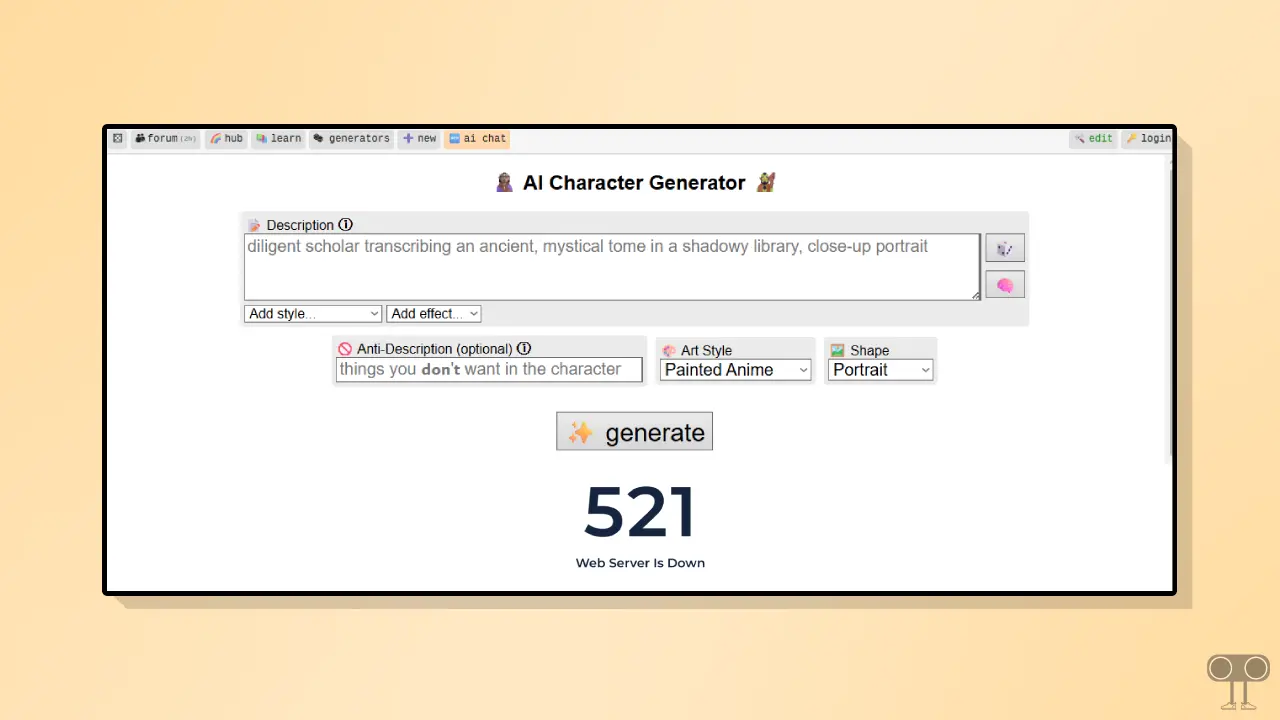
Perchance AI Server Status
This error message indicates a server-related issue. You can check its status on Perchance.org’s server status page. This website provides its users with a dedicated server status checker page, allowing users to identify current problems.
Server Status: Confirmed Outage / Instability
What is happening right now?
This is a free generative AI, so a large number of users utilize it. If suddenly more users than expected start using the character generator, it is common for server-related issues to arise.
Because of this, you may see the menu load on the site, but the generator box keeps spinning continuously, shows no results, or immediately displays an “Error 521” screen.
When will it be back?
After analyzing past server outage records, we can estimate that short outages may come back online within 15 to 45 minutes, and long outages within 2 to 5 hours.
Things You Can Do From Your End to Fix It
Since the issue is on the server side, there’s nothing you can do. However, sometimes the site remains inaccessible even when the server is live. In such cases, you can follow some of the methods mentioned below.
1. Try Hard Refresh
You need to perform a hard refresh instead of a normal refresh. On Windows, press Ctrl + F5, and on Mac, press Cmd + Shift + R. This bypasses the browser’s local cache data and helps load the site afresh.
2. Incognito Mode
You should open the Perchance.org website in your browser’s Incognito or Private Mode instead of a normal window. Websites often load more easily in Incognito Mode compared to a normal window. To open Incognito Mode in your browser, press Ctrl + Shift + N on your keyboard.