I Created Jagannath Rath Yatra Photo with This ChatGPT Prompt
The Jagannath Rath Yatra is one of India’s grand and ancient religious festivals. There are many beliefs associated with this Rath Yatra, and millions of people participate in it. If you are unable to join this yatra, there is no need to worry. You can create your own realistic Jagannath Rath Yatra photo with the help of the ChatGPT prompt given below.
Trending Jagannath Rath Yatra Photo Editing
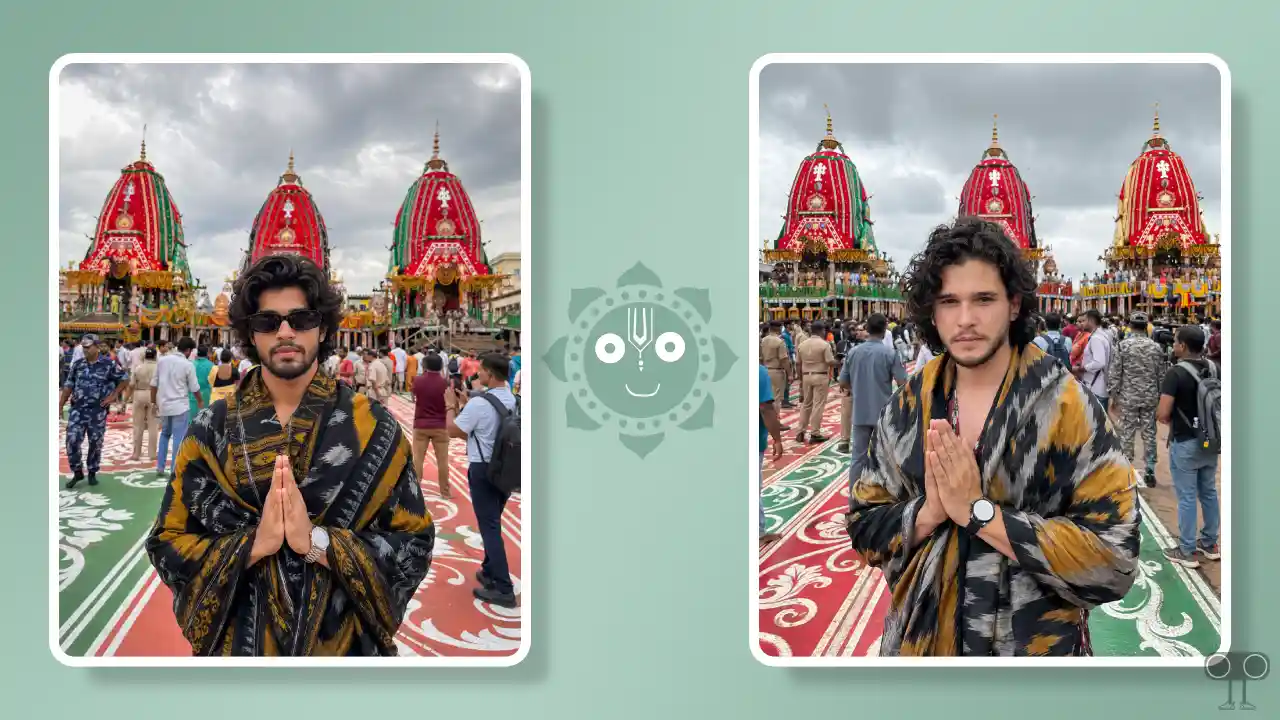
This Rath Yatra begins every year in Puri, Odisha, on the second day of the bright fortnight (Shukla Paksha) of the month of Ashadha; during the event, Lord Jagannath, accompanied by his brother Balabhadra and sister Subhadra, rides on massive chariots to tour the city. Photos of these chariots go viral every single time.
Photos of the Jagannath Puri Rath Yatra are currently trending on Instagram, and you can create one featuring your own face as well. All you need is a reference photo of yourself and a Rath Yatra prompt; ChatGPT or Gemini will handle the rest.
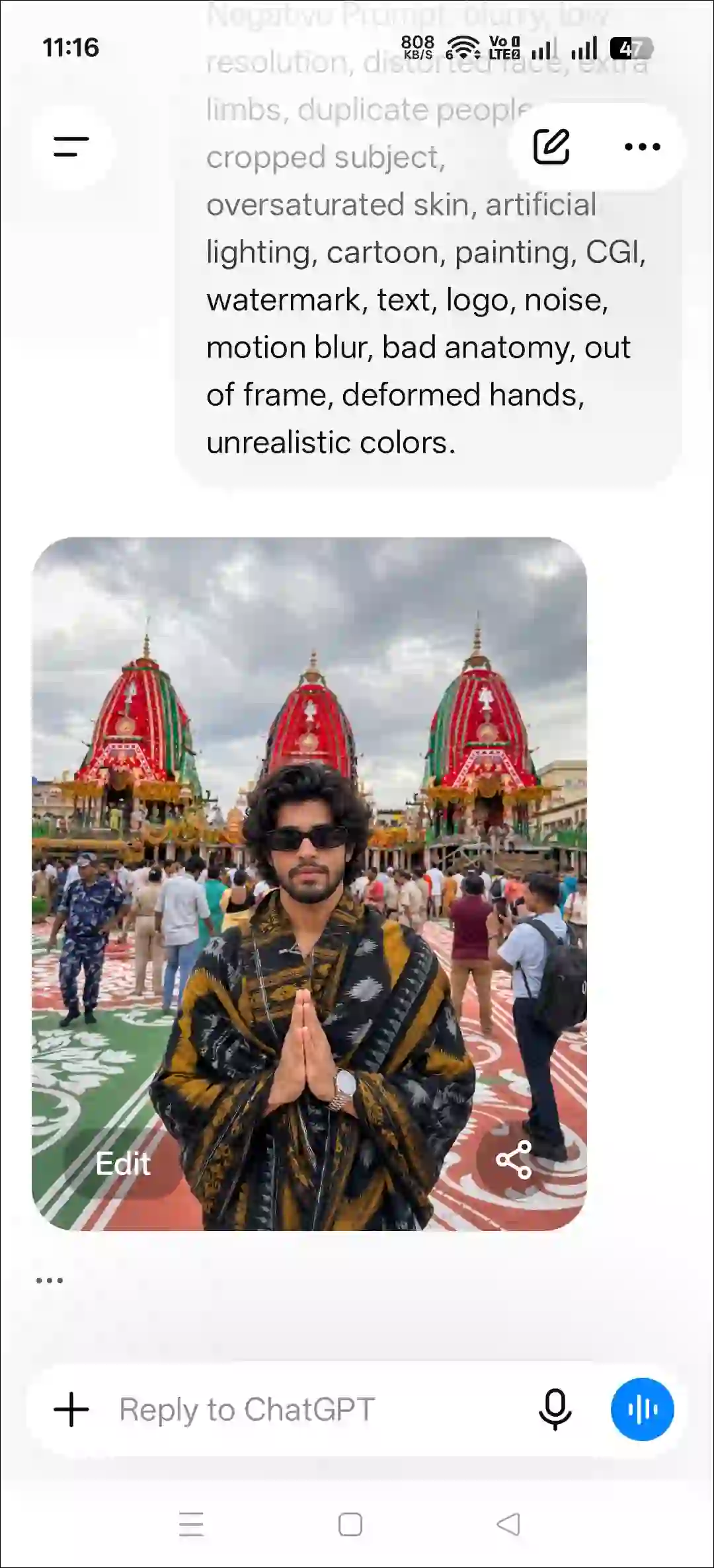
Yes! You can create this image using Google Gemini alongside ChatGPT because the prompt provided in this article is universal and works effectively on both tools. In this photo, you will be standing in the foreground with your hands folded, with the three chariots and a crowd of people behind you, making the image look completely realistic.
At first glance, no one could tell that this is an AI-generated photo of the Jagannath Rath Yatra. Below, I have provided a step-by-step guide on how you can create a Jagannath Rath Yatra photo; simply follow the steps mentioned below one by one.
How to Create Jagannath Rath Yatra Photo with This AI Prompt
1. Using ChatGPT + Ghost AI Prompt
- Open ChatGPT App on Your Android or iPhone.
- Tap on “+” Icon and then Photos.
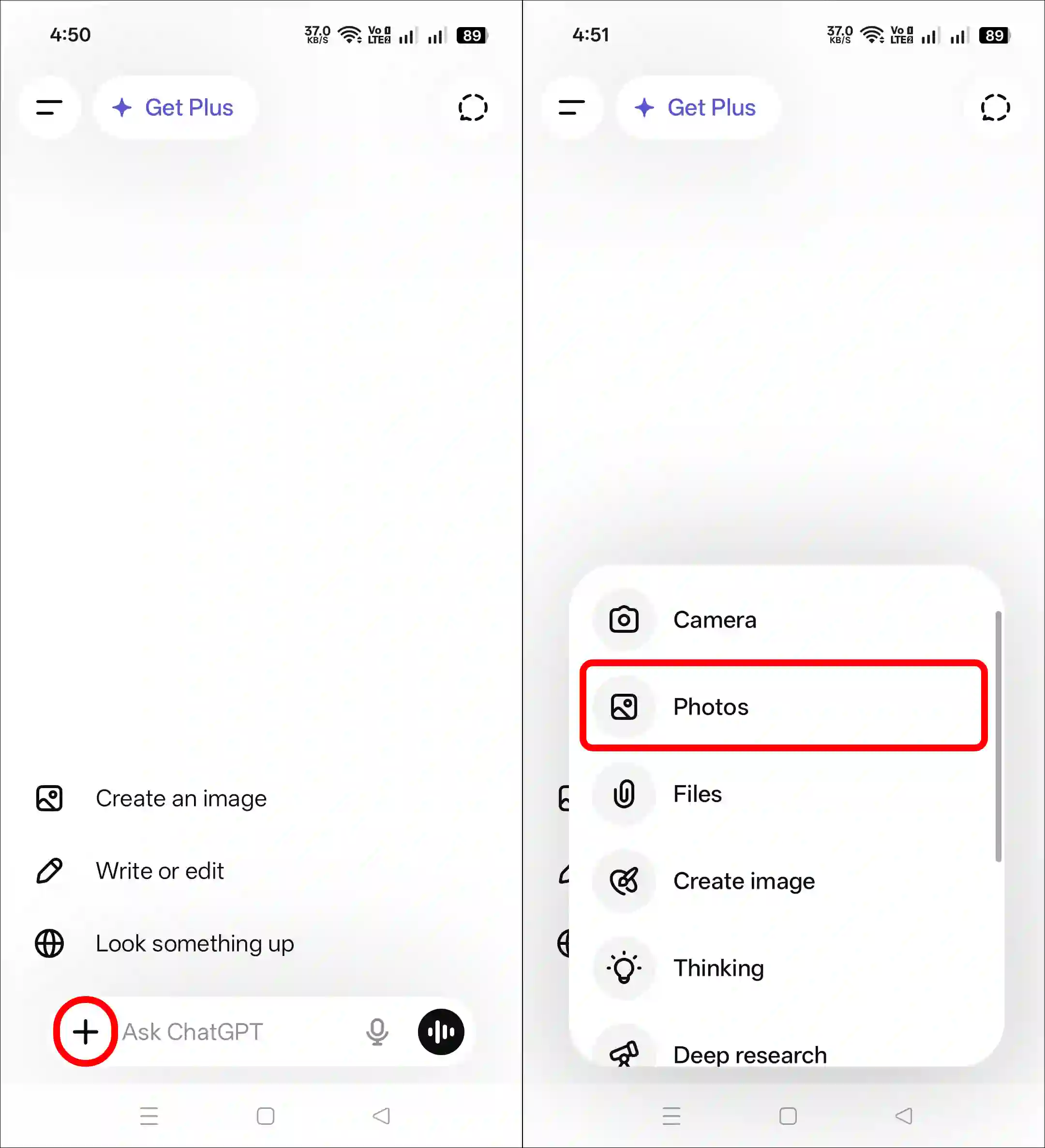
- Now, Select a Picture from Your Gallery.
- Next, Copy & Paste the Following Prompt and Hit the Arrow Button.
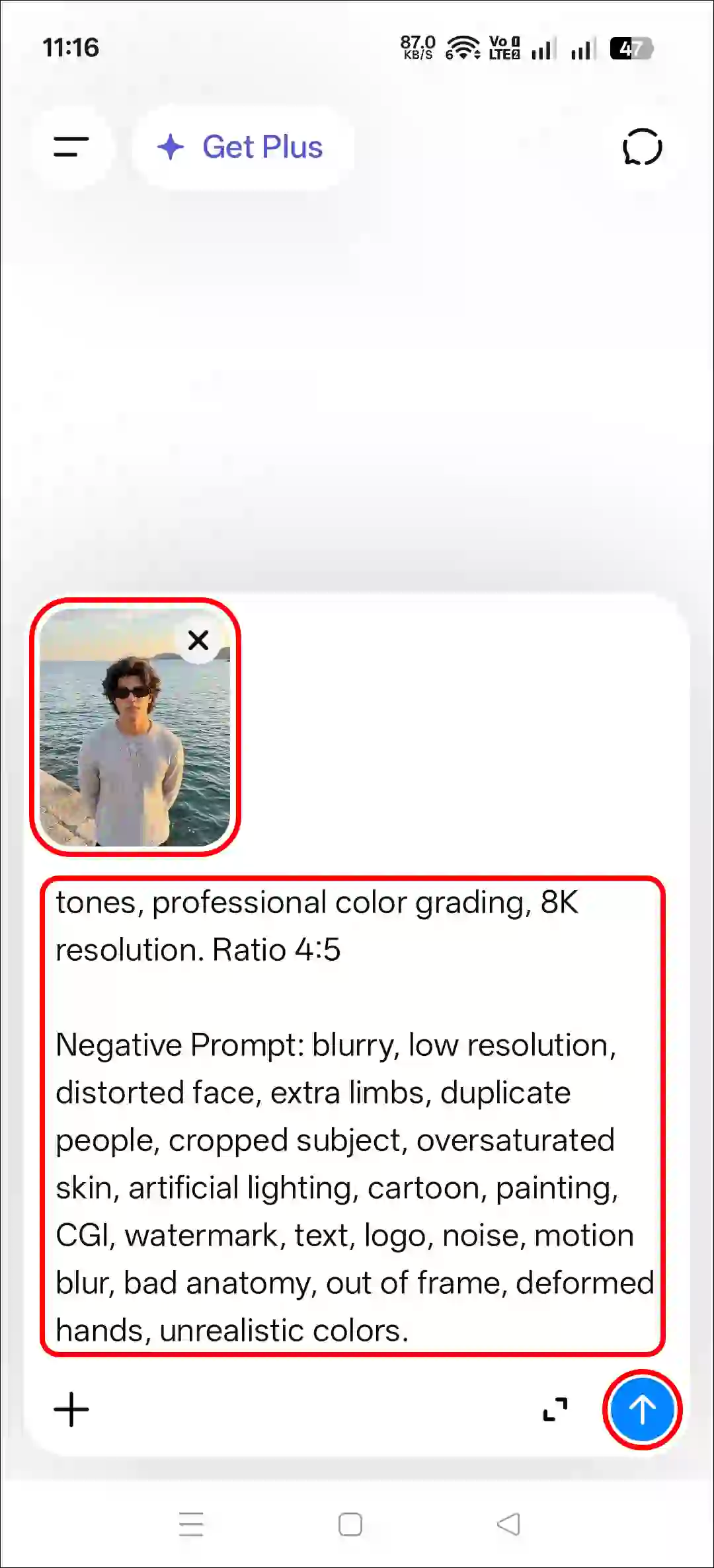
- Please Wait a Moment! Your Image will be Ready.
2. Using Gemini + Ghost AI Prompt
- Open Gemini App or Website.
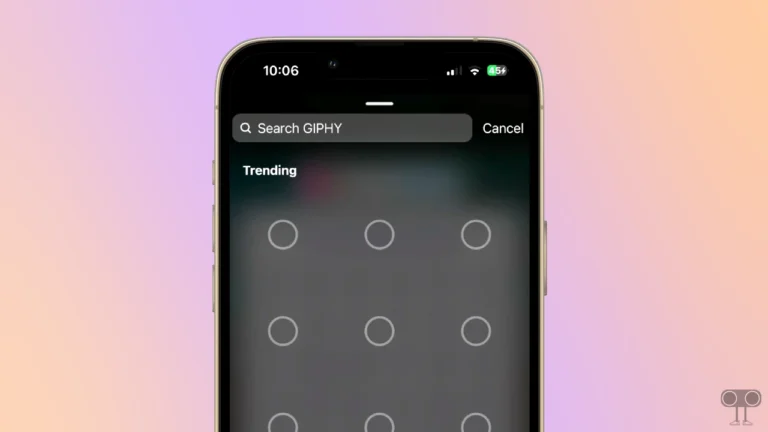
- Tap on “+” Icon and then Images (Create and Edit).
- Tap on “+” Icon and the Photos.
- Next, Select a Picture from Your Gallery.
- Copy & Paste the Following Prompt and Hit the Arrow Button.
- Now, Wait a Moment! Your Image will be Ready.
That’s it! Your Jagannath Rath Yatra photo is now ready. You can download it and share it on social media.
Copy Instagram’s Viral Jagannath Rath Yatra Photo Prompt
A handsome young Indian man standing in the foreground during the grand Rath Yatra festival, wearing a traditional black, gray, and mustard-yellow handwoven ikat shawl draped elegantly around his shoulders and body. He has styled voluminous black hair, a well-groomed beard, expressive eyes, a subtle smile, a wristwatch, and folded hands in a respectful pose. Behind him are three massive brightly decorated Jagannath Rath Yatra chariots with vivid red canopies, colorful patterns, yellow garlands, and ornate traditional details. A large festive crowd surrounds the area, with devotees, tourists, security personnel, and photographers walking across an intricately designed red, green, and white ceremonial carpet. The atmosphere is vibrant and spiritual, with overcast monsoon clouds creating soft diffused lighting. Ultra-realistic photography, high dynamic range, rich colors, sharp focus on the subject, shallow depth of field, detailed fabric textures, cultural festival ambiance, travel photography, 26mm lens, natural skin tones, professional color grading, 8K resolution. Ratio 4:5

Negative Prompt: blurry, low resolution, distorted face, extra limbs, duplicate people, cropped subject, oversaturated skin, artificial lighting, cartoon, painting, CGI, watermark, text, logo, noise, motion blur, bad anatomy, out of frame, deformed hands, unrealistic colors.
Also read: Create Instagram’s Ghost Photo using ChatGPT Prompt
FAQs
Q 1. How many Jagannath Rath Yatra photos can I create with this prompt?
Answer – You can create unlimited Jagannath Rath Yatra photos using this prompt; however, this depends on your ChatGPT subscription. If you use the free version, you can generate a limited number of photos per day, whereas paid plans offer higher limits.
Q 2. Will my face look the same in the generated photo of the Jagannath Rath Yatra?
Answer – Yes! With the help of this prompt, your face in the generated Jagannath Rath Yatra photo will look exactly the same as in the reference photo you uploaded.
I hope you liked this post and found the “Jagannath Rath Yatra photo prompt”. If you need any other AI photo editing prompts, please let me know by commenting below. Please share this article.