Turn Off NSFW Filter on Reddit App & Website to Unblur Adult Photos & Posts
You may have also seen blurred photos or media posts on the Reddit app or website because the NSFW filter is enabled. When content on Reddit is marked as Not Safe For Work (NSFW), it automatically becomes blurred or disappears.
However, if you want to view mature (18+) images and media on Reddit without blurring, that is also possible. You just need to make a small change in the NSFW settings on Reddit. As soon as you do that, you will again be able to easily explore all adult photos and videos.
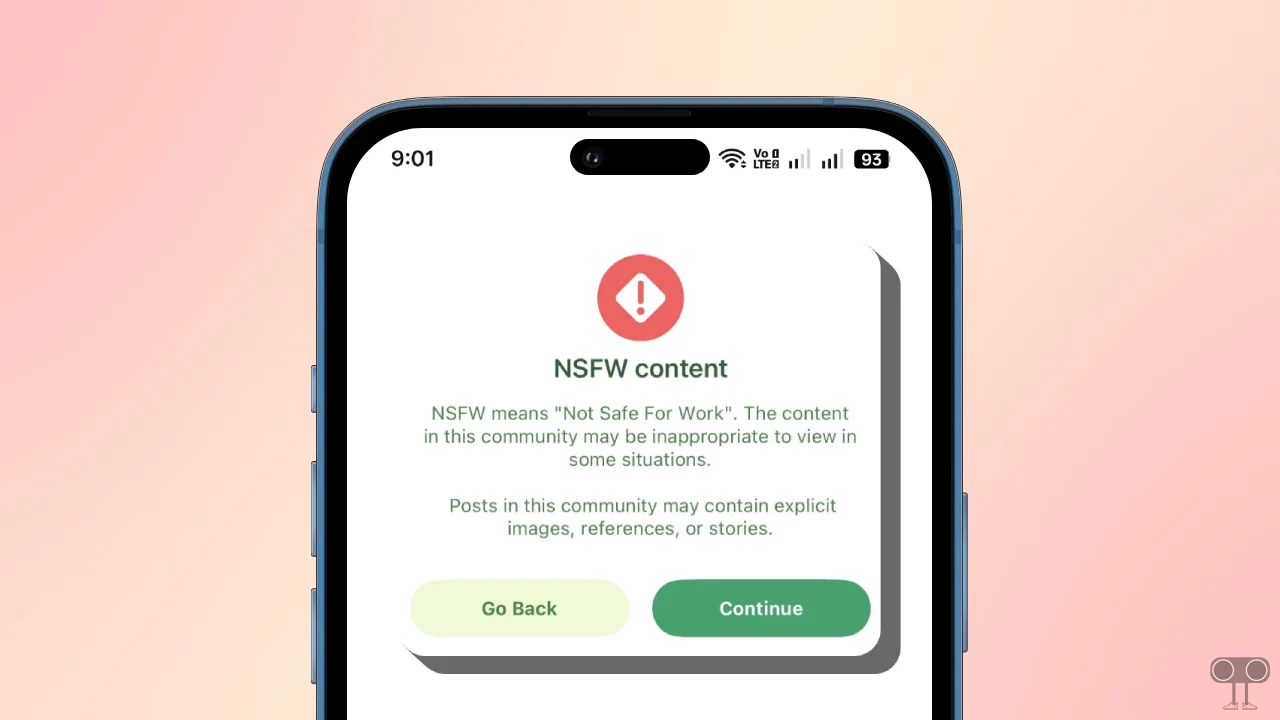
In this article below, I have mentioned how you can disable Reddit’s NSFW filter on Android, iPhone, and PC so that you can see mature posts. Whether you use the Reddit mobile app or the Reddit website, the steps are almost the same for both.
Shortcuts
On Android: Open Reddit App > Tap on Profile Picture > Tap ≡ > Settings, Then Turn On “Show mature content (I’m over 18)” Under “View Options” and Turn Off “Blur mature (18+) images and media”.
On iPhone: Open Settings App on Your iPhone > Apps > Reddit, Then Turn On “Show NSFW Content (18+)” and Turn Off “Blur NSFW Images”.
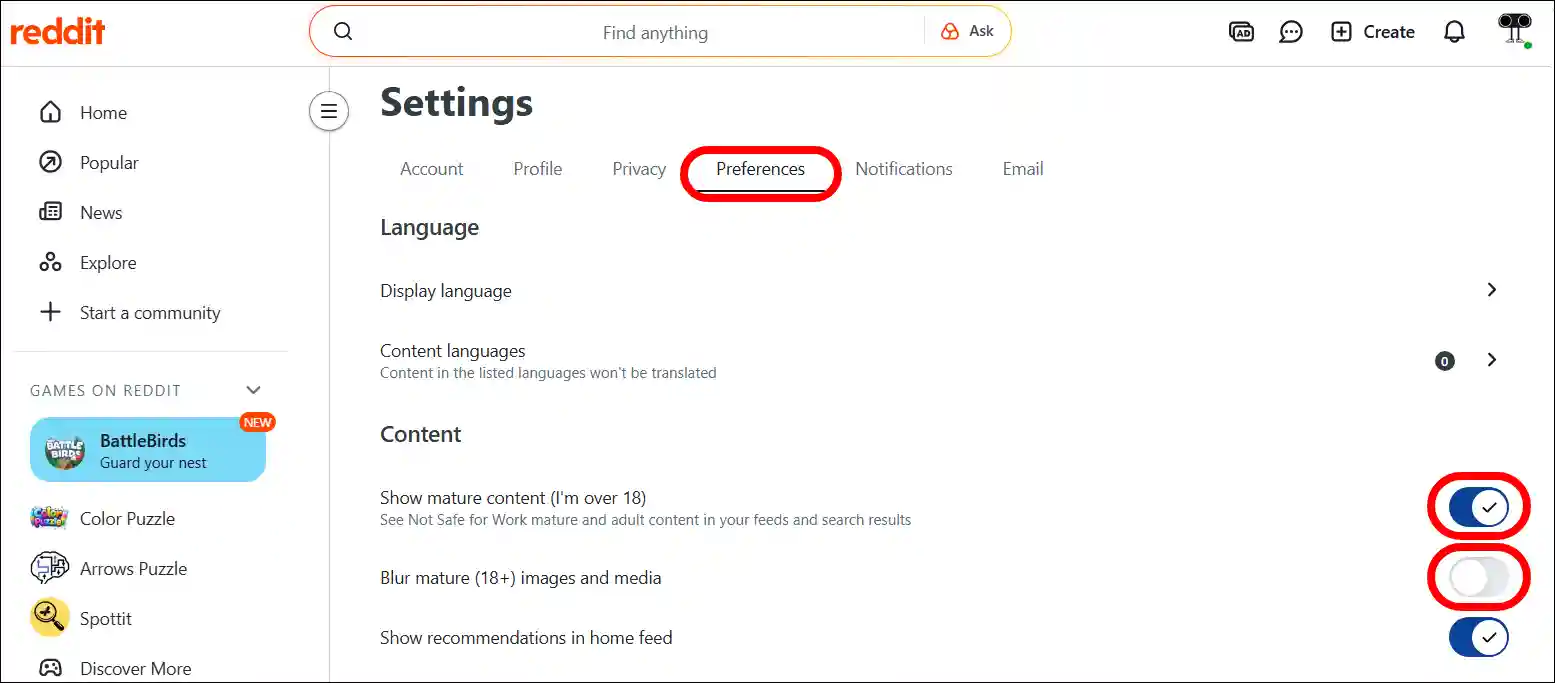
On a Computer: Open Reddit.com and Login to Your Account > Click on Profile Picture > Settings > Preferences, and Enable “Show mature content (I’m over 18)” Toggle, and Then Disable “Blur mature (18+) images and media”.
1. Disable Reddit’s NSFW Filter on Android Mobile App
Most users use the Reddit app on Android phones; if you are one of those users, you can easily disable it by following the steps provided below. Before following the steps, please update your Reddit app to the latest version from the Google Play Store.
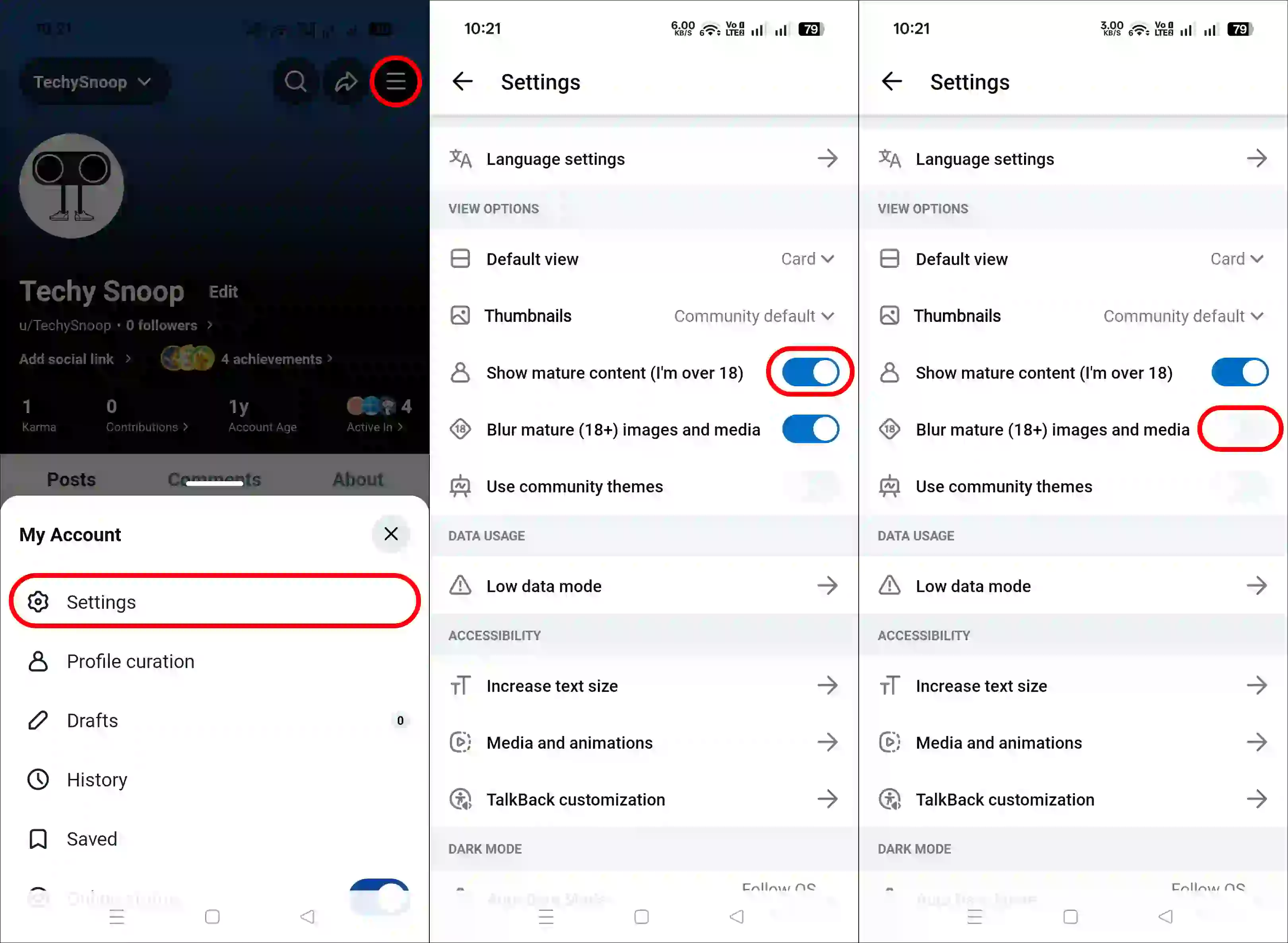
To turn off the NSFW warning on the Reddit app on Android:
- Open Reddit App on Your Phone.
- Tap on Three ≡ Lines at Top Right and then Settings.
- Scroll Down and Turn On “Show Mature Content (I’m over 18)” Toggle.
Note: A 'Mature Content' prompt will appear; simply tap "Yes, I'm Over 18". - Now, Turn Off the “Blur Mature (18+) Images and Media” Toggle.
2. Disable Reddit’s NSFW Filter on iPhone App
Compared to Android, the method for disabling the NSFW warning on the Reddit app is slightly different on the iPhone (iOS). On the iPhone, you can disable it directly through the iPhone’s settings. To do this, I have listed all the steps one by one below.
To turn off NSFW warning Reddit app on iPhone/iPad:
- Open Settings App on Your iPhone or iPad.
- Find the Reddit App and Tap on It.
- Turn On the “Show NSFW Content (18+)” Toggle.
- Now, Turn Off the “Blur NSFW Images” Toggle.
3. Disable Reddit’s NSFW Filter on PC
If you use the Reddit website on your laptop, computer, or Mac, you can still easily disable the NSFW filter and get rid of NSFW warnings. To do this, you will need a desktop browser such as Chrome, Edge, Firefox, Opera, Brave, Safari, etc.
To turn off NSFW warning Reddit on desktop web browser:
Step 1. Launch Any Desktop Browser and Go to Reddit.com.
Step 2. Click on Profile Icon at the Top Right and Then Settings.
Step 3. Go to Preferences Tab.
Step 4. Turn On the “Show mature content (I’m over 18)” Toggle.
Note: A ‘Mature Content’ prompt will appear; simply click “Yes, I’m Over 18”.
Step 5. Now, Turn Off the “Blur mature (18+) images and media” Toggle.
That’s all! You’re done…
I hope you found this article helpful and that you’ve learned how to remove NSFW warnings from Reddit profiles. If you have any problems or questions related to Reddit, please let us know in the comments below. Don’t forget to share this article with your friends.