Pinterest Not Working on Opera GX
For some time now, users have been reporting on Reddit and the Opera forum that Pinterest is not working on the Opera GX browser. Whenever users try to access the Pinterest website, they only see a white screen (blank page).
Opera GX browser’s failure to load Pinterest is frustrating users a lot. However, this is likely a browser-related issue, as users are currently able to access the Pinterest website easily on other browsers like Chrome, Firefox, Edge, and Brave.
Let’s Take a Look at This Issue
Pinterest Not Loading at all, only few pins then stops
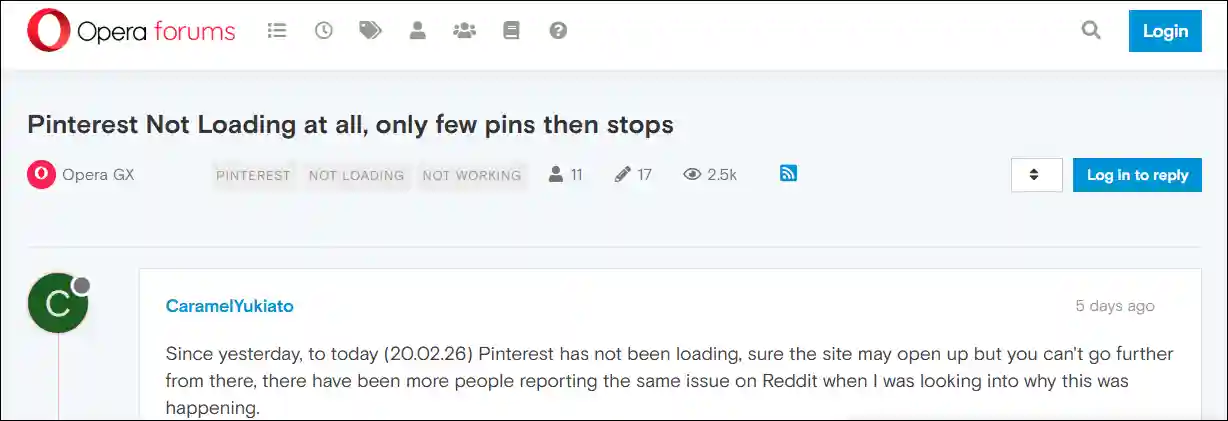
A user on the Opera Forum has posted that Pinterest is not loading at all in the Opera GX browser. Although for some users, a few pins initially load, and then Pinterest stops working. And as soon as they refresh the page, it goes blank.
Pinterest not loading on opera
A user named “DenisfromChainsawMan” posted on Reddit that “Pinterest’s homepage was only showing me a few pins. I read in a post that clearing the cache and cookies fixes this issue, but after doing that, the entire Pinterest page became completely blank.”
Also read: How to Turn Off AI Images on Pinterest
Troubleshooting Steps You Can Try to Fix It
1. Restart Your Opera GX
Sometimes, due to temporary glitches, a browser fails to load certain websites. In such situations, restarting the browser can be the first and most effective solution. The restart process clears the temporary glitches, and websites load smoothly again.
2. Clear Pinterest Site Data
- Type
opera://settings/content/allin the Address Bar and Hit Enter. - Type pinterest.com in the Search Field and Click on Delete Icon.
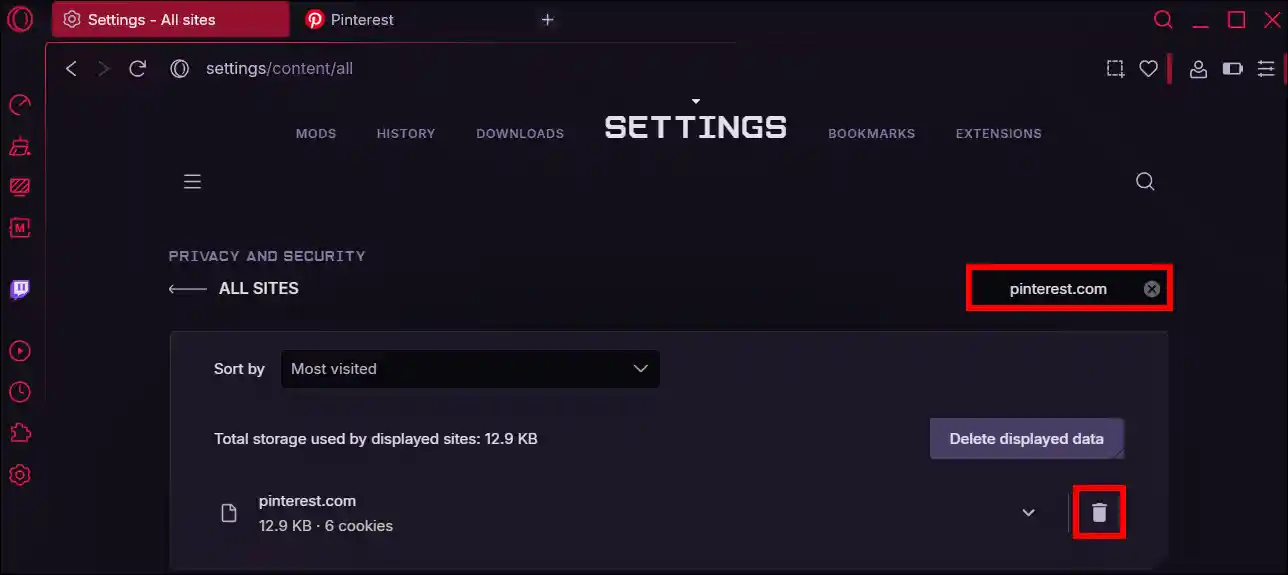
- Click on Delete to Confirm.
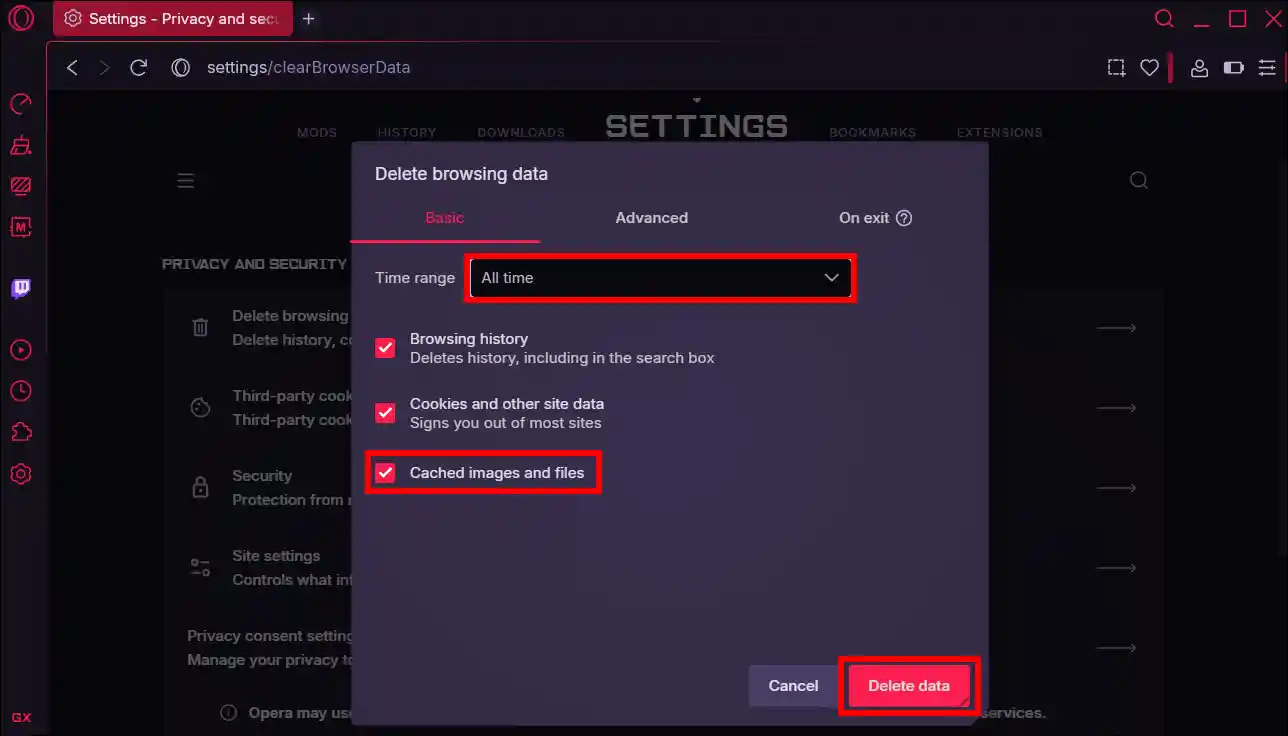
3. Clear Browsing Data
- Type
opera://settings/clearBrowserDatain the Address Bar and Hit Enter. - Select Time range to All Time and Check “Cached images and files” Option.
- Click on Delete Data.
4. Try Device Toolbar
- Open Pinterest Website in Opera GX Browser.
- Press Ctrl + Shift + I (or Cmd + Option + I on Mac) to open Developer Tools.
- In the Developer Tools panel, click the Toggle Device Toolbar icon. It looks like a small laptop and a phone, and is typically the second icon from the left in the top corner.
- Refresh the page.
- Click the Toggle Device Toolbar icon again.
- Press the Esc key. The interface should now be working as desired.
Note: This change resets after you close the tab. Simply repeat these steps if needed.
Additional Note: If the methods mentioned above don’t work for you, you can temporarily use another browser to open the Pinterest site until Pinterest starts working again on the Opera GX browser.
Also read: How to Stop Opera GX from Using So Much Memory
I hope you found this article helpful and learned how to fix Pinterest when it isn’t working on Opera GX. If you have any questions related to Opera GX, please ask in the comments below. Feel free to share this article as well.