How to Use ‘December So Far’ and ‘December Dump’ Instagram Story Templates
“December So Far” and “December Dump” are trending Instagram story templates where users share their experiences, moments, or feelings from the month of December so far, along with pictures. You can also call it the December recap story. In this article, I’ll show you how to use the ‘December So Far’ or ‘December Dump’ Add Yours template in your Instagram story.
As the year comes to an end, the ‘December So Far’ template has been joined by another popular trend: the “December Dump.” This Instagram story format offers a way to reflect on the ending year wrapping up and share a personal recap with friends and followers.
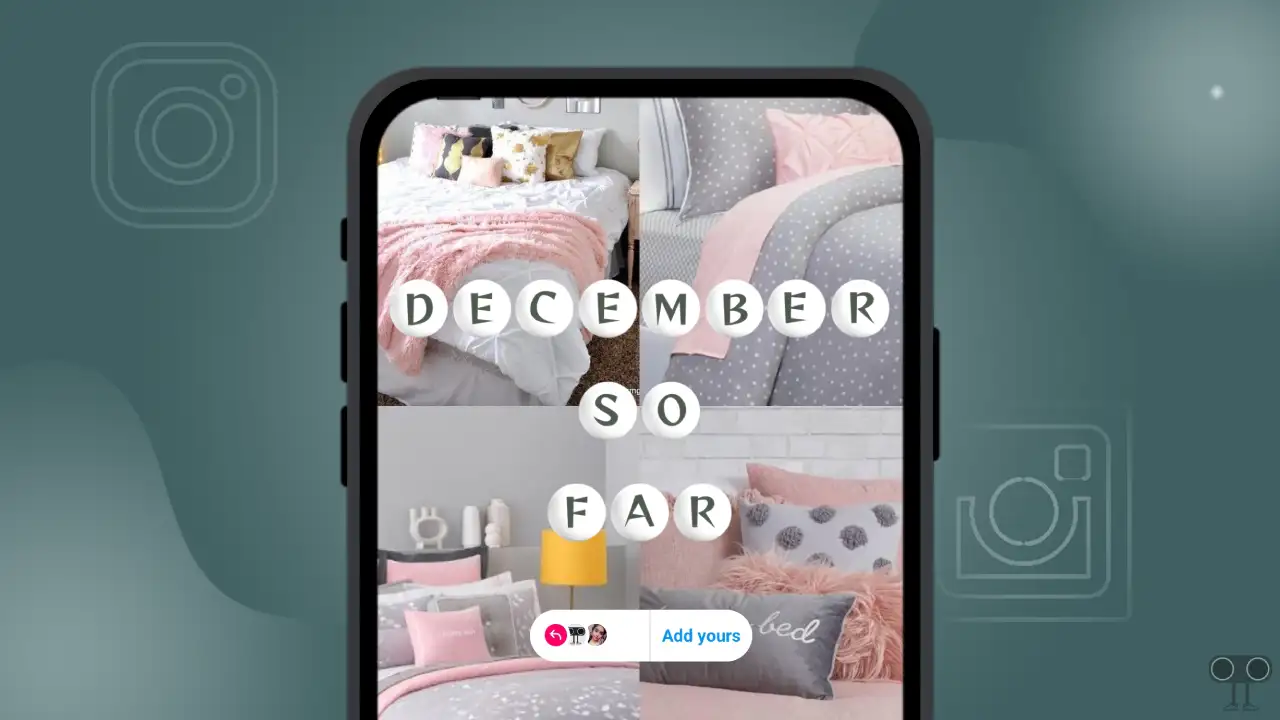
The “December So Far” and “December Dump” story stickers were created by Instagram user @techysnoop. You can add your own photos or clips from your December gallery to this template. You can also add your favorite music, which will make your story more attractive. You can use this viral template on your Android or iPhone.
How to Use ‘December So Far’ Instagram Story Template
Steps to share ‘December So Far’ add yours template in your Instagram story:
1. Open Instagram Application and Go to @techysnoop Profile.
2. Tap on ‘So Far’ at Highlights Section. If You Can’t See ‘So Far’ then Scroll Left-Right Highlight Section, You Can Find It.
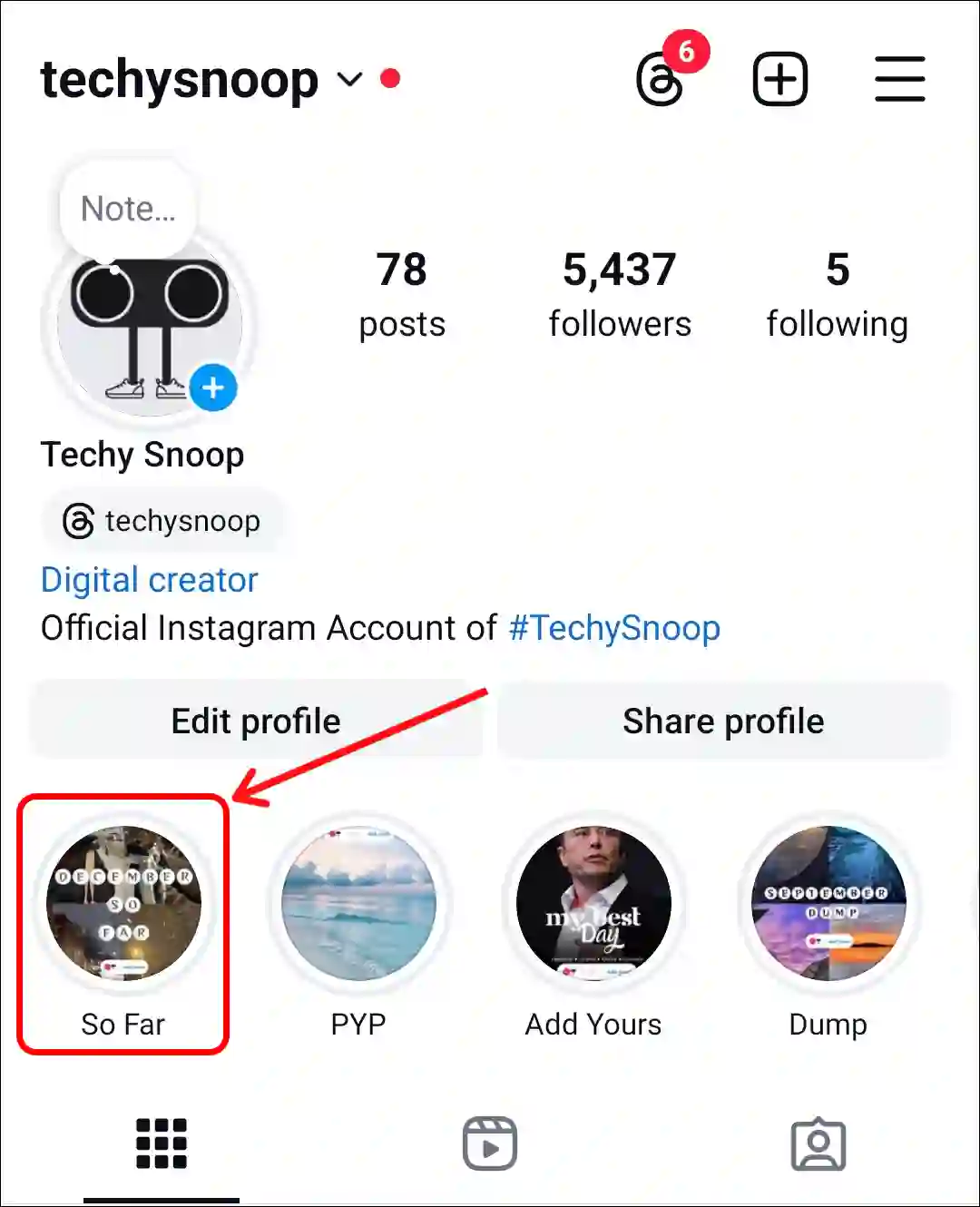
3. Now Find 5th Template (December So Far) in This Highlight and Click on ‘Add Yours’ Button on the Screen.
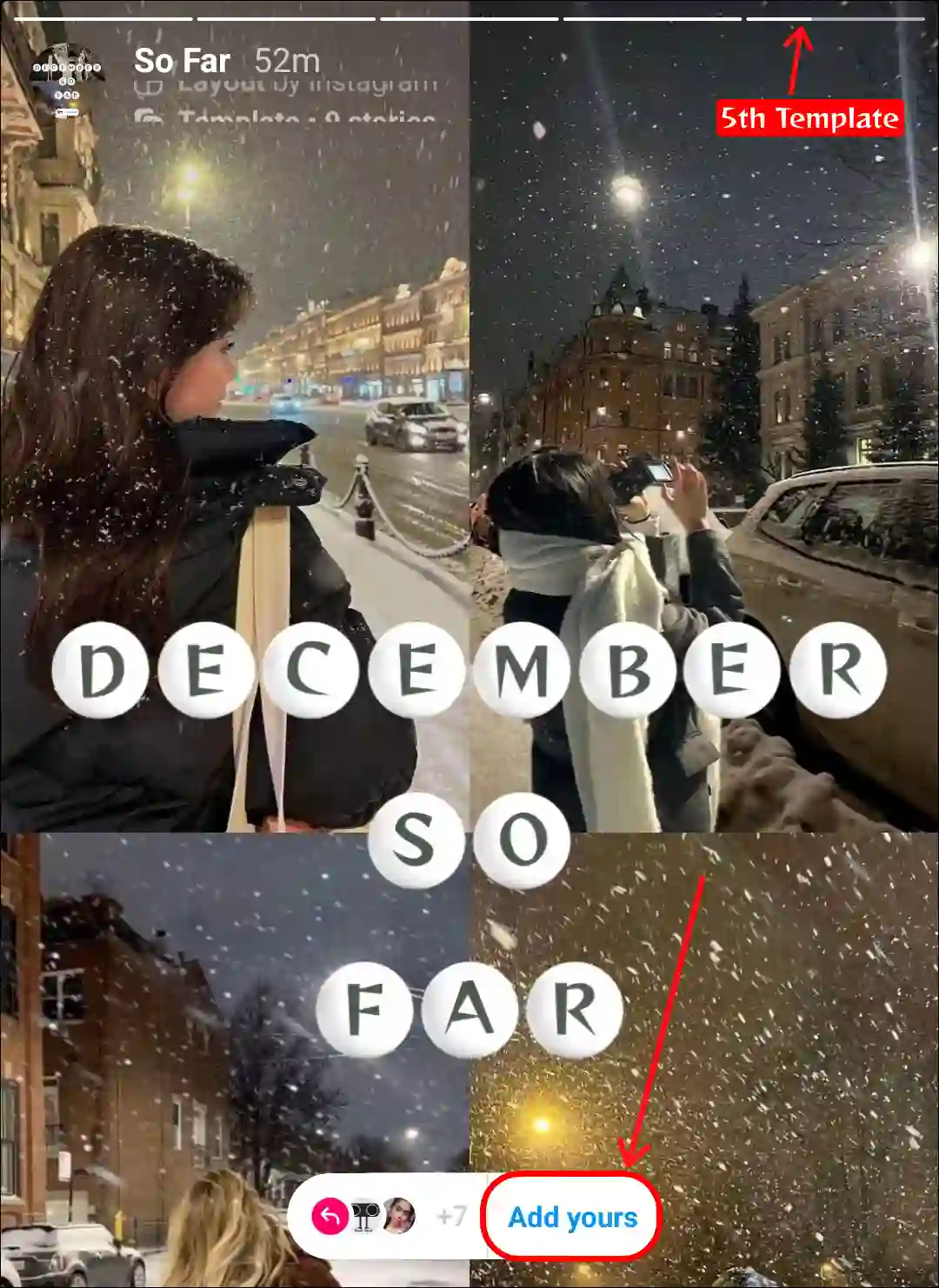
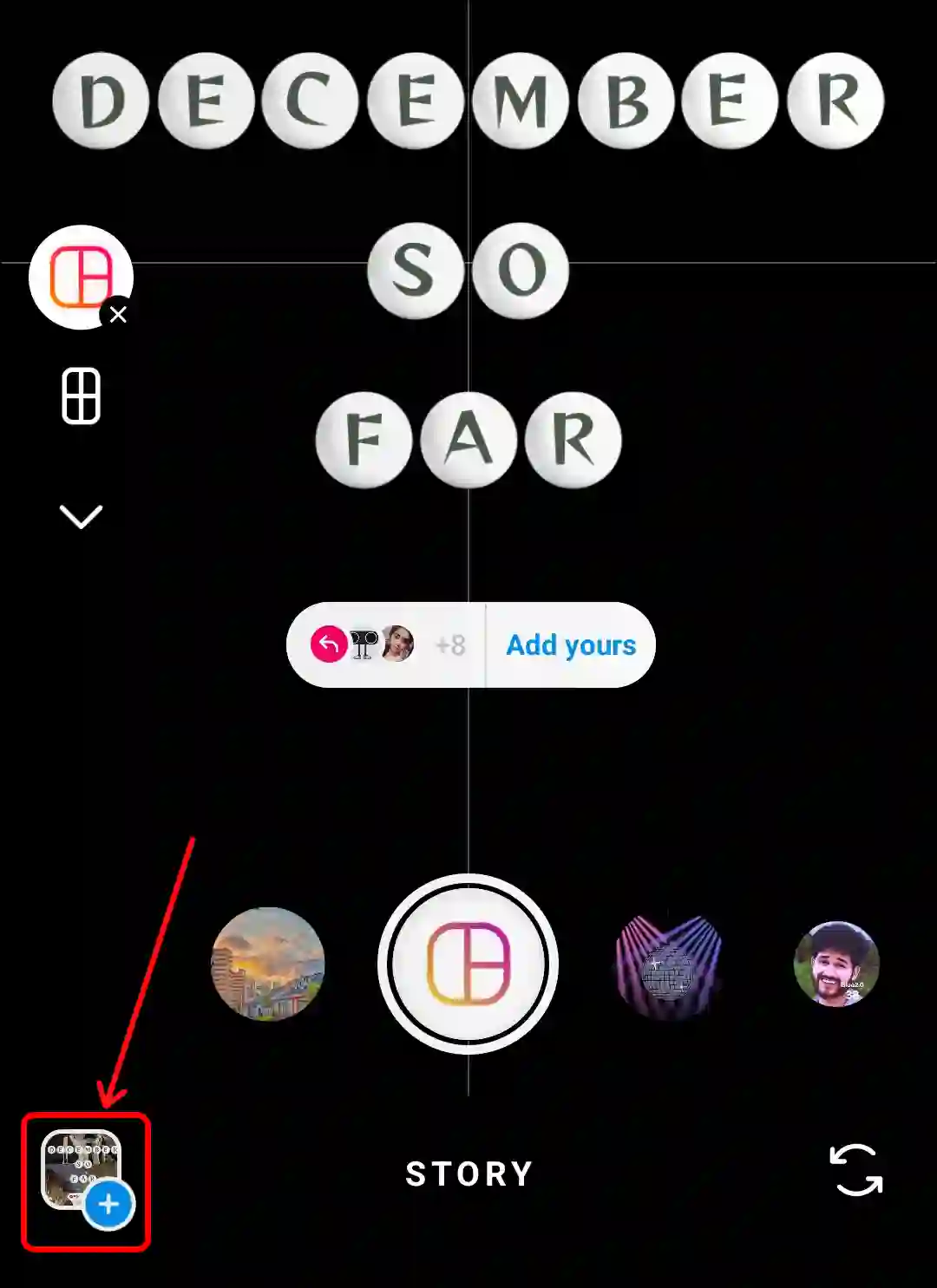
4. Next, Select Your Pictures from Your Phone Gallery.
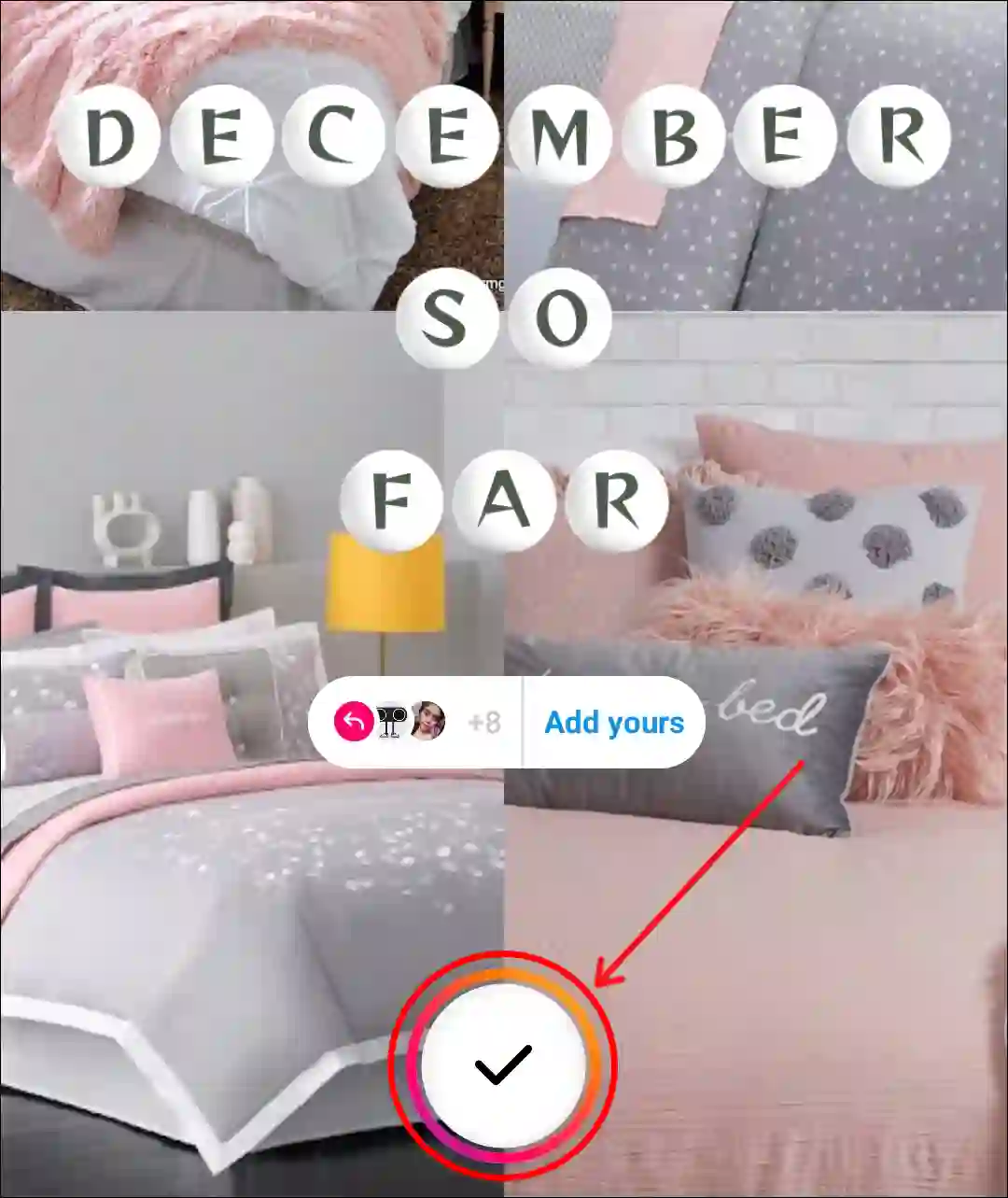
5. Once All Images are Added, Tap on the Done (✓) Icon.
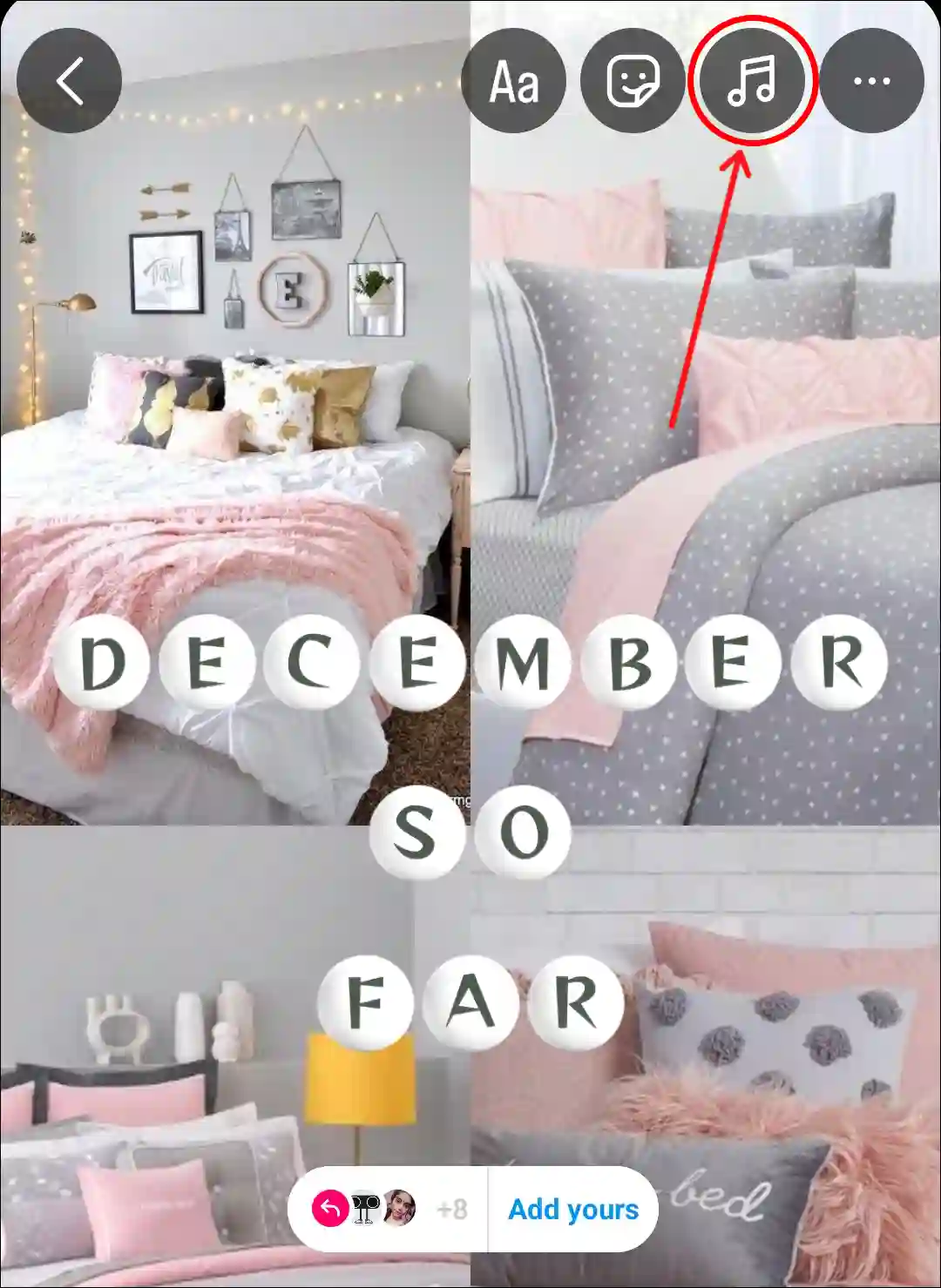
6. Add Your Favourite Song by Tapping on Music Icon.
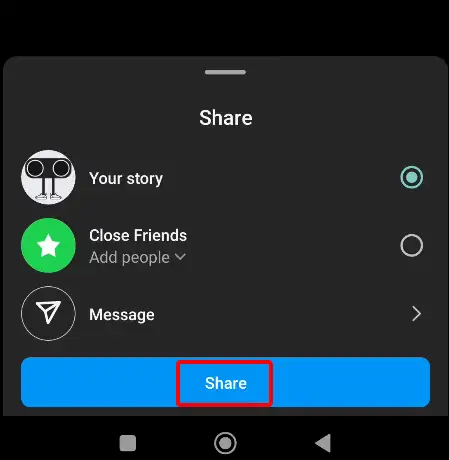
7. Now Share This to Your Story.
How to Use ‘December Dump’ Instagram Story Template
Steps to share ‘December Dump’ add yours template in your Instagram story:
- Open Instagram App and Go to @techysnoop Profile.
- Tap on ‘Dump’ at Highlights Section.
If You Can't See 'Dump' then Scroll Left-Right Highlight Section, You Can Find It.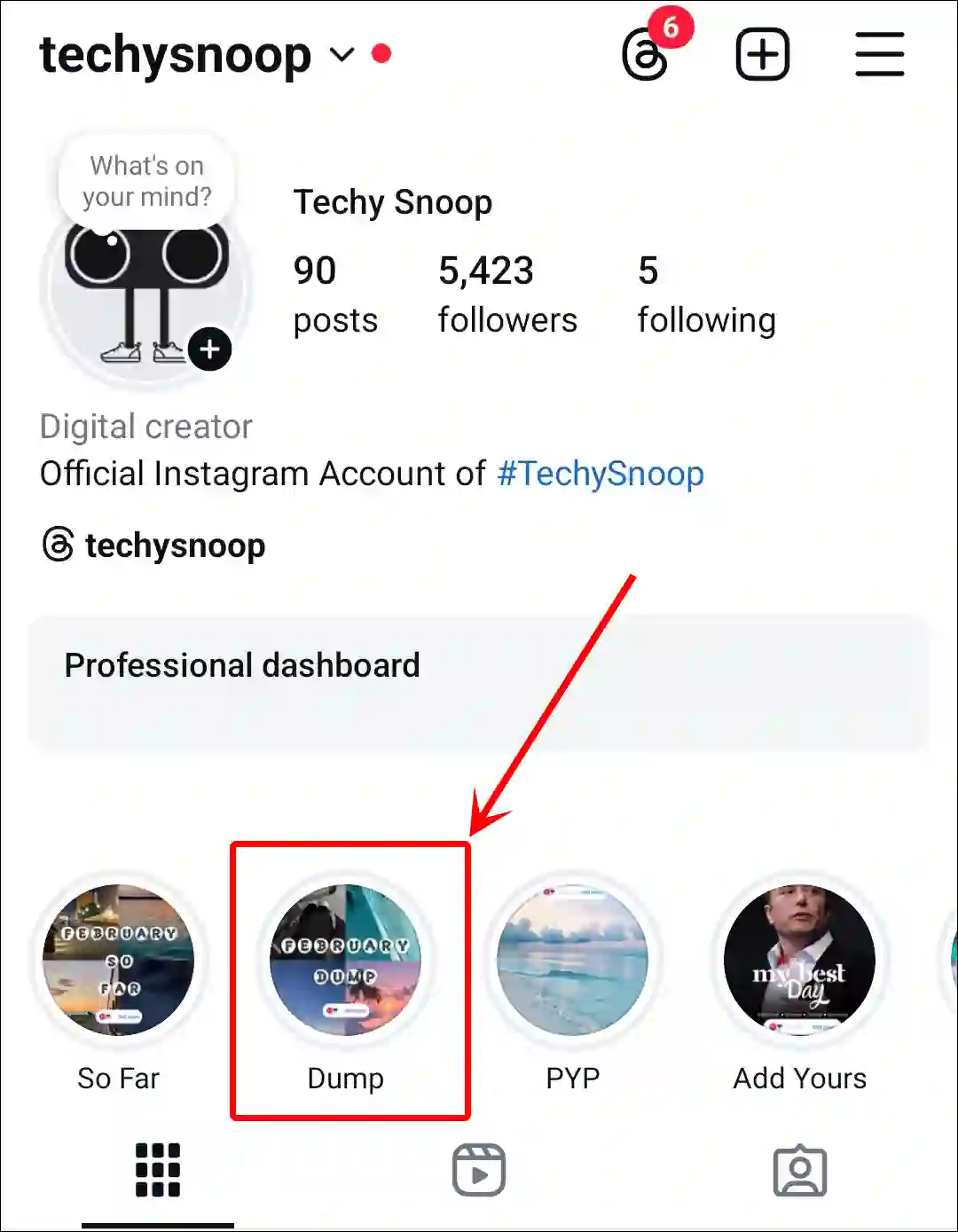
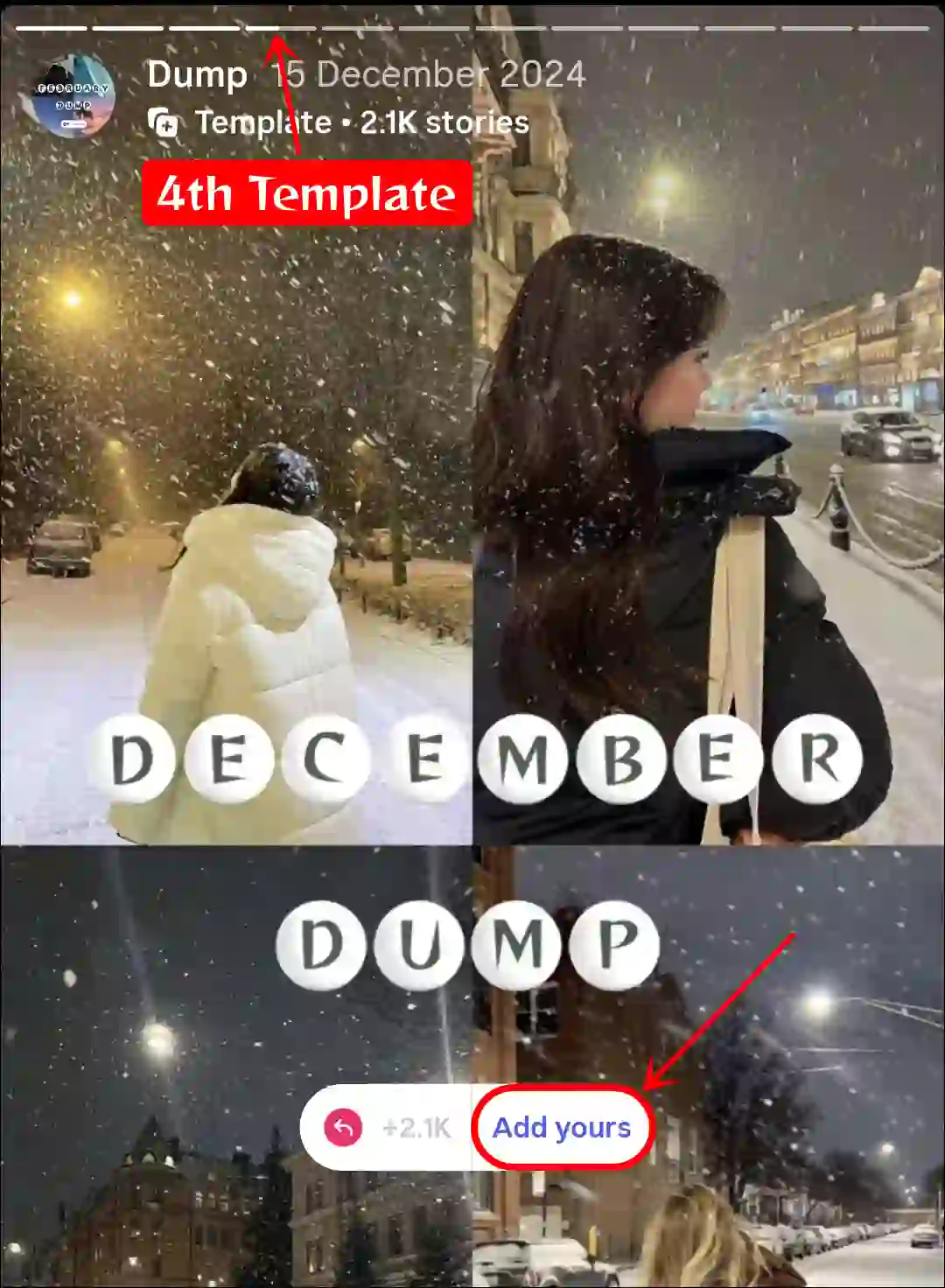
- Now, Find 4th Template (December Dump) in This Highlight and Click on ‘Add Yours’ Button on the Screen.
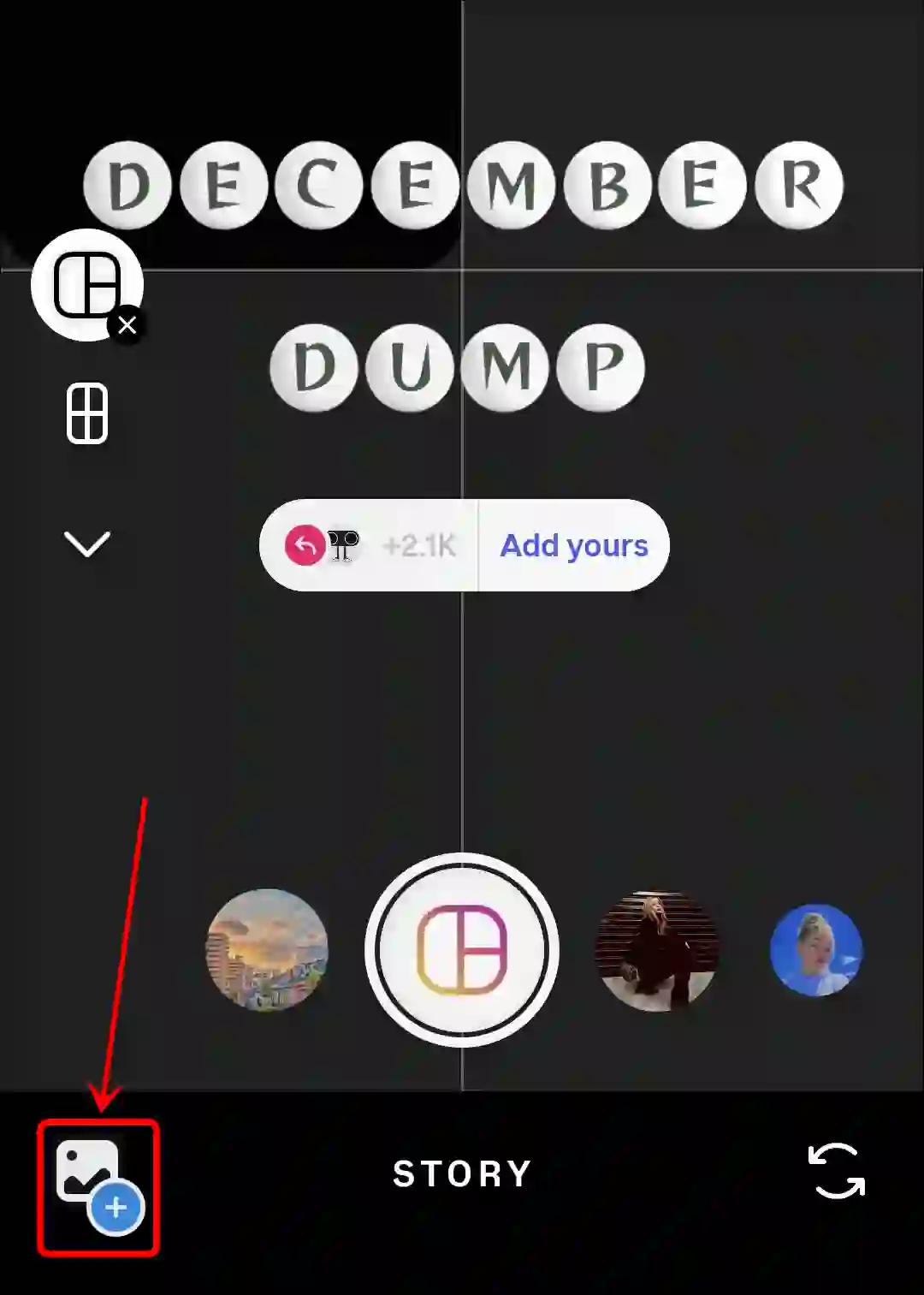
- Next, Select Your Pictures from Your Phone Gallery.
- Once All Images are Added, Tap on the Done (✓) Icon.
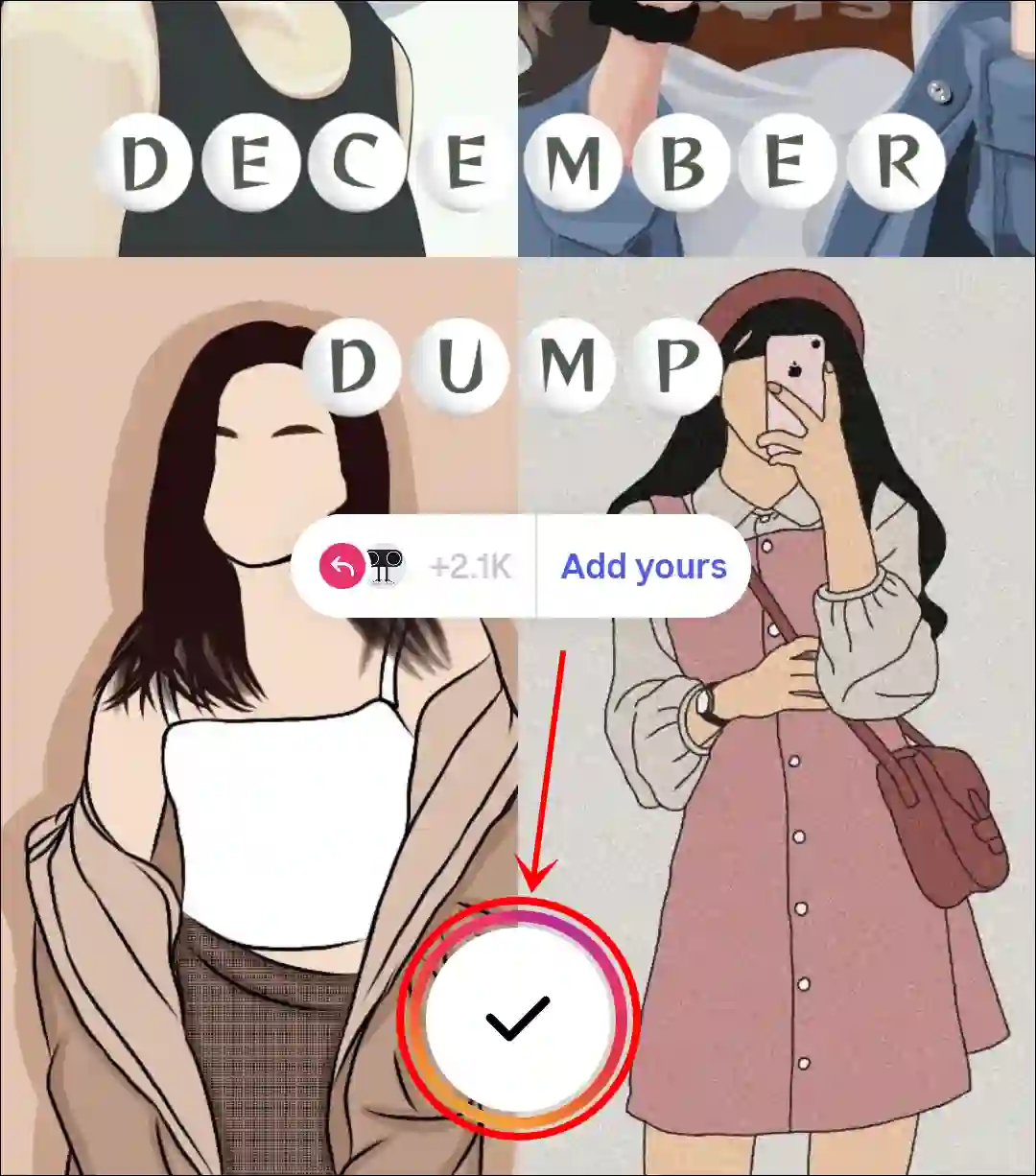
- Add a Song by Tapping on Music Icon.

- Now, Share This to Your Story.
That’s it! Once you’ve completed all the above steps, your memories of the month of December will be shared on your Instagram story with ‘December So Far’ and ‘December Dump’ templates. This is a very simple and easy way to use this template in your story.
You may also like:
- Turn Off Typing Indicator on Instagram
- How to Post 20 Photos in One Post on Instagram at Once
- How to Send Reels to Yourself on Instagram
I hope you have found this article very helpful and learned how to find and use the ‘December So Far’ and ‘December Dump’ templates in Instagram Stories. If you are facing any problems, please let us know by commenting below. Share this article as much as possible with your other friends.