Viu Users are Experiencing “Error Code: A0001” While Streaming
In regions where the Viu service is available, users are suddenly encountering ‘Error Code: A0001’ while streaming. This issue is occurring on both the Viu mobile app and the desktop platform. The error’s sudden appearance on screens is causing significant inconvenience for users. If you are facing this same problem, this article will explain the issue to you in detail.
What Does Viu’s Error Code A0001 Mean?
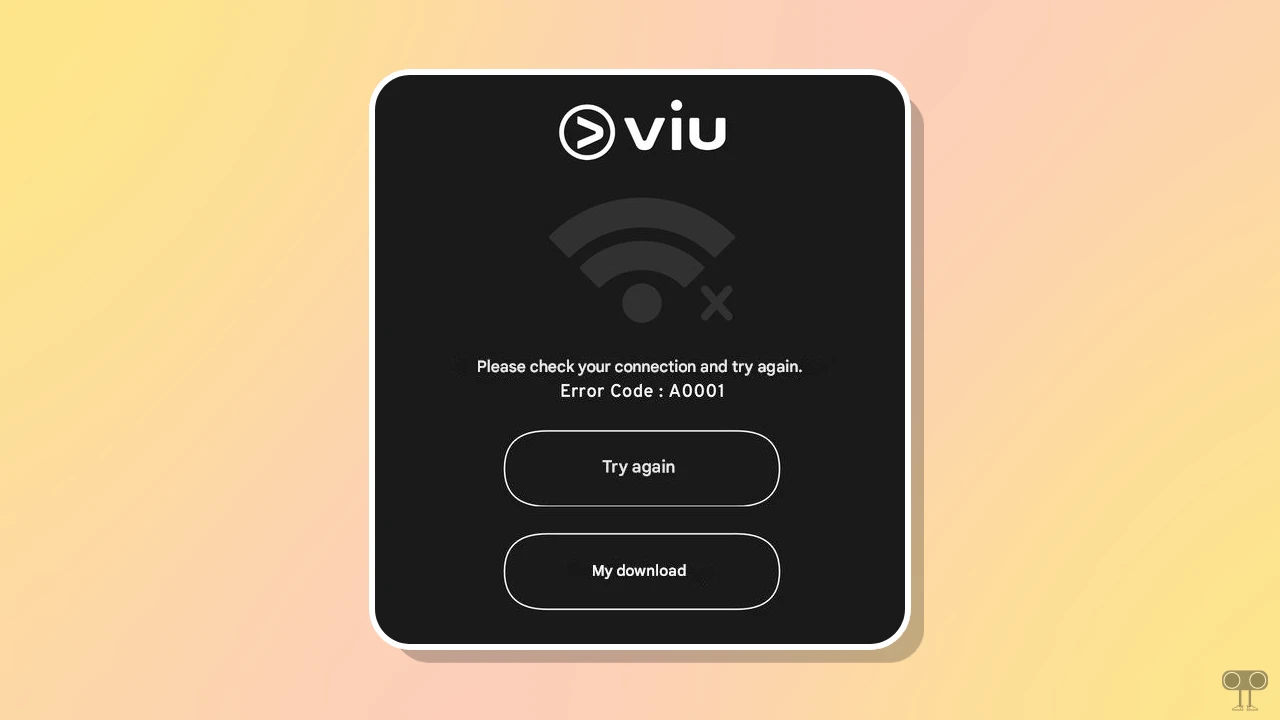
The Viu error A0001 means that the app or web version is unable to communicate properly with the Viu server. This is usually due to a network connection error or a problem connecting to the server. Additionally, sometimes changed network settings on your system can also cause this problem.
If this is a server-related issue, you don’t need to do anything. However, if the Viu server is live and an error code is appearing on your screen, disrupting your streaming experience, then please follow the methods mentioned below.
You can check the live VIU server status using uptime.com and downforeveryoneorjustme.com. This will allow you to confirm whether the VIU server is currently down or working correctly.
Please check your connection and try again.
Error Code : A0001
Try Again
My Download
Here are Some Methods You Can Try to Fix Viu Error A0001
1. Check Your Internet
Since this error appears on the screen when a connectivity issue is detected, the first thing you should do is test your internet connection. An unstable internet connection can often be a major cause of this problem.
If you are using the VIU app on your phone or the VIU website on your desktop, turn on mobile data on your phone and switch your desktop to a different Wi-Fi network. You can also try restarting your Wi-Fi router to see if VIU works correctly.
2. Disable or Reconfigure Your VPN
As we know, the VIU service is only available in a few specific countries, so many users from other regions use VPNs or proxies to access VIU. However, you should know that VIU strictly blocks VPN IP addresses, causing connectivity to disconnect and displaying this error code on the screen.
However, sometimes simply disconnecting and reconnecting the VPN resolves this problem immediately. When reconnecting the VPN, be sure to select either the “Singapore #1” or “Singapore #2” server. Additionally, if you already live within the VIU service area and are using a VPN, I recommend disabling the VPN right away.
3. Clear Corrupt Cache
Sometimes, your browser or app stores outdated “location data” in its cache, which can lead to problems like “Error A0001.” To resolve this issue, clear the corrupted cache from your browser or app.
- On Chrome, Edge, Opera & Firefox: Press CTRL + SHIFT + DELETE > Select “Cached images and files” and “Cookies” > Click on Clear Data.
- On an Android Phone: Go to Settings > Apps > All Apps > VIU > Storage & Data > Clear Cache.
4. Disable Ad Blocker Extension
If you are using an ad blocker in your browser, this could be a major reason for the problem. Streaming websites often have built-in ad blocker detectors that detect them and display various error codes or pop-ups on the screen.
If you also use an ad blocker extension in your desktop browser, I suggest you quickly disable the enabled extension. Most of the time, this method works correctly.
I hope you found this guide helpful and learned about Viu’s error code A0001. If you have any other questions about Viu, feel free to ask in the comments below. Don’t forget to share this article.


![[Known Issue] YouTube Mobile App Not Loading Videos on Home Tab](https://techysnoop.com/wp-content/uploads/2025/12/youtube-mobile-app-not-loading-videos-on-home-tab-768x432.webp)