YouTube Not Showing Comments on Shorts and Videos? Here’s How to Fix It
Are comments not appearing on Shorts and full-length videos in the YouTube app? Don’t worry! You are not alone. Many Android and iPhone users have posted about this issue on Reddit and Twitter. Let’s find out the causes of this problem and how to fix it.
Why is YouTube not displaying comments?
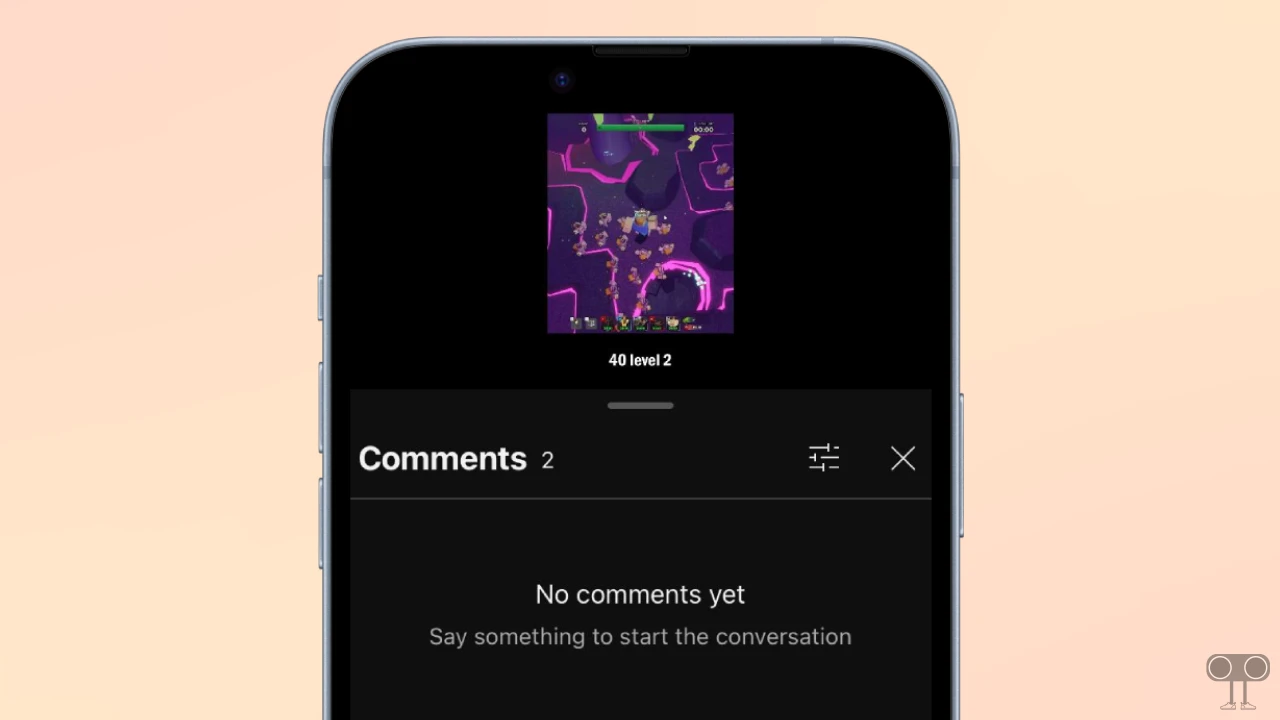
If YT comments are missing, some of the primary reasons could include restricted mode, an outdated app, a corrupted cache, app glitches, creator moderation settings, server issues, etc. In this situation, you may see a “No comments yet” message or a blank screen in the comments box.
6 Quick Ways to Fix if YouTube Comments Not Showing Up on Shorts and Videos
1. Check Internet Connection
A working internet connection is required for comments to load in the YouTube app. If YouTube comments are not loading, it is possible that your internet is unstable. Check the internet speed on your phone and switch to a different internet connection.
2. Disable Restricted Mode
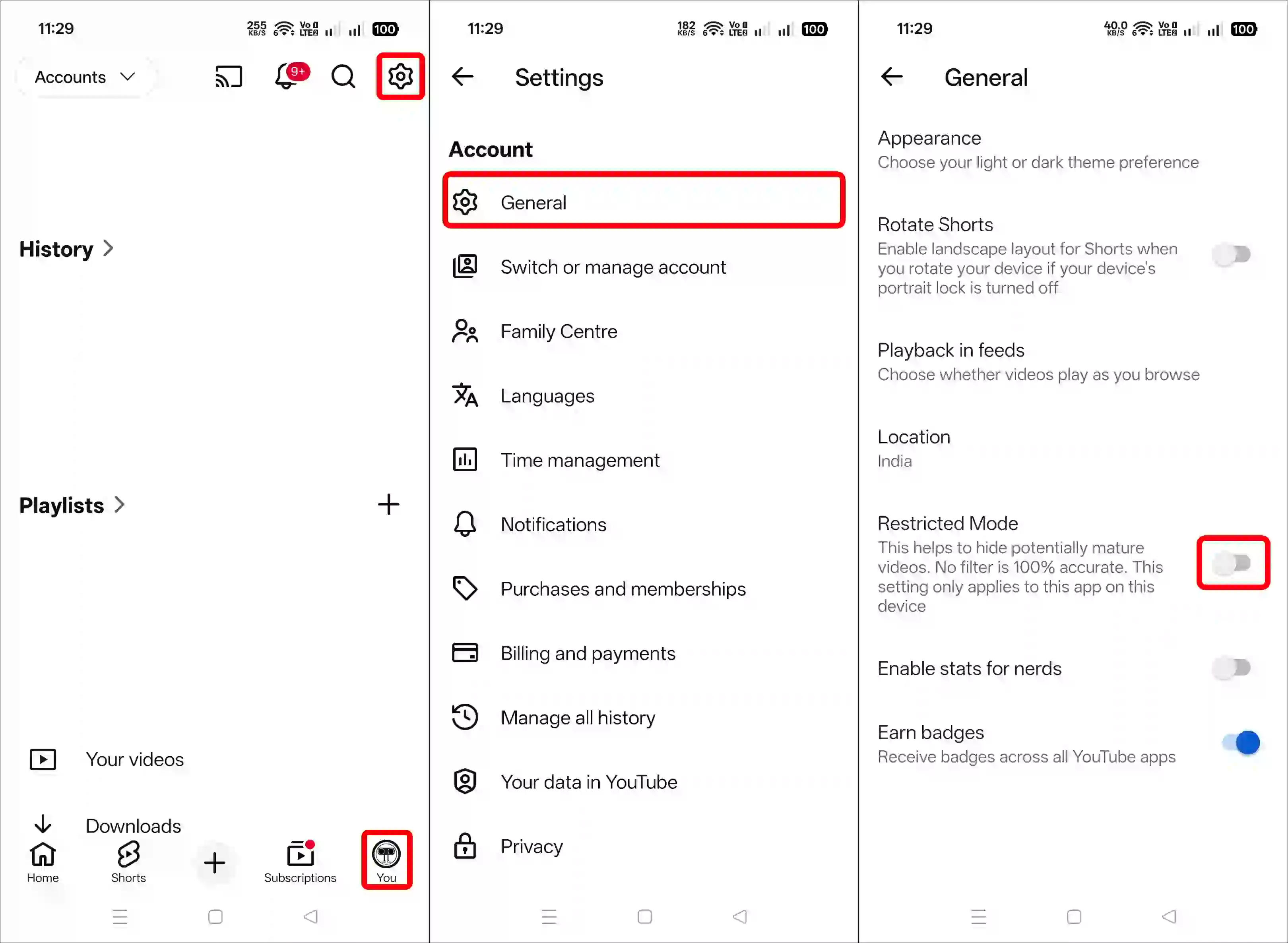
Restricted Mode in the YouTube app is an option that filters out offensive comments, such as those containing violence or obscene language. If this feature is enabled on your YouTube account, it could be the reason why comments are not appearing. You can disable it by following the steps mentioned below.
- Open YouTube App and Tap on Profile Icon at Bottom Right.
- Tap on Gear Icon at Top Right.
- Tap on General.
- Simply, Turn Off the “Restricted Mode” Toggle.
Also read: Turn ON or OFF Ambient Mode on YouTube
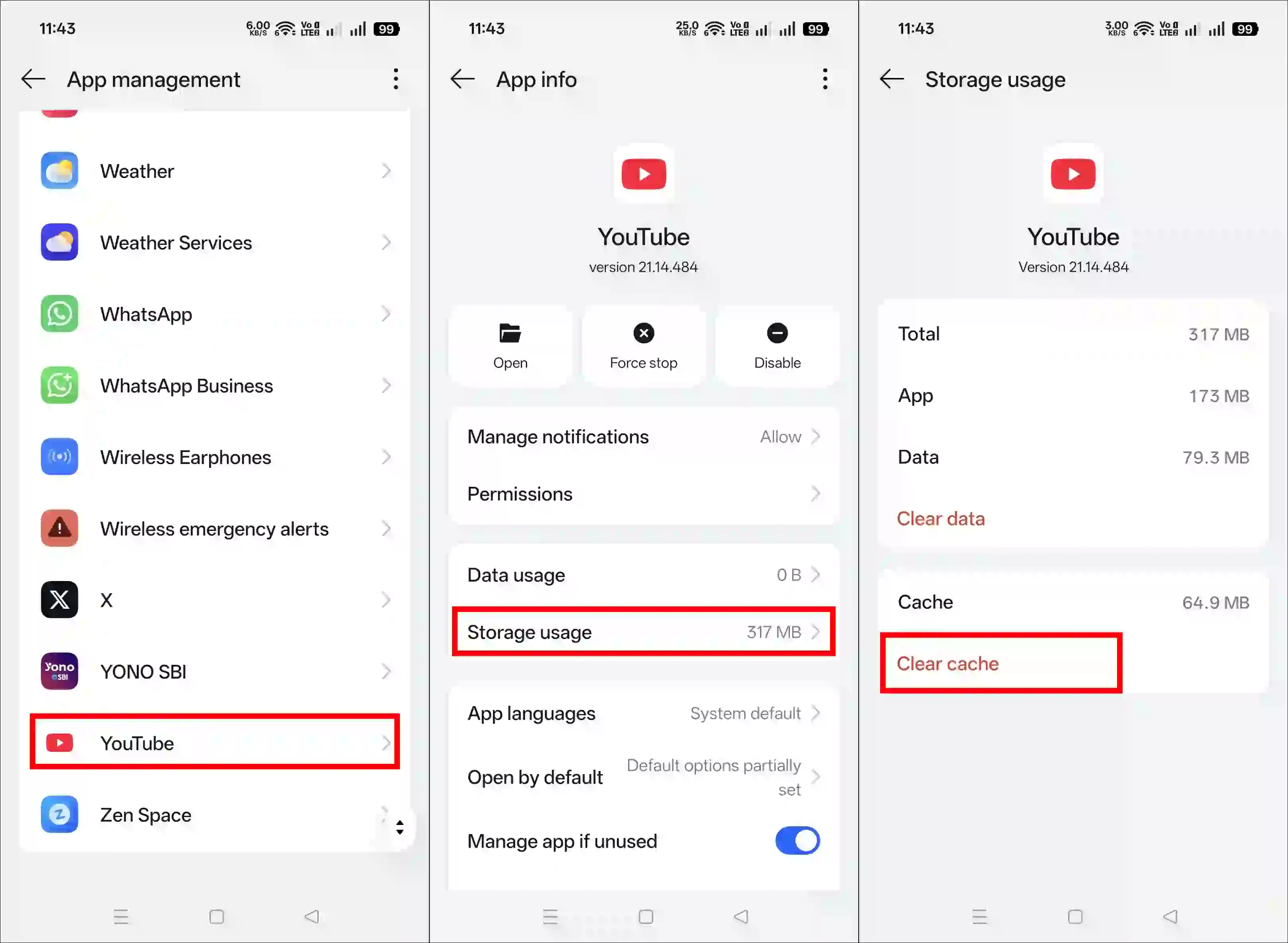
3. Clear YouTube App Cache
A corrupted cache often prevents an app’s functions from working properly. However, on an Android phone, clearing the corrupted cache easily fixes this problem.
- Open Settings on Your Phone.
- Go to Apps > All Apps > YouTube.
- Tap on Storage Usage/Storage & Data.
- Tap on Clear Cache.
4. Try a Different Video
Creators often disable or hide comments on some of their videos, preventing viewers from seeing them. In this case, try playing other shorts or videos to see whether comments appear on them or not. If comments are not visible on other videos either, please follow the other methods provided below.
5. Update the App
Sometimes, older versions of the YouTube app contain bugs or glitches that prevent certain functions from loading properly. However, this issue can be resolved by updating the app to the latest version via the Google Play Store or the Apple App Store.
Additional note: If the problem still persists even after the update, you now need to reinstall the YouTube app. This process deletes YouTube’s old files and installs new core files, which resolves technical issues.
Also read: How to Copy Comments from a YouTube Video on Android
6. Check YouTube Server Status
Now, you need to check the YouTube server status. If YouTube servers are experiencing any kind of outage, that can also cause comments not to appear. You can check the server status using Downdetector. If the server is actually down, you cannot do anything except wait until the server comes back online.
I hope you found this article helpful and learned how to fix the YouTube comments not showing up problem. If you have any questions related to YouTube, please ask in the comments below. Feel free to share this article as well.