
Disable Accessibility in GCash to Fix “Accessibility Service Detected” Problem
Are you seeing the message “Security Notice, Accessibility Service Detected. Please Disable it in Settings To Continue.” on your screen as soon as you open the GCash app? If yes, then you are not alone. Many GCash users have reported this suddenly appearing message on Reddit and Twitter.
This is a common issue that occurs when the phone has accessibility enabled for other apps. It’s a fairly easy fix on Android phones. You simply need to disable accessibility in GCash, and the steps are detailed below.
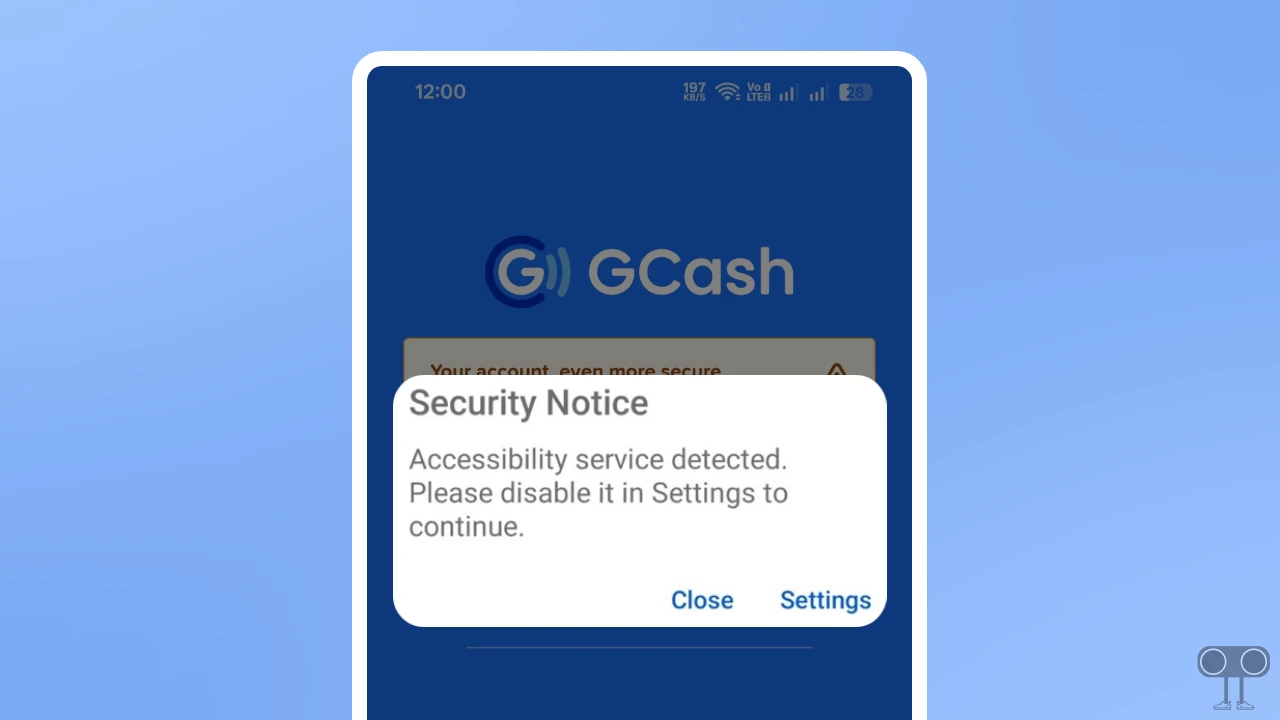
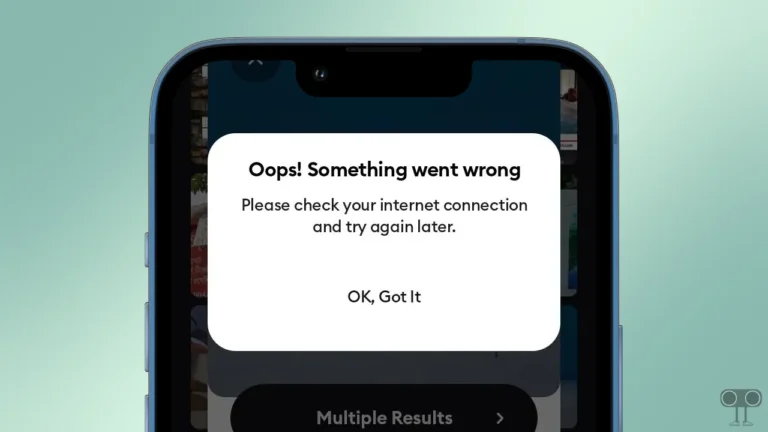
This error appears on GCash something like this:
Security Notice
Accessibility Service Detected. Please Disable it in Settings To Continue.
Close Settings
How to Disable Accessibility in GCash to Fix “Accessibility Service Detected” Problem
No matter which Android phone you use, all have an Accessibility option that lets users manage accessibility for apps. Follow the steps below to turn off Accessibility.
- Open Settings on Your Phone.
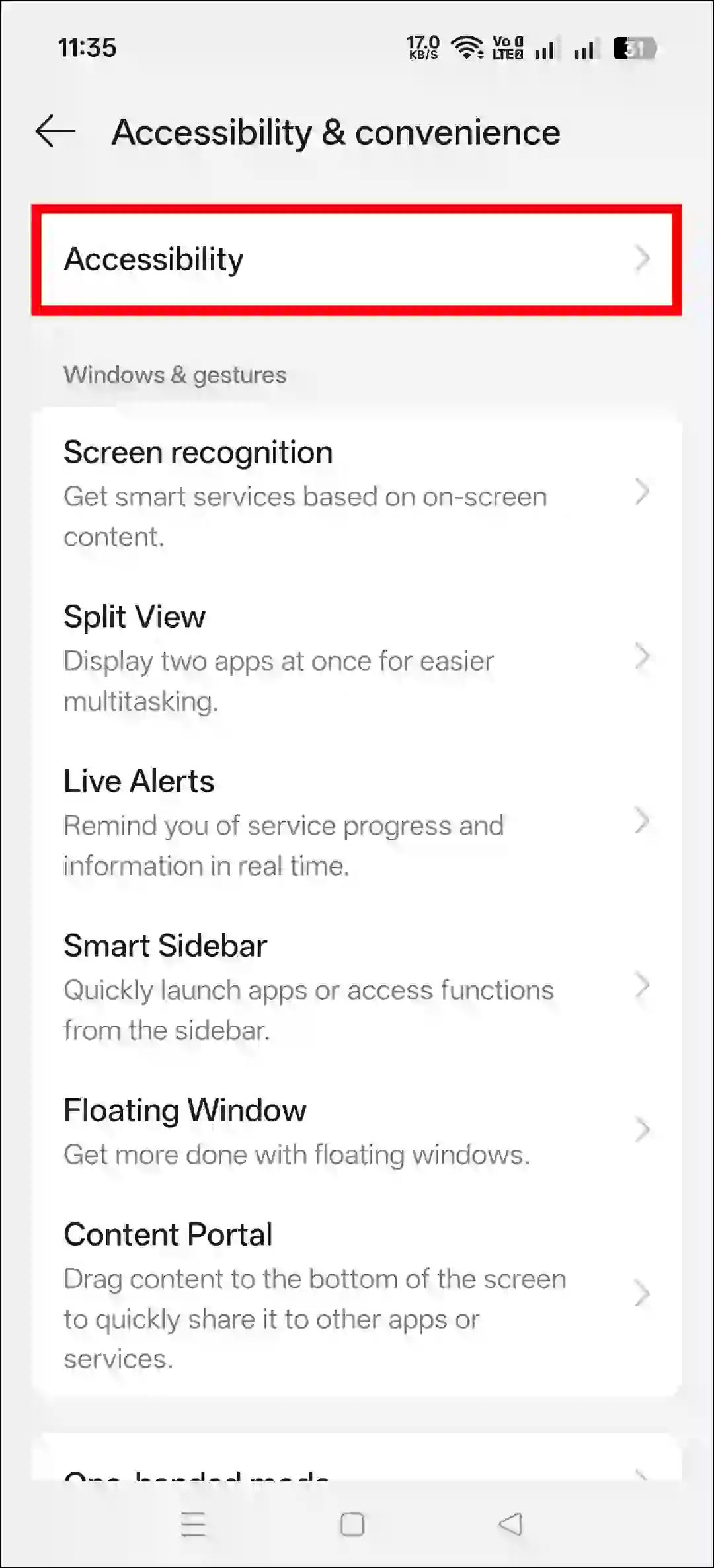
- Go to Accessibility & Convenience.
- Tap on Accessibility.
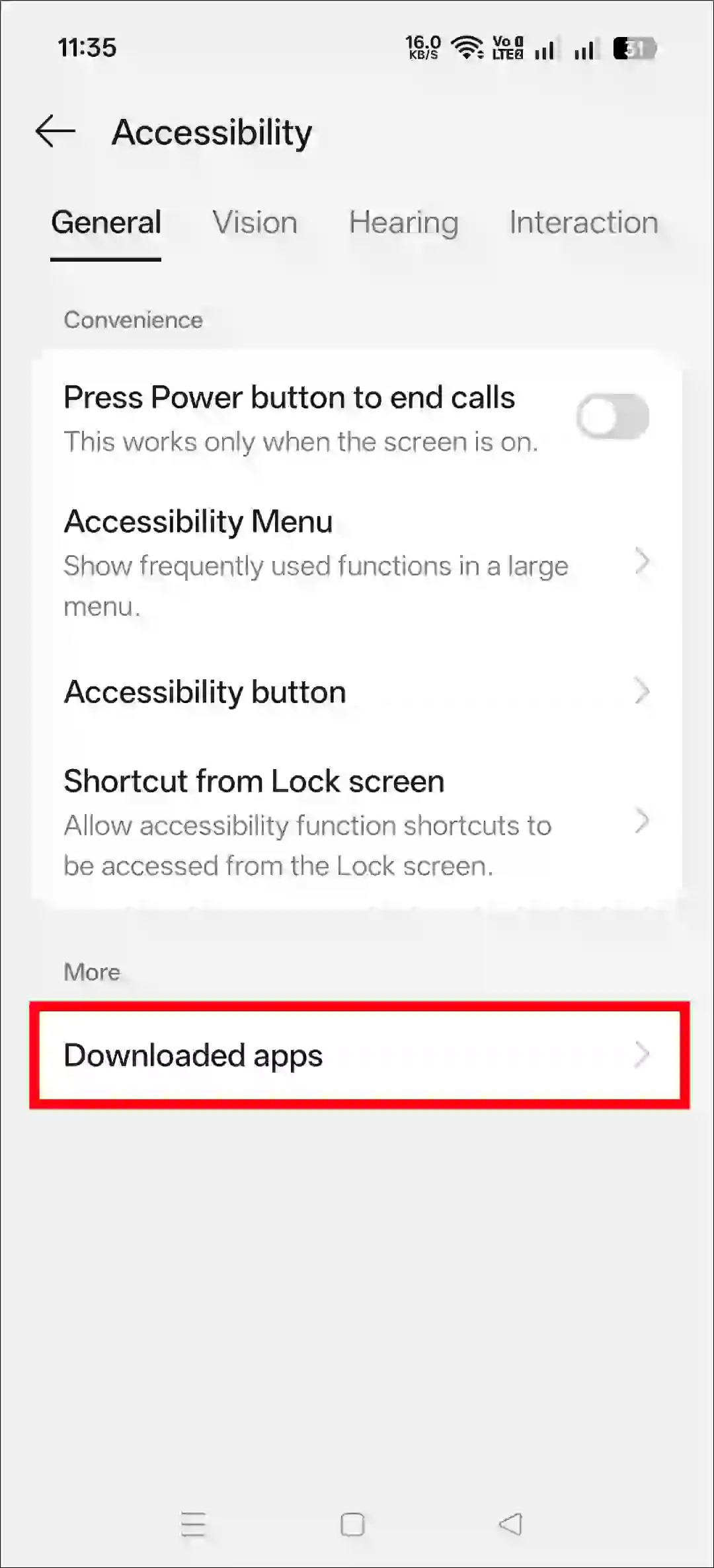
- Tap on Downloaded Apps.
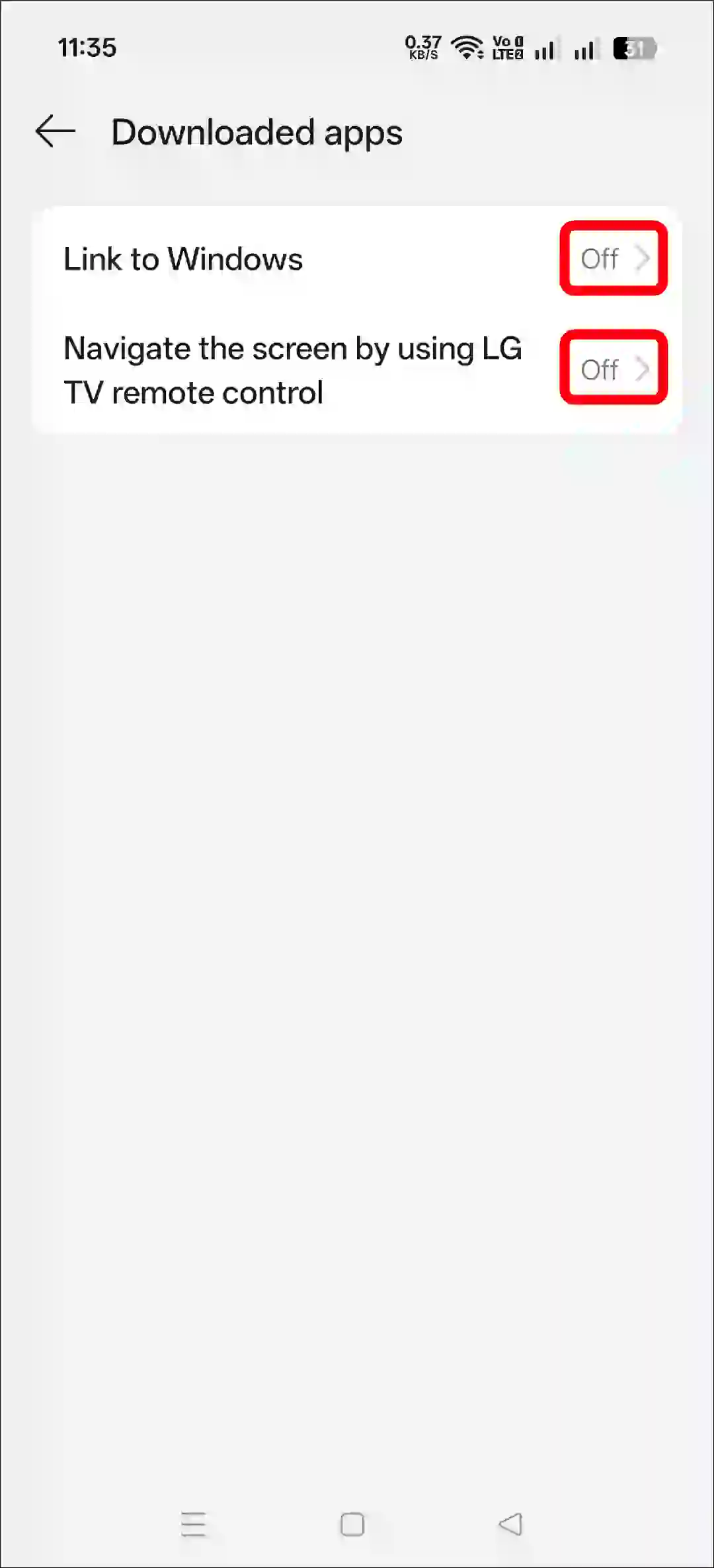
- Now, Turn Off the Accessibility for All Apps.
Once you have followed the steps given above, try following some of the methods given below.
1. Disable Developer Options
- Open Settings App on Your Phone.
- Tap on System or Additional Settings.
- Tap on Developer Options.
- Simply, Toggle Off Developer Options.
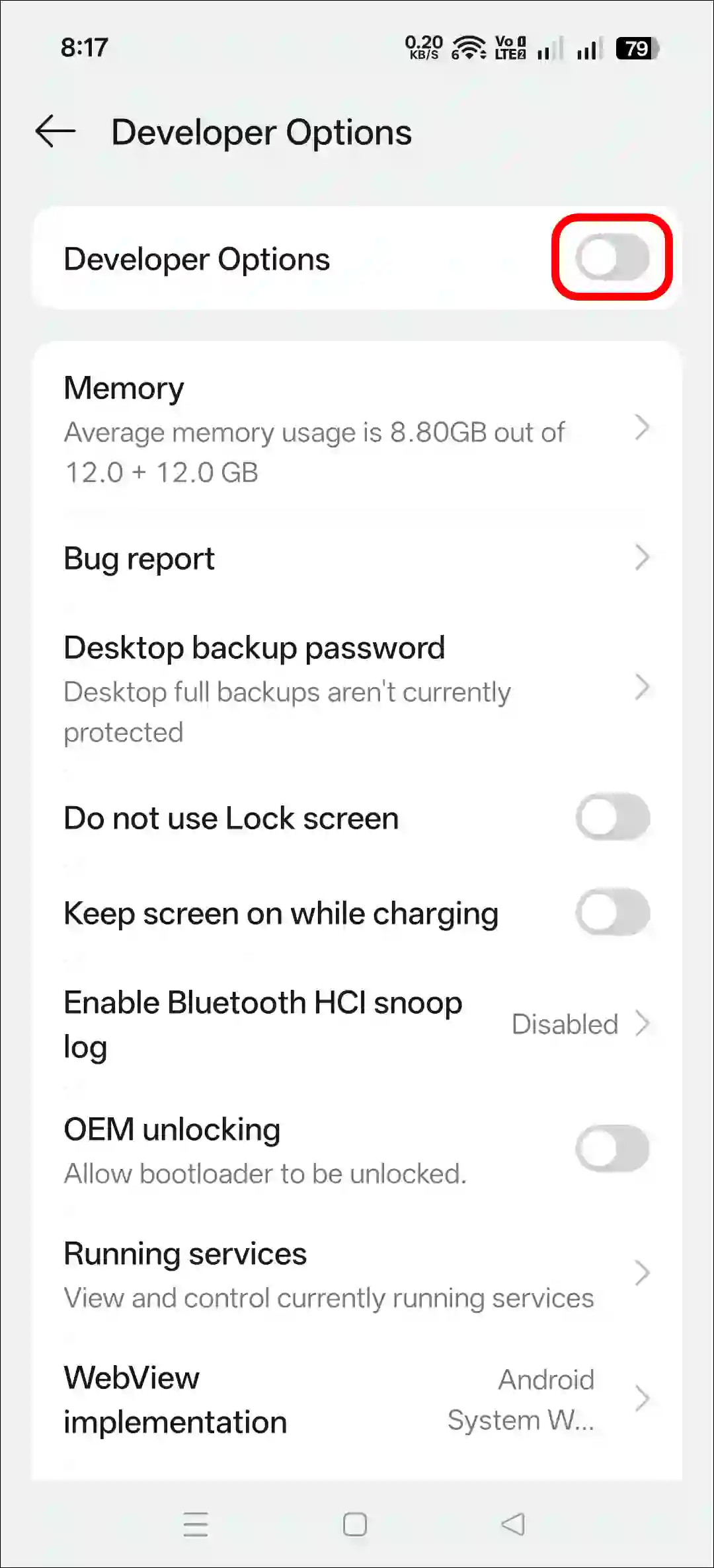
- Now, Restart Your Device.
2. Restart Your Phone
Sometimes, a temporary glitch between the device and the app can cause GCash to display this error message. However, such temporary glitches can be fixed with a simple restart of your device.
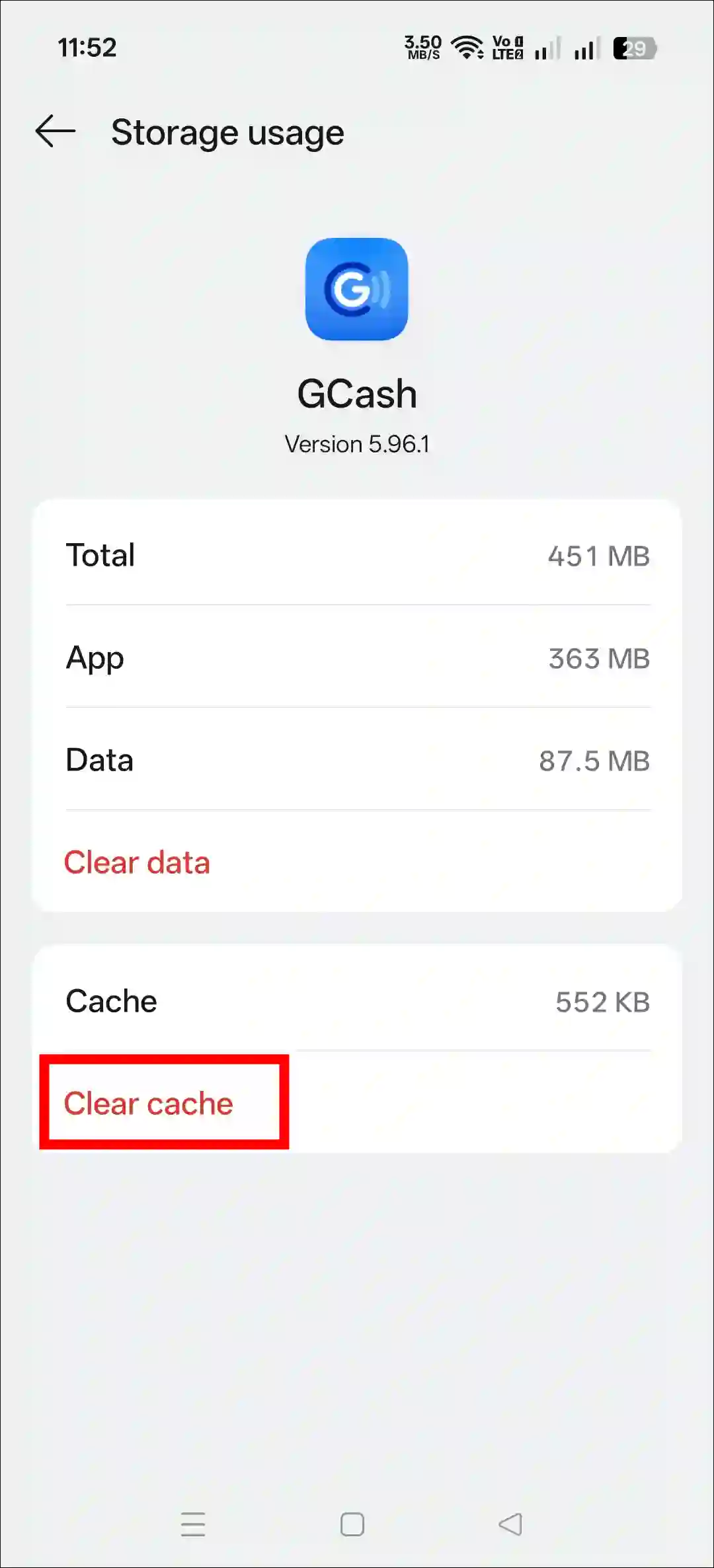
3. Clear GCash App Cache
- Open Settings App on Your Mobile Phone.
- Navigate to Apps > All Apps > GCash.
- Tap on Storage Usage.
- Tap on Clear Cache.
4. Update GCash App from Play Store
If you updated the GCash app from your device’s theme store instead of the Google Play Store, this issue might occur. For example, all Android phones have the Google Play Store, but many smartphone manufacturers (like Samsung, Vivo, Oppo, etc.) also offer their own app stores.
So if you download or update GCash from these app stores, you will have to face errors like this. In such a situation, either uninstall the GCash app and reinstall it from the Play Store, or simply update the GCash app from the Play Store and use it.
I hope you found this article helpful and learned how to disable accessibility in GCash. If you have any questions related to Gcach, please ask in the comments below. Feel free to share this article as well.

It Worked on Mine. Thank you.