
How to Search New Effects on Instagram Story
Instagram has effects (filters) that you can add to photos and videos. When you apply effects to photos in an Instagram Story, the photo will automatically appear according to the effect you have applied.
While you will see some effects right upfront by default, did you know that you can also search for even more new and unique effects? Yes! In this article, I have explained step-by-step how you can search for new effects on Instagram Stories.
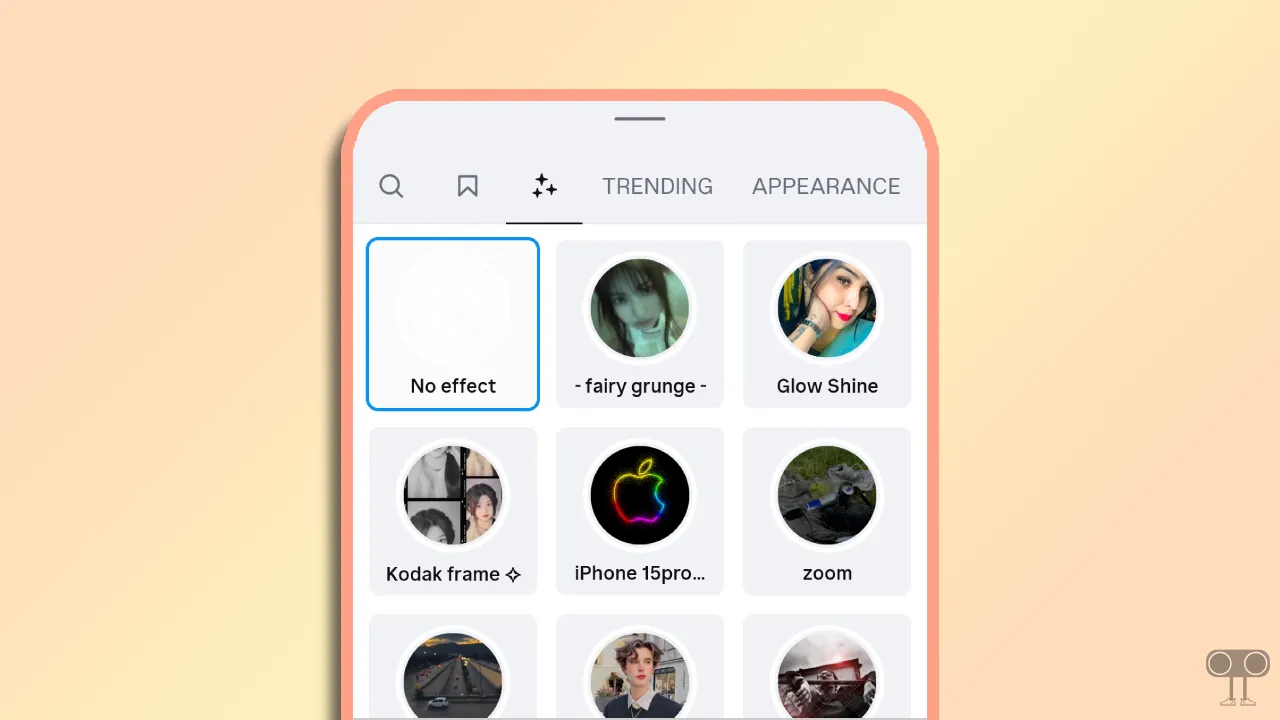
In addition to this, I have covered another issue in this post: the Instagram story effects search button not showing up. If you want to discover new effects, you need to tap the effects search button; however, if this button itself is missing, it can be frustrating. Below, I have mentioned methods to fix this issue as well.
2 Ways to Search New Effects on Instagram Story
1. Find New Effect in IG Camera
If you wish to capture photos by applying new effects directly within the Instagram camera, that is also possible. As soon as you launch the Instagram Camera, you will see several default effects displayed at the bottom, which you can browse by swiping left or right.
- Launch the Instagram App on Your Android or iPhone.
- Open Instagram Story Camera.
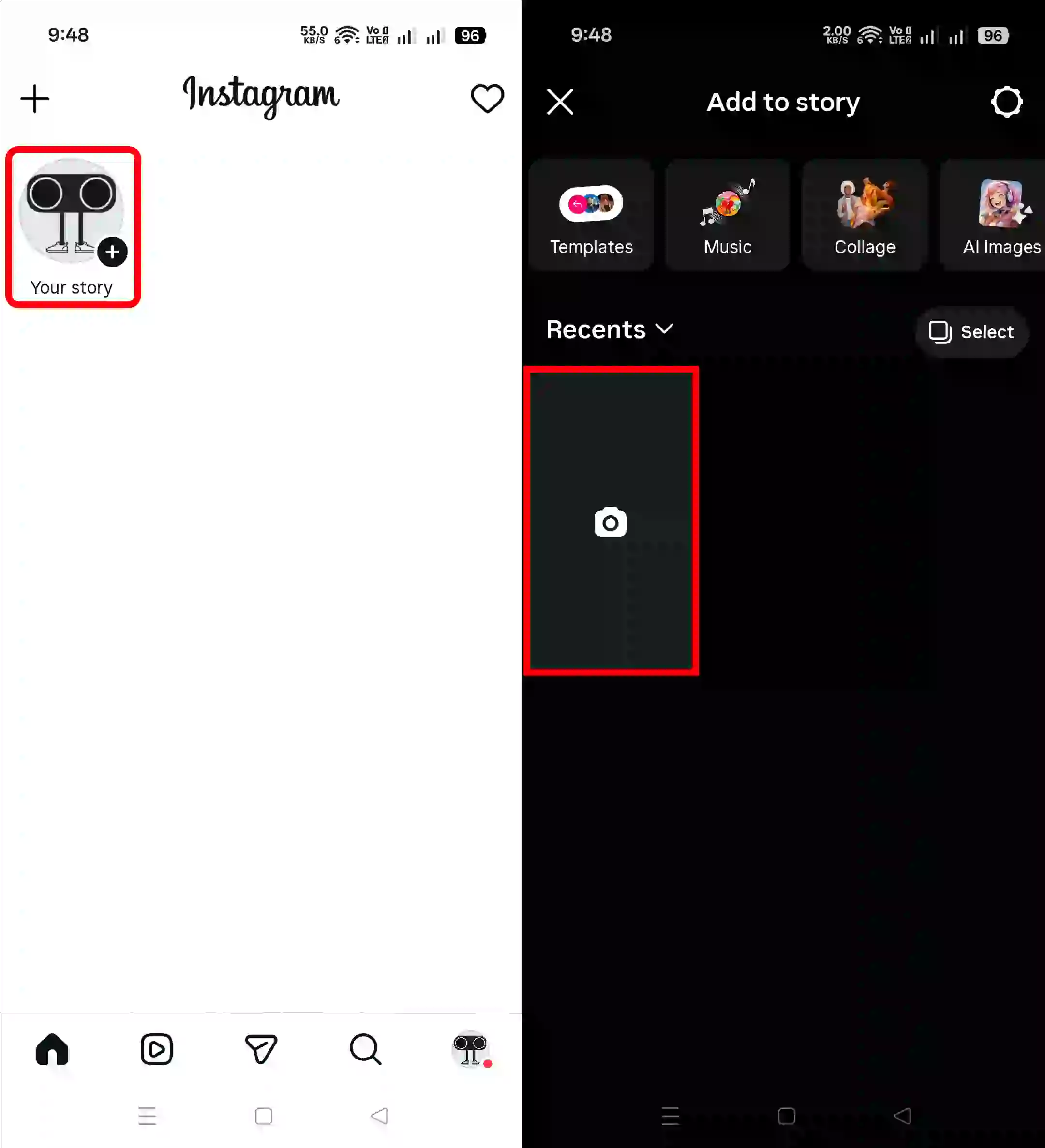
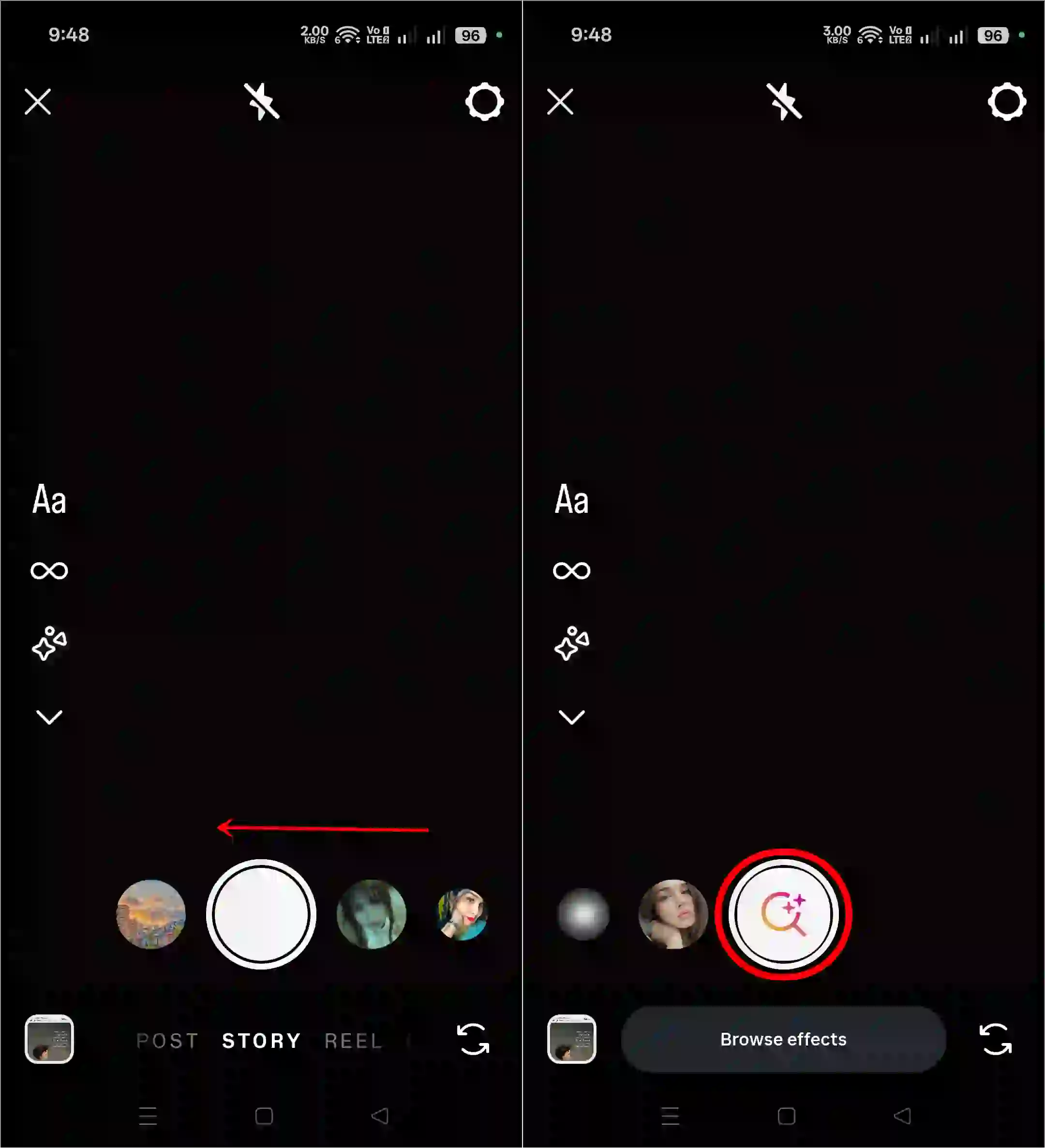
- Now, Swipe Left Until You See the Effects Search Button (Magnifying Glass) and Tap on This Button.
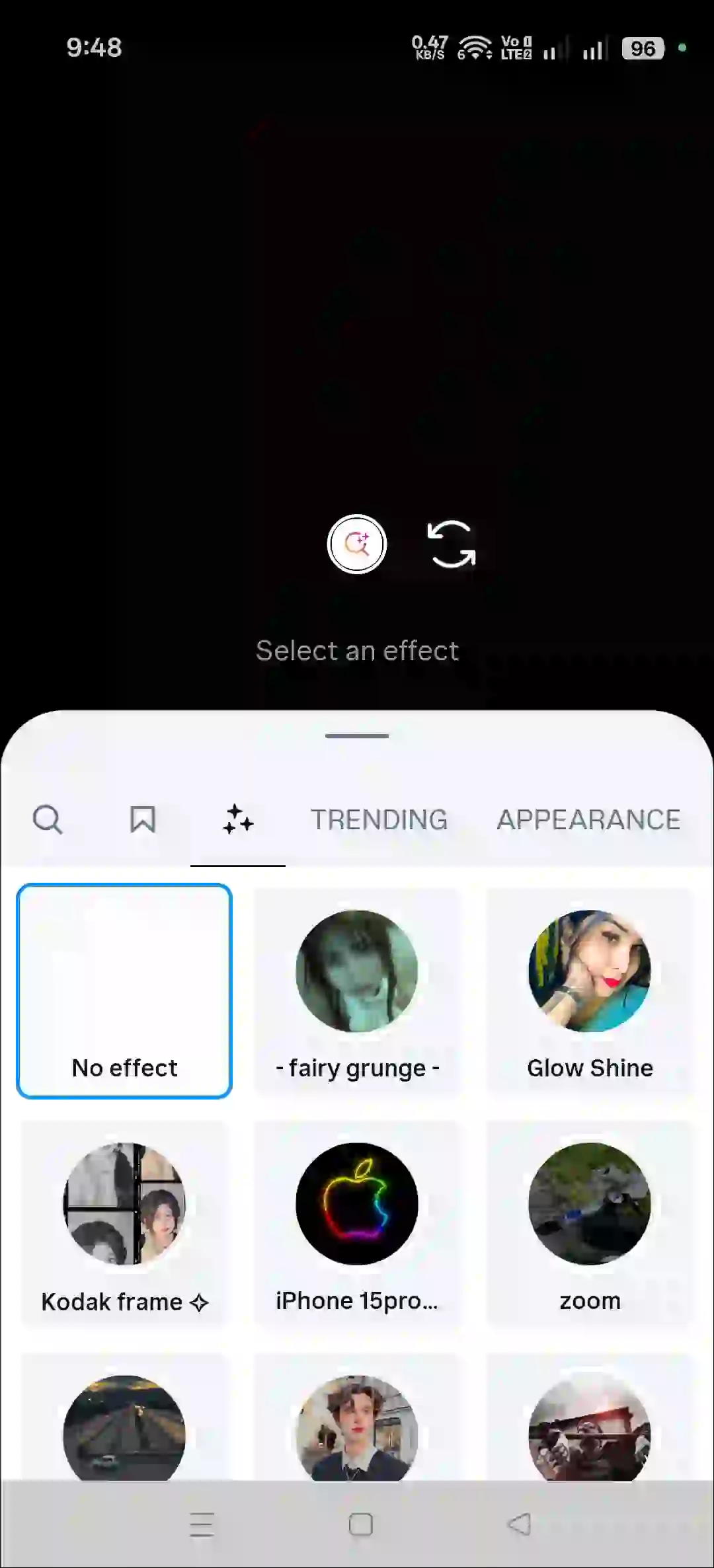
- Here, You Can Search and Add More Effects.
2. Find New Effects for IG Camera Roll
- Open Instagram App and Tap on Your Story.
- Select a Picture from Your Camera Roll.
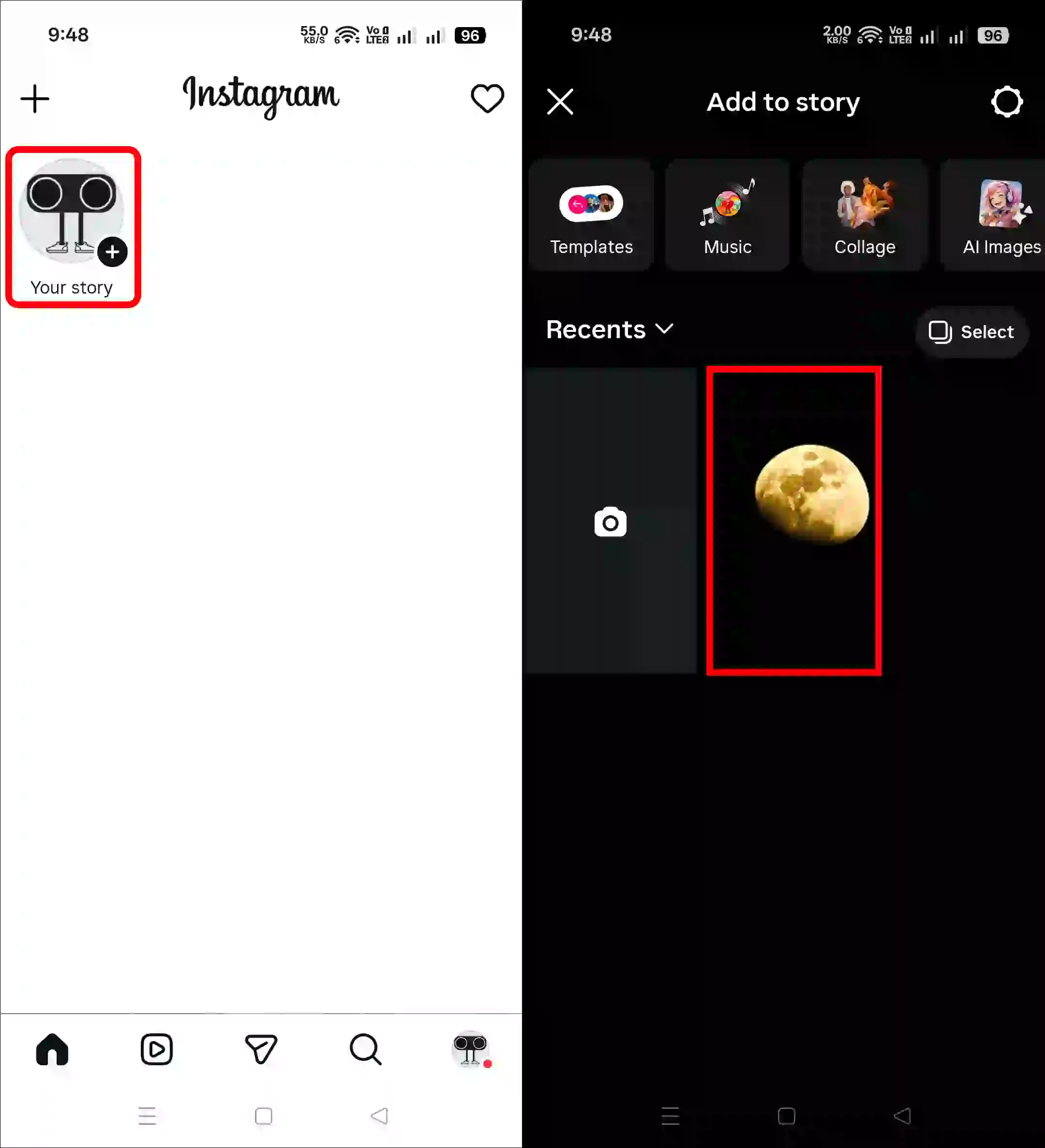
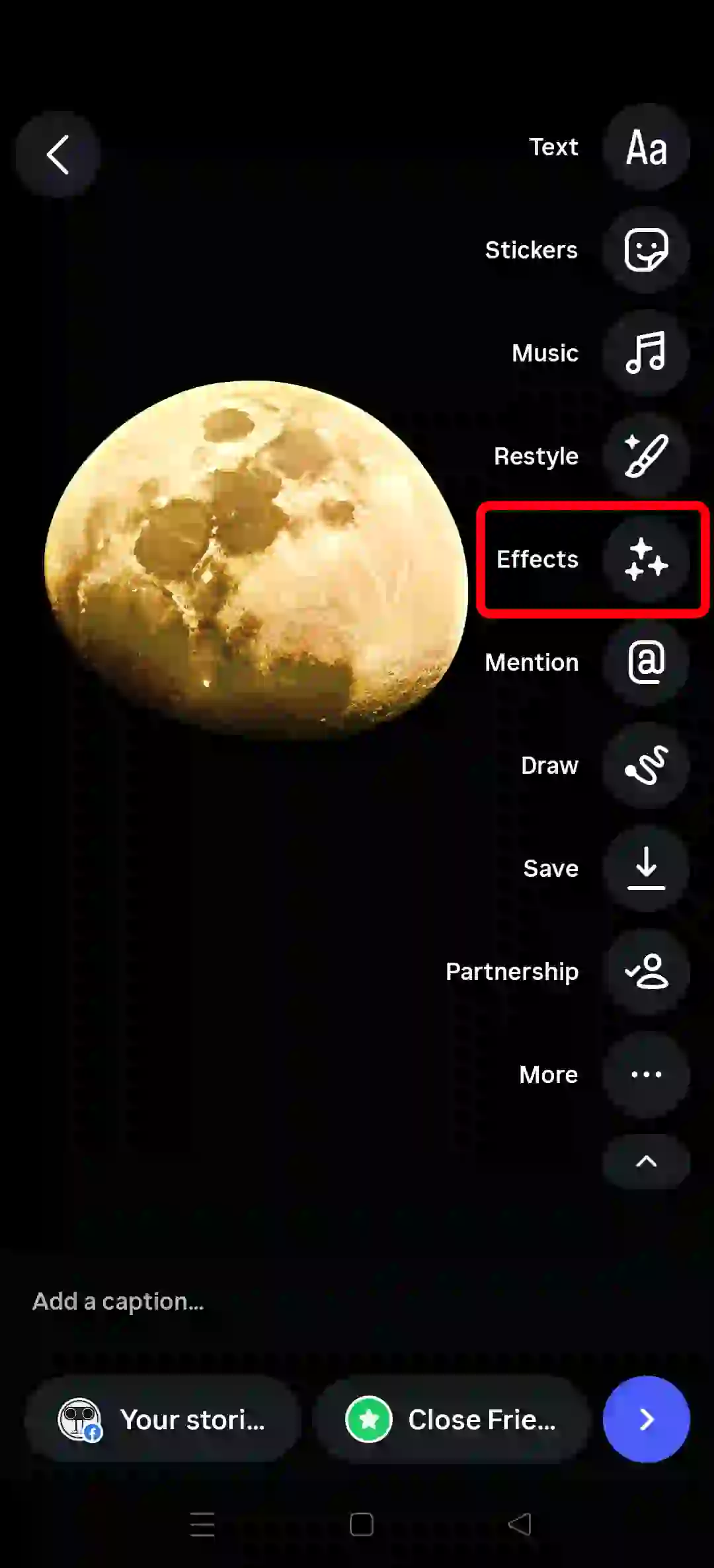
- Tap on Effects Icon at Right Right Side of the Screen.
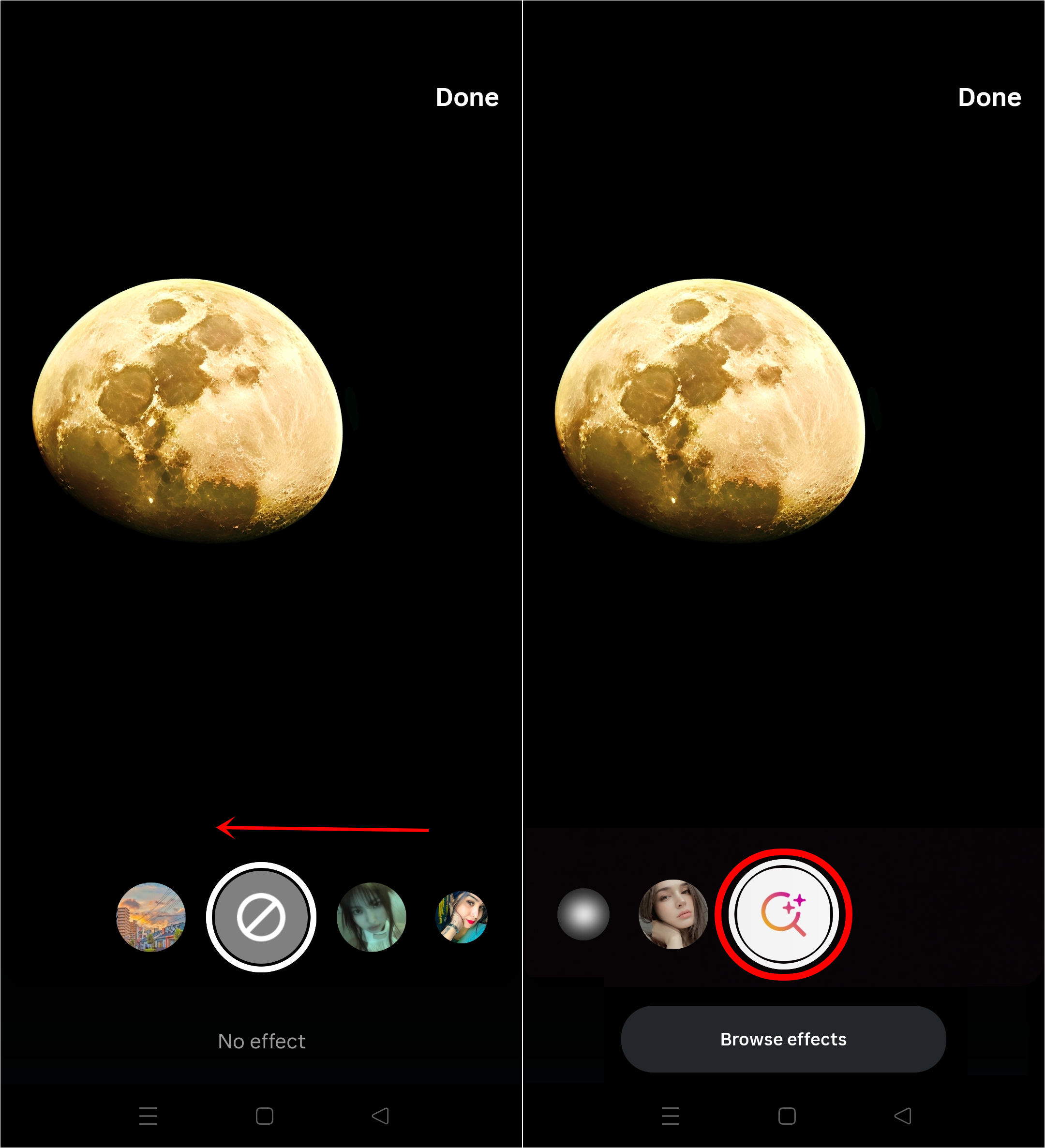
- Now, Swipe Left Until You See the Effects Search Button (Magnifying Glass) and Tap on This Button.
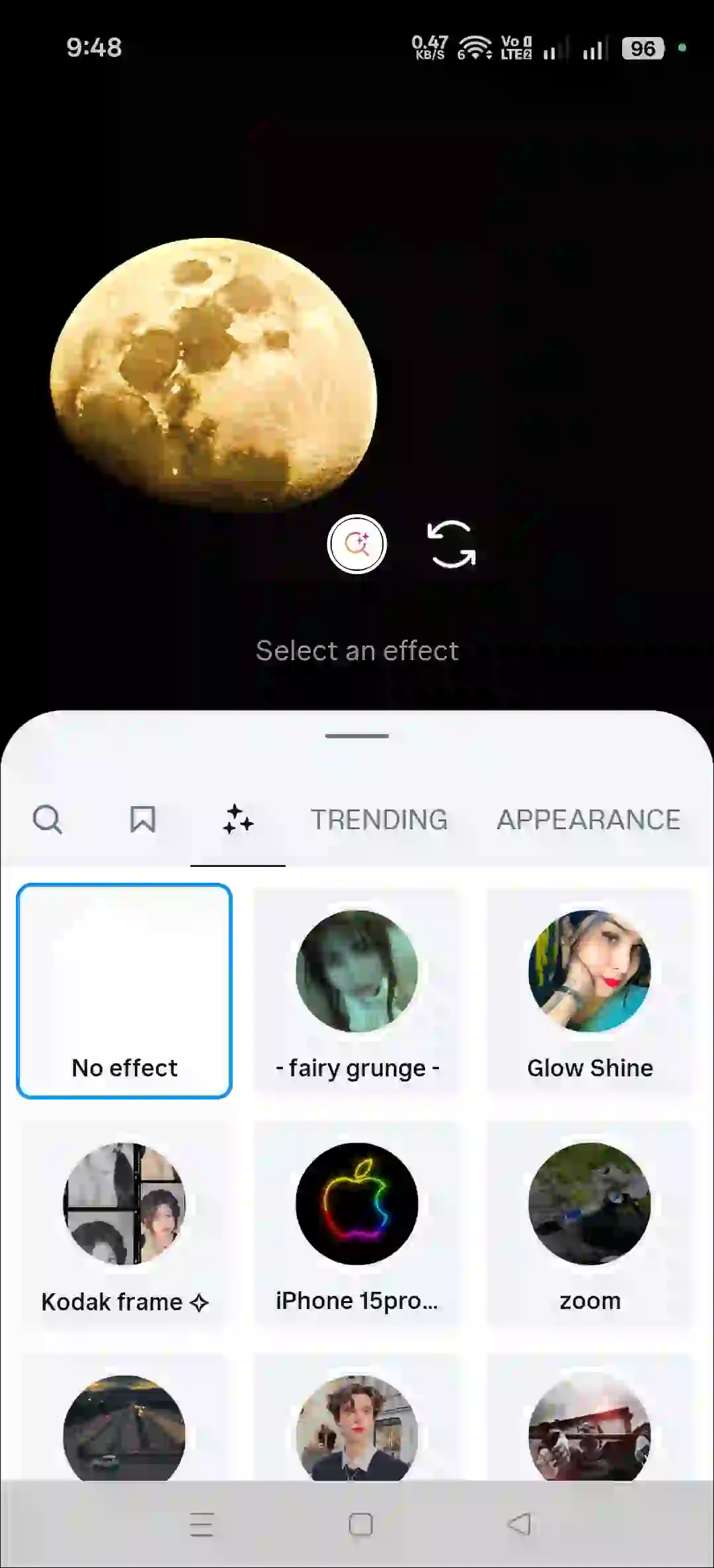
- Here, You Can Search and Add More Effects.
You may also like:
- How to Edit Comments in Instagram Posts and Reels
- Turn OFF or ON Typing Indicator on Instagram
- Use AI Voice Changer on Instagram Voice Messages in DM
Fix Instagram Effect Search Option Not Showing Problem
If the “Effects Search” option is missing from your Instagram Stories, you can neither search for specific effects nor apply them. But don’t worry! Using the troubleshooting guide provided below, you can easily fix this issue and regain access to the list of effects.
1. Check Your Internet Connection
Sometimes, a slow or poor internet connection prevents certain elements within the Instagram app from loading correctly. First, perform an internet speed test on your phone. If the speed is slow, switch to a different connection and check if the ‘Effects Search’ option is available.
2. Clear Instagram App Cache (Android)
On Android phones, a corrupted cache can disrupt an app and its functions, causing issues for users. By following the steps provided below, you can easily clear the corrupted cache for Instagram on your Android phone.
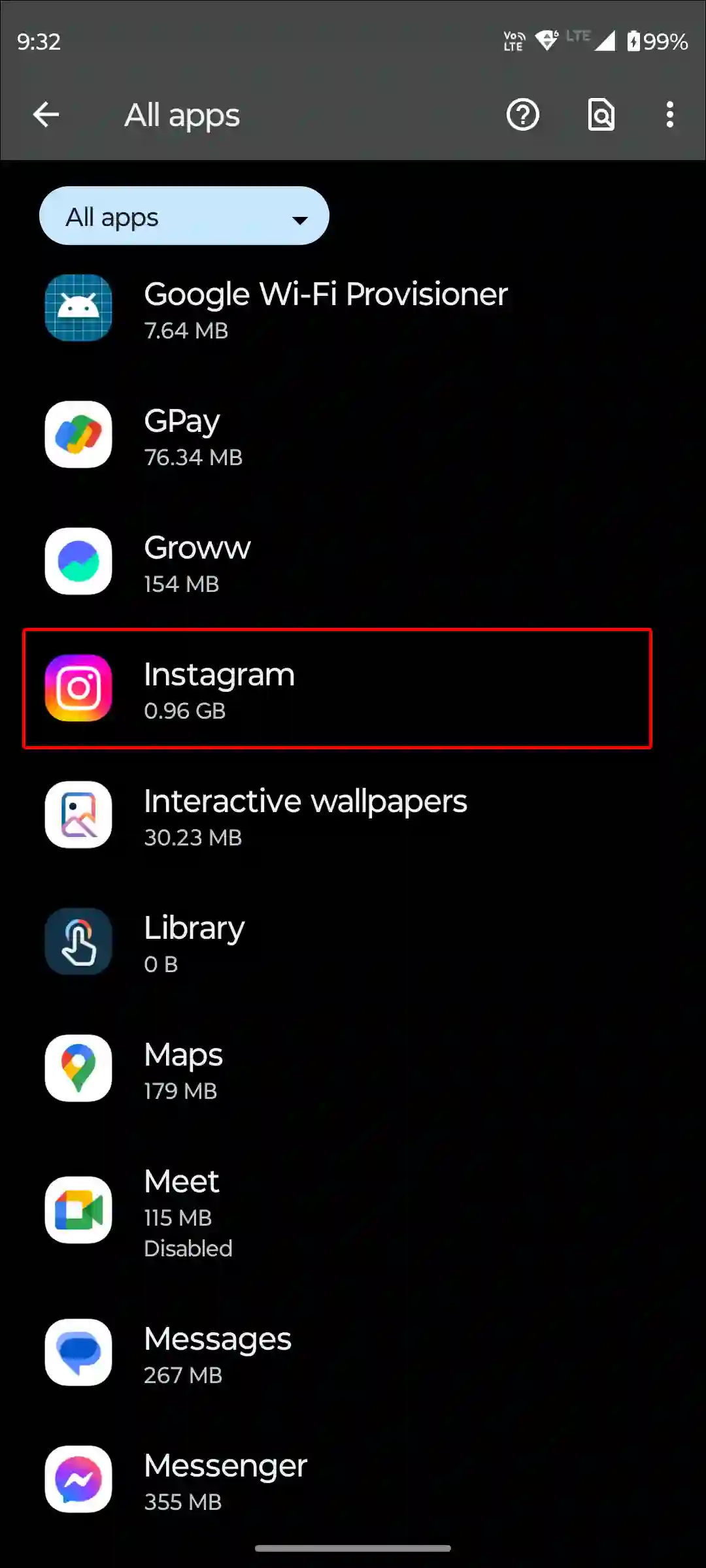
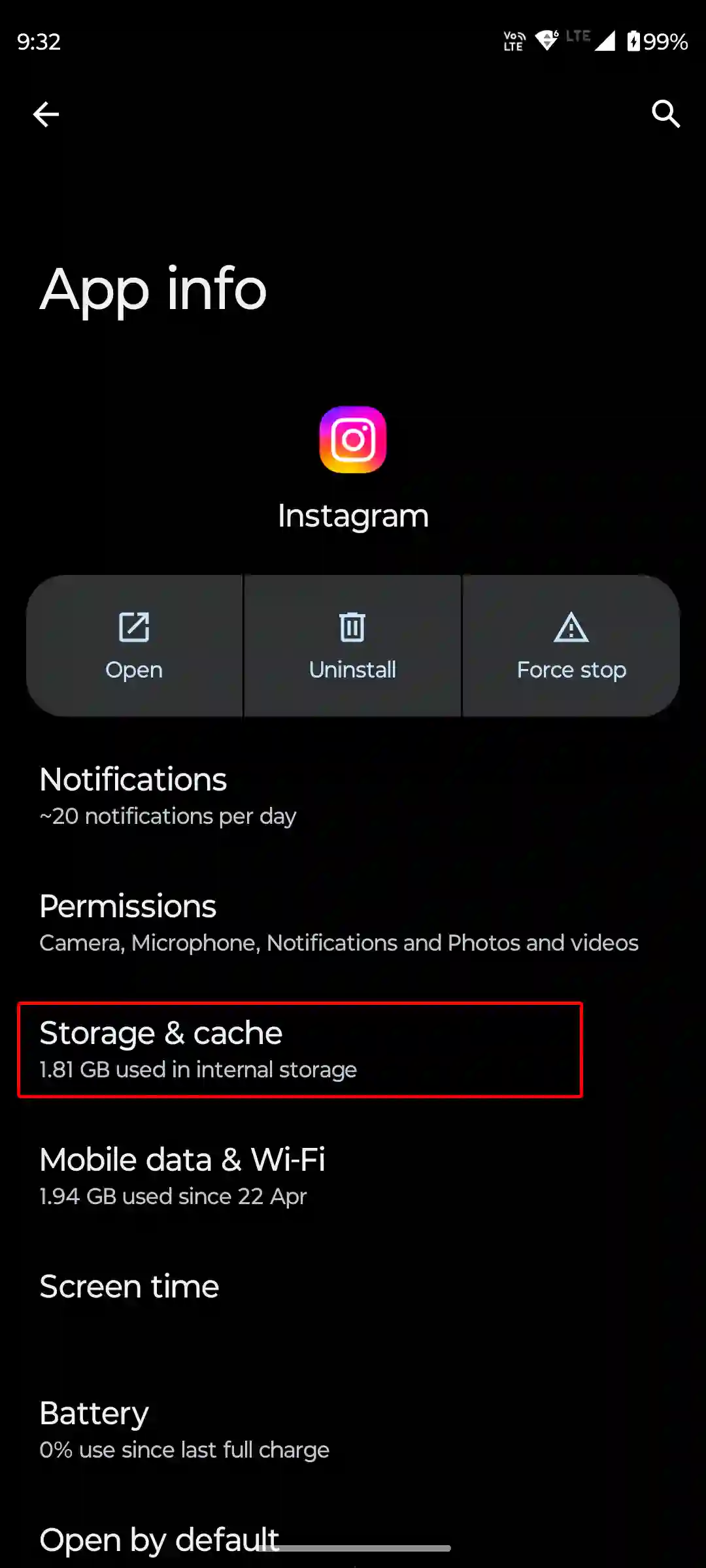
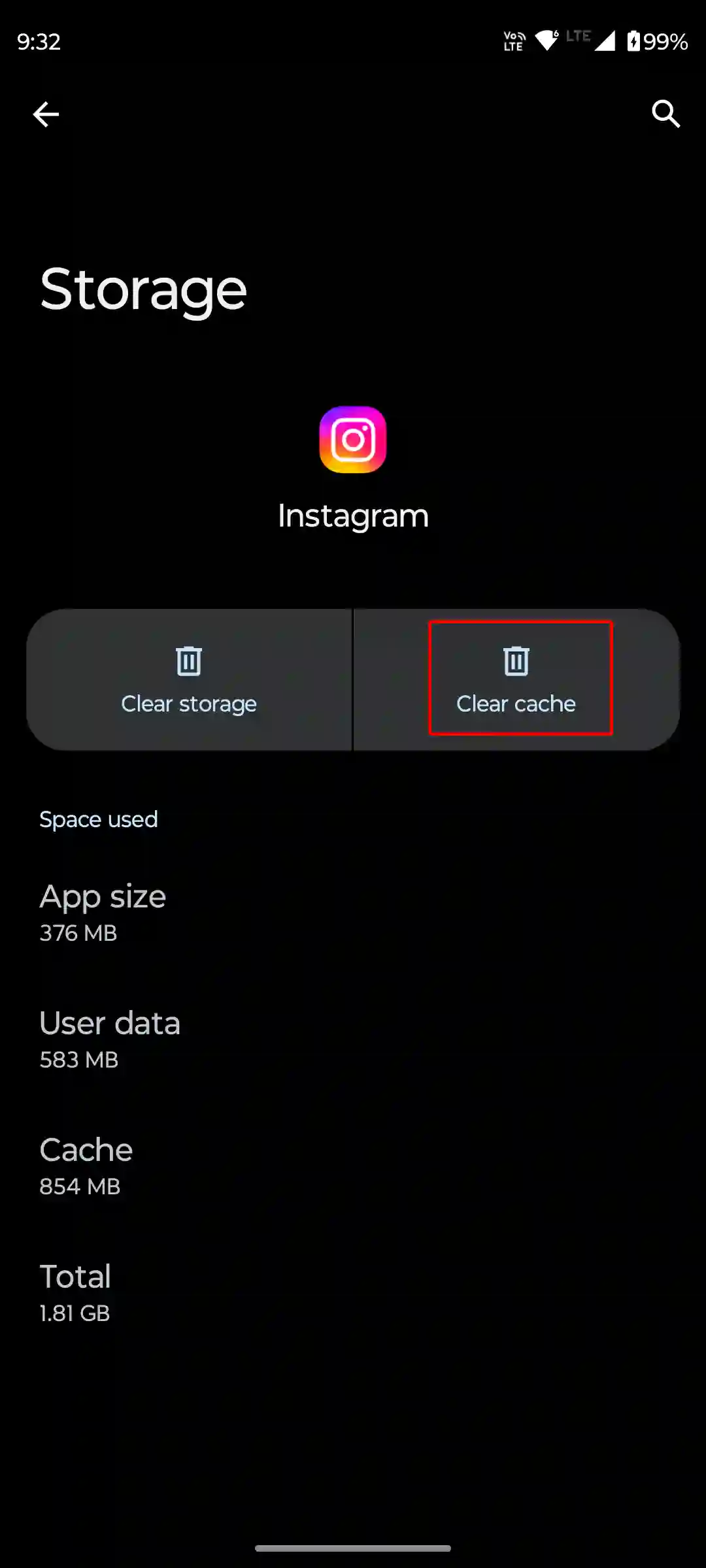
To clear Instagram’s cache on Android, open Settings > Apps > All Apps > Instagram > Storage & Cache > Clear Cache.
3. Check Instagram Server Status
Sometimes this issue happens on the server side, meaning when the server experiences downtime, some functions may go missing.
In this situation, you can’t do anything except wait until the server starts working properly again. You can check the Instagram server status by clicking this Downdetector link.
4. Update Instagram App
It’s very common to see an outdated app with bugs and temporary glitches that can spoil the Instagram experience of a user. If you are also using an outdated version of the Instagram app, then you may experience missing functionality.
Update your Instagram to the latest version from the Google Play Store or the Apple App Store. Once you update it, the issue will resolve immediately.
5. Reinstall Instagram App
If you’ve updated Instagram and still don’t see the effects search option, you now need to reinstall the app. This action removes old files from your device and installs new ones, which can fix technical problems.
Note: Log out of your Instagram account once, then log back in. This will reconnect your profile with Instagram’s servers, and the missing elements will start appearing again.
I hope you have found this article very helpful. And you learned how to find new effects on Instagram stories. If you have any problems related to Instagram, please let us know by commenting. Please share this article with your friends.

Ig effects