How to Turn Off HEVC on Oppo Phone! Step-By-Step Guide
If you are a flagship Oppo phone user, you might have noticed that your videos are being recorded in the HEVC format. By the way, this video will play on your phone, but if you share it with others, it will not play on their phones. However, you can easily turn off HEVC on your phone.
What is HEVC Format in Video?
The full name of HEVC is High Efficiency Video Coding, and it is also known as H.265. This feature was previously available on iPhone and Samsung, but now many other smartphone brands also support this feature. When you record video in HEVC mode, the file size is reduced by approximately 40–50%; it supports ultra-high resolutions—such as 4K and 8K—at high frame rates.
The problem is that most software/players do not support this format, which is why when we share this HEVC video, it does not play on their devices. Modern Android, Apple, and Windows devices can easily play HEVC files, but some older devices will require VLC Media Player to play them.
Now, if you do not want your Oppo phone to record videos in the HEVC format, you can simply disable this format. However, even after disabling it, you can still record in 4K or higher resolution (if supported), although the recording will be in the H.264 format instead of H.265.
How to Turn Off HEVC on Oppo Phone
I have used the Oppo Reno 14 Pro phone for the steps given below, which is currently based on ColorOS 16 and Android 16. This phone supports the HEVC format, and today we will disable this option on it.
To disable HEVC on your oppo phone:
Step 1. Launch Camera App on Your Oppo Phone.
Step 2. Tap on 6-Dots at Top Right Corner and Then Settings Icon at the Bottom.
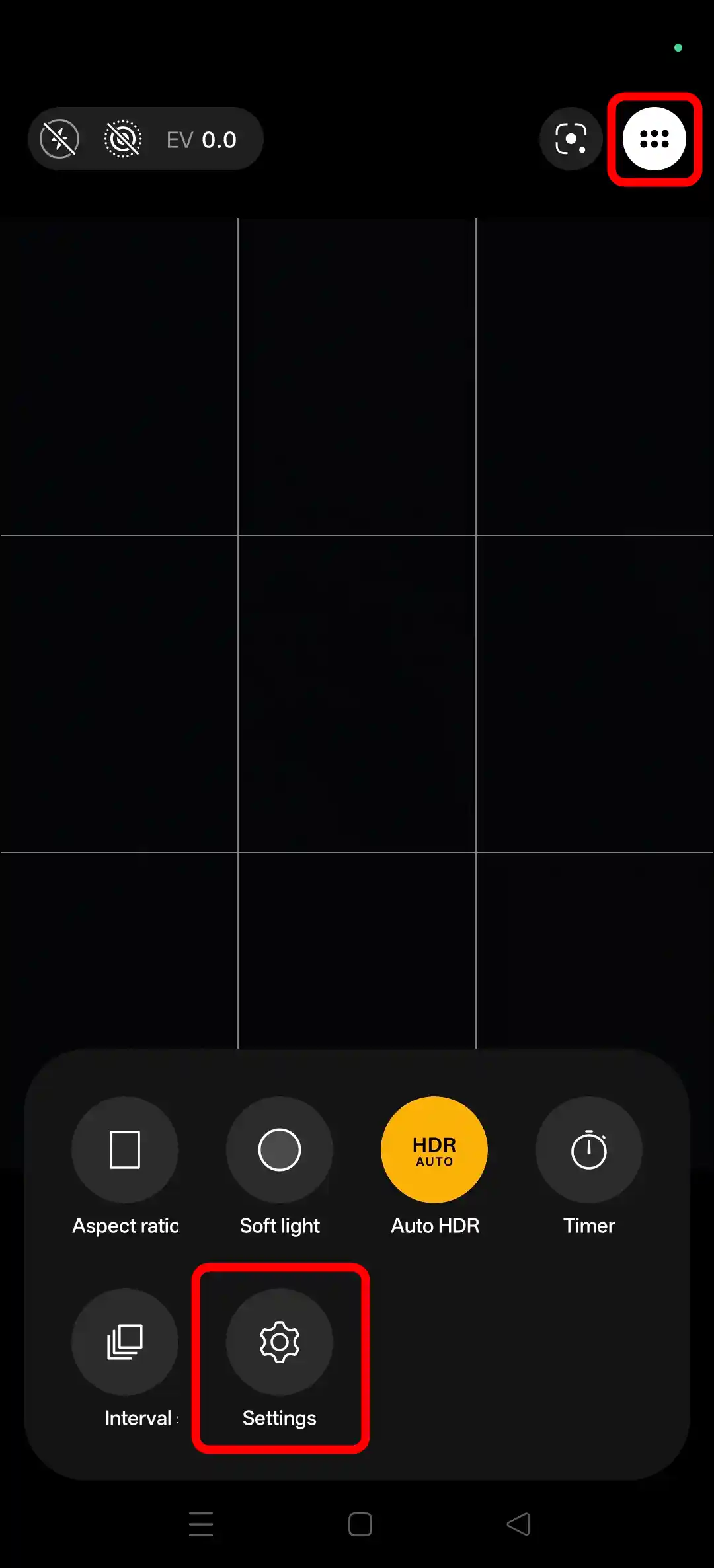
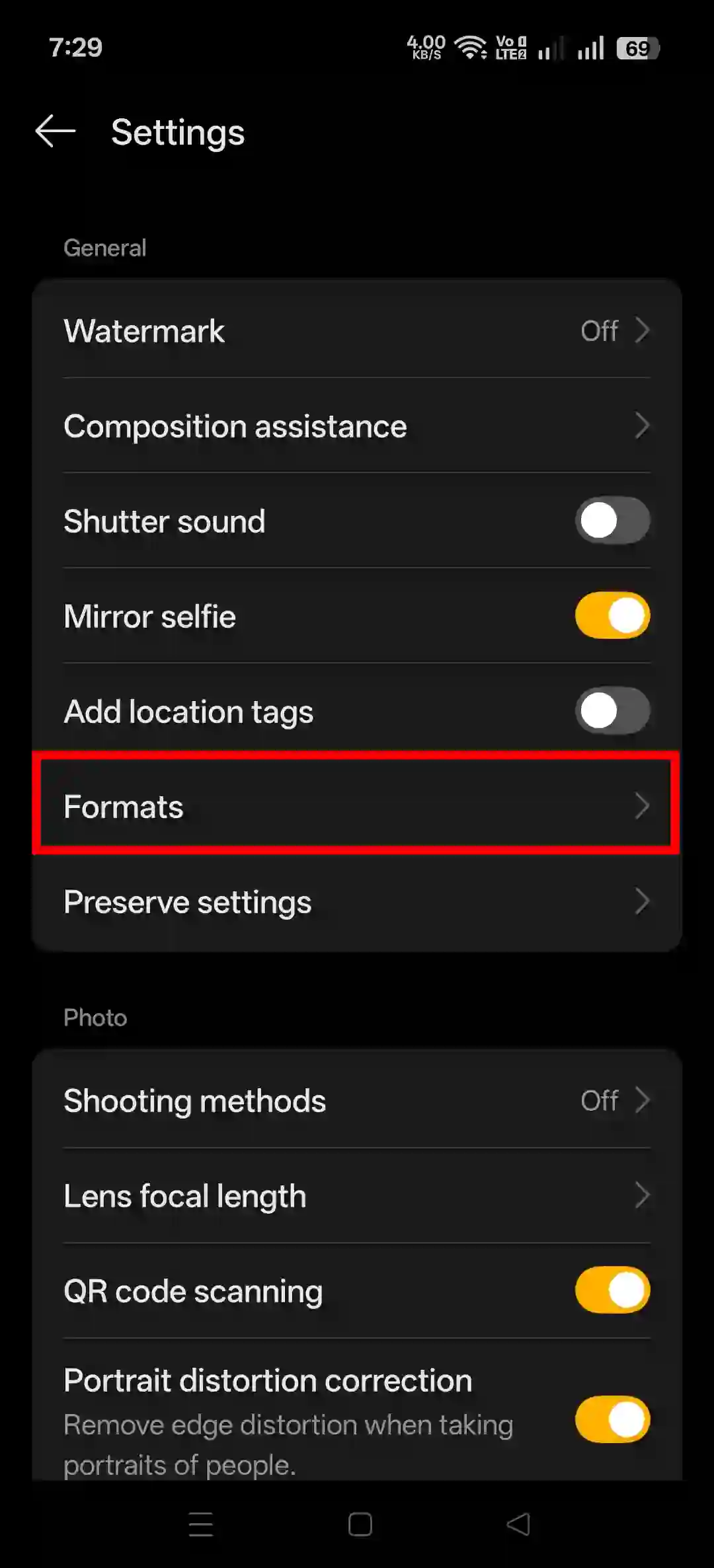
Step 3. Tap on Formats.
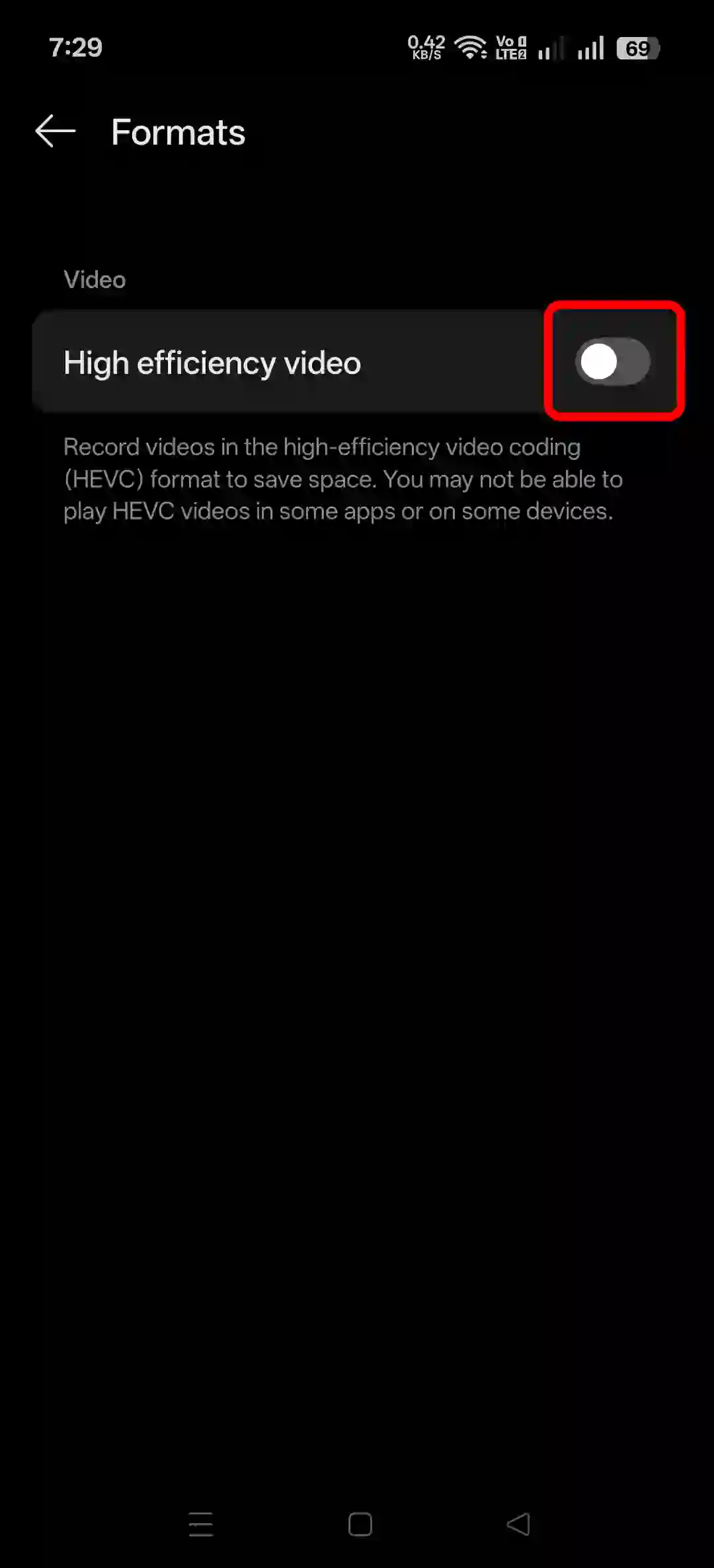
Step 4. Simply, Turn Off the “High Efficiency Video” Toggle.
Oppo Related Posts:
- Oppo’s AI Editor Says “We are Experiencing High Demand. Please Try Again Later.”
- How to Turn On and Use Air Scroll in Oppo Phones
How to Turn Off HEVC on Android Phones
1. On Samsung
- Open Camera App and Go to Settings.
- Tap on Advanced Video Options or Advanced Recording Options.
- Turn Off the “High efficiency Videos”.
2. Google Pixel Devices
- Open Camera App and Go to Settings.
- Tap on Advanced.
- Simply, Turn Off the “Store Videos Efficiently” or “H.265/HEVC” Toggle.
That’s all! You’re done…
FAQs
Q 1. How do I convert a HEVC video to normal video?
Answer – To do so, open the gallery and play the video > tap on the ⁝ dots > tap on “convert to compatible format”.
Q 2. Should I disable the HEVC format while recording?
Answer – If you want to share the video after recording with a person whose device does not support the HEVC format, then my advice is that you disable the HEVC option at the time of recording.
I hope you found this article helpful and have disabled the HEVC format on your Oppo phone. If you have any questions or issues related to this, please feel free to ask in the comments below. Do share this article with your friends.