Disable Animated FIFA World Cup Doodle on Chrome’s Google Homepage
The FIFA World Cup 2026 is underway, and Google has featured an animated FIFA World Cup Doodle on its homepage. While it looks quite attractive, some users might find it a bit odd. If that animated doodle on Google’s desktop homepage in Chrome annoys you too, don’t worry; you’re not alone.
In this article, I have discussed a hidden Chrome flag that allows you to easily disable this animated doodle. However, you can bring this animated doodle back to the Chrome homepage whenever you want.
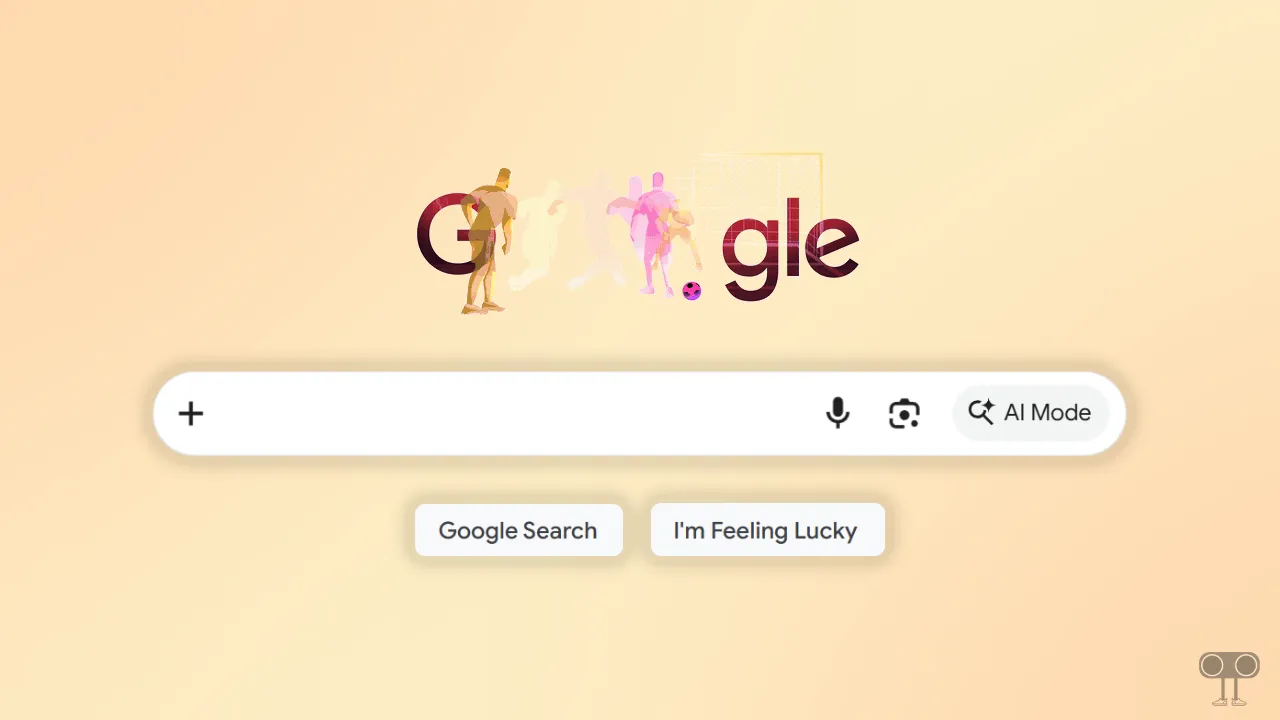
Here’s How I Disabled Animated FIFA World Cup Doodle on My Chrome’s Google Homepage
To turn off the annoying animations on the Google home page:
- Open Chrome Browser on Your Laptop or Computer.
- Type
chrome://flags/and Hit Enter. - Search “NTP Animated Doodles” in the Search Bar.
- Click on Dropdown Arrow and Select “Disabled” Option.
- Now, Click on Relaunch Button at the Bottom to Restart the Browser.
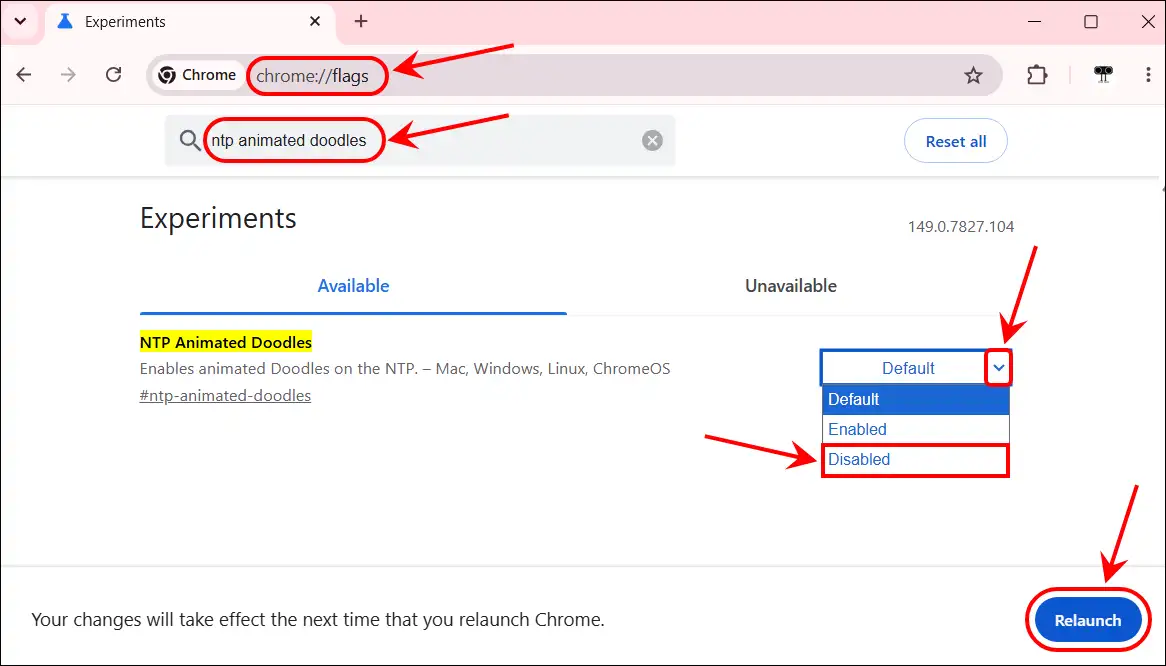
That’s it! Once you finish the steps above, the animated Google Doodle will disappear from your Chrome homepage. However, you can reactivate animated Doodles by setting this flag back to default.
You may also like:
- Force Google Chrome to Update Installed Extensions
- Activate Google Gravity on Mobile, PC and Chromebook
I hope you found this article helpful and learned how to remove the animated doodle from the Google homepage. If you have any other questions about Chrome, feel free to ask in the comments below. Don’t forget to share this article.