Here’s How to Enable Tree-Style Tabs in Brave Browser
Users had been waiting for tree-style tabs in the Brave browser for a long time, and the feature has finally gone live publicly in the stable version. To use this feature, you still need to enable an experimental flag and then turn on this option from the settings.
What is Brave’s Tree Tabs Feature?
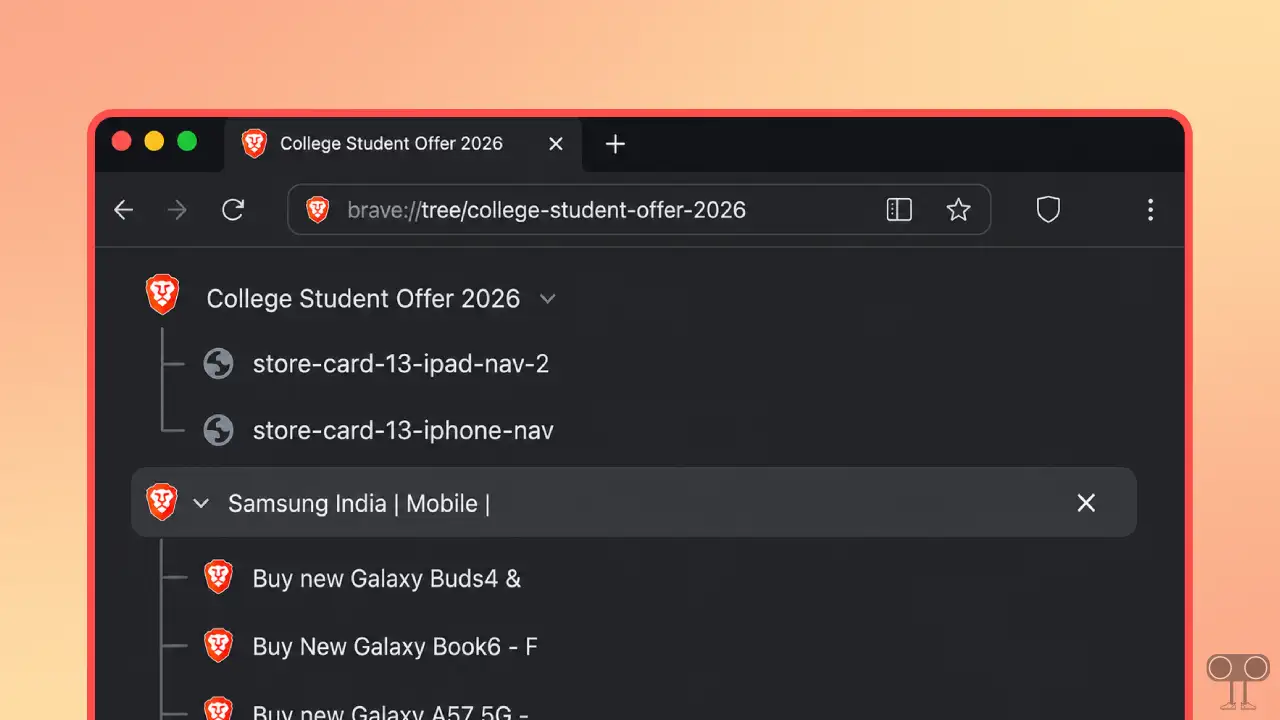
Tree-style tabs in the Brave browser is a feature that works with a vertical tab arrangement. When you open a new tab from an existing one, it becomes a “child” tab of the main tab, creating a tree-like structure.
You do not need to use Brave Canary or Beta to try out this feature. It is now live for everyone on the Brave Stable version (v1.92.141). Below, I have shared a step-by-step guide on how you can enable tree tabs in the latest stable update of Brave.
Here’s How to Enable Tree-Style Tabs in Brave Browser
To enable tree stacking for tabs:
- First, Update Your Brave to the Latest Version.
- Type
brave://flagsin the Address Bar and Hit Enter. - Search “Tree” and Find the “Brave Tree Tab”.
- Click on Dropdown Next to ‘Brave Tree Tab‘ and Set Its Value to Enabled.
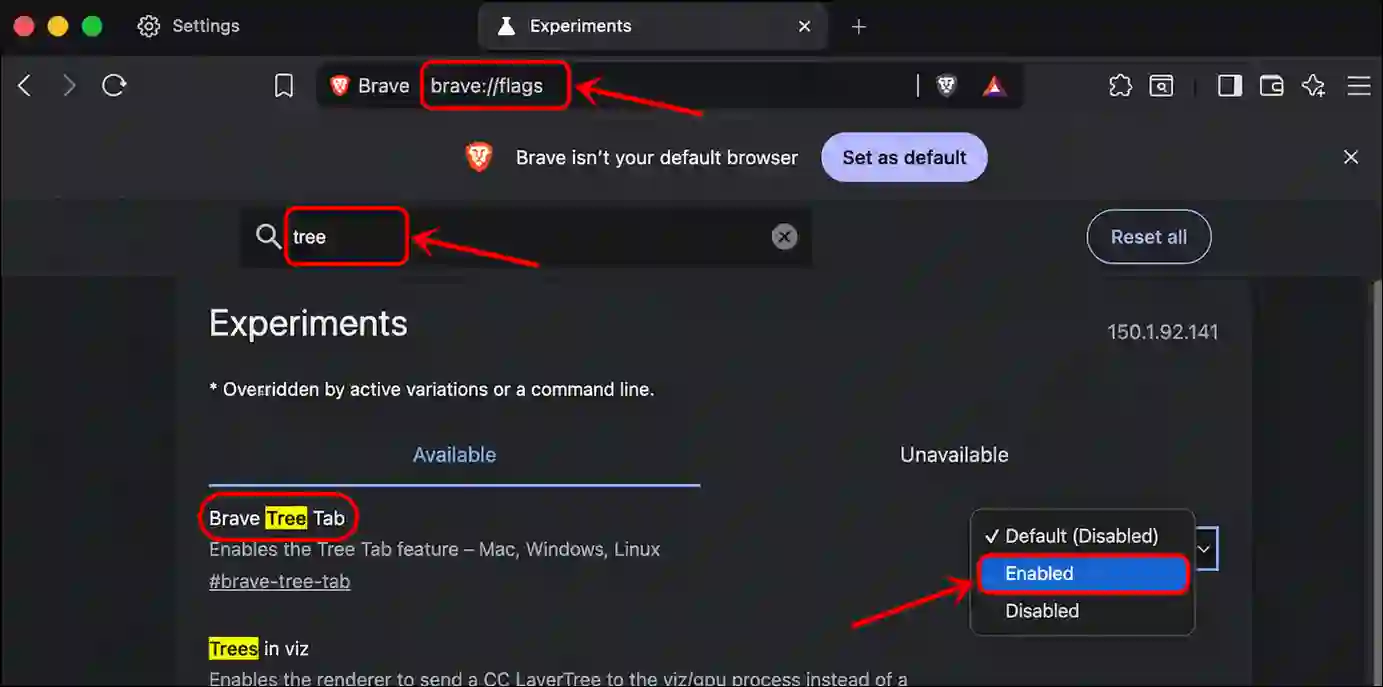
- Next, Restart Your Brave Browser.
- Now, Type
brave://settings/?search=Tabsin the Address Bar and Hit Enter. - Next, Check the Box Just Before “Use Tree Tabs”.
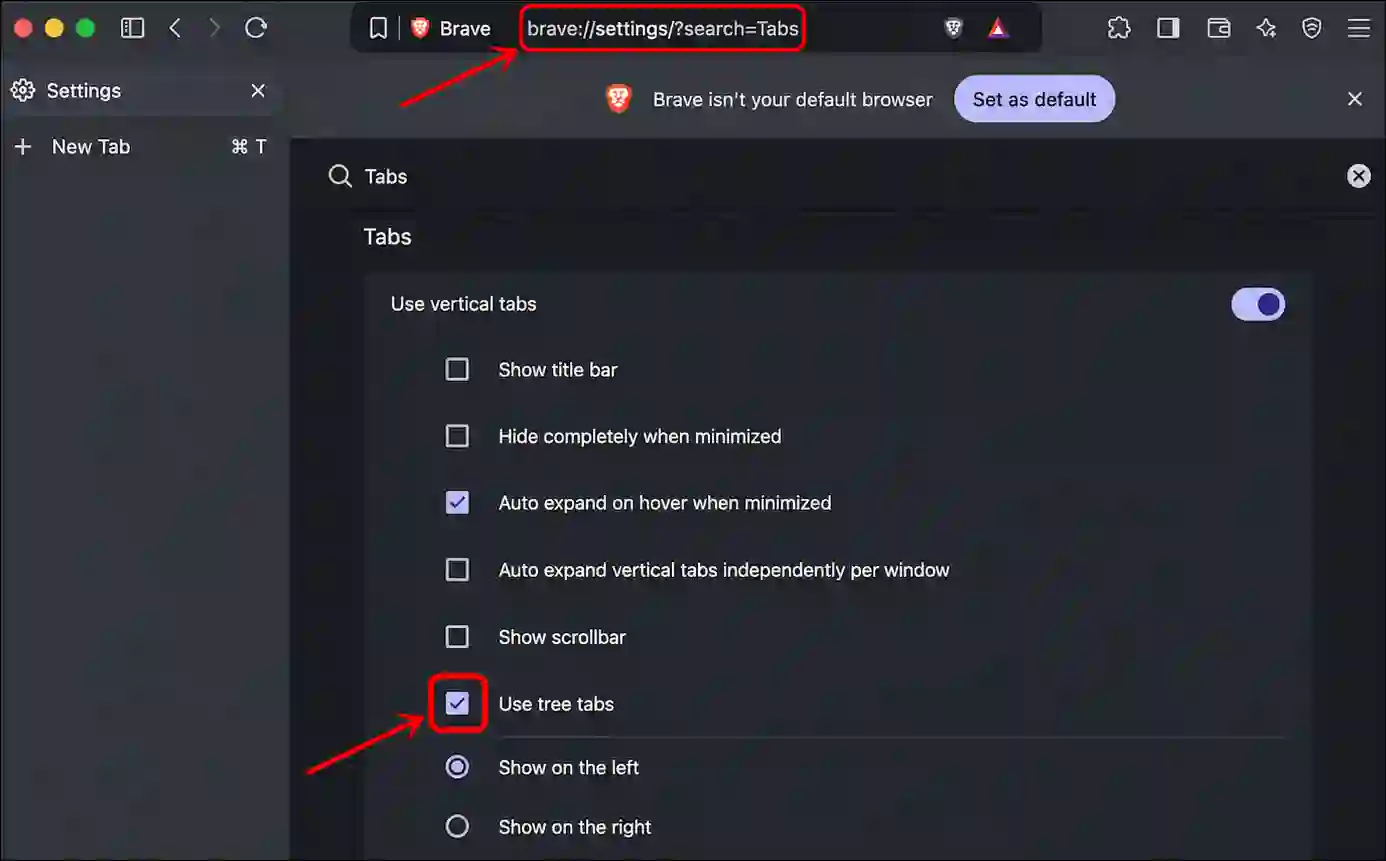
That’s it! Now, simply open a website in the Brave browser and click on a link within the site; the link will open in the tree-style tabs format.
You may also like:
FAQs
Q 1. Can I Turn On Tree Tabs in Brave Using Shortcuts?
Answer – No! Currently, Tree Tabs in the Brave browser can only be enabled using a hidden flag. You cannot enable or disable it using keyboard shortcuts at this time.
Q 2. Can I Disable Tree Tabs in Brave Anytime?
Answer – Yes! You can disable Tree Tabs in the Brave browser whenever you want, and Brave allows for this. Simply go to the tab settings and uncheck the “Use Tree Tabs” box.
I hope you found this article helpful and learned how to turn on tree-style tabs in the Brave browser. If you have any other questions about Brave, feel free to ask in the comments below. Don’t forget to share this article.