How to Send Code Snippets on Telegram (Short Guide)
Do you also want to send a code snippet or code block to someone on Telegram that can be copied with just a single click? Don’t worry! It is absolutely possible. In this article, I have shared a step-by-step guide that will teach you how to add code snippets on Telegram.
Formatted Code Block in Telegram
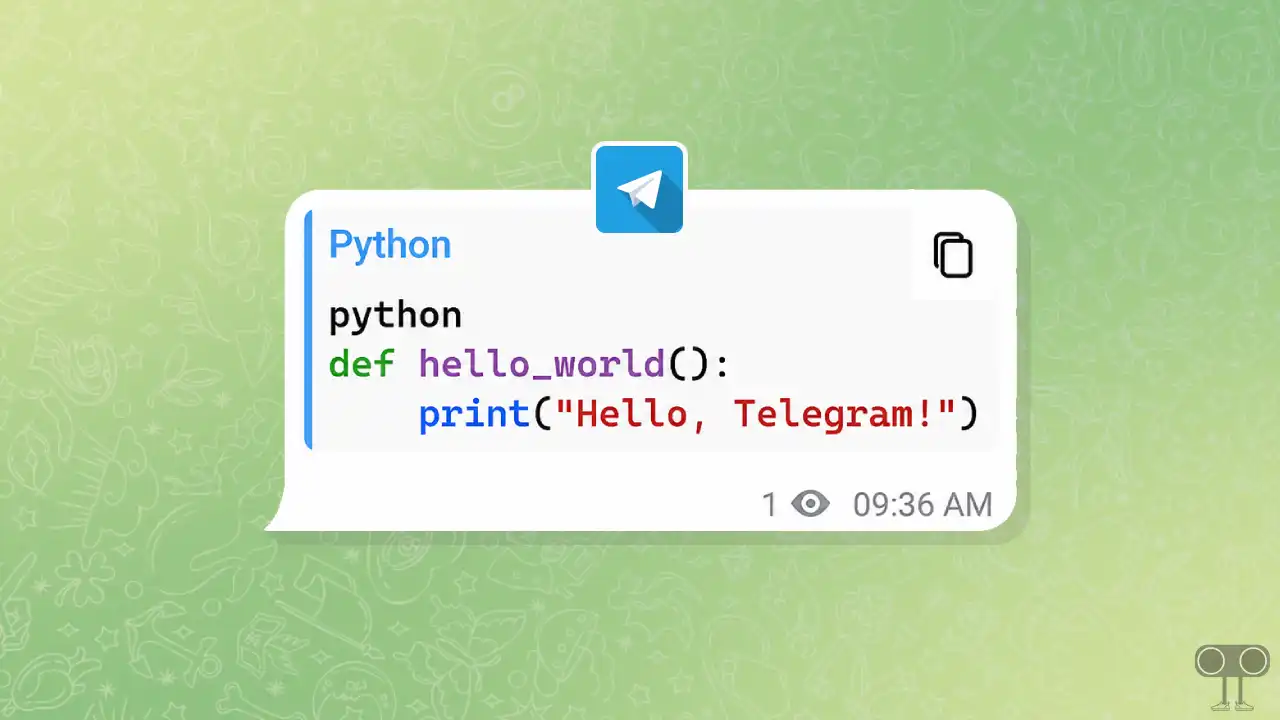
The Code Snippet feature in Telegram is a hidden, formatted code block tool that allows you to send programming code (such as HTML, CSS, JavaScript, Python, C++, C#, PHP, Rust, etc.) in a snippet style. These snippets come with a copy button, meaning you can copy the entire snippet with just a single click.
This preserves the code formatting, making it ideal for sharing code examples. Normally, you cannot send formatted code like this in Telegram, but you can do so by using “Markdown backticks” in the chat. This method works with Telegram Web on Windows or Mac computers, as well as the Telegram app on Android, iPhone, or iPad.
How to Send Code Snippets on Telegram App and Web
The steps mentioned below I have tried it on Telegram Web, but you can also do it on the mobile app. The method is exactly the same for all platforms. If you also share codes with your followers on your channel or broadcast, do try this formatted code snippet once.
To create and add a code snippet in Telegram:
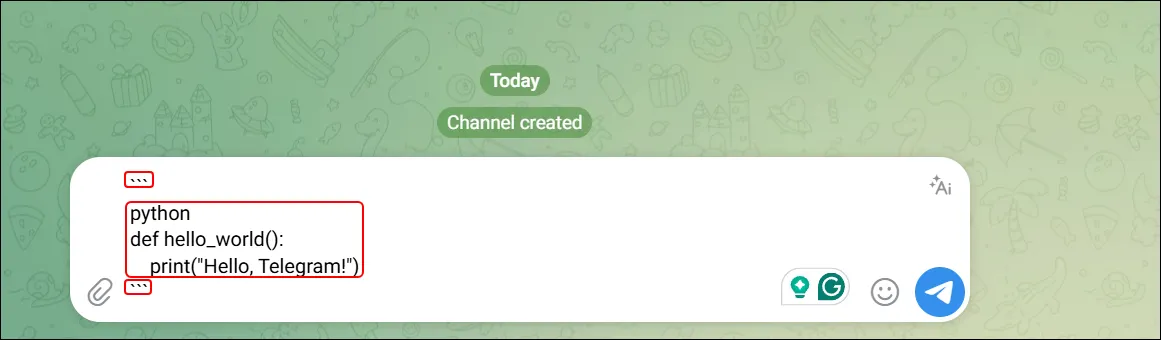
- Open Telegram App or Web and Tap on Message Text Box.
- Type Three Backticks (
```). - Next, Paste Your Formatted Code Here.
- Type Again Three Backticks (
```).
- Now, Send the Message.
That’s all! Now, the code you’ve sent will appear in a formatted snippet with a copy button. Remember to add these three backticks (“`) before and after your main code—only then will the snippet be ready in Telegram.
Also read: Stop Telegram from Showing Online Status and Last Seen
FAQs
Q 1. Can I use a monospace font to send a shorter code snippet on Telegram?
Answer – Yes! You can use the built-in monospace font to send short code snippets on Telegram. This font transforms your code into a formatted snippet. To do this, paste the code into Telegram, select all the code and highlight it, choose the ‘monospace’ font, and then send it.
Q 2. Will the code snippet work on the mobile Telegram app?
Answer – Yes! This code snippet format also works in the Telegram mobile app. Whether you use Android, iPhone, or iPad, you can use this format.
I hope you found this article helpful and learned how to make a code snippet in a Telegram message. If you have any other questions about Telegram, feel free to ask in the comments below. Don’t forget to share this article.