How to Turn Off the New Instagram’s Instants Feature
Meta has introduced the ‘Instants’ feature on Instagram, which you can access directly from your inbox. They rolled out this feature globally for all Android and iPhone users at the same time. Here’s how you can completely disable the ‘Instants’ feature in your Instagram DMs/Inbox.
Instagram’s New Instants Feature
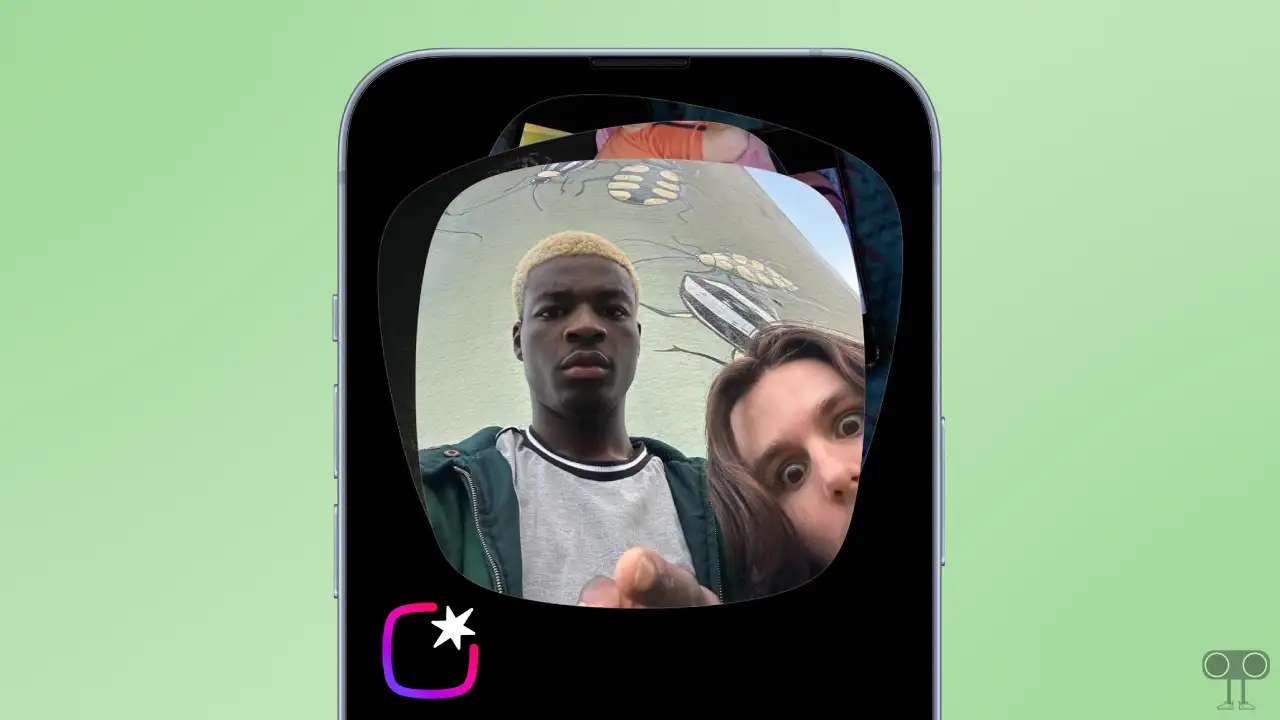
Instants on Instagram is a quick feature that allows you to share real-time, unedited photos with your mutual followers or close friends. The interesting thing is that as soon as the viewer views the photo, it disappears immediately, and it can neither be saved nor screenshotted.
Just like Instagram Stories, Instants automatically vanish after 24 hours. This is a type of privacy feature that is similar to Snapchat and BeReal. You cannot upload filtered photos from your phone gallery to Instants; you can only capture photos using the in-app camera.
How to Turn Off the New Instagram’s Instants Feature
If you are annoyed by the ‘Instants’ notification in Instagram DMs and wish to remove it from your inbox, the best thing is that Instagram provides an option to disable it. I have mentioned all the steps to do this, one by one, below.
To disable the Instants option in Instagram DMs:
- Open Instagram App on Your Android or iPhone.
- Go to Your Profile and Tap on Three ≡ Lines at the Top Right.
- Tap on Content Preferences.
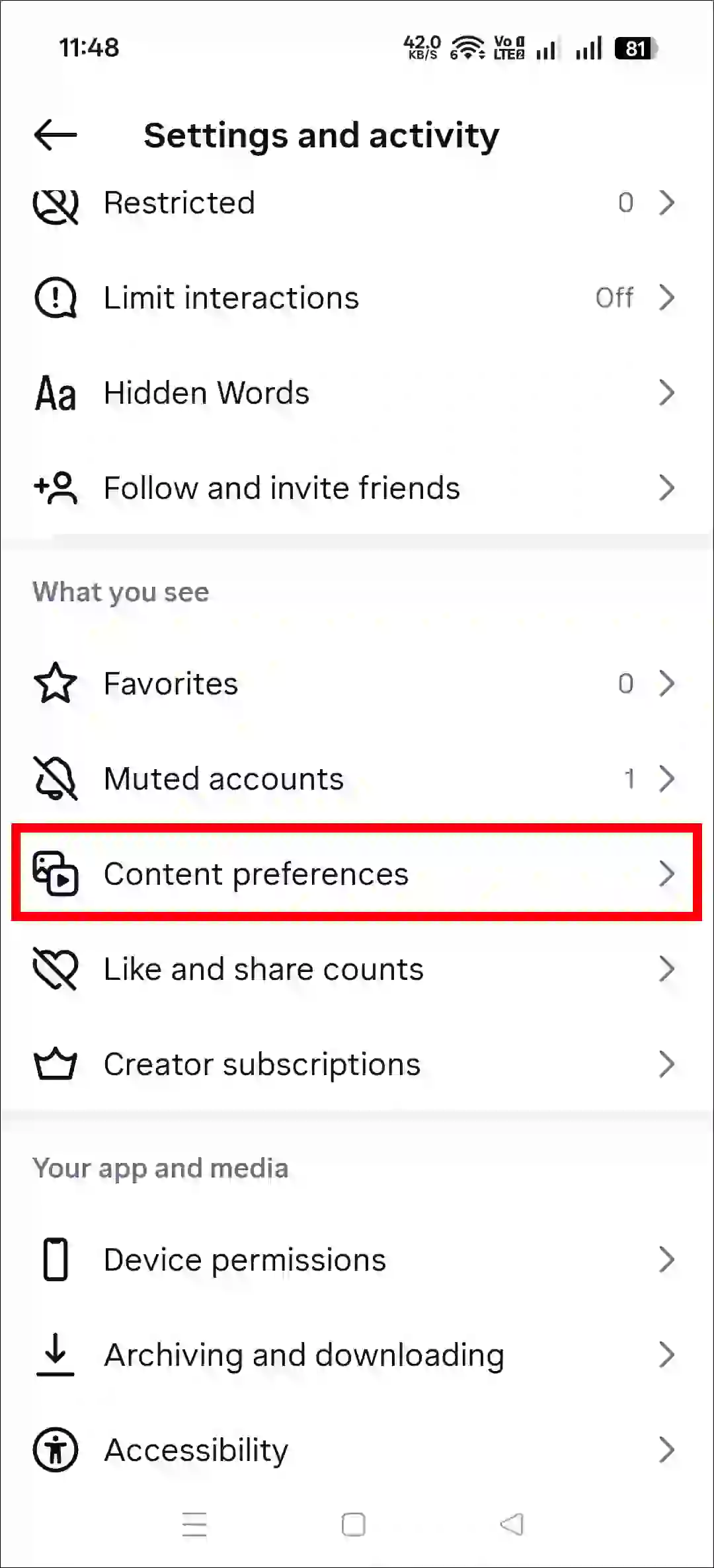
- Simply, Turn On the “Hide Instants in Inbox” Toggle.
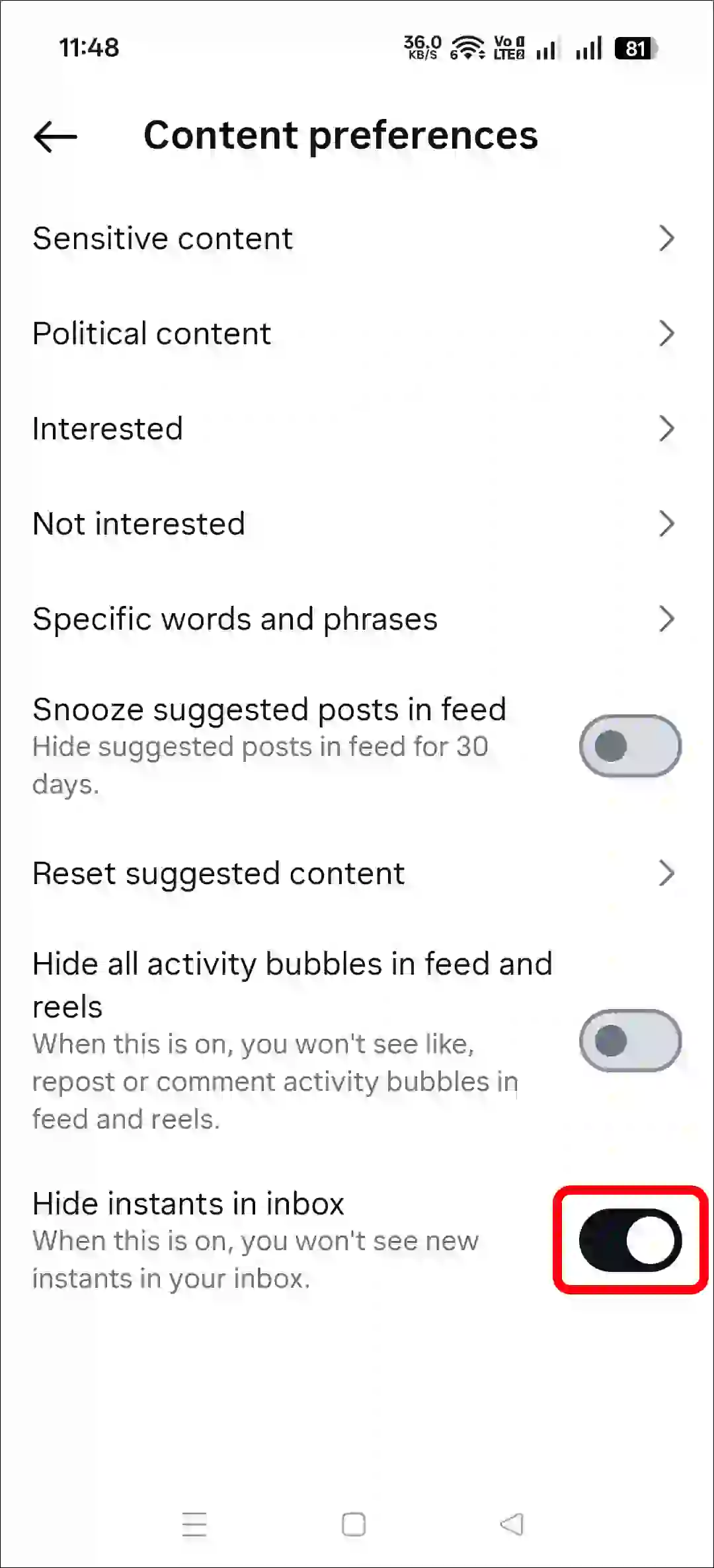
That’s it! Now, as soon as you go to the Instagram DM section, you will see that the ‘Instants’ option has been removed.
Also read: Here’s How I Disabled Activity Bubbles on Instagram Reels and Posts
FAQs
Q 1. Can Instagram instants be screenshots?
Answer – No! You can neither take screenshots nor screen-record Instants on Instagram. This is a highly secure feature developed with user privacy in mind.
Q 2. Do instants go to everyone on Instagram?
Answer – No! Instants on Instagram do not go to everyone; rather, they are shared only with your mutual followers (your Instagram followers whom you follow back) or Close Friends.
Q 3. How long do instants last on Instagram?
Answer – On Instagram, an “instant” disappears after being viewed just once. However, if it remains unviewed by anyone, it will automatically expire after 24 hours.
I hope you found this article helpful and learned how to disable the Instants option in Instagram. If you have any other questions about Instagram, feel free to ask in the comments below. Don’t forget to share this article.