
Here’s How I Disabled Activity Bubbles on Instagram Reels and Posts
“Activity Bubbles” is a feature on Instagram that displays floating profile icons on posts and Reels. Meta introduced this feature to Instagram in 2025. In this article, I have explained how you can turn this on and off on Instagram.
Activity Bubbles on IG Content
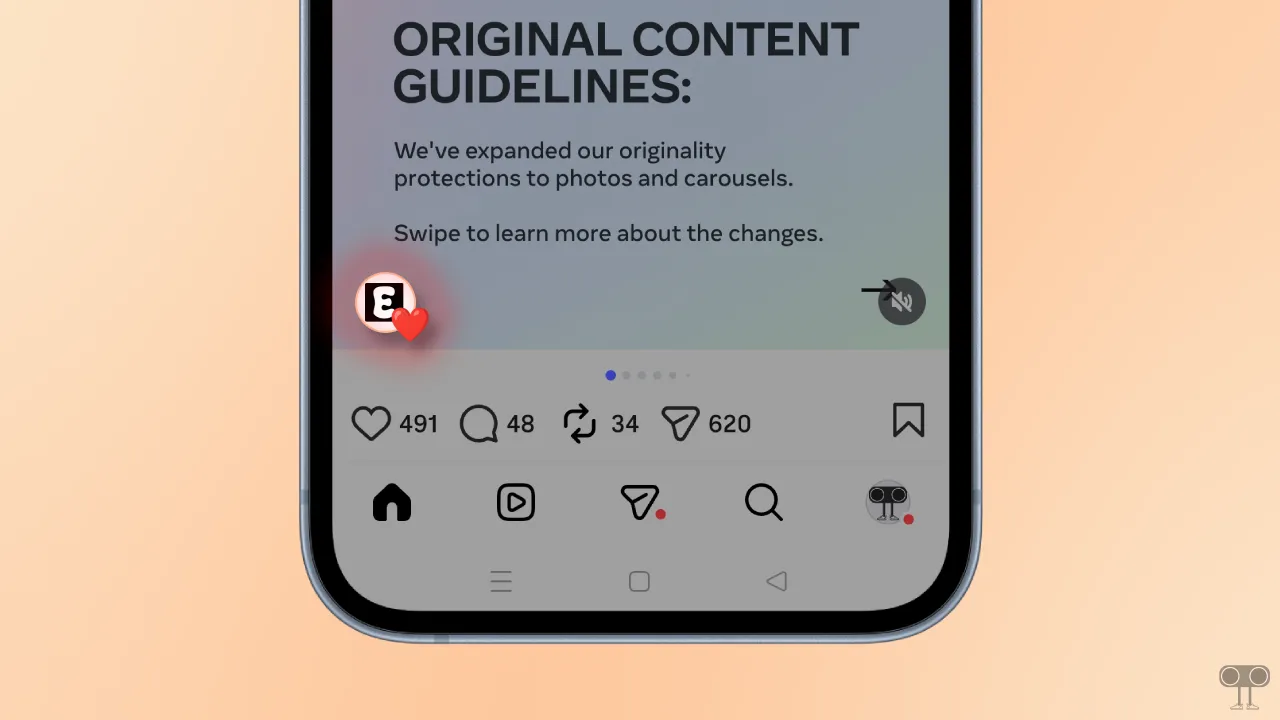
On Instagram, the Activity Bubble is a floating profile icon that appears on content such as posts and Reels. This feature is directly linked to your friends’ activities, such as liked Reels, comments, reposted content, and much more.
For example, if Ramu is your friend on Instagram and he likes, comments on, or reposts a reel or post, then when that reel or post appears in your feed, you’ll see your friend’s profile icon floating on it. The good news is that you can control these activity bubbles on Instagram.
How to Turn Off Activity Bubbles on Instagram
If Instagram’s Activity Bubbles on posts and reels annoy you because accidentally tapping them ruins your scrolling experience, you can get rid of them. Instagram has a built-in option to manage activity bubbles.
Steps to disable activity bubbles on Instagram reels and posts:
- Open Instagram App on Your Phone.
- Go to Your Profile and Tap on Three ≡ Lines at the Top Right.
- Tap on Content Preferences.
- Simply, Enable the “Hide Activity Bubbles in Feed and Reels” Toggle.
- Now, Restart Your Instagram App.
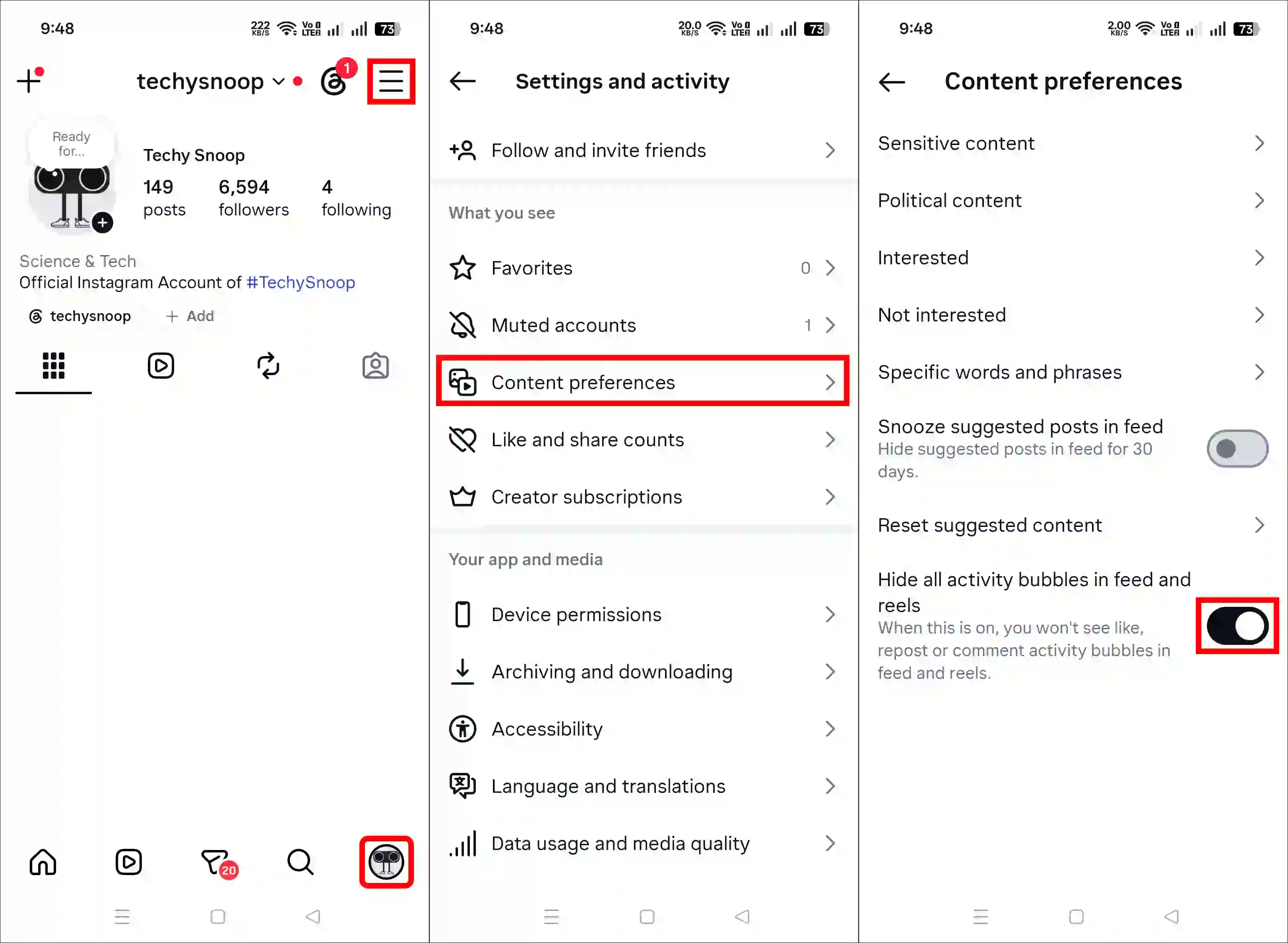
That’s it! Now, activity bubbles on Reels and posts have been hidden in your Instagram app.
Now you can Put GIFs on Your Instagram Notes.
How to Turn On Activity Bubbles on Instagram
If you accidentally disabled this feature and now want to re-enable it, that’s easy too. As soon as you turn it back on, you’ll see your friends’ profile icons floating on reels and posts again.
Steps to enable activity bubbles on Instagram reels and posts:
- Open Instagram App on Your Phone.
- Go to Your Profile and Tap on Three ≡ Lines at the Top Right.
- Tap on Content Preferences.
- Simply, Disable the “Hide Activity Bubbles in Feed and Reels” Toggle.
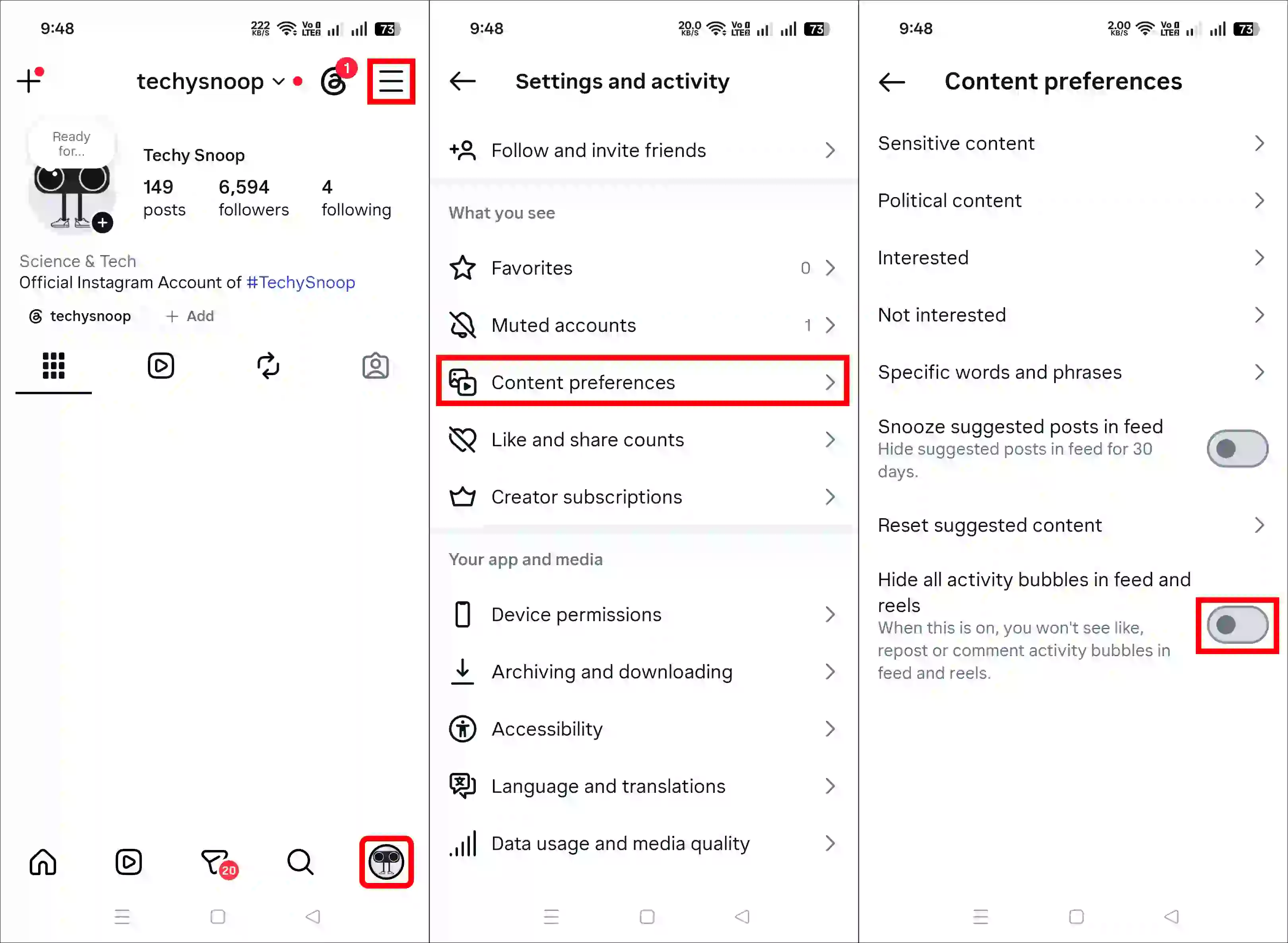
That’s all! You’re done…
FAQs
Q 1. How do activity bubbles appear on Instagram?
Answer – When your friend likes or interacts with a Reel or post, a floating profile icon of theirs appears on the content.
Q 2. Can I stop activity bubbles from appearing on Instagram?
Answer – Yes! If you’re bothered by activity bubbles and want to stop them from appearing, you can do that. Just open the Instagram app and go to Settings > Content Preferences, then turn on the ‘Hide Activity Bubbles in Feed and Reels’ toggle.
I hope you found this article helpful and learned how to turn activity bubbles on and off on Instagram. If you have any other questions about Instagram, feel free to ask in the comments below. Don’t forget to share this article.


Instagram comment not be obtained and control