Disable ‘Shake To Send Feedback’ Mode in Google Maps

Is the “Shake to send feedback” mode enabled in Google Maps on your Android phone, and is it constantly bothering you? If so, don’t worry; you can easily disable it. In this article, I’ve explained step-by-step how to turn off the “Shake to Send Feedback” mode in Google Maps.
What Is Google Maps’ “Shake To Send Feedback” Feature and How Does It Work?
Google Maps’ “Shake to Send Feedback” feature allows users to easily submit feedback or report an error about the application by shaking their phone. When you notice a problem in the Google Maps app, such as an incorrect location, an error in the directions, or the app crashing, you can quickly shake your phone a few times.
As soon as you shake the phone, a feedback form will appear. There, you can describe the issue, attach screenshots, and send it directly to Google’s team.
The main purpose of this feature in Google Maps is to make giving feedback easier and faster, to help users quickly report technical problems or data errors, and to assist Google in improving the quality and accuracy of Maps.
Turn Off ‘Shake To Send Feedback’ On Google Maps (Android/iOS)
This feature is enabled by default in Google Maps, but users can disable it for their convenience. Whether you’re an Android or iPhone user, disabling it is very simple. All the steps are given below.
To remove the ‘Shake to send feedback’ option on the Google Maps app:
- Open Google Maps App on Your Phone.
- Tap on Profile Picture at Top Right Corner.

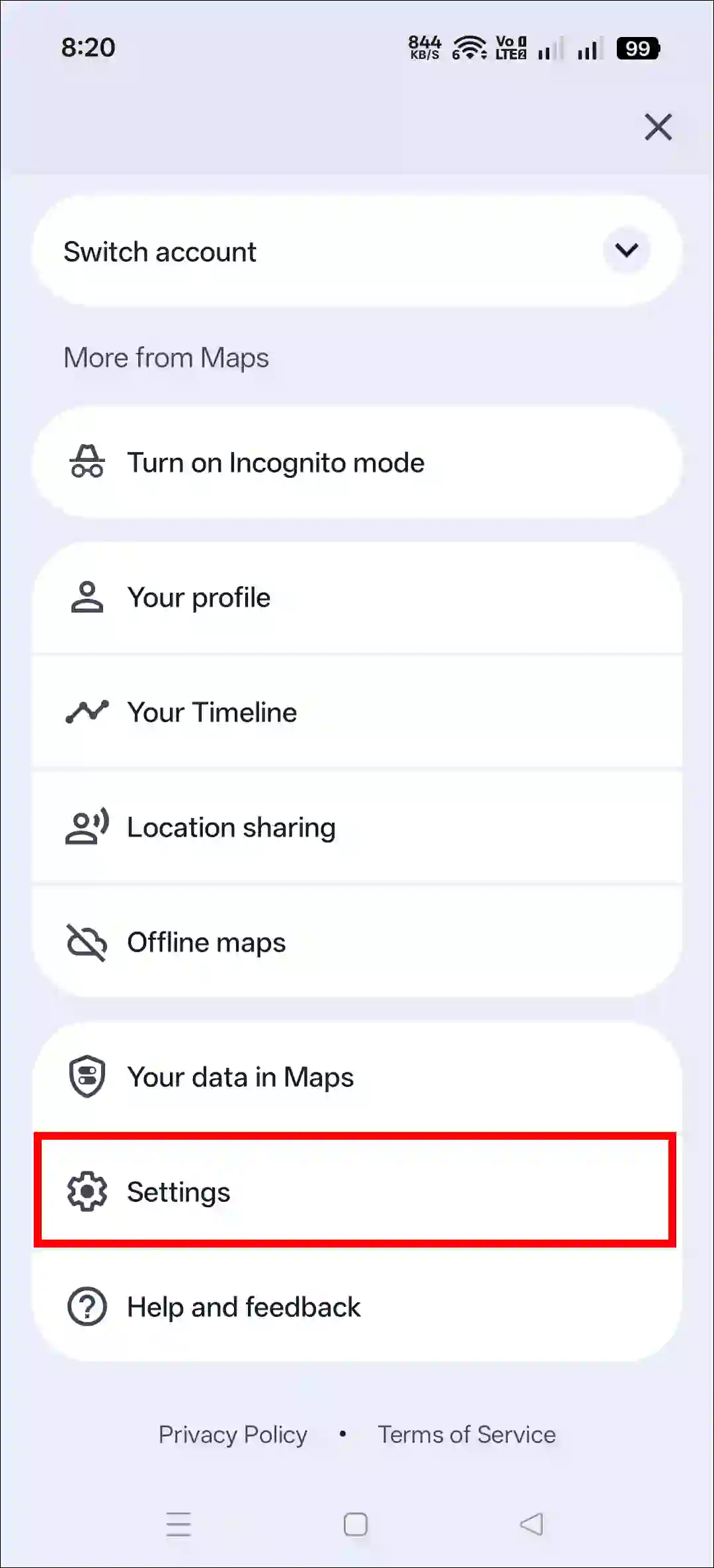
- Tap on Settings.
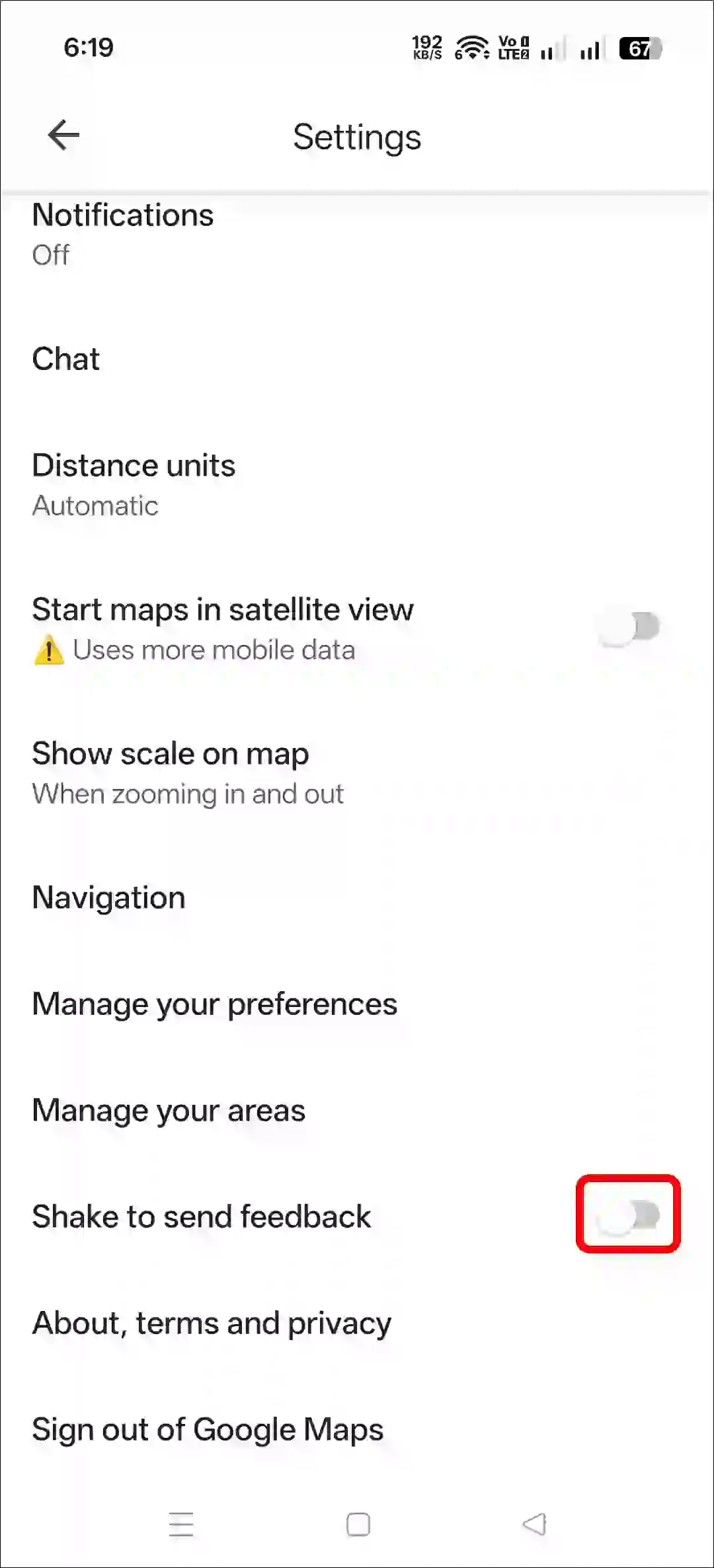
- Scroll Down and Simply Turn Off the “Shake to Send Feedback” Toggle.
That’s all! You’re done…
Related: How to Find North on Google Maps on Phone and Desktop
I hope you found this article helpful and learned how to disable the shake to send feedback in Google Maps. If you have any questions related to Google Maps or Android, please ask in the comments below. Feel free to share this article as well.