Grok Update Changes the Enter Key to Submit Instead of Adding a New Line
Grok is xAI’s popular chatbot, which can generate images and videos in addition to text responses. As we know, in Grok, when typing a text prompt, hitting the Enter key used to create a new line (paragraph break), but now hitting Enter acts like the Send button.
Not only desktop users but also mobile users (Android and iPhone) are facing this problem. Many users have posted about this issue on Reddit and Twitter. If you are also facing this problem, we have found a solution for the desktop version.
Make the Enter key in Grok insert a new line instead of submitting the message
No matter which desktop browser you use (such as Chrome, Edge, Opera, Firefox, etc.), you can set the Enter key to insert a new line instead of submitting a message in Grok. The Grok web version includes a “Require Cmd+Enter To Submit” option in its settings, which makes this easy to do.
Step 1. Open Any Desktop Browser and Go to Grok.com and Login to Your Account.
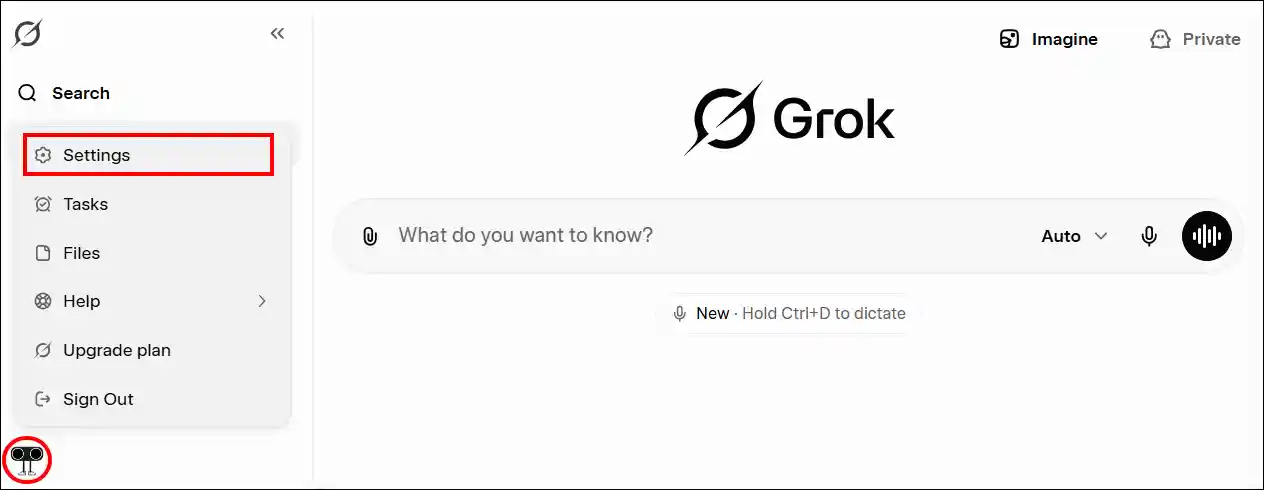
Step 2. Click on Profile Icon at the Bottom Left and Select Settings.
Step 3. Go to Behavior Section and Enable the “Require Cmd+Enter To Submit” Toggle.
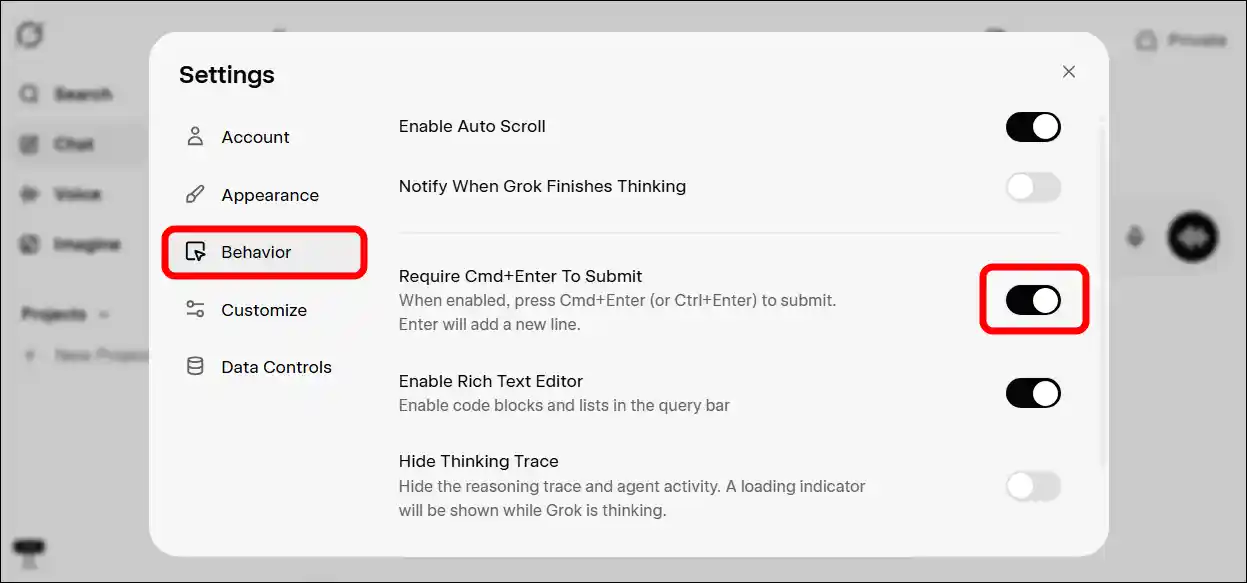
Note: When enabled, press Cmd+Enter (or Ctrl+Enter) to submit. Enter will add a new line.
That’s it! You are all set! Now, whenever you type a prompt into the text box and press the ‘Enter’ key, Grok will insert a paragraph break instead of sending that prompt. However, you can disable this setting in Grok whenever you want.
According to some Grok users, this issue is also occurring on Android phones when using GBoard; however, Grok has not yet commented on this issue. If we find a solution to this problem on mobile phones, we will certainly update this post with the details.
You may also read: