Here’s How I Turned Off AI Overview on TikTok Captions
Just like Google Search’s AI Overview, TikTok has now also rolled out an “AI Overview” mode within its app. This feature is imposing AI-generated summaries on other people’s videos, leaving users highly dissatisfied and desperate to get rid of it.
The TikTok app doesn’t currently have a universal “off” switch to disable this AI overview mode, but we have found a few methods that helped us get rid of TikTok’s AI overview. These methods might work for you as well.
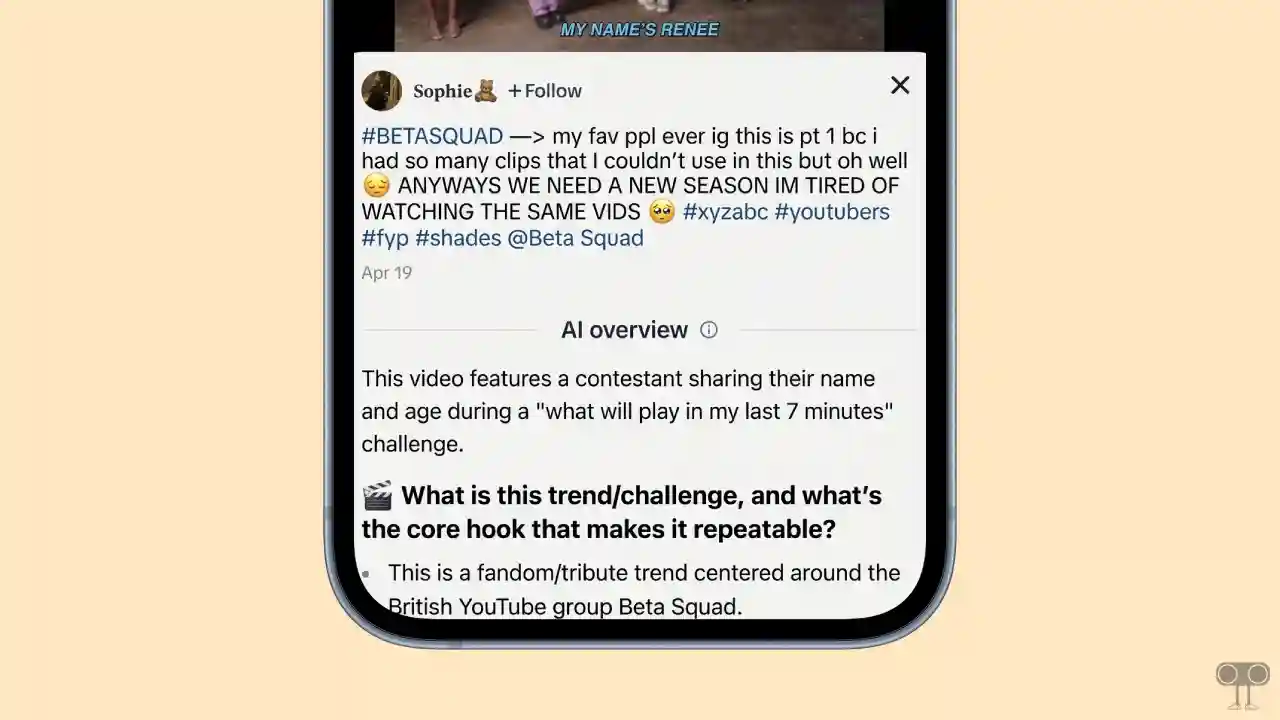
You can find this AI overview in TikTok captions, which are available on both Android and iPhone devices. Whenever you tap the “More” button, your caption will expand, and you will see the “AI Overview” section, which contains AI-generated summaries related to that video.
Here’s How I Turned Off AI Overview on TikTok
Many users are frustrated with AI overviews in TikTok captions, and they are posting about it on Reddit and Twitter. We also did some research online and found a few methods that worked for us. You can follow all of these methods listed below.
Method 1. Disable Display Object Tags
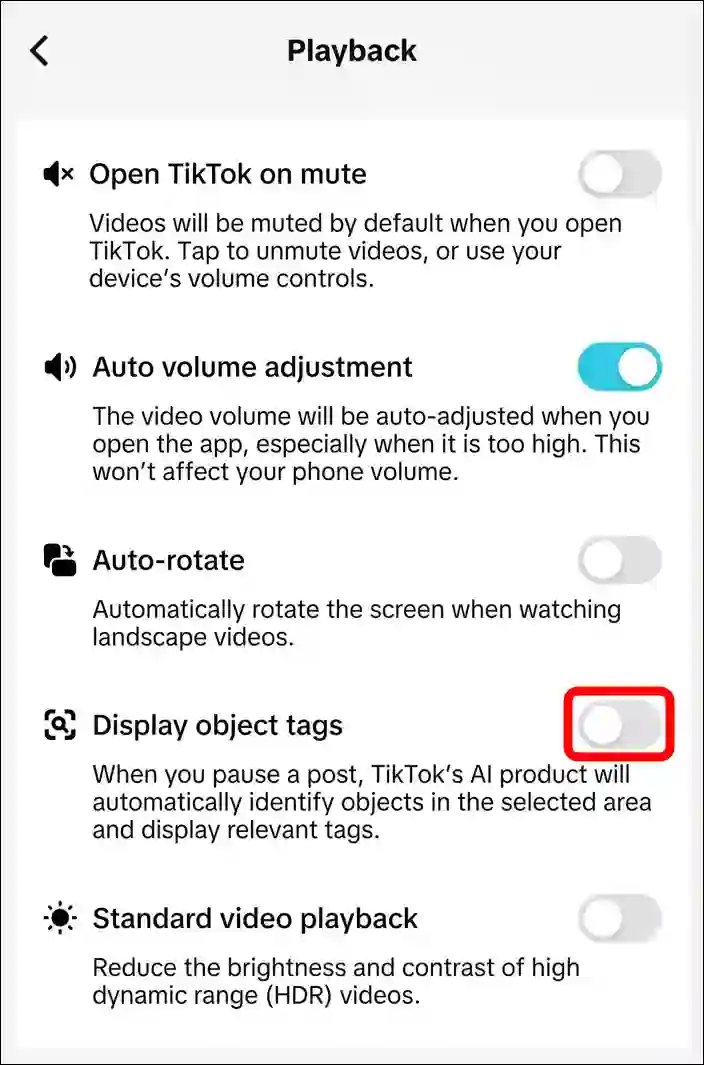
Reddit users have claimed that if you disable “Display Object Tags” in TikTok settings, the AI Overview turns off by itself. I have also tried this method, and I actually got the result.
To disable this option, follow these steps:
- Open TikTok App and Go to Profile at Bottom Right.
- Tap on Three ≡ Lines at the Top Right and Select Settings.
- Scroll Down and Tap on Playback.
- Simply, Turn Off the “Display Object Tags” Toggle.
Method 2. Change Country Location
It is not necessary that the above method will work for you. If the previous method isn’t working for you, you now need to use a VPN or a proxy. TikTok has rolled out this AI Overview feature only in a few select countries so far.
So, select a server in a country via your VPN where this feature is not available. As soon as you do this, the AI Overview will stop displaying AI-generated summaries for your TikTok captions.
However, this method will only work until the feature is rolled out in that specific country as well.
Also read: How to Turn Off Find Similar on TikTok
I hope you found this article very helpful. And you learned how to turn off AI overview on TikTok captions. If you have any problems related to TikTok, please let us know by commenting. Please share this article with your friends.