Remove “AI Creator” Label from Instagram Profile
Ever since generative AI tools were launched, the internet has been flooded with AI-generated and modified content. Instagram isn’t immune to AI-generated content either, so Meta just introduced an “AI Creator” label for profiles on the platform.
What is AI Creator Label in Instagram Profile?
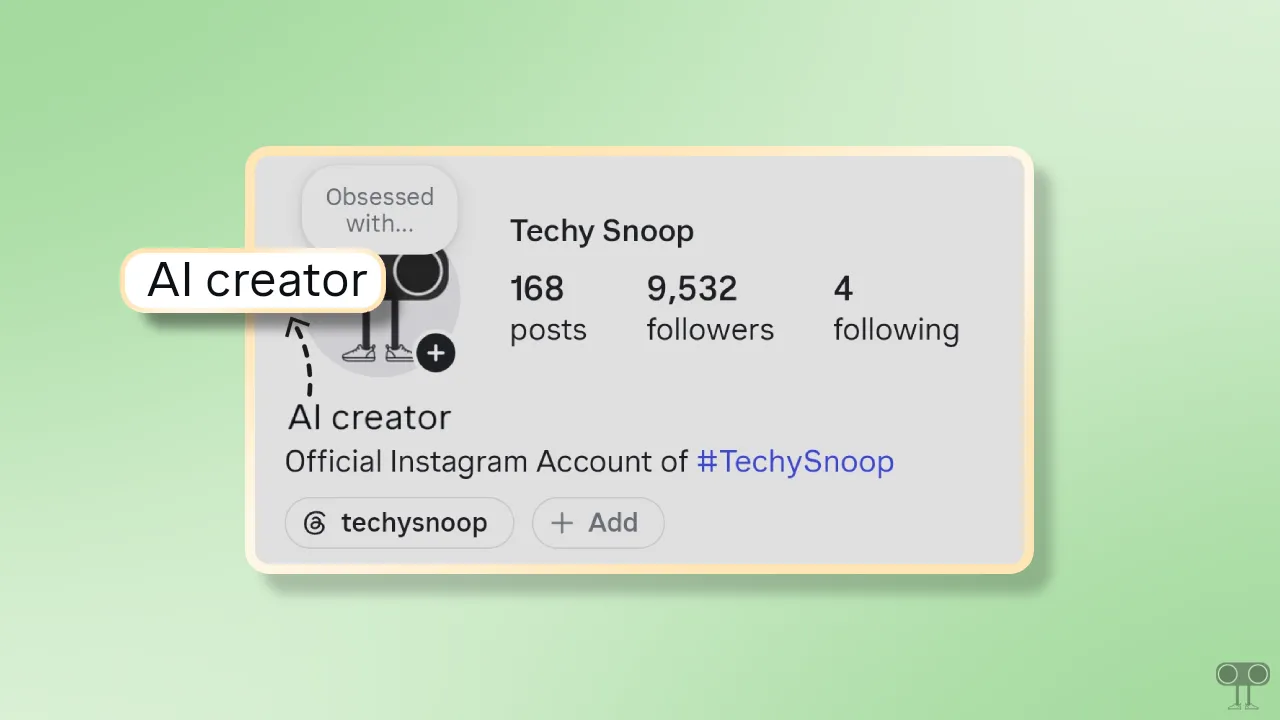
If you see an “AI Creator” label in an Instagram profile’s bio, it means that the account regularly posts AI-generated or AI-modified content. However, this is completely different from the AI content label (which appears on individual posts).
If this label is appearing on your profile as well, there is no need to worry. Instagram allows you to remove this label from your profile. Below, I have shared a step-by-step guide on how you can hide this “AI Creator” label from your Instagram profile.
Here’s How I Removed “AI Creator” Label from Instagram Profile
- Open Instagram App and Go to Your Profile.
- Tap on Edit Profile.
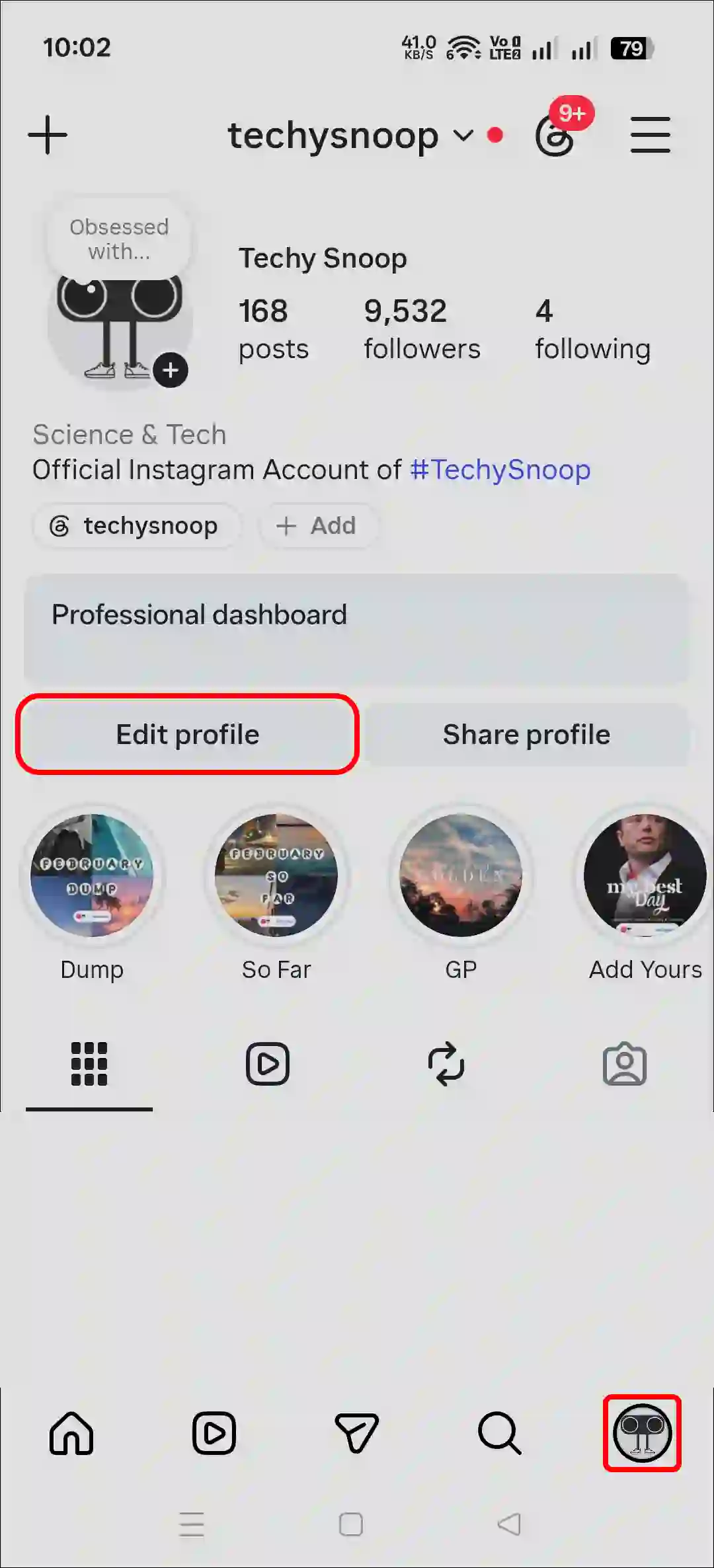
- Simply, Turn Off the “AI Creator” Toggle.
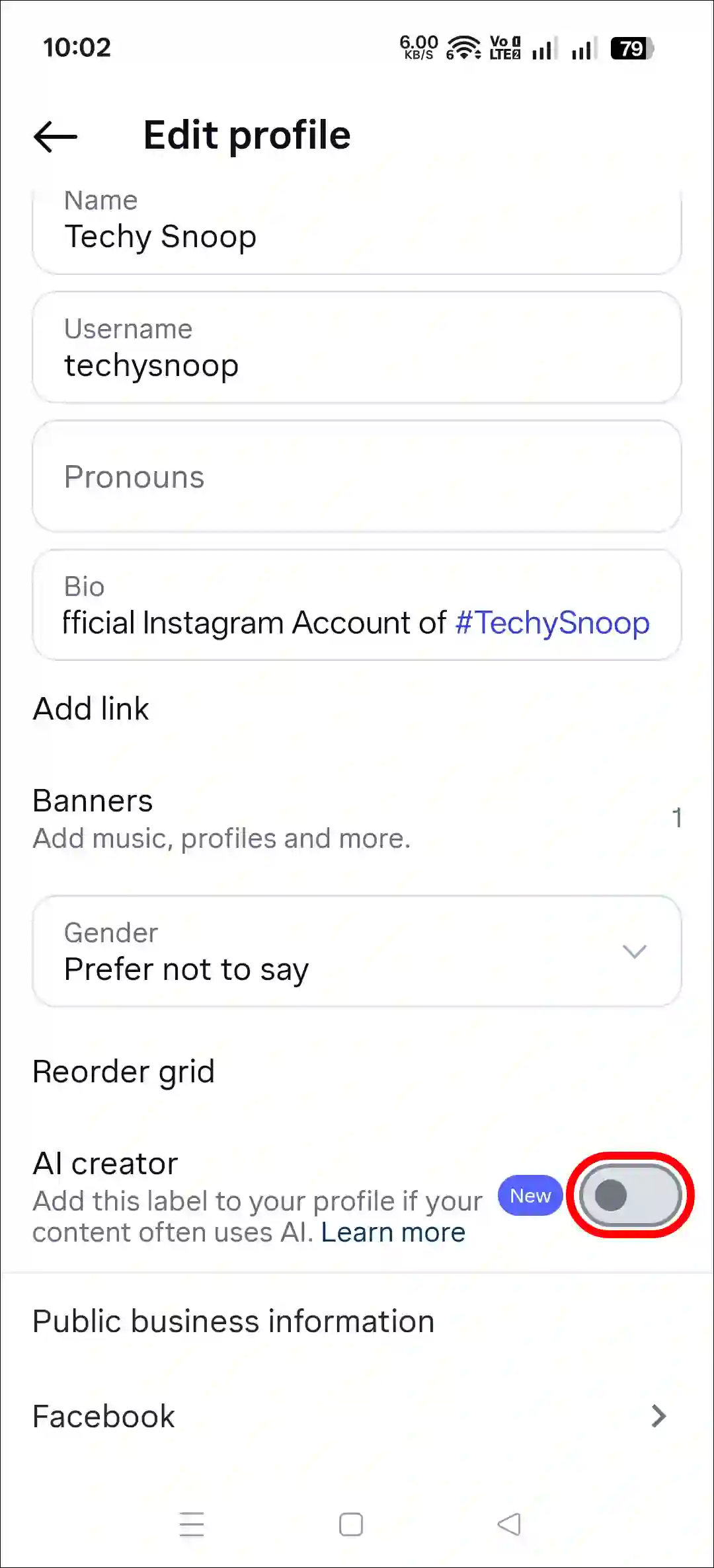
- Now, Tap Back Button.
That’s it! The “AI Creator” label has now been removed from your Instagram profile. By the way, you can re-enable this label whenever you want by following these same steps.
Also read:
FAQs
Q 1. Should I keep this Instagram AI creator label turned on?
Answer – If you regularly post AI-generated or modified content on your profile, keep this enabled. It helps Instagram identify and categorize AI-generated content. It’s up to you; you can keep it disabled if you want.
Q 2. How do I hide the AI creator tag from my Instagram profile?
Answer – To hide the AI creator label from your Instagram profile, simply go to your profile > Edit profile and turn off the AI creator toggle.
I hope you found this article helpful and learned how to disable the AI creator label in Instagram. If you have any other questions about Instagram, feel free to ask in the comments below. Don’t forget to share this article.