IRCTC App Says “Developer Mode Enabled”? Here’s How to Fix by Disabling It
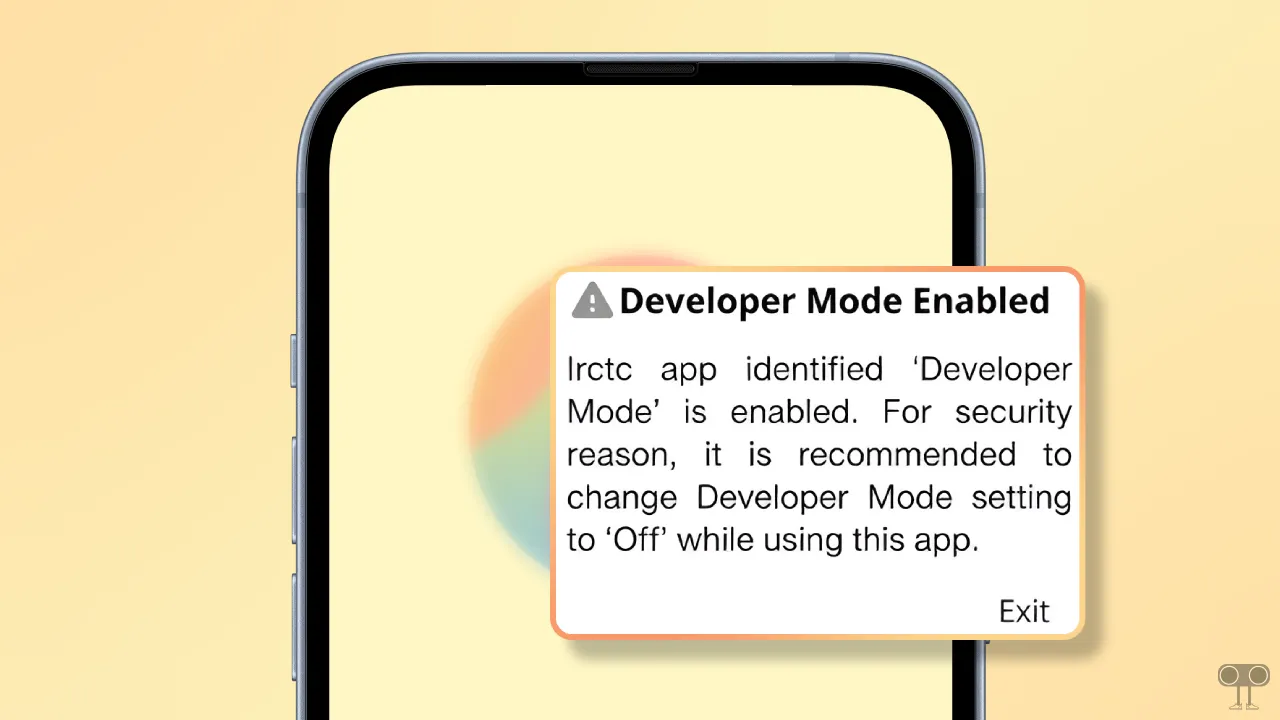
The IRCTC app is widely popular in India for booking train tickets, and millions use it every day. But over the past few days, users have been reporting on Reddit, Twitter, and other platforms that when they open the IRCTC app on their Android phones, they see a pop-up message saying “Developer Mode Enabled”.
If you’re experiencing this problem, don’t worry! You’re not alone. In this article, I’ve shared a step-by-step guide on how to fix this issue on your Android phone.
Why does the IRCTC app keep saying “Developer Mode Enabled”?
IRCTC has improved its in-app security, and now it can detect security-related issues on your device. That’s why, if you activate developer mode on your device, the IRCTC app detects it and shows a popup message on the screen.
Developer Mode on Android phones is a hidden but advanced setting that you need to enable manually. Some apps see this enabled developer mode as a security breach, and that’s exactly what’s happening with the IRCTC app.
However, there’s no need to worry! You can easily resolve this IRCTC app issue by disabling Developer Mode on your Android phone.
This message appears like this in the IRCTC app:
⚠️ Developer Mode Enabled
IRCTC app identified ‘Developer Mode’ is enabled. For security reason, it is recommended to change Developer Mode setting to ‘Off’ while using this app.
Exit
How to Fix “Developer Mode Enabled” Problem in IRCTC App
There are 2 steps to fix this problem: the first is to disable Developer Mode, and the second is to update the IRCTC app to the latest version.
Step 1. Disable Developer Options
- Open Settings App on Your Android Phone.
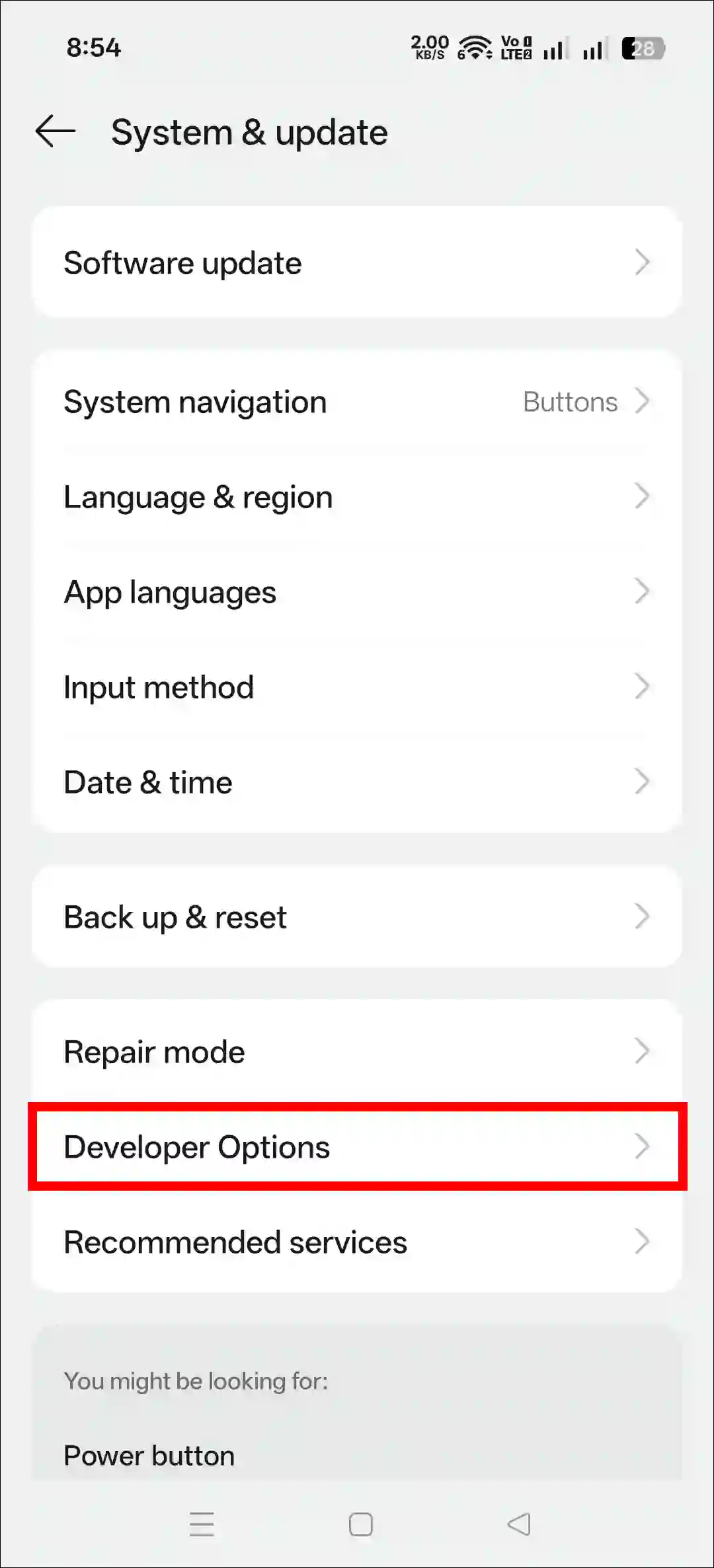
- Scroll Down and Tap on System or System & Update.
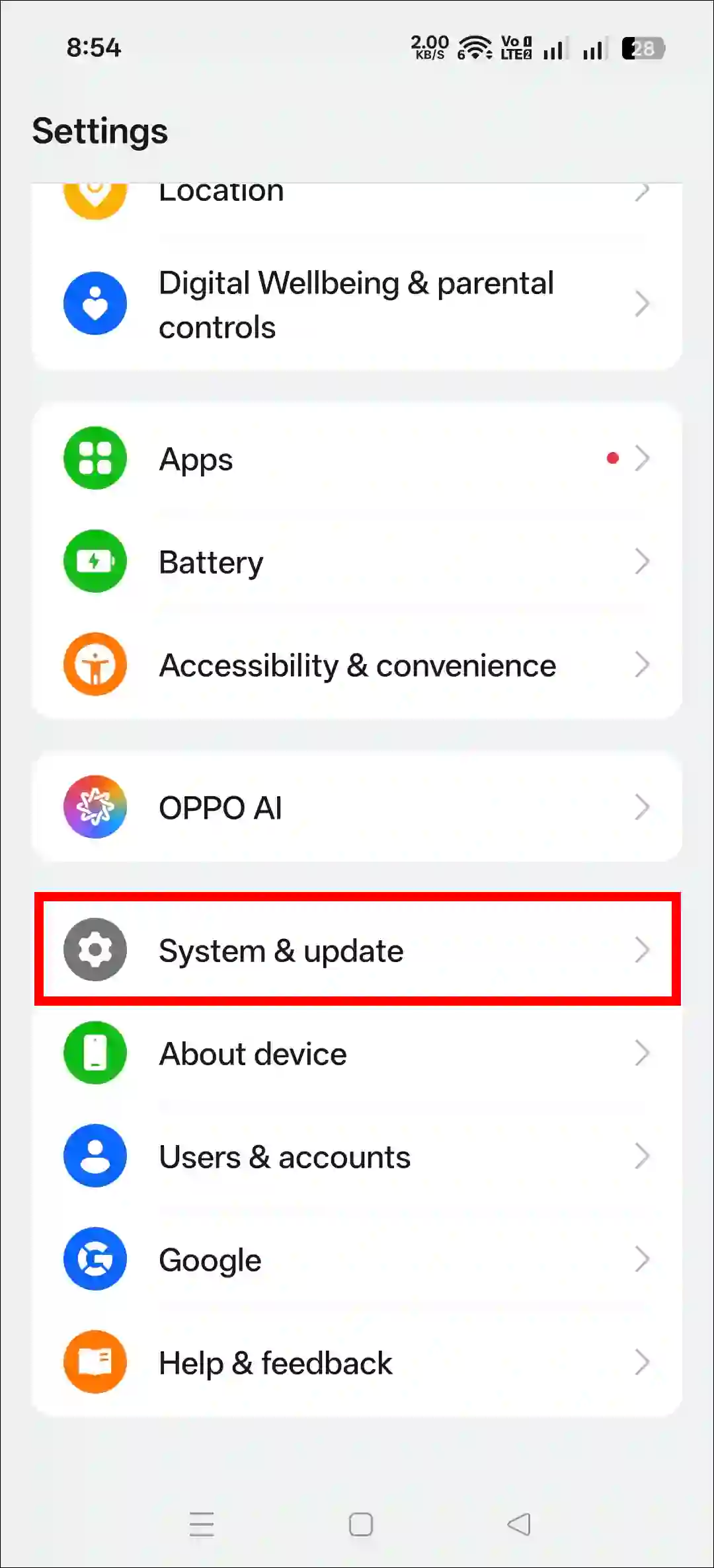
- Tap on Developer Options.
- Simply, Turn Off the “Developer Options” Toggle.
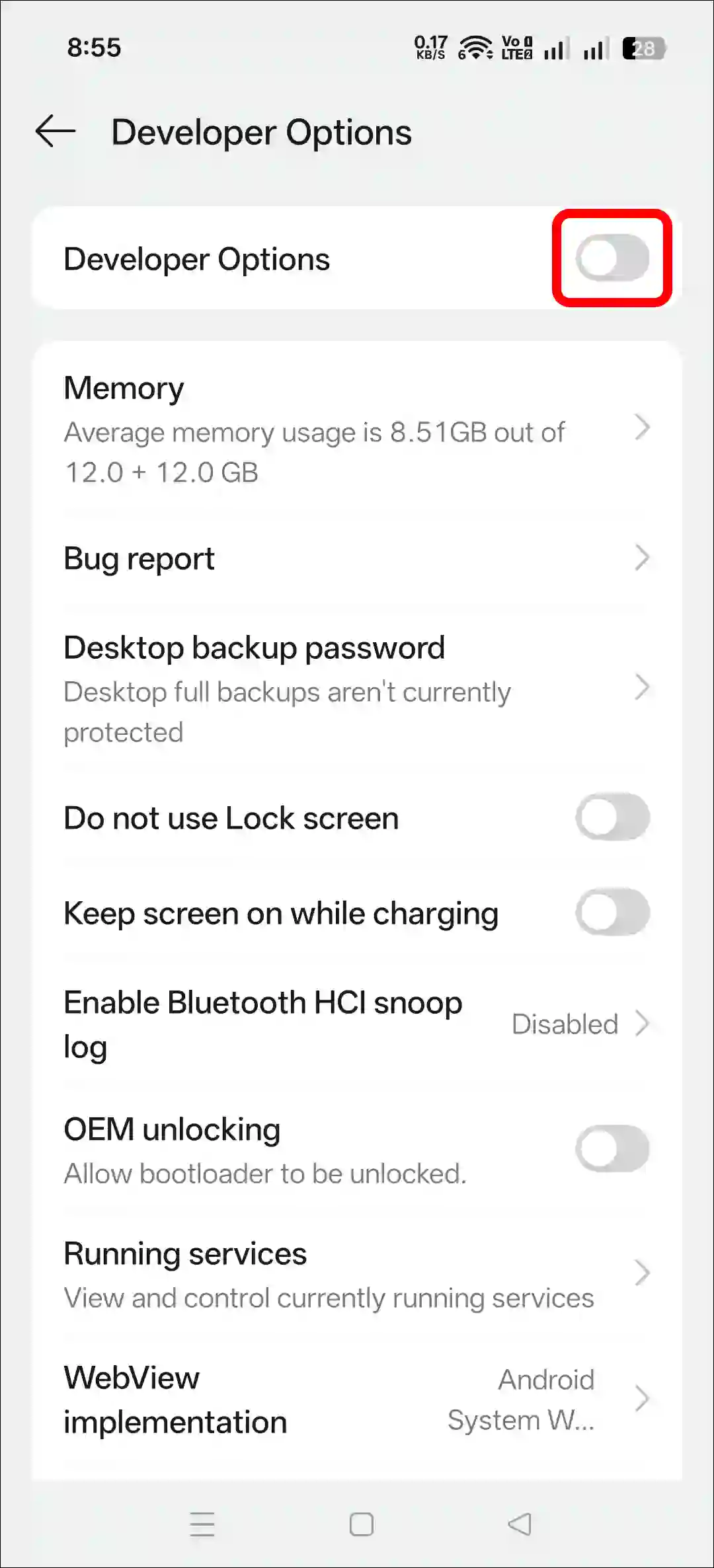
- Now, Restart Your Phone.
Note: I used an Oppo phone for this step. Your phone’s settings might be a little different, but you’ll still find the Developer Options under the System section in Settings.
Step 2. Update Your IRCTC App
- Open Google Play Store on Your Phone.
- Search for “IRCTC” and Tap On It.
- Tap on Update Button (If Available).
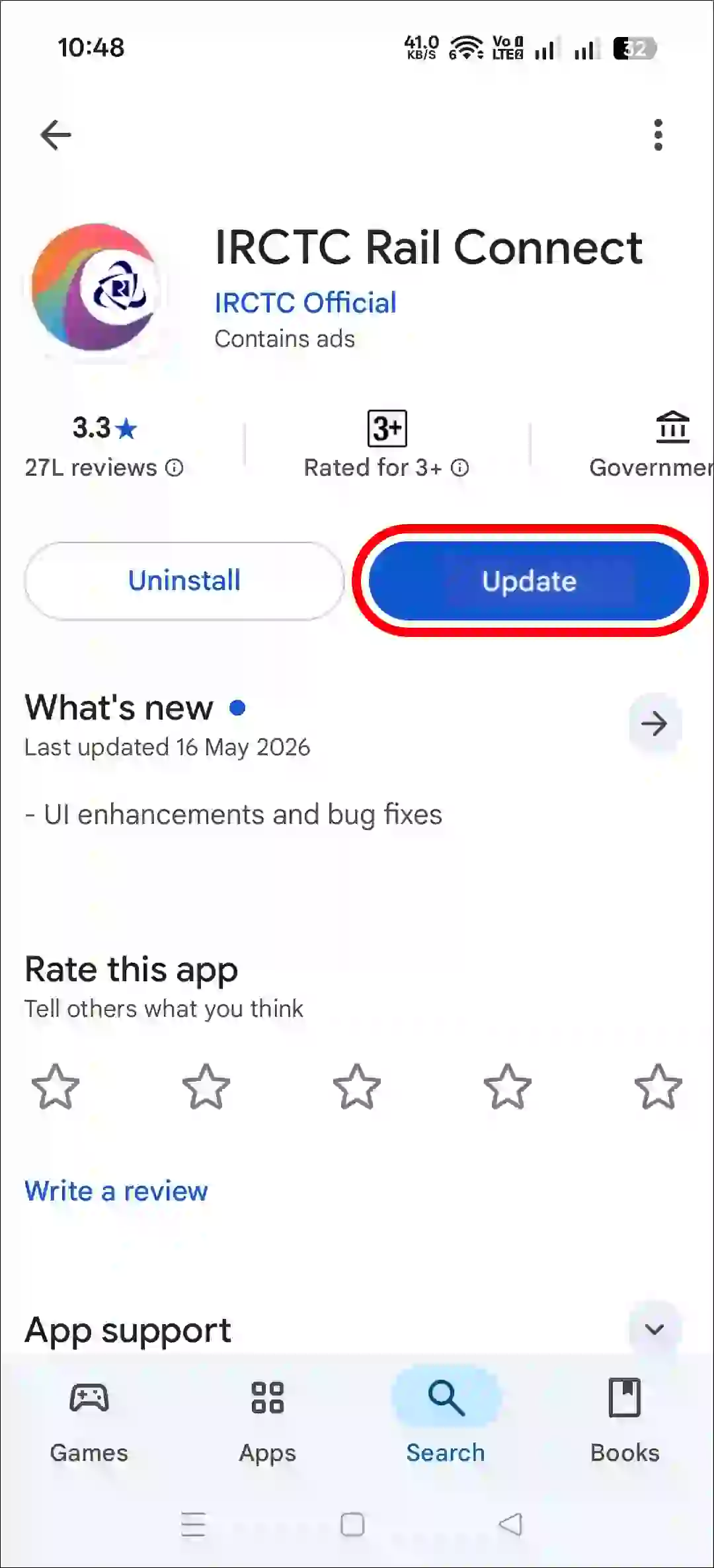
That’s it! Now your IRCTC app will stop showing this “Developer Mode Enabled” error, and you can book tickets without any problem.
This method works on all Android phones, like Samsung, Google Pixel, Oppo, Vivo, Redmi, Poco, Xiaomi, Nothing, iQoo, Infinix, Motorola, and others.